Best 5 AI Meeting Tools For Consultants
Sanduni
Growth Content Editor
AI meeting tools for consultants are trending, but I've seen you guys getting burned by trust-damaging bots that pop up visibly during client calls, speaker identification that somehow turns 2 voices into 8 different people (seriously, how does that even happen?), and GDPR compliance gaps that basically throw your NDAs out the window.
I've read through tons of reviews where you mention those awkward bot notifications that make clients uncomfortable, mislabeled quotes that completely derail your follow-ups, and messy CRM dumps that leave you doing manual cleanup instead of actual billable work.
That's why I put together this guide covering the stuff that actually matters to you.
bot-free recording options that keep things professional,
accurate speaker memory that works across multiple calls,
EU-compliant hosting that won't get you in legal trouble,
and intelligent CRM sync that genuinely saves you time instead of creating more work.
Enjoy!
Why Are Consultants Actively Searching for AI Meeting Tools?
They are people who run many client calls every week. They get judged on outcomes, speed, and clean follow-ups.
The transcript gets the speakers wrong, so the “truth” is not trusted
“I wish it could better tell voices apart, as there were only 2 of us talking but it picked up on 8 people in the meeting. I also wish it would more automatically assign the speakers.” (Otter G2 review, 9/2/2025).
If the tool thinks there are “8 people” when there were only 2, the notes already feel unsafe. A consultant cannot copy a quote, decision, or requirement into an email if the speaker identification starts off wrong. Because then they still have to re-check the call, fix names, and clean the transcript by hand. Which beats the purpose of having an AI meeting assistant in the first place.
The big risk for consultants is getting the wrong details to the client. That can cause rework, confusion, and lost trust; worst-case scenario, it could cost them their jobs.
It also wastes billable time and adds stress before every follow-up.
Auto follow-ups break when the tool pushes messy tasks into CRM
“When enabling 'create tasks in hubspot after meeting ends' it creates all the tasks at once in HUbspot. It would be better to have an overview of the tasks it captured during the meeting and being able to send the tasks to hubspot instead of bulk creation.” (Fireflies G2 review, 3/24/2025).
Consultants want fast next steps pushed into their favourite CRM in a neat and organised manner. But when tasks get dumped into a client or their own system in one big messy push, it creates additional cleanup work that no one asks for.
They need to review
action items first,
edit wording,
remove junk,
and then finally (hopefully) share it with the respective team/client.
If they cannot control this, the “automation” makes things slower and controls your life instead.
The bigger consequence is simply a bad execution make the consultant look sloppy.
The bot feels awkward in client meetings, so people worry about trust and permission
“One thing I really don’t like is that Fireflies shows up as a meeting participant in Zoom and Teams. It feels awkward, especially in client meetings or more formal settings.” (Fireflies G2 review, 5/28/2025).
As consultants, the number one priority is for the client to feel safe and keep the conversation as natural and human as possible throughout the call. But when a bot “shows up,” it changes the mood.
I still remember my first meeting experience with a bot inside a meeting; it was awkward at best, and I felt the most nervousness that I ever felt. The conversation that happens becomes more articulate and more thought-out than "natural".
People may tend to even ask, “What is that?” or feel recorded without clear consent. Then the consultant has to explain the tool instead of focusing on the work.
The bigger consequence is trust damage. A client may hold back, refuse to record, or question confidentiality. That can reduce what gets shared, hurt the relationship, and create risk for future work.
What are the best AI meeting tools for consultants?
The best AI meeting tools for consultants are Jamie with its bot-free recording and GDPR-compliant EU hosting, Fireflies.ai, and Otter.ai.
Here’s a breakdown of the 5 AI meeting tools for consultants that I researched:
💜 Gentle Reminder: Pricing may change; please double-check on each tool’s official site. Plans evolve, and enterprise tiers often require a quick chat with sales for accurate quotes.
Jamie
Best For: Consultants who need meeting notes without visible bots that might damage client trust or violate NDAs
Similar to: Otter, Fireflies, Fathom
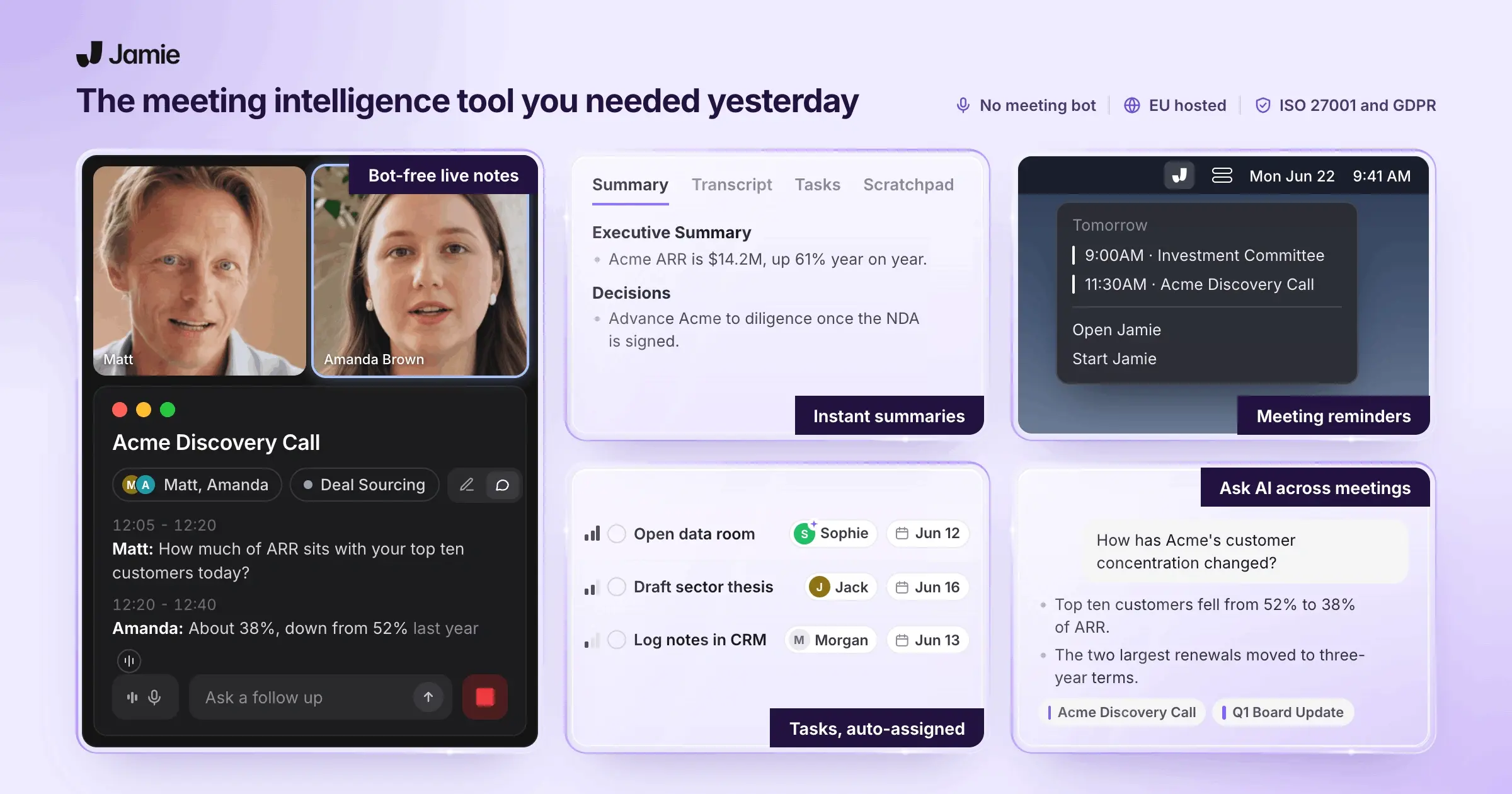
Jamie is an AI meeting notes assistant that captures client conversations without sending bots into your calls. Consultants work with sensitive information under NDAs, and trust matters more than convenience. Jamie records audio directly from your computer and generates summaries, transcripts, and action items within minutes while keeping your data encrypted in Germany under GDPR.
Who is it for?
Jamie is designed for users who require secure, comprehensive meeting documentation. It’s often used in high-compliance industries (finance, consulting, etc.) where privacy and accuracy are crucial.
Full feature list at a glance:
Transcription, meeting notes, action items, editing, tagging
Speaker identification, speaker memory, calendar integration, automatic meeting titles, consent emails
Bot-free operation, cross-platform (macOS/Windows/iOS), works online/offline/in-person, 100+ languages, GDPR-compliant with AES encryption
CRM integrations (Salesforce, HubSpot, Attio, Asana, Notion, OneNote), webhooks, copy-paste compatibility
Ask AI, Scratch Pad, Templates, Search across meetings
Capture Client Decisions Without Missing Billable Details
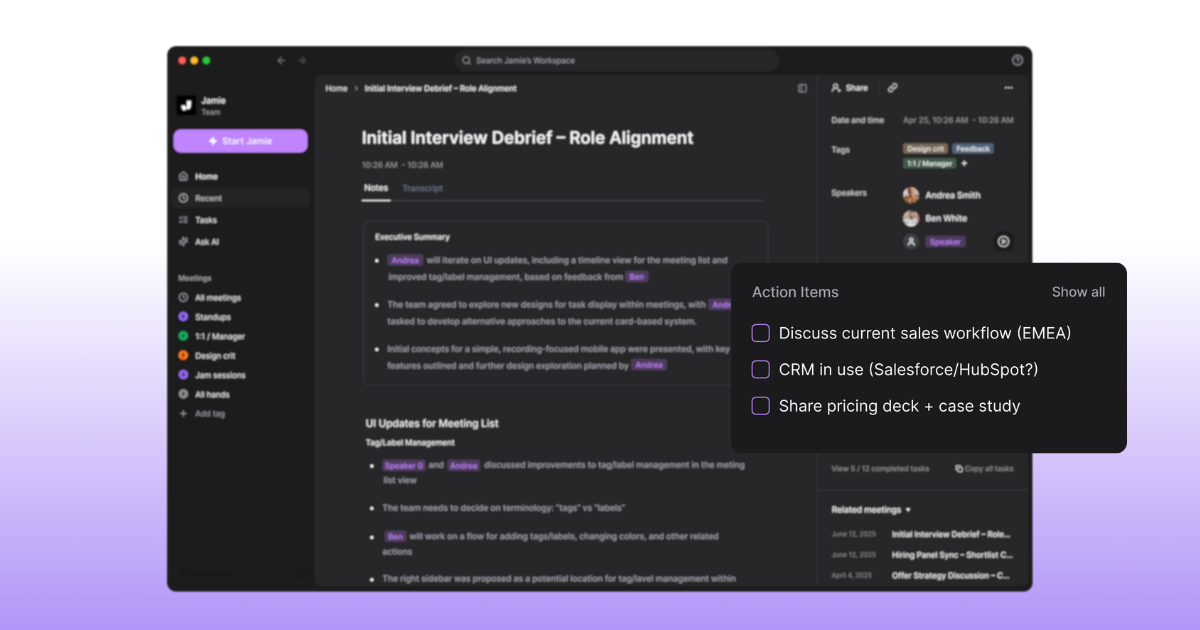
You need every commitment documented for scope creep protection and billing justification. Jamie extracts decisions and tasks automatically so you can reference what was agreed.
Meeting notes: Get topic-sorted summaries that read like human-written memos you can share with clients
Transcription: Receive complete word-for-word records to verify exact client requests and protect against disputes
Action items: See commitments and next steps listed separately, so follow-up work gets tracked properly
Editing: Search and replace terms or add section headers to clean transcripts before client delivery
Tagging: Label meetings by client or project type so you retrieve relevant context quickly
Know Who Said What When Stakeholders Contradict Each Other
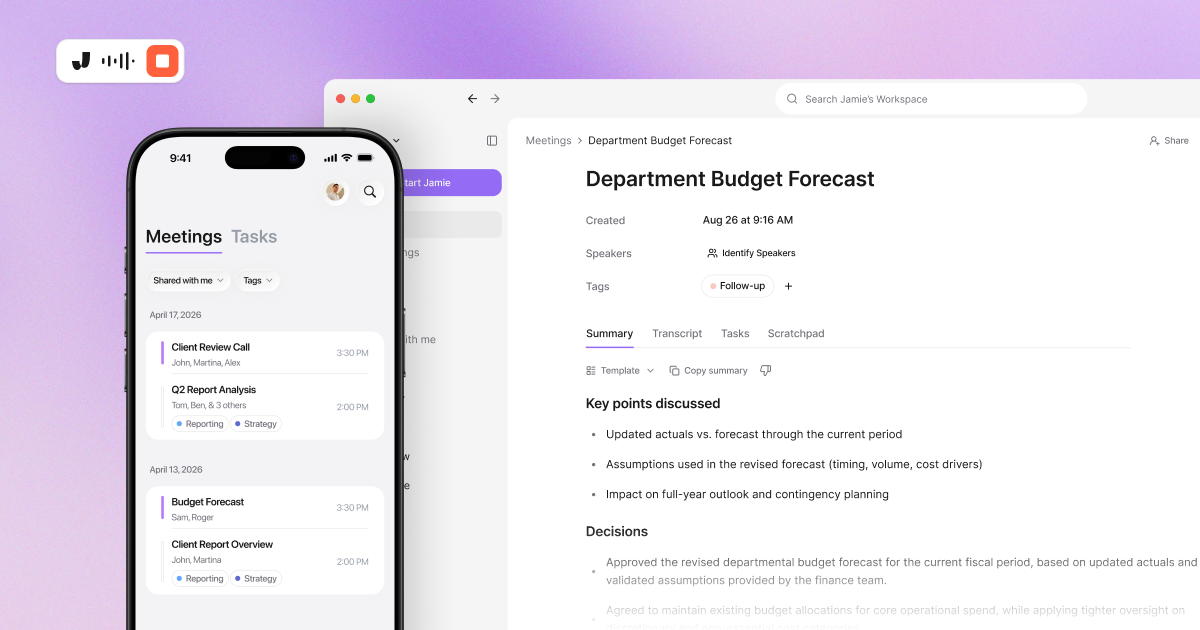
Client calls involve multiple decision-makers who often remember conversations differently. Jamie identifies speakers and remembers voices, so you document who committed to what.
Speaker identification: Label each person's comments automatically so you know which executive approved the budget increase
Speaker memory: Jamie learns voices across meetings and assigns names from your calendar without re-identifying participants
Calendar integration: Pull meeting titles and participant lists from Google or Outlook to prefill context
Automatic meeting titles: Get descriptive names for ad-hoc calls based on conversation content instead of generic timestamps
Consent emails: Send automatic notifications to attendees 24 hours before meetings to inform them about Jamie transcribing the meeting. For more information on secure AI meeting tools for legal professionals, check out our recommendations.
Work Across Client Platforms Without Compatibility Headaches
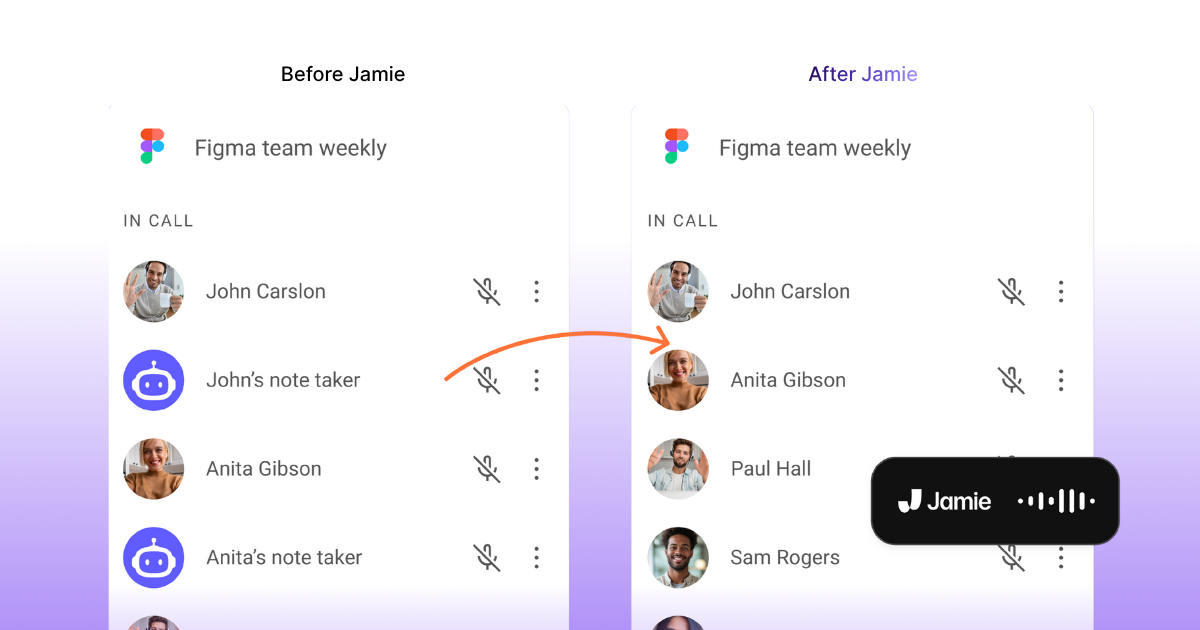
Your clients use different meeting software, and some discussions happen in conference rooms. Jamie captures everything without requiring participants to install anything.
Bot-free operation: Record without visible bots that make clients ask compliance questions or reduce openness
Cross-platform compatibility: Capture Zoom, Teams, Meet, and offline conversations from the same desktop or mobile app
Works online and offline: Record in-person strategy sessions or site visits when internet access is unreliable
100+ languages: Transcribe multilingual client teams automatically without manually selecting the language per meeting
GDPR-compliant with AES encryption: Store client data in Germany with encryption that meets European enterprise security requirements
iOS mobile app: Record on-site client visits and sync notes across your devices for immediate access
Keep Client CRM Records Current Without Manual Data Entry
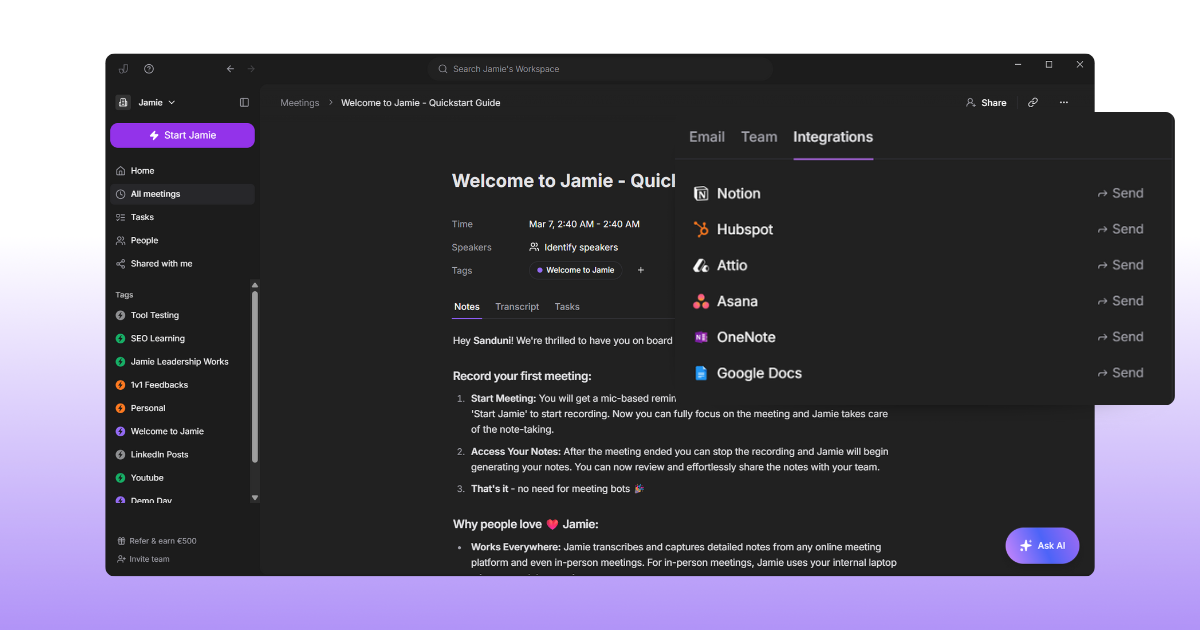
You lose billable hours copying meeting notes into five different systems. Jamie syncs summaries and tasks directly so client records stay accurate.
Salesforce integration: Push meeting notes as entries to lead or opportunity records so pipeline status reflects actual discussions
HubSpot integration: Add summaries to contact or deal records automatically so sales context stays complete.
Attio integration: Sync notes to people or company records to maintain relationship history in your CRM.
Asana integration: Send action items as tasks with PDF attachments so project work follows from commitments made
Notion and OneNote: Export formatted notes with one click while preserving structure for client deliverables or internal documentation
Google Meet integration: Automate meeting notes and summaries using Jamie for better productivity during virtual meetings
Webhooks: Build custom workflows through Zapier or Make to route notes into proprietary client management systems
Copy-paste compatibility: Maintain formatting when manually moving content into Linear, Todoist, or other tools
Find Past Client Statements Without Replaying Hour-Long Recordings
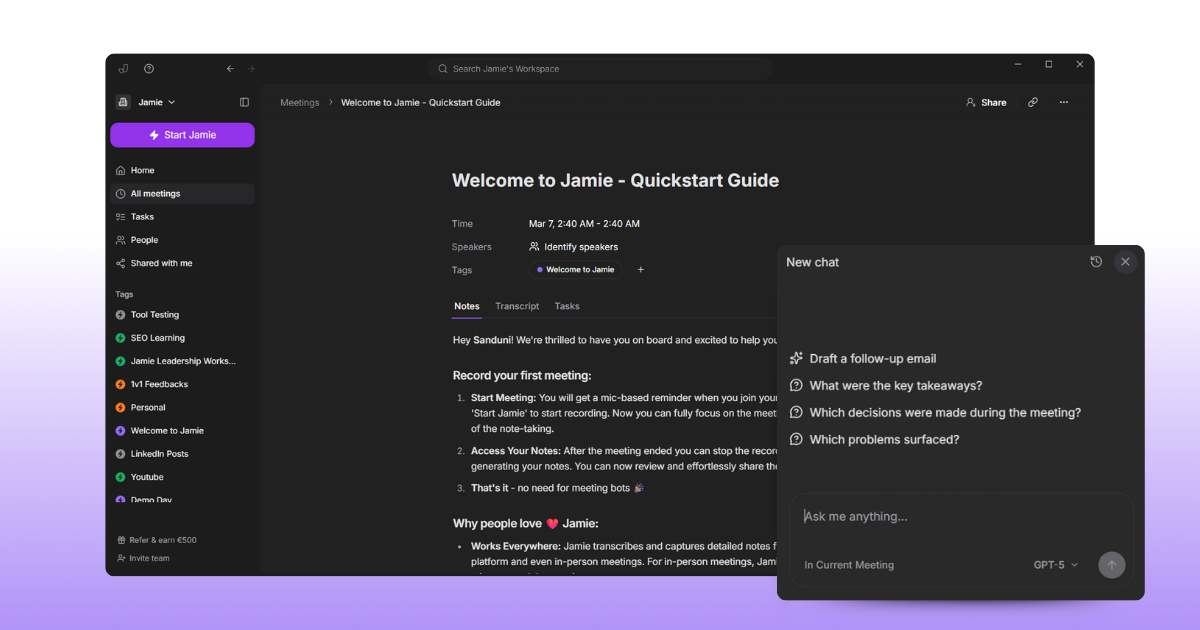
You need to verify what a client said three months ago, but you can't remember which meeting. Jamie searches across all conversations and answers questions instantly.
Ask AI: Query your meeting library with questions like what the CFO said about the timeline to get direct answers
Scratch Pad: Jot down quick thoughts or follow-ups during meetings without switching tabs so context stays attached
Templates: Create custom note formats for discovery calls versus status updates so summaries match your workflow
Search: Find specific topics or keywords across your entire meeting history without listening to audio files
Pricing
Free: €0 per month
Plus: €25 per month
Pro: €47 per month
Team: €39 per user/month
Enterprise: Contact sales (no monthly option; billed annually)
Pros and Cons
Pros
"I tried a dozen AI tools for meeting note taking. Most of them were crap, except one: Jamie"
"After researching and downloading different tools to generate meeting summaries, I decided to keep only this one. Why? Because it can transcribe, summarize, and detect action items with way more accuracy than the rest."
"I really appreciate Jamie for its simplicity and standalone functionality. It's incredibly easy to use without the need to join conferencing meetings or video calls."
"Jamie is the first tool I've tried that doesn't [require a bot]. It captures your notes without appearing as a meeting guest, handles both online and offline conversations." -
"Saved me a lot of time. Surprisingly also performed well in meetings with multiple languages (Japanese and English) used."
Source: G2, Product Hunt (Julia Hollnagel), MakeUseOf, LinkedIn (Tim Schumacher)
Cons
"I think overall the Ask AI feature can still be improved a little bit and the amount of integrations."
"The speaker identification feature of Jamie, though very useful, isn't entirely reliable or infallible. In our experience, to get the most effective results from Jamie, it was necessary to invest in a good quality microphone."
"There a few buggy things and missing integrations but Jaime is young and I have full confidence in what their future looks like. It's better than every other app I've tried, and I can guarantee you that I've deep researched and checked out a million.."
"Slow Note Generation: Processing can take several minutes, which may delay access to critical information in real time."
"Jamie's features are outstanding, sometimes I had the feeling that my audio quality heavily impacts the outcomes, which I need to adapt from my side."
Source: G2
Fireflies
Best for: Teams that need to record and review conversations
Similar to: Otter, Avoma
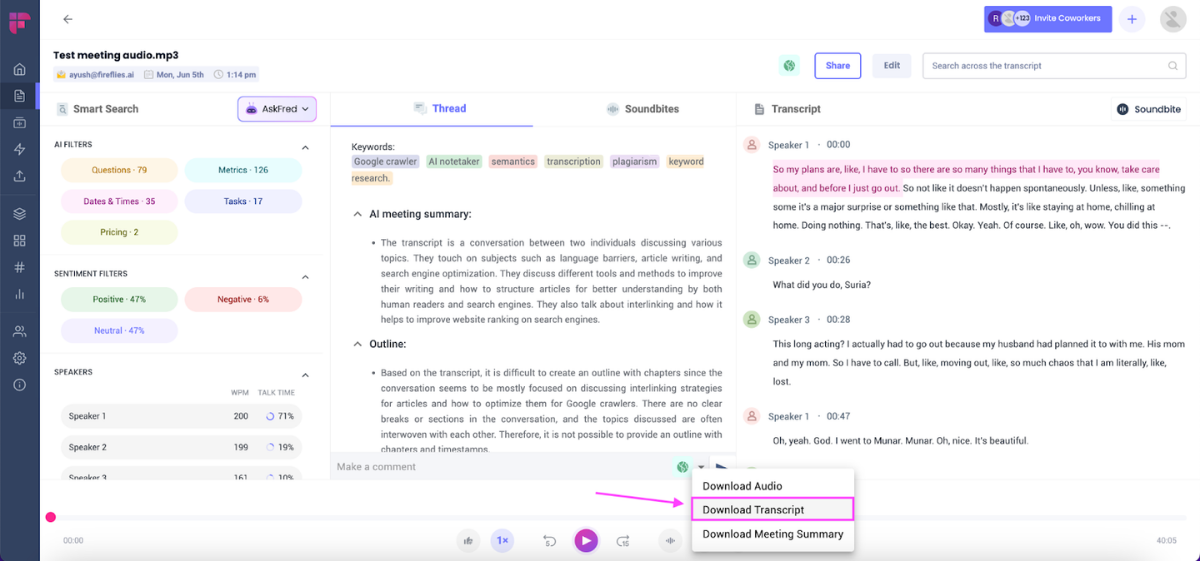
Fireflies.ai is an AI notetaker that automatically transcribes and analyses meetings. It captures conversations across platforms like Zoom, Google Meet, and Microsoft Teams, providing transcripts and summaries for all your team discussions.
You can record meetings by inviting the Fireflies bot, or use its Chrome extension, desktop app, or mobile app to capture audio in any environment.
The platform includes AI features like “AskFred” to query your meeting notes, conversation intelligence analytics (e.g. speaker talk time), and the ability to summarise meetings automatically.
Next, we outline who Fireflies is for and what features it offers.
Who is it for?
Fireflies is built for business teams and organisations that want to document meetings and calls. It’s used across departments (sales, marketing, recruiting, etc.) to transcribe discussions and surface insights from conversations.
Key Features
Meeting Transcription: Transcribes meetings across Zoom, Teams, and Google Meet
AI Summaries: Generates post-meeting summaries, highlights, and action items
Notetaker Bot: Optional AI bot that can join scheduled meetings to record and transcribe
Multi-platform Capture: Supports Chrome extension, desktop app, and mobile app
Conversation Search: Offers “AskFred” AI to search transcripts and answer questions
Pricing
Free: $0 per user/month
Pro: $18 per user/month
Business: $29 per user/month
Enterprise: $39 per user/month (no monthly option; billed annually)
Pros and Cons
Pros
Transcriptions are accurate, and summaries are specific, detailed, and helpful.
The “Ask Fred” feature lets you extract precise info from meeting transcripts.
Provides daily and weekly digests with next steps and meeting briefs.
Seamlessly integrates with tools like Slack, Google Meet, Zoom, and Google Docs.
Real-time transcription for English works effectively during meetings.
Cons
Transcription accuracy drops in meetings with multiple or complex languages when using AI meeting summary tools.
Integration with tools like Salesforce, Slack, and Teams could be improved.
Transcription quality may decline in long or complex meetings.
Video recording and transcription features need further refinement.
The app may not appear in meetings or capture content as expected at times.
Source: G2
Otter
Best for: Professionals and students needing real-time notes
Similar to: Fireflies, Fathom
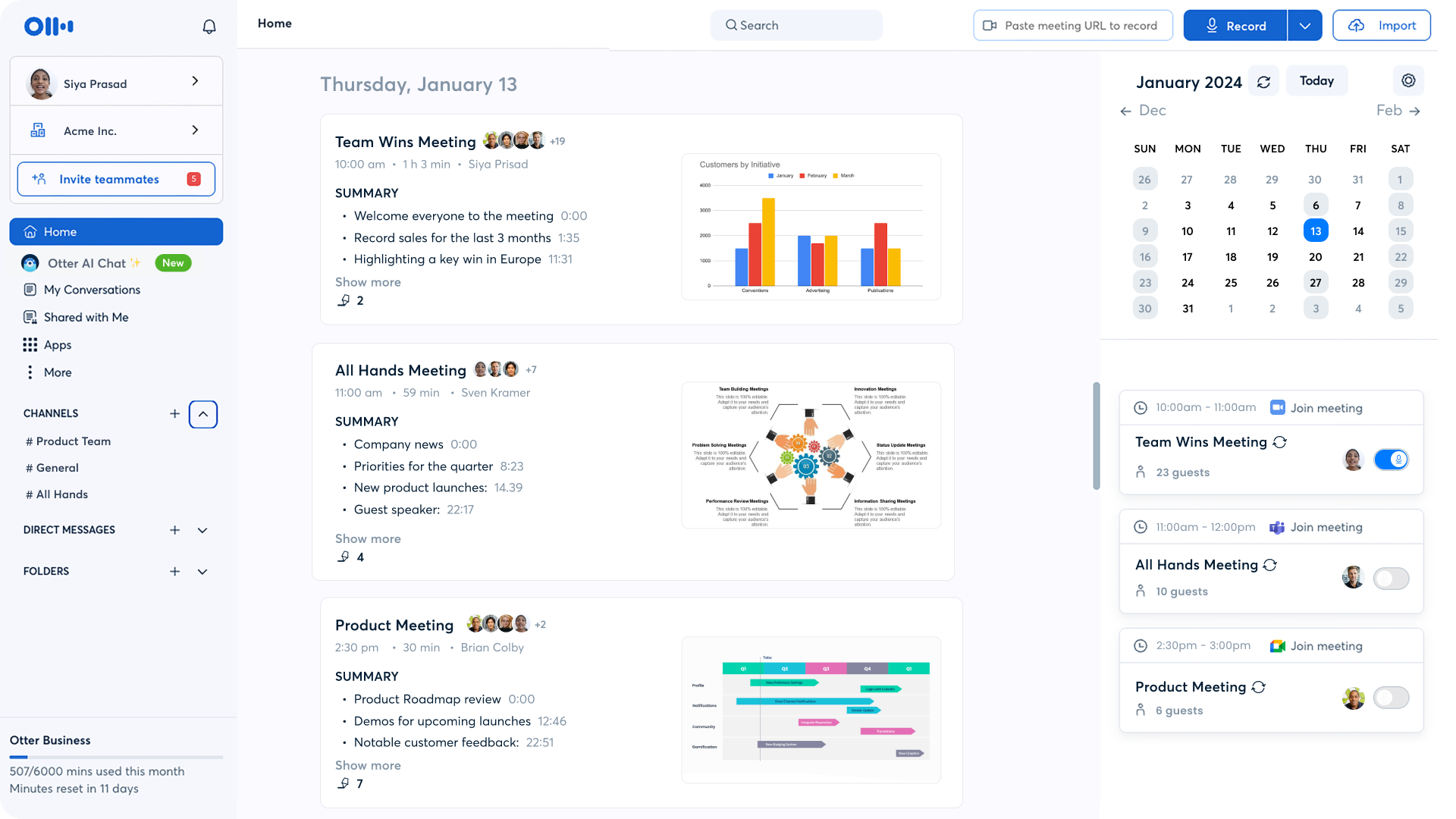
Otter.ai is an AI-powered meeting notetaker that turns your conversations into live transcripts and summaries. It provides real-time transcription during meetings and automatically generates a concise summary of the discussion.
Otter’s assistant can integrate with Zoom, Microsoft Teams, and Google Meet to join and record meetings automatically from your calendar. It also identifies speakers, captures action items, and includes a search by keyword or speaker to find information.
Next, we outline who Otter is for and what features it offers.
Who is it for?
Otter is used by a broad range of users – from business teams to educators – who need transcripts and notes from meetings or lectures. It’s popular in fields like sales, education, and media for capturing discussions and key points in real time.
Key Features
Live Transcription: Provides real-time speech-to-text during meetings (users report ~95% accuracy)
Automated Summaries: Condenses long meetings into short, easy-to-read summaries
Calendar Integration: Auto-joins scheduled Zoom, Google Meet, and Teams calls
Speaker ID & Custom Vocab: Labels speakers and learns terminology with custom vocabulary
AI Meeting Chatbot: “Otter AI Chat” answers questions from past meeting notes
Pricing
Basic: $0 per user/month
Pro: $16.99 per user/month
Business: $30 per user/month
Enterprise: Contact sales
Pros and Cons
Pros
Provides searchable transcripts, detailed summaries, and action items from meetings.
Easily integrates with Zoom, Google Meet, Gmail, and Google Workspace.
Setup is simple and the interface is user-friendly for managing past meetings.
Allows flexible exports like full transcripts, action items, and screenshots.
Sends weekly summary emails with key notes from meetings.
Cons
Struggles with fast speech, heavy accents, or overlapping speakers.
Summaries can miss strategic nuance or require edits for full accuracy.
Speaker identification may be unreliable in group settings.
Limited language recognition, especially with non-English conversations.
Integration options beyond Zoom and Google tools are currently limited.
Source: G2
Krisp
Best for: Remote workers needing clear audio in calls
Similar to: NVIDIA Broadcast, SoliCall Pro
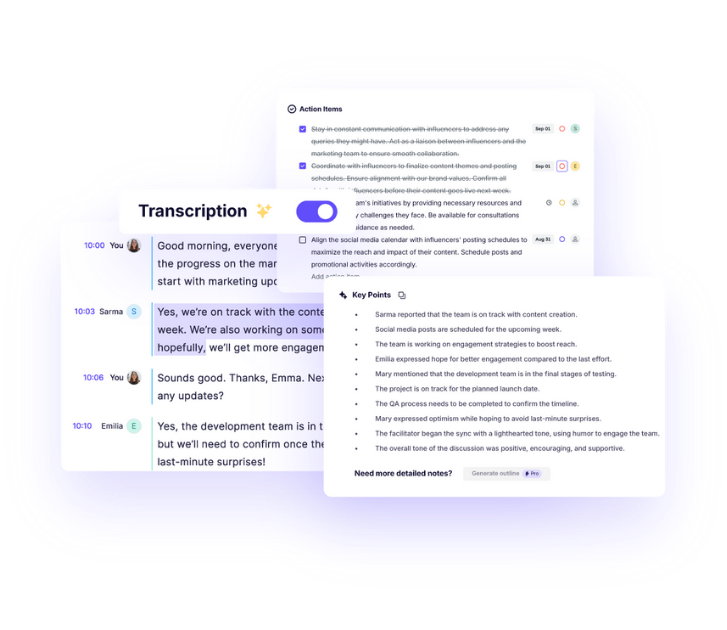
Krisp is an AI meeting assistant app known for its real-time noise cancellation technology.
It removes background noise from your calls while simultaneously transcribing and summarising the meeting.
The app works without adding a participant bot, since it captures audio directly on your device, and it can even convert voices to different accents in real time. Krisp supports live transcription and summaries in 16 languages and offers an “Ask Krisp” feature to get AI answers from your meeting notes.
Next, we outline who Krisp is for and what features it offers.
Who is it for?
Krisp is geared toward professionals and teams who frequently meet online and need distraction-free audio. It’s useful for remote workers, call centres, and anyone who wants to eliminate background noise while getting transcripts of their calls.
Key Features
Noise Cancellation: Removes background noise from calls in real time
Accent Conversion: Real-time conversion of voices to different accents
Bot-free Operation: Records from system audio with no participant bot needed
Transcripts & Summaries: Generates live transcripts and summaries in 16 supported languages
AI Query Assistant: “Ask Krisp” feature answers questions about the meeting transcript with AI
Pricing
Free Trial: $0 per user/month
Pro: $16 per user/month
Business: $30 per user/month
Pros and Cons
Pros
Automatic call joining and recording make meeting capture effortless.
Transcription accuracy is solid, even with complex content like Shakespeare.
Speaker identification helps distinguish voices in larger meetings.
Noise cancellation works in real time without affecting voice quality.
Setup is simple and integrates easily with platforms like Zoom.
Cons
You can’t apply tags with rules or ask questions across multiple meetings.
The action item and delegation lists are hard to use or organise.
Customisation of summary templates and output formats is limited.
The meeting interface can be hard to navigate without clear labels.
Search functionality is weak and not reliable for locating content.
Source: G2
Avoma
Best for: Sales and customer-facing teams needing meeting insights
Similar to: Gong, Chorus.ai
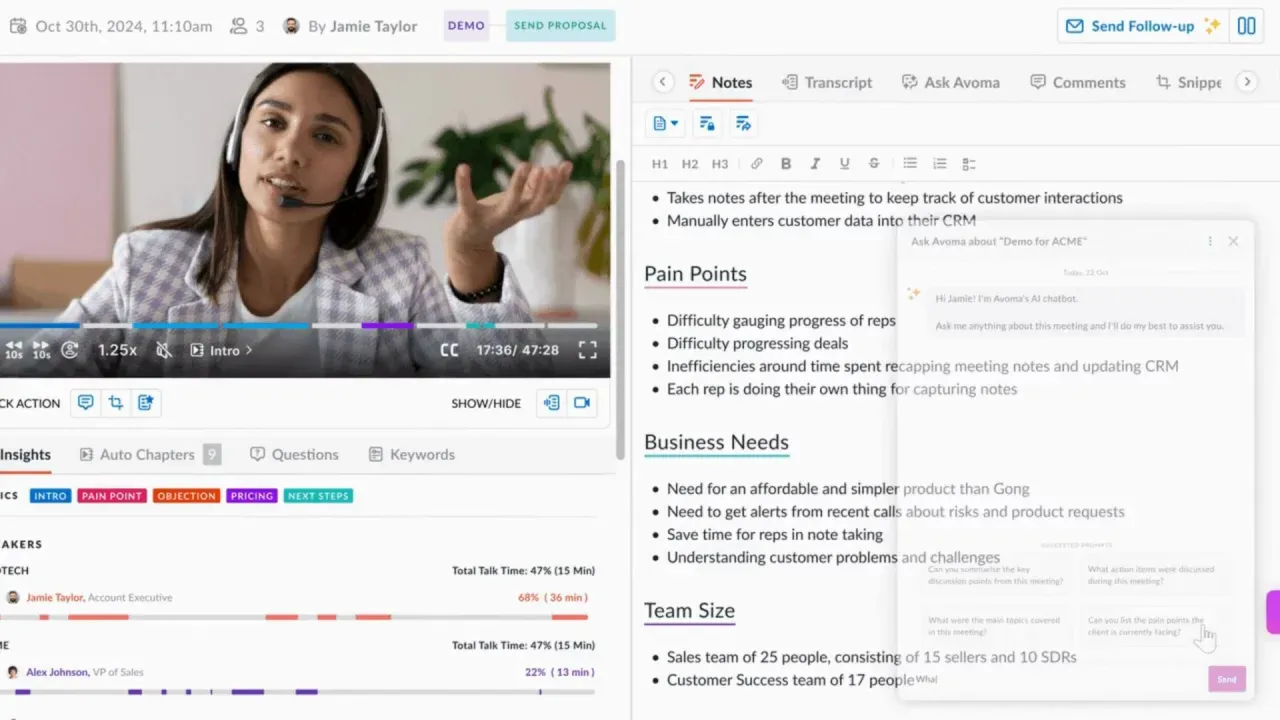
Avoma is an all-in-one AI meeting assistant platform that handles note-taking, scheduling, and conversation intelligence in one tool. It automatically records meetings (audio and video), transcribes and summarises them, and can even generate follow-up email drafts or update your CRM with meeting info.
Avoma provides live transcription in dozens of languages (supporting 40+ out of the box) and produces AI-generated notes with customizable templates for different meeting types. It also offers advanced features like topic-based “Smart Chapters” for quick review, an “Ask Avoma” AI chatbot to answer questions from your notes, and sales-focused insights such as AI call scoring and deal risk alerts.
Next, we outline who Avoma is for and what features it offers.
Who is it for?
Avoma is primarily used by business teams in sales, customer success, and other revenue-focused roles. Teams like sales managers, account executives, and customer success leads use Avoma to capture meeting details, automate follow-ups, and analyse conversations for coaching and deal intelligence.
Key Features
Auto Recording & Transcription: Automatically records meetings and transcribes them
AI Note-Taking: Generates meeting notes using customizable templates
Smart Chapters: Splits meeting transcripts into topic-organised sections
Follow-Up Automation: Creates draft follow-up emails for meetings using AI
CRM Sync: Automatically updates CRM records with details from your meetings
Pricing
Startup: $29 per user/month
Organisation: $39 per user/month
Enterprise: $39 per user/month (no monthly option; billed annually)
Conversation Intelligence: $35 per user/month
Revenue Intelligence: $35 per user/month
Lead Router: $25 per user/month
Pros and Cons
Pros
Transcripts and summaries are auto-generated with good reliability across meetings.
“Ask Avoma” helps retrieve specific conversation details quickly and easily.
Seamless CRM integration allows automatic syncing of notes and insights.
Consolidates insights across multiple recordings with AI-powered features.
Integrates well with Zoom, Webex, and Google Meet to streamline workflows.
Cons
The notetaker sometimes fails to join or drops off during meetings.
Limited integrations compared to similar tools with broader tool support.
Occasional inaccuracies occur in transcripts with poor audio or jargon.
Some users find it hard to locate features or navigate the interface initially.
Summarisation quality may fall short when more detailed AI notes are expected.
Source: G2
Final Verdict: What Are the Best AI Meeting Tools for Consultants?
The best AI meeting tools for consultants are Jamie, Fireflies.ai, and Otter.ai, and honestly, there's a clear winner here.
Look, if you're a consultant running sensitive client strategy sessions where trust absolutely cannot be compromised, Jamie is where you want to be.
The bot-free operation means your clients never see that awkward "AI Notetaker has joined the meeting" notification that makes everyone freeze up, and the automatic consent emails sent 24 hours before calls keep everything transparent and professional.
You get speaker-labelled transcripts with decisions and action items within minutes, all while your data stays encrypted in Germany under GDPR compliance.
Plus, with the artificial intelligence working directly from your device instead of bots joining calls, you can finally focus on the conversation instead of explaining your recording tool!
Fireflies.ai is worth checking out if you need deep conversation analytics and sentiment analysis across tons of sales calls; it handles that really well for larger teams managing multiple deals.
Otter.ai works great for internal brainstorming sessions where live collaboration matters, especially if you want multiple team members working in the same transcript simultaneously.
Quick Recap of the Best AI Meeting Tools for Consultants
Jamie: Keeps client conversations natural by transcribing from your device without visible bots, which honestly changes everything for professional consulting relationships where trust is paramount.
The speaker identification remembers voices across meetings while GDPR compliance and Germany data hosting mean your client NDAs stay protected, and CRM integrations push meeting summaries straight to Salesforce or HubSpot without manual copy-paste work!
Avoma: Brings comprehensive conversation intelligence with follow-up email automation and deal risk alerts, super useful if you're focused heavily on revenue operations and sales pipeline management.
Fireflies.ai: Offers solid analytics features, including "Ask Fred" AI queries and team-wide insights across recorded conversations, though the visible bot can feel awkward in external client meetings.
Krisp: Shines for real-time noise cancellation, combined with transcription, perfect when you're taking calls from noisy environments and need crystal-clear audio without background distractions.
Otter.ai: Delivers excellent real-time collaboration where multiple people can highlight and comment during live conversations, great for workshop-style internal meetings with your team.
And honestly, when you're comparing AI tools across multiple platforms like Zoom meetings and Google Meet, most consultants find that saving time matters way more in day-to-day use than fancy analytics dashboards.
Jamie's time-saving features work across all your video conferencing platforms without bots joining the call, and they automatically join your calendar events so you never miss capturing important client commitments.
Plus, the speech recognition supports 100+ languages, so multilingual client teams aren't a problem; the AI assistant handles language switching automatically while you stay focused on the conversation.
The free plan lets you test everything risk-free, and paid plans scale beautifully whether you're solo or managing a consulting team!
Howeverrrr... If you're considering Jamie, you can download it for free on desktop or get the iOS app!
We know how much it matters to have tools that actually help you get things done while keeping your privacy intact. That's why we truly recommend giving Jamie a try risk-free.
You're welcome to book a free demo if you'd like to see it in action first. We're always here to support you on your journey to better, simpler meetings and note-taking.
Read More
Explore the top bot-free AI meeting assistants in 2025 for Zoom users
Discover the best AI note-taking tools for remote teams in the EU
Check out consultant-friendly AI note-taking tools built for trust
FAQs on AI Meeting Tools for Consultants
How do I capture client decisions without bots showing up in the meeting?
You can transcribe client strategy sessions while preserving natural conversation with Jamie, which operates from your device without adding a bot participant to the call, maintaining the human dynamic clients expect while generating meeting notes with speaker identification, decisions, and action items after you announce upfront that you're transcribing and you also have the option to send consent emails 24 hours in advance through your connected calendar. Your client calls stay between people, with Jamie working invisibly to extract key insights and customer needs from the discussion, while tools like Fireflies.ai work well if you're comfortable with bot-based workflows in less formal internal meetings where team productivity and collaboration tools matter more than client perception.
What's the best way to keep client meeting notes GDPR-compliant and encrypted?
You can protect sensitive client conversations with Jamie's EU-hosted infrastructure, which transcribes meetings locally on your device, stores all data on German-based servers with AES encryption, and permanently deletes audio files after generating your transcript and meeting notes, giving you full control over who accesses summaries while meeting European privacy standards that consultants working under NDAs require. Your company meetings and customer calls remain compliant without cloud-only tools that ship everything off-device, while alternatives like Otter.ai offer solid transcription if your client compliance requirements are less strict or you're working on internal meetings rather than regulated consulting engagements.
How do I sync discovery call notes into Salesforce without manual data entry?
You can push meeting summaries and action items directly to Salesforce contact or opportunity records with Jamie's CRM integration, which captures client requirements, pain points, next steps, and project scope discussions and syncs them to your chosen entity without copying notes by hand after each call, keeping your pipeline current while you stay present in customer conversations. Your sales teams and customer success teams get accurate meeting content in the CRM automatically, while tools like Avoma provide conversation intelligence features if you need deal risk alerts and AI insights alongside note-taking for revenue-focused workflows.
What's the fastest way to identify who said what when multiple stakeholders are on the call?
You can track which executive approved the budget or which team member raised concerns using Jamie's speaker identification with voice memory, which labels each person's comments automatically and remembers voices across multiple meetings by syncing participant lists from Google or Outlook calendars, so you document commitments accurately when stakeholders contradict each other later. Your meeting recordings become searchable by speaker without replaying hour-long calls, helping you extract key insights and verify customer interactions for project management or proposal preparation, while MeetGeek offers analytics-driven meeting trends if you need team-wide speaking time metrics beyond individual consultant use cases.
How do I transcribe multilingual client teams without switching languages manually?
You can capture conversations in 100+ languages with Jamie's automatic language detection, which transcribes multilingual teams switching between English, German, French, Spanish, or other languages mid-call without you selecting the language per meeting, generating meeting notes that preserve context across language shifts for international consulting projects. Your online meetings and customer conversations stay organized with natural language processing that handles code-switching automatically, while Krisp's 16 supported languages with accent conversion work well if you need real-time noise cancellation alongside transcription for video conferencing software calls with poor audio quality.
What's the best way to find past client statements without listening to old recordings?
You can search across all your meetings with Jamie's AI-powered search, which lets you query your meeting library with questions like "what did the CFO say about timeline" or "when did we discuss budget constraints" and get direct answers with timestamped references to specific conversations, helping you verify commitments made months ago without replaying audio files. Your meeting content becomes a searchable knowledge base for client deliverables and proposal preparation, while tools like Avoma's Smart Chapters organise transcripts by topic if you prefer browsing structured sections rather than asking natural language questions across communication tools.
How do I capture strategy sessions and offline meetings when internet access is unreliable?
You can record in-person client visits, site meetings, and conference room discussions with Jamie's iOS mobile app and desktop offline mode, which transcribes conversations without requiring internet connectivity during the meeting and syncs notes across your devices for immediate access once you're back online, ensuring nothing falls through the cracks during field consulting work. Your meeting minutes and action items get generated from any conversation regardless of platform or location, maintaining team productivity even when video conferencing software isn't available, while alternatives like Fellow work better if you prioritize structured meeting agendas and recurring leadership rituals over ad-hoc client capture.
What's the best way to organise client notes across multiple projects and industries?
You can categorise meeting notes by client, project type, or industry using Jamie's tagging system, which lets you create custom labels and filter meetings to retrieve relevant context quickly when preparing proposals or reviewing past decisions, keeping all your meetings organised in searchable workspaces without scattered spreadsheets or lost sticky notes. Your project management workflows stay clean with tags that surface customer needs and pain points from previous calls, while copy-paste compatibility with Notion, Asana, and OneNote preserves formatting when you're building client deliverables or syncing tasks to do lists across productivity apps and collaboration tools.
How do I create consistent meeting notes across discovery calls versus status updates?
You can structure every conversation using Jamie's templates feature, which automatically classifies each meeting and applies custom note formats for discovery calls, strategy sessions, client check-ins, or project reviews, generating summaries that match your workflow without manual formatting after each call. Your meeting templates extract actionable insights consistently, whether you're gathering requirements, reviewing deliverables, or conducting stakeholder meetings, helping sales calls and customer success teams stay on the same page with standardised documentation, while tools like Fathom offer CRM-specific templates if you're focused exclusively on sales pipeline workflows rather than broader consulting scenarios.
How do I share meeting insights with my team without compromising client confidentiality?
You can control exactly who accesses transcripts and meeting summaries with Jamie's workspace collaboration features, which let you store notes privately or share them with specific team members while maintaining GDPR compliance and data retention policies for sensitive customer conversations, ensuring client information never gets automatically shared without your permission. Your team member access stays granular with encryption and EU hosting that meets enterprise security requirements, while metrics mentioned in analytics tools like MeetGeek help track team productivity and meeting time patterns if you need detailed insights beyond individual consultant note-taking for company meetings and multiple teams coordination.