Best Note Takers for Venture Capitals in 2025 is an increasingly relevant query as frustration grows with tools that promise “smart summaries” but fail in the details that matter.
A recurring complaint among VC users is that AI-generated notes often skip over critical numbers, founder caveats, and product nuance—information essential when crafting IC memos or revisiting a round weeks later. “Very very short… lacking a lot of details,” one user wrote of Granola.
Another pain point is searchability. Instead of querying for “what did the founder say about churn,” users are forced to scrub through timestamps. Even workspace tools like Notion have come under fire in VC workflows for being “so…slow” that teams stop using them altogether.
As a result, venture teams are turning to purpose-built tools that can structure deal notes, enable quick lookups, and fit into CRM systems. Here’s how today’s top contenders stack up.
TL;DR
Best Note Takers for Venture Capitals reflects growing frustration that AI summaries miss vital deal metrics, founder details, and nuanced context in 2025.
People want accurate, structured notes that capture every number and caveat, identify speakers, work offline, stay searchable, sync with CRMs, and meet data privacy and compliance needs.
Jamie solves these needs by recording online and offline meetings without bots, generating detailed structured summaries with action items, recognizing speakers, supporting 100+ languages, allowing edits and searches across meeting history, and syncing securely with CRMs and tools under GDPR-compliant EU hosting.
Other tools include Granola and Fireflies.ai for AI-enhanced summaries, Affinity for CRM-integrated deal tracking, Notion and Evernote for collaborative workspaces, Fathom for bot-based call recaps, Obsidian and Reflect for private knowledge bases, and JotMe for live translation and multilingual meetings.
Why Are People Actively Searching for the Best Note Takers for Venture Capitals?
AI summaries miss important meeting details
“I find Granola's summary very very short, lacking a lot of details and not allowing me to get deeper into a specific point.”
— u/ItchyAd5742, r/venturecapital, comment on “What AI do you use for meeting notes?” (1 month ago, 2025) – Reddit
This is likely a VC investor or analyst using Granola to take notes during founder or LP meetings. The problem is that the AI summary is too short and loses the detailed numbers, product nuances, and caveats that matter in diligence. When the summary “lacks a lot of details”, partners coming back weeks later to write an IC memo or compare rounds can’t rely on it, so they have to re-watch recordings or dig through raw transcripts, which slows decisions and increases the risk of missing something important from earlier calls.
Hard to quickly search what was said when
“It would be great if you could input specific queries to find something specific you've talked about after a long a** meeting instead of going through the summary or clicking on each timestamp.” — u/Slight-Pea-8667, r/venturecapital, comment on “What AI do you use for meeting notes?” (2 months ago, 2025) – Reddit
Here a VC user is frustrated that AI note-takers act like static summaries instead of a searchable memory. After “a long a** meeting”, they want to type a question like “what did the founder say about churn?” and jump straight to that part, rather than skimming the whole summary or clicking every timestamp.
For venture teams who speak to hundreds of companies a year, this slows prep for follow-up calls and partner meetings, and it makes it easy to miss prior promises, red flags, or key metrics that were mentioned months earlier but are now buried inside piles of generic summaries.
General tools like Notion feel slow and painful
“Do yourself a favor and go with Airtable over Notion for the DIY route – Notion is so f *cking slow. We used Notion for everything not dealflow related for a while, and people didn’t use it because it was just a pain to use.” — u/sjricuw, r/venturecapital, comment on “What CRM tools do VCs use to manage their operations?” (2024) – Reddit
This commenter is talking about a VC fund that tried to use Notion as their general workspace for everything around deals: meeting notes, internal docs, and operations. Because Notion was “so…slow” and “a pain to use”, people simply stopped updating it.
For a venture partnership, that means founder call notes, IC feedback, and portfolio updates end up scattered across email, Word docs, and personal notebooks instead of one shared system.
When no one trusts or uses the main tool, partners walk into investment committee without full context, junior team members duplicate work, and emerging managers in particular feel the gap and start searching for faster, VC-friendly note-taking tools that their whole team will actually keep live.
What are the note takers for venture capitals?
The best note takers for venture capitals are Jamie with its detailed structured summaries and searchable history, Granola, and Affinity.
Here’s a breakdown of the 10 note-taker tools I researched:
💜 Gentle Reminder: Pricing may change; please double-check on each tool’s official site. Plans evolve, and enterprise tiers often require a quick chat with sales for accurate quotes.
Jamie
Best for: VC and deal teams who want EU-hosted AI notes that plug into CRM and docs without extra admin work.
Similar to: Otter.ai, Fireflies.ai
Here's Jamie in action 👇
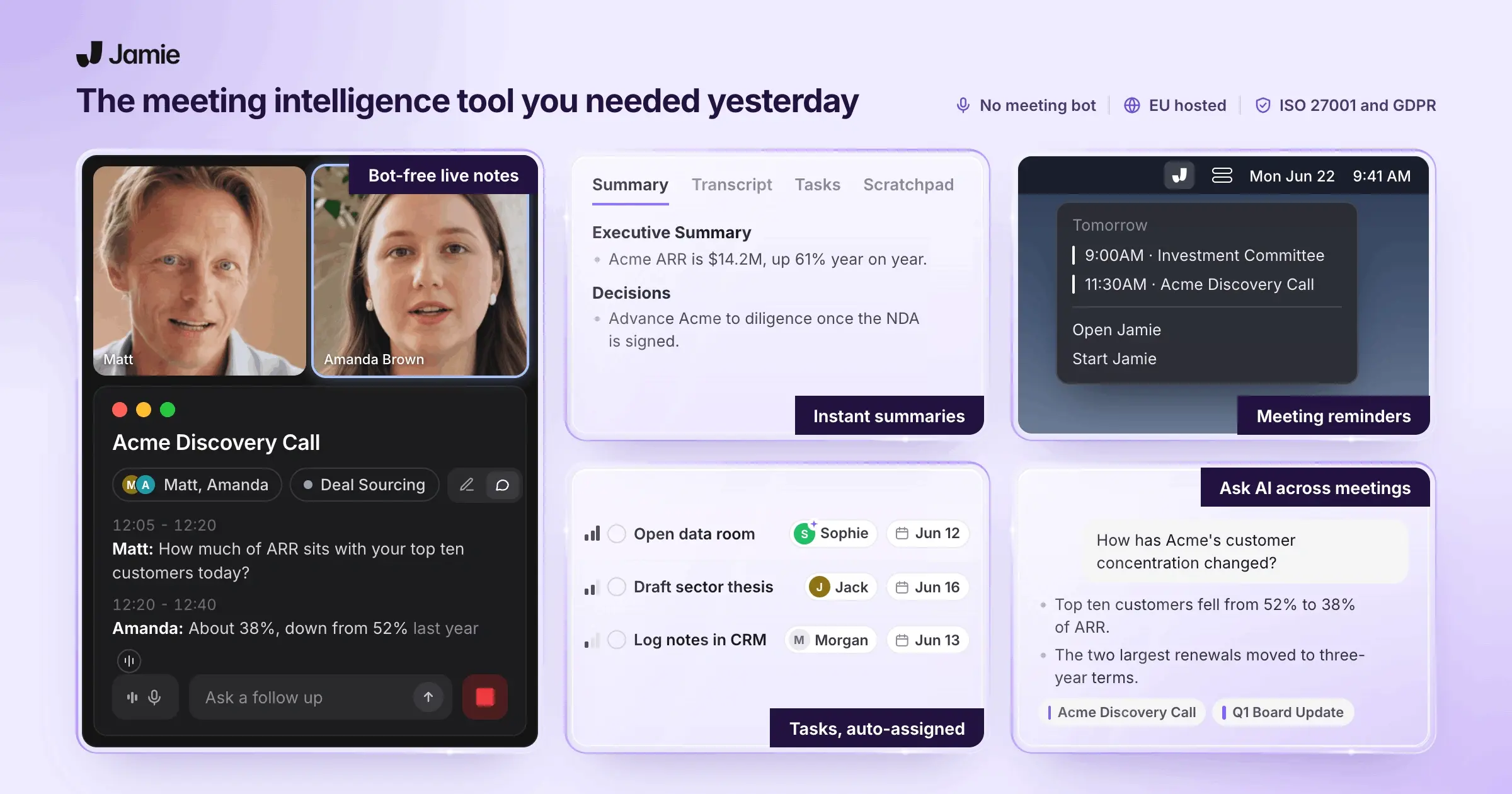
Jamie is an AI-powered meeting note taker for online and in-person meetings. It transcribes conversations and generates organised summaries and action items in 99+ languages. Works on any meeting platform (even offline) and doesn’t require a bot to join your calls. Provides automatic speaker labelling and remembers who said what in the notes.
Below, we break down who uses Jamie and its key features.
Who is it for?
Jamie is built for professionals and teams who spend lots of time in meetings and want AI to capture notes for them. It’s used by people like managers, founders, and client-facing leaders who need accurate minutes without interrupting the meeting flow.
Full feature list at a glance
AI creates meeting notes with action items and provides complete transcripts from meetings.
The system captures tasks and creates task lists that link back to the original meeting.
Transcription happens during meetings with speaker identification and speaker memory.
Desktop apps for macOS and Windows record online meetings without using bots.
iOS app records in-person and offline meetings, then syncs to the desktop workspace.
Supports over 100 languages, including calls where multiple languages are spoken.
AI can search, summarize, and translate past meetings when asked.
Connects with Google and Outlook calendars for reminders and meeting titles.
Tag and organize meetings so they can be filtered by project, client, or theme.
Workspace sharing works for individuals, teams, and enterprises with different plan levels.
Editing tools for summaries, tasks, and transcripts include find-and-replace functions.
Copy-paste keeps formatting when moving to apps like Notion, Todoist, and Bear.
Syncs notes directly into Notion, Google Docs, OneNote, HubSpot, Attio, Asana, and Salesforce.
Scratch Pad lets you add notes that stay attached to the meeting.
Templates recreate notes in formats that match different meeting types.
Creates meeting titles to replace generic names when calendar information is missing or unclear.
Microphone-based reminders prompt you to start recording when your microphone is active.
Webhooks let administrators connect Jamie to tools like Zapier or Make for custom workflows.
Free, Plus, Pro, and Enterprise pricing plans each have defined meeting limits.
EU-hosted, GDPR-compliant processing includes AES encryption, audio deletion, and no model training on user data.
Structured notes and tasks from every VC meeting
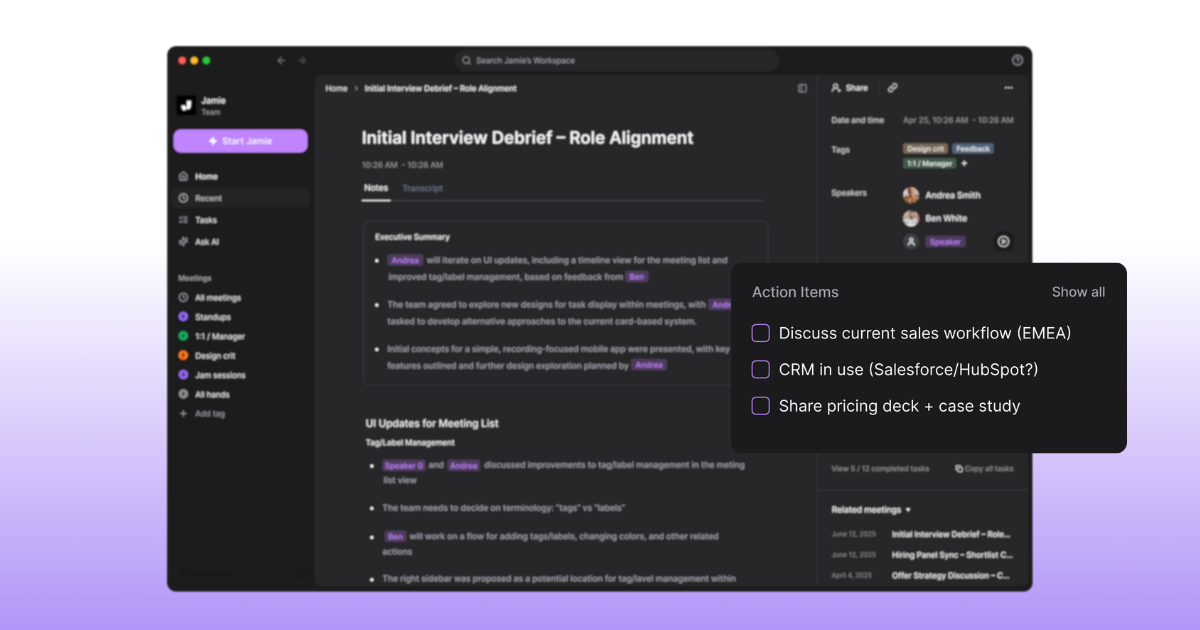
Your days are full of founder pitches, portfolio check-ins, and quick sourcing calls. It is easy to leave one Zoom and jump into the next without writing down the market, metrics, or “why now,” which makes IC prep and partner handoffs painful. When notes live in half-written docs or people’s heads, deals stall or go cold because no one remembers who promised what.
Jamie records the meeting audio and turns it into a structured summary, a list of action items, and a full transcript, usually within a few minutes after you stop recording. You can edit any part of the notes, adjust headings, format lists, and use find-and-replace so the final write-up matches how your fund talks about deals and tasks stay linked to the original meeting.
Reliable capture for online, offline, and in-person conversations
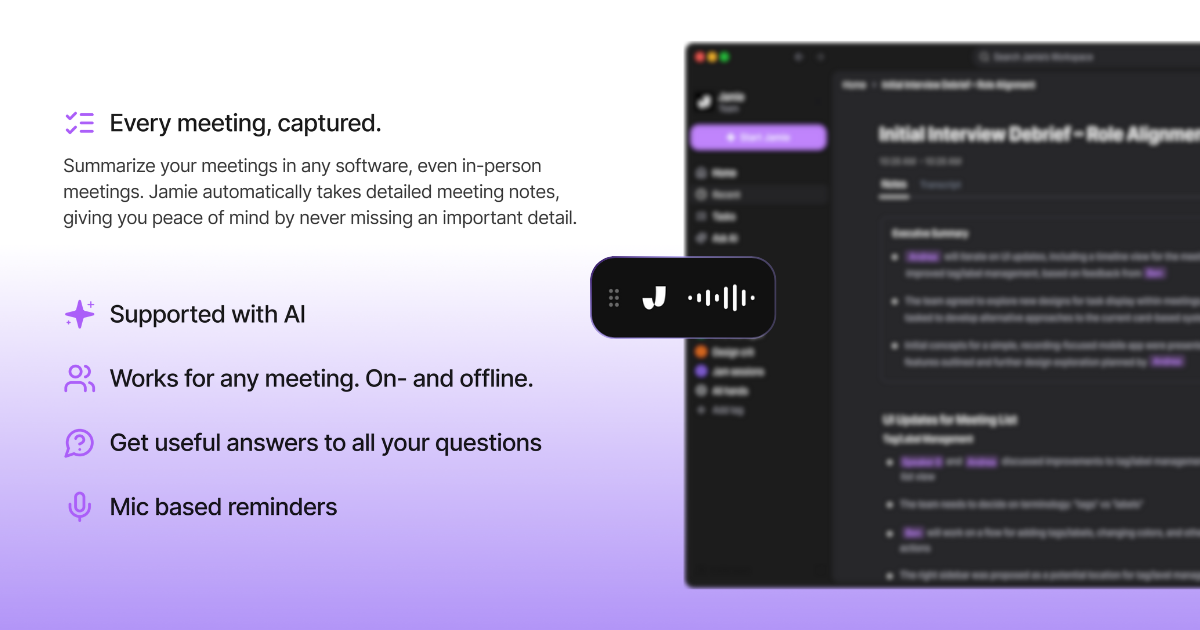
VC work is not only video calls. You meet founders at offices, conferences, and dinners, plus internal discussions in small rooms. If your note tool only works when a bot joins a Zoom, whole parts of the story go missing. That creates gaps in your deal history and makes it hard for partners or new joiners to see the full picture of how a decision was made.
Jamie runs as a native app on macOS and Windows and works with any online meeting platform by capturing audio directly from your device instead of sending a bot into the call. On Jamie's iPhone app, you can record in-person meetings on-device, including offline sessions, and everything syncs back to the same workspace view you see on desktop.
Calendar integrations and recording prompts help you start on time, and automatic meeting titles make even generic entries easier to recognise later. Wherever you meet founders or portfolio teams, you can capture the conversation and have it show up in one consistent place.
Global founder calls without losing details
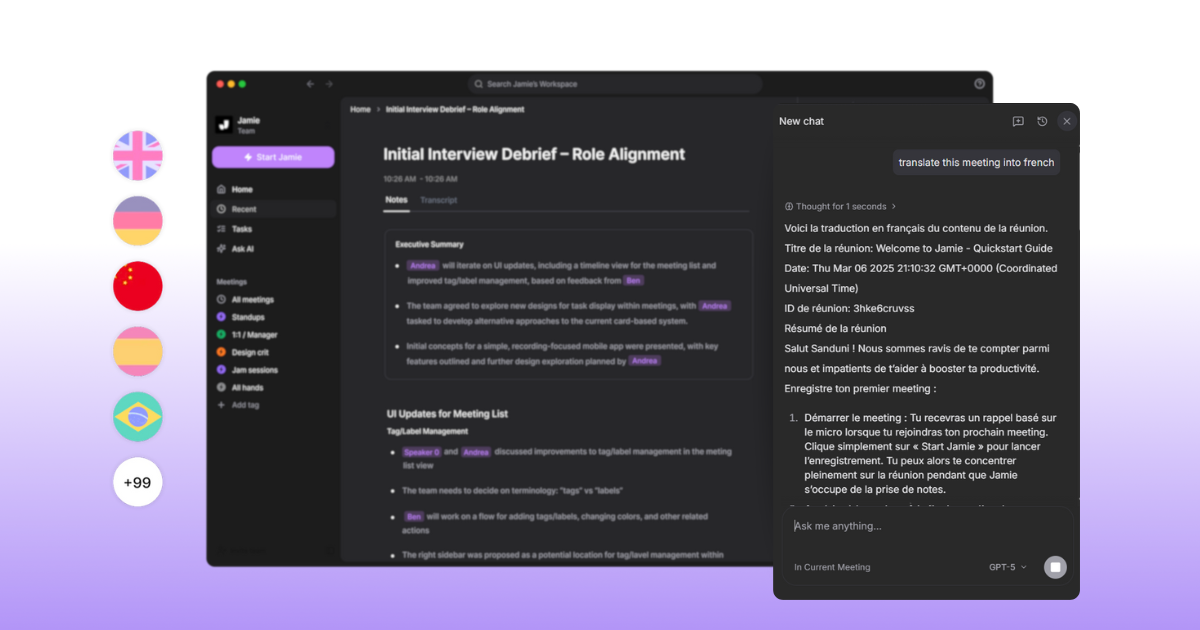
Many VC firms back teams across regions and time zones. Calls switch between English and local languages, and it is easy for small nuances or side comments to disappear when no one has time to translate or tidy up the notes. That can hurt follow-up quality and make cross-border deals feel riskier than they need to be.
Jamie supports over 100 languages for transcription and AI notes, and it can handle mixed-language conversations by keeping the transcript in the language spoken and generating notes in the dominant language of the call. When you need a translation into your working language, you can run that inside Jamie so you are not copying content into other tools. International founder and LP conversations stay fully captured, even when people switch languages mid-meeting.
Ask your meeting history instead of hunting through folders
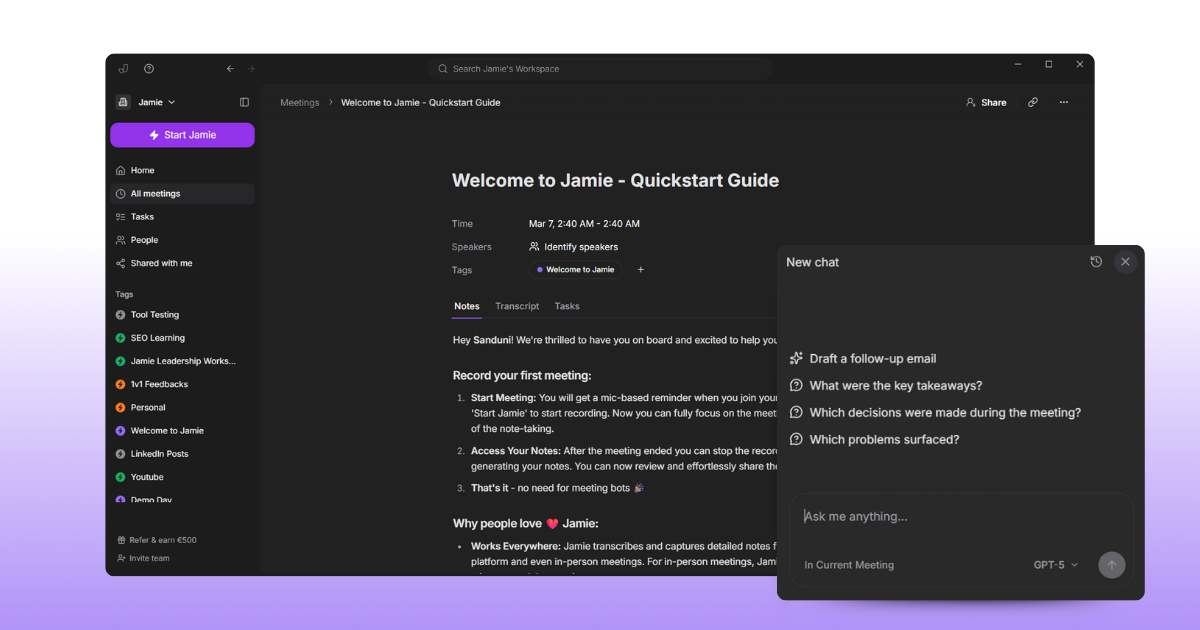
In a busy fund, the hard part is rarely “did we meet this company?” but “what did we decide and why?” When partners ask “who was that fintech founder in Brazil?” you can lose time clicking through docs, Slack threads, and CRMs trying to reconstruct the story. Important context for IC or LP updates can stay hidden because no one remembers which document to open.
Ask AI lets you talk to your meeting history in plain language instead of digging manually. You can ask for a summary of all meetings in the last week or 30 days, pull out reasons you passed on a category, or chat with a single meeting to extract details and prepare follow-up emails or tasks. Answers stream back in real time, include references, and are saved in a history view so you can revisit past questions. When you cannot remember the exact line or decision, you ask Jamie once and get the relevant piece of the record instead of searching across tools.
Keep CRM and deal docs updated with one share
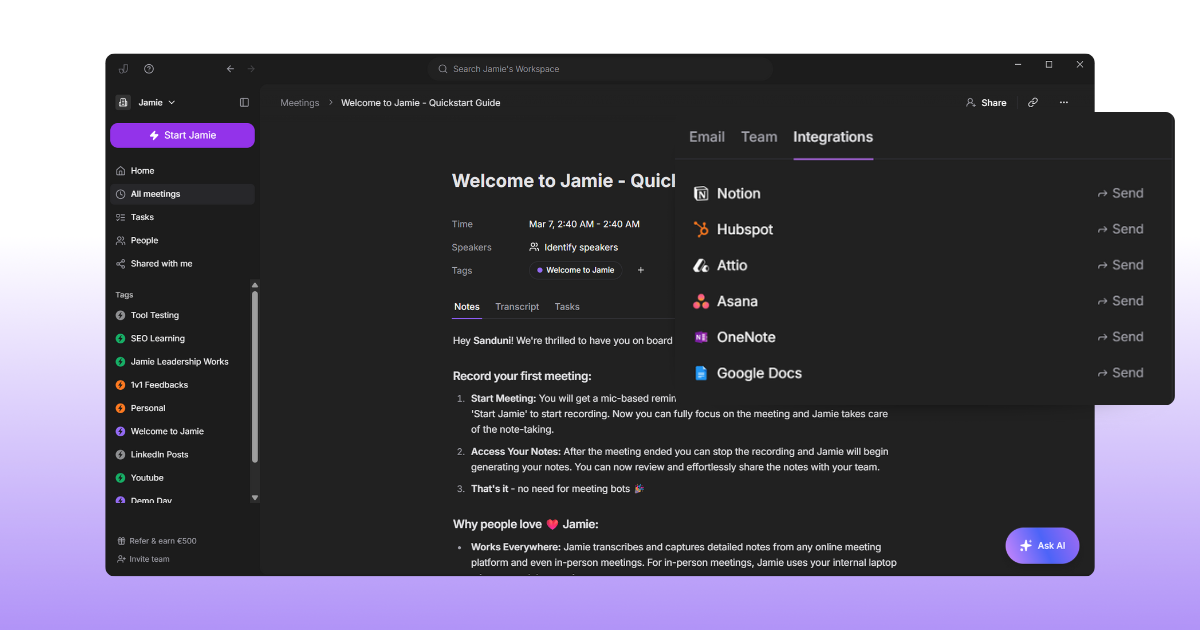
Copy-pasting from notes into your CRM or deal workspace is repetitive and easy to skip on a busy day. When HubSpot, Salesforce, Attio, Asana, or Notion do not reflect the latest founder conversations, pipeline reviews become guesswork, and partners struggle to see which deals are truly moving. Important follow-ups can slip because tasks and notes are not where people expect them.
Jamie can send summaries, transcripts, and tasks into the tools you already use. You can sync into Notion or Google Docs, push meeting notes into OneNote, send summaries and transcripts as notes to entities in HubSpot, Attio, or Salesforce, or turn Jamie tasks into Asana to-dos for a chosen project.
For other systems, admins can use webhooks and services like Zapier or Make to build custom flows while copy-paste integrations keep formatting when you move content into apps like Linear, Todoist, Bear, Typora, or Ulysses. Once a meeting is captured in Jamie, it can flow into your CRM, project tools, and internal docs without you re-typing the same information.
Jamie Pricing
FREE Plan (€0/month)
10 meeting credits per month
30-minute meeting duration limit
Automatic action item extraction
Complete meeting transcripts
Speaker identification
Calendar integration (Google & Outlook)
Tag system
Task management
Advanced text editing
Copy-paste integration
Team workspace sharing
No meeting bots required
100+ languages support
PLUS Plan (€25/month)
20 meeting credits per month
2-hour meeting duration limit
Includes everything in the FREE plan
PRO Plan (€47/month)
Unlimited meeting credits
3-hour meeting duration limit
Includes everything in the PLUS plan
Team & Enterprise Plans
Custom pricing
Custom solutions
Contact required for details
Pros and Cons of Jamie
Pros
No meeting bots, captures audio locally on your device.
Works with any platform, online or offline.
Fast, accurate summaries and transcripts.
Auto-detects tasks and decisions.
Automatic topic detection.
AI chat lets you search notes instantly.
CRM integrations to your favourite tools
100+ languages are supported.
Cons
Manual speaker tagging is required at first.
No sales coaching and sentiment analysis.
Granola AI
Best for: People with back-to-back meetings (e.g. VCs, sales teams, managers)
Similar to: Otter.ai, Jamie
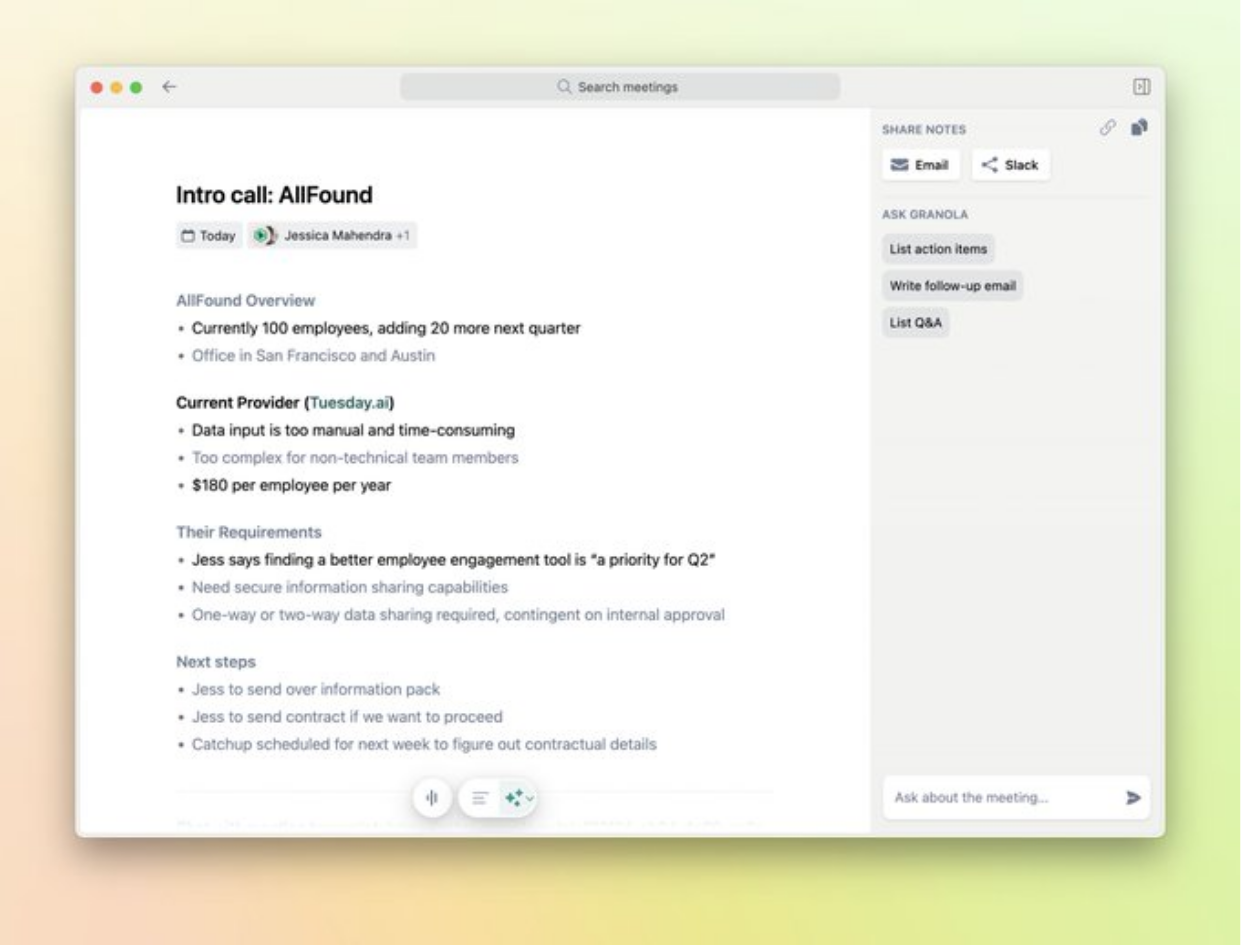
Granola is an AI-powered notepad for meetings. It transcribes your meetings from your device’s audio and then enhances the notes you take by fleshing them out into a structured summary. It works without invasive meeting bots by recording audio locally.
Includes customizable note templates for different meeting types, and even integrates with CRMs like HubSpot and Affinity to push notes automatically.
Let’s look at who uses Granola and its features.
Who is it for?
Granola is designed for professionals who spend much of their day in meetings and want help capturing and organizing notes. This includes roles like venture investors, sales reps, product managers, anyone who has frequent calls and needs detailed notes without extra effort.
Key Features
Bot-Free Transcription: Records meeting audio directly from your computer (no bot in the call) and transcribes it
AI Notes: Uses AI to clean up and structure your written notes plus transcript into a polished summary after each meeting
Templates: Offers ready-made templates for common meeting types to format notes consistently
CRM: Can automatically send notes and action items to tools like HubSpot, Affinity, or Zapier
AI Follow-ups: Built-in AI can answer questions about your meetings or make edits
Pricing
Free trial: $0/month (25 free meetings).
Individual: $18/month.
Business: $14/user/month.
Enterprise: from $35/user/month.
Pros and Cons
Pros
Transcribes directly from device audio without bots joining your calls.
Summaries include decisions, action items, and key points by default.
Setup is quick, with automatic meeting detection and transcription prompts.
You can query transcripts to extract follow-ups or specific insights.
Offers real-time transcription and lets you customize note formats and styles.
Cons
Doesn't record audio or video, so you can't replay parts of a meeting.
Speaker identification accuracy drops in larger meetings.
Limited integrations for exporting notes or syncing with other tools.
Lacks a full-featured web version, restricting access on some devices.
Some prompts may not be interpreted correctly by the AI.
Source: G2
Affinity
Best for: Venture capital, private equity, and other investment teams
Similar to: DealCloud, Salesforce (with CRM add-ons)
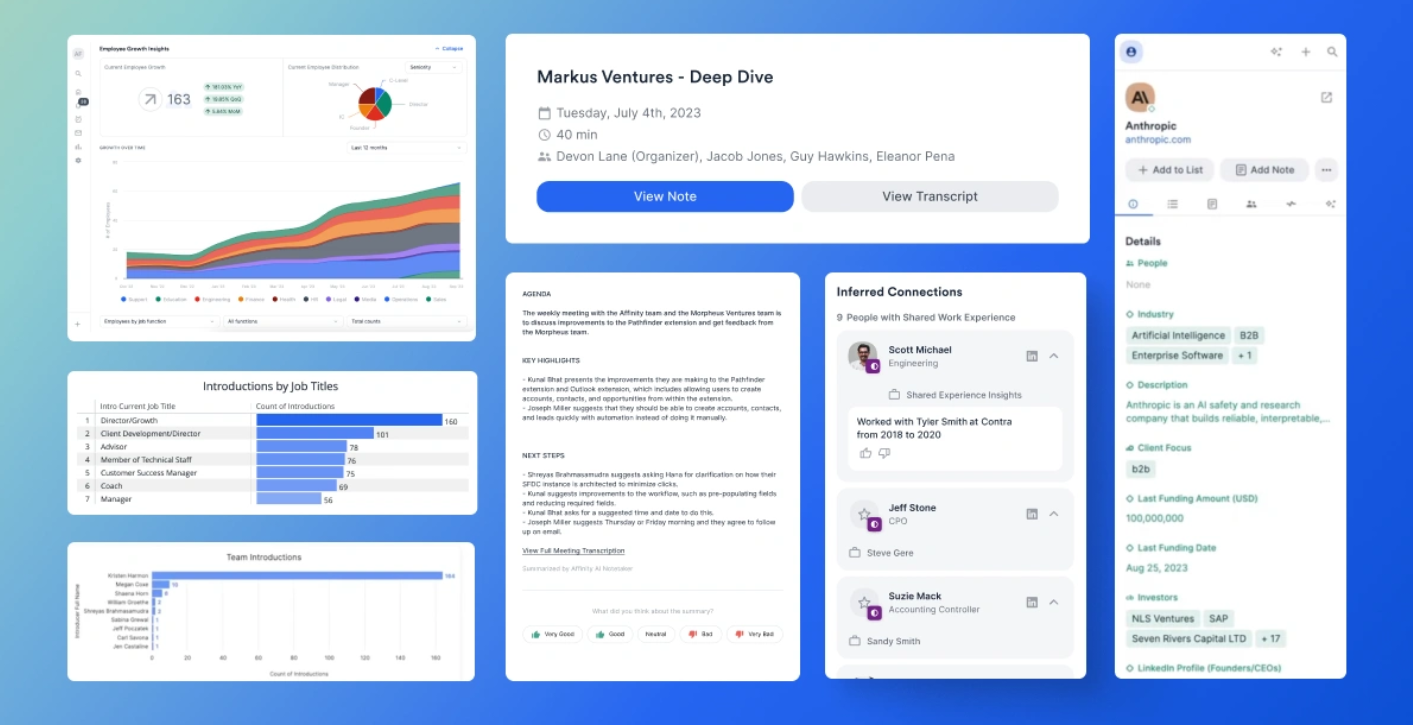
Affinity is a relationship intelligence CRM platform purpose-built for private capital dealmakers. It helps venture firms and funds manage their deal flow and relationships by automatically capturing contacts and communications and surfacing useful network insights.
Affinity logs emails and calendar events to create people and company profiles without manual data entry. It also uses AI to analyze your firm’s network and highlight the best paths for warm introductions to potential deals.
Here’s who typically uses Affinity and what it can do.
Who is it for?
Affinity is built for investment professionals and teams in venture capital, growth equity, and other relationship-driven fields. VC firms, private equity funds, investment banks, and accelerators use it to track deal opportunities, investor relations, and portfolio company interactions in one system.
Key Features
Relationship Mapping: Builds a map of your firm’s relationships and shows the best introduction paths to new deals
Automatic Data Capture: Syncs your team’s emails and calendars to automatically create and update contact and company records (no manual data entry needed)
Deal Workflow Management: Provides pipelines and workflows tailored for sourcing deals, managing due diligence, tracking portfolio companies, and fundraising tasks
AI Relationship Insights: Leverages relationship intelligence to log every interaction and even infer new connections beyond your network, helping uncover warm leads and forgotten touchpoints
AI Meeting Note Logging: Offers an AI notetaker integration (Affinity Notepad) that transcribes and summarizes meeting discussions, then attaches key points to the relevant contacts and deals in the CRM
Pricing
Essential: $2,000 per user/month (no monthly option; billed annually)
Scale: $2,300 per user/month (no monthly option; billed annually)
Advanced: $2,700 per user/month (no monthly option; billed annually)
Enterprise: Contact sales
Pros and Cons
Pros
Imports email and calendar data automatically, minimizing manual data entry.
Lets you build and manage watchlists, deal pipelines, and interaction histories.
Offers intuitive UI that’s easy for non-technical teams to adopt and use.
Includes note-taking and early AI features to support investment workflows.
Strong Gmail integration enables access to shared contacts and conversations.
Cons
Lacks direct LinkedIn integration for importing company and team profiles.
Mobile app usability is limited and the search function needs improvement.
Speaker noted poor document management and outdated note-taking features.
CRM offers limited customization and lacks advanced automation options.
Some users report Chrome add-in connection errors and login issues.
Source: G2
Notion
Best for: Teams and individuals who need an all-in-one workspace for notes and projects
Similar to: Coda, Microsoft OneNote
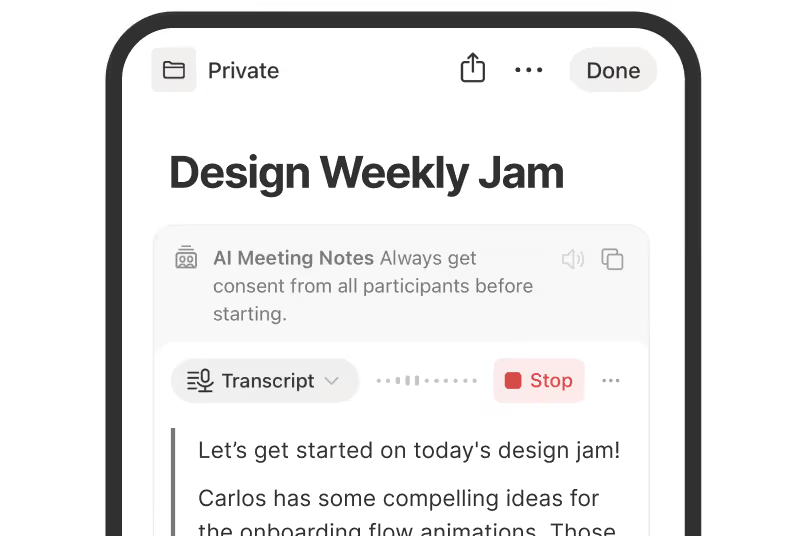
Notion is an all-in-one workspace for note-taking, documentation, project management, and more.
It lets you write and organize notes, databases, wikis, and tasks in a single, flexible system accessible on web, desktop, and mobile. You can customize pages with templates and link your content via databases and backlinks to create a connected knowledge base.
Notion also includes built-in AI features – for example, it can automatically generate summaries or action items from meeting notes using Notion AI. Next, we’ll see who typically uses Notion and its key features.
Who is it for?
Notion is used by a wide range of people – from startup teams and project managers to students and solo entrepreneurs. It’s for anyone who wants to manage notes, documents, tasks, and knowledge in one place. Small teams use it to collaborate on projects and wikis, while individuals use it to organize personal notes or research.
Key Features
All-in-One Workspace: Combines notes, docs, wikis, and task boards in one flexible space, so you don’t need separate apps
Custom Templates & Databases: Lets you build databases (tables, kanbans, calendars) and use templates to structure anything from meeting notes to CRMs, tailored to your workflow
Real-Time Collaboration: Share pages with your team for editing, commenting, and co-authoring in real time – changes sync instantly across everyone’s devices
Integrated AI Tools: Includes Notion AI features for writing assistance, Q&A, and summarization – for example, it can draft content or answer questions by pulling from your notes
AI Meeting Notes: New AI-powered meeting assistant can join your calls (via calendar integration) to transcribe and summarize meeting discussions directly into a Notion page
Pricing
Free: $0 per user/month
Plus: $12 per user/month
Business: $24 per user/month
Enterprise: Contact sales
Pros and Cons
Pros
Supports flexible page building with blocks, templates, and databases.
Notion AI helps automate tasks and manage content like tables and notes.
Works well for organizing large information sets and tracking workflows.
Quick to set up and allows importing large volumes of text easily.
Offers integrations with calendars and supported apps for project planning.
Cons
Doesn’t auto-fetch real-time currency exchange rates for tracking expenses.
Performance slows with larger databases or high row counts.
Offline mode and mobile app functionality can be unreliable or limited.
Navigating and organizing complex setups can feel overwhelming.
AI features may freeze, misplace content, or need manual correction mid-task.
Source: Notion
Fathom
Best for: Sales, customer success, and any teams wanting to capture and review calls
Similar to: Otter.ai, Avoma
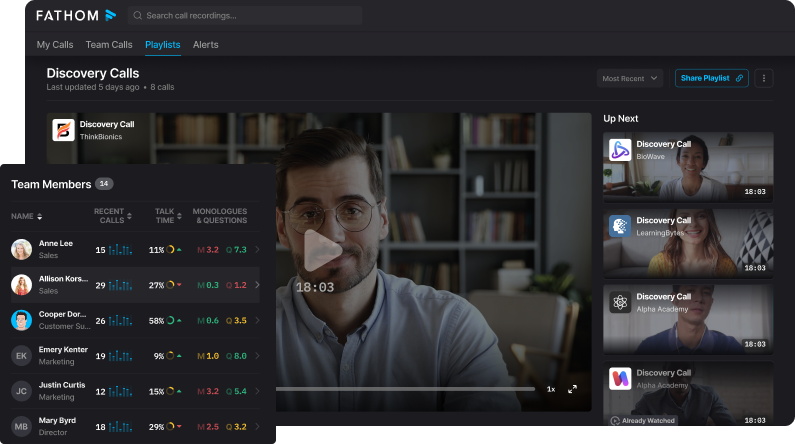
Fathom is an AI meeting assistant that joins your virtual calls to take notes for you. It records and transcribes Zoom, Google Meet, and Teams meetings in real time, then instantly produces a summary of key points and action items when the meeting ends.
You can “Ask Fathom” questions about past calls and get answers or customized summaries, since it indexes all your meeting transcripts.
Fathom also integrates with tools like Slack, Salesforce, HubSpot, Notion, and Asana to automatically sync notes and follow-ups into your existing workflow. Let’s break down who uses Fathom and what it offers.
Who is it for?
Fathom is aimed at professionals and teams that conduct a lot of online meetings or sales calls and need to capture details without manual note-taking. It’s popular with sales reps, client success managers, recruiters, and remote teams – anyone who wants to stay engaged in the conversation while having an AI handle the note-taking.
Key Features
Auto Call Recording: Automatically joins your Zoom/Teams/Meet calls to record and transcribe everything said, with no manual start needed
Instant Post-Meeting Summaries: Delivers a synopsis of the call – highlights, notes, and action items – immediately after each meeting ends
“Ask Fathom” AI Search: Allows you to query your past meetings (e.g. “What did the client ask about pricing?”) and returns the relevant transcript snippet or summary
Integrations: Syncs meeting notes, snippets and tasks to your other apps automatically – for example, it can drop summaries into Slack or log call details and transcripts in Salesforce, HubSpot, Asana, Notion, and more
Speaker & Insight Tracking: Identifies different speakers in the transcript and can generate insights like talk time per person or AI-generated scorecards for coaching and performance review
Pricing
FREE: $0 per user/month
Premium: $19 per user/month
Team Edition: $29 per user/month
Team Edition Pro: $39 per user/month
Pros and Cons
Pros
Automatically generates meeting summaries and action items for easy follow-up.
Speeds up client recap emails and integrates well into daily workflows.
Summarization is highly accurate and focuses on key details.
Lets you ask questions about meeting content to extract insights.
Offers fast setup and simple one-click recording for meetings.
Cons
Occasionally joins meetings at the wrong time or fails to join.
Some summaries miss nuances or offer limited export customization.
Transcription accuracy can vary, especially in some meetings.
Doesn't support transcription for phone calls at this time.
Initial setup may require IT help depending on company settings.
Source: G2
Obsidian
Best for: Power users building a private knowledge base (researchers, writers, note-taking enthusiasts)
Similar to: Roam Research, Logseq
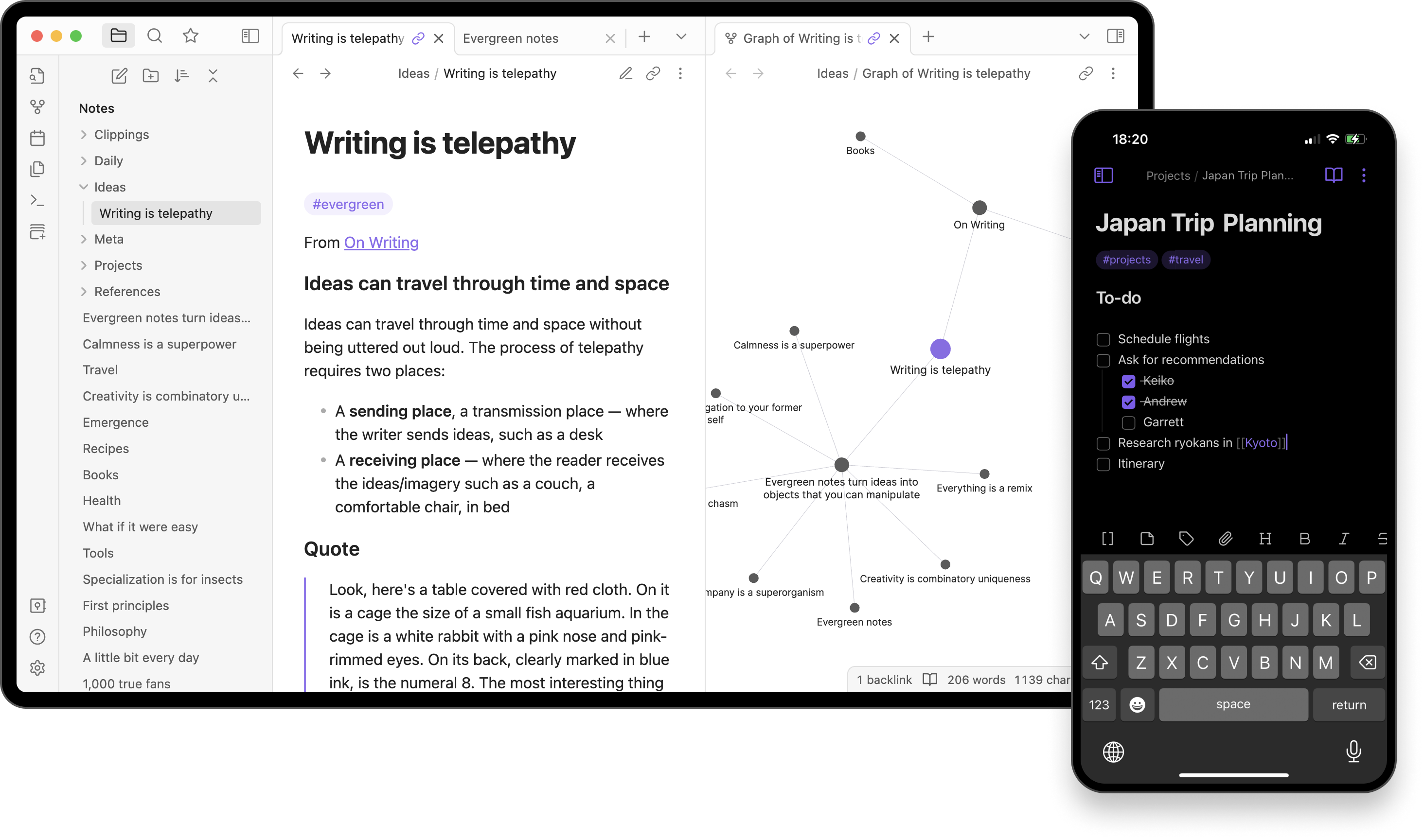
Obsidian is a free, flexible app for taking and organizing private notes on your own device. It stores all notes as Markdown files locally, so you have offline access and control over your data (your notes aren’t locked into a cloud service). Obsidian lets you connect notes via backlinks – you can link ideas to each other, and then visualize the web of connections in a graph view.
It’s highly extensible: there are thousands of community plugins and themes to add functionalities or customize the interface to your liking. Now, let’s see who Obsidian is for and what features stand out.
Who is it for?
Obsidian is made for individuals who take lots of notes and want full control over their knowledge system. This includes researchers, writers, students, and productivity geeks who prefer storing notes locally. It’s also popular among “second brain” enthusiasts – people building a personal knowledge base or Zettelkasten – because of its flexibility and linking capabilities.
Key Features
Local File Storage: Saves all your notes as plain Markdown files on your device, which means you can access them offline and aren’t dependent on any cloud service
Backlinks & Graph View: Allows you to link notes to each other wiki-style; a dynamic graph view then shows all the connections between your ideas visually
Extensible via Plugins: Highly customizable with over 2,600 community plugins available – you can add calendars, to-do managers, mind maps, and more to fit your workflow
Open Format: Uses non-proprietary Markdown text files for notes, so you’re never locked in – you can export or move your notes anywhere since they’re just plain text
Private & Secure: Your notes stay private (stored locally). If you use Obsidian Sync for multiple devices, it encrypts your notes end-to-end so no one (not even Obsidian’s team) can read them
Pricing
Sync: $5 per user/month
Publish: $10 per month
Pros and Cons
Pros
Supports bi-directional linking and backlinks for contextual navigation across notes.
Local graph and visual connections help explore related concepts visually.
Templates, callouts, and appearance plugins enhance note readability and structure.
Markdown-based, distraction-free editor allows seamless long-form writing.
Vault files remain portable and are not locked into a proprietary format.
Cons
Full graph view is visually impressive but rarely used functionally by most users.
Tags and metadata features can feel redundant or unclear without proper structure.
Syncing across devices (like iPad + Mac + PC) can be unreliable without paid Obsidian Sync.
Plugins like Smart Connections may not meet expectations for AI-powered querying.
Notes often become unstructured without consistent use of templates or project workflows.
Source: Reddit
Fireflies.ai
Best for: Teams that want to automatically record and search all their meeting conversations (sales, recruiting, etc.)
Similar to: Otter.ai, Gong
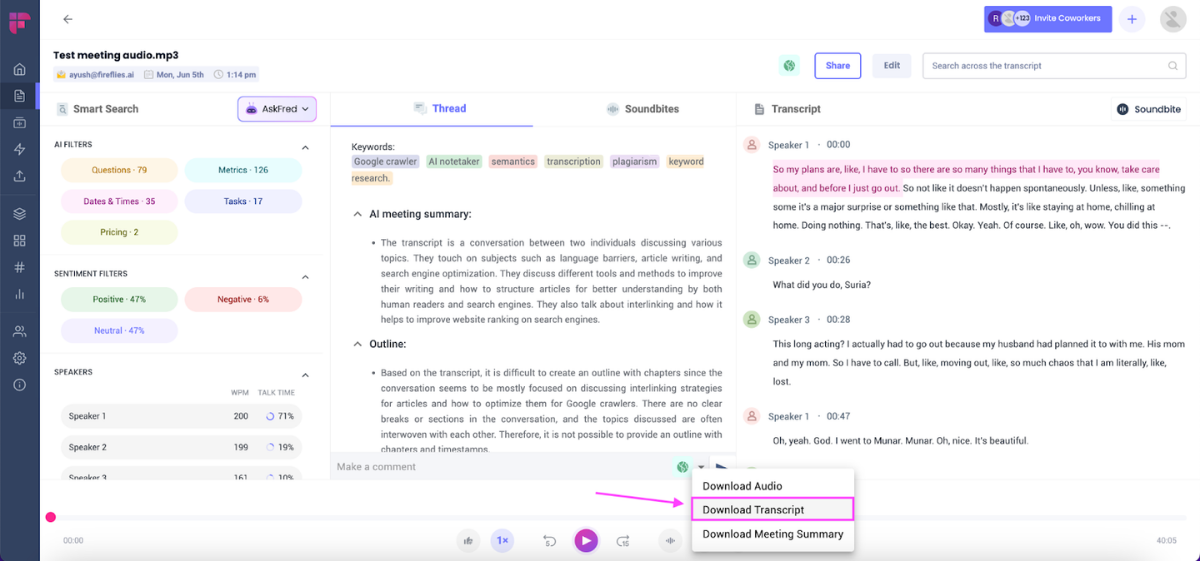
Fireflies is an AI notetaker that joins your meetings to capture everything discussed. You invite the Fireflies bot (“Fred”) to your Zoom, Microsoft Teams, or Google Meet, and it will record the call, transcribe it with about 95% accuracy, and identify each speaker.
After the meeting, Fireflies generates an AI summary with key points and action items, which you can review or share with your team.
All transcripts are stored in a searchable database – you can search for any past discussion or use the AskFred assistant to query your meetings for specific info.
Let’s see who uses Fireflies and what features it offers.
Who is it for?
Fireflies.ai is used by professionals across many industries who have frequent meetings or calls. It’s popular with sales and recruiting teams, as well as project teams, consultants, and venture capital firms. Essentially, any group that wants a searchable archive of meeting notes – without someone manually taking notes – can benefit from Fireflies.
Key Features
AI Notetaker Bot: A virtual note-taker (named Fred) can automatically join your online meetings to record audio and capture everything without any manual effort
High-Accuracy Transcription: Transcribes conversations with ~95% accuracy, supports 100+ languages, and even does speaker recognition to distinguish who said what
Meeting Summaries & Actions: Generates detailed AI summaries after each meeting, including bullet-point notes and any action items, so you don’t have to write up minutes yourself
AskFred AI Q&A: An AI assistant that lets you query your meeting database – you can ask a question and it will scan transcripts to give you the answer or relevant snippet (for example, “What did we decide about budget last week?”)
Workflow Integrations: Connects to your favorite tools to streamline follow-ups – for instance, it can auto-fill CRM entries (Salesforce, HubSpot) with call notes, send transcripts to Slack, or create tasks in your project management apps
Pricing
Free: $0 per user/month
Pro: $18 per user/month
Business: $29 per user/month
Enterprise: $39 per user/month (no monthly option; billed annually)
Pros and Cons
Pros
Automatically records and summarizes meetings to help you stay focused.
Allows uploading external recordings for the same transcription features.
Provides action item lists and AI Q&A to quickly extract meeting insights.
Integrates with Slack, Gmail, and HubSpot to streamline workflows.
Offers video playback with searchable captions for quick topic review.
Cons
Struggles to detect or accurately transcribe multiple meeting languages.
Can be slow or unreliable when joining meetings, especially uninvited ones.
Some users find the Zoom integration intrusive and hard to manage live.
Summaries may contain minor errors, such as misattributed names.
UI elements like the feed design may feel cluttered or non-intuitive.
Source: G2
Evernote
Best for: Individuals and professionals who need to organize notes, to-do lists, and schedules in one place
Similar to: Microsoft OneNote, Google Keep
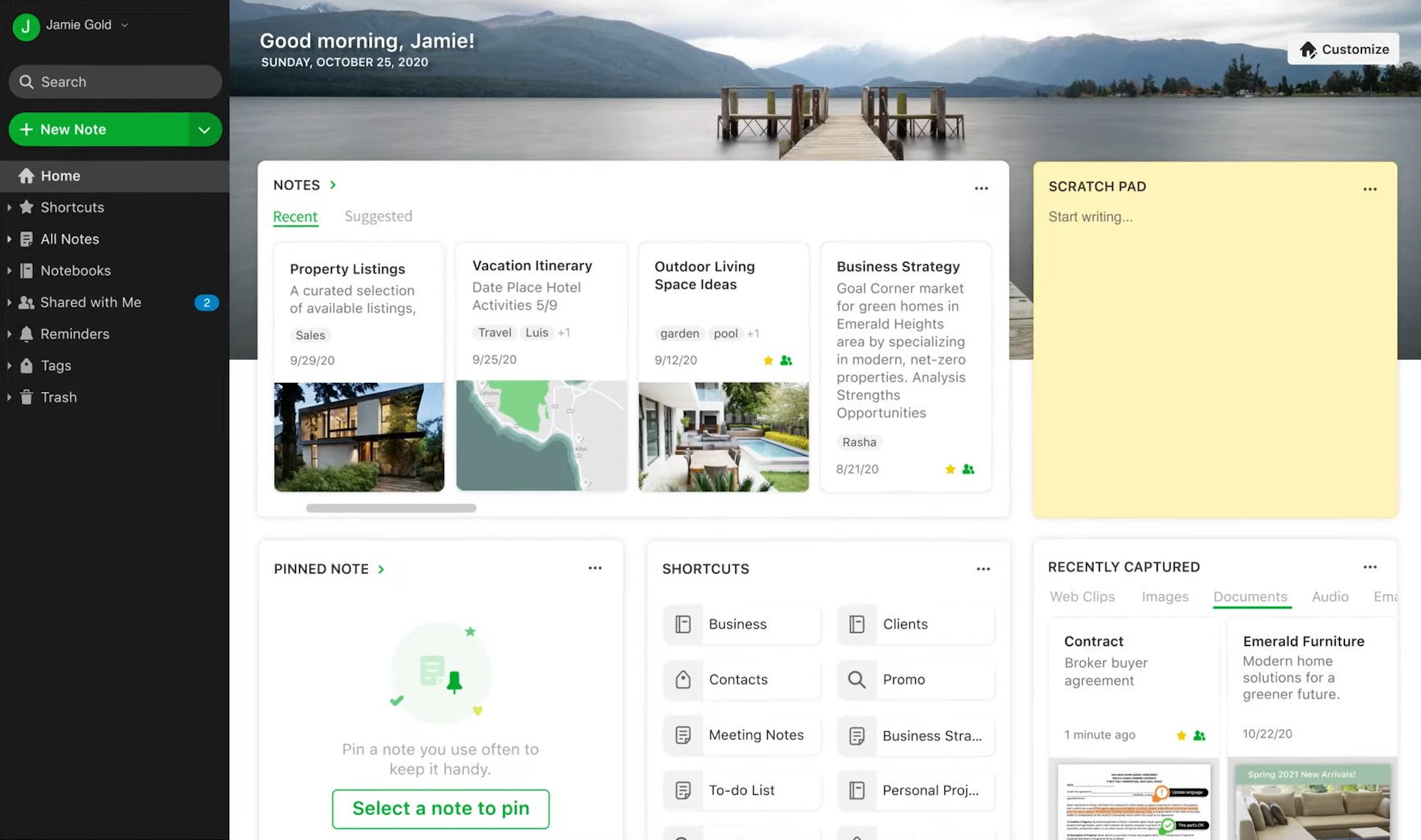
Evernote is a veteran note-taking and information management app often described as a “second brain” for users. It allows you to capture notes (text, images, audio, PDFs, and more), manage your tasks with reminders, and even link your notes to your calendar events – all within the same app. Evernote’s search can find text inside your notes, attachments, and even handwriting in images, so you can retrieve information quickly.
It syncs across all your devices (phone, web, desktop), keeping your notes accessible everywhere. Recently, Evernote has also introduced AI features like AI transcription and an AI meeting note generator to boost productivity. Next, we’ll identify who uses Evernote and key features of the tool.
Who is it for?
Evernote is for anyone juggling a lot of information – from entrepreneurs and office workers to students. People who use Evernote typically want a single place for meeting notes, personal memos, project plans, web clippings, and their task list. Because it integrates notes with tasks and calendars, it appeals to busy professionals who need to manage both reference info and actionable to-dos together.
Key Features
Unified Notes & Tasks: Combines note-taking with to-do lists and scheduling – you can create notes, add checklists or tasks inside them, and even link notes to calendar events so meeting notes and agendas stay connected
Web Clipper: Browser extension to clip articles, webpages, or screenshots directly into Evernote, preserving the content for reference
Document Scanning & Search: Lets you scan documents or snap photos (like business cards or receipts) and makes the text searchable. Evernote’s Advanced Search can even find keywords inside PDFs and images, helping you locate information fast
Multi-Device Sync: Automatically syncs your notes and edits across all your devices and platforms – Windows, Mac, web, iOS, Android – so you can start a note on your phone and finish it on your laptop seamlessly
AI-Powered Features: The latest Evernote release includes AI tools (Evernote v11). For example, AI Transcribe can turn audio into text, AI Meeting Note Taker can generate summaries of your meetings, and AI Rewrite can help polish your writing
Pricing
Free: $0/month
Starter: $14.99/month
Advanced: $24.99/month
Enterprise: Custom Pricing
Pros and Cons
Pros
Lets you save typed notes, PDFs, images, and web clippings in one place.
Syncs across devices, allowing seamless access to notes anywhere.
Offers customizable dashboards, templates, and tagging for organization.
Supports collaboration with shareable notes and project tracking features.
Features like Web Clipper and “email to inbox” streamline information capture.
Cons
Data migration to other tools like Notion can fail due to formatting issues.
App performance may lag during launch or when syncing data.
Device syncing is limited on the free plan, restricting flexibility.
Occasional glitches can affect app loading and reliability.
Note syncing can sometimes be delayed or slow across platforms.
Source: G2
JotMe
Best for: Global teams and multilingual professionals who need live translation and meeting notes
Similar to: Wordly, Interprefy
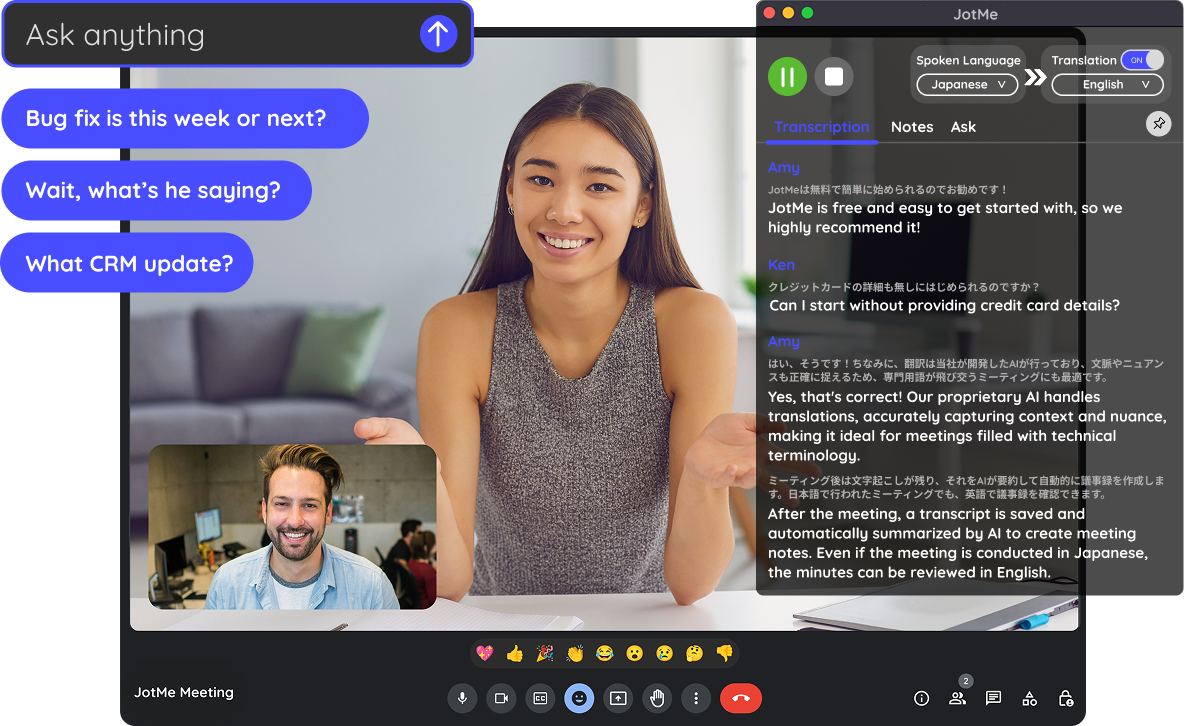
JotMe is a real-time AI meeting translator and note-taker. It functions like a personal interpreter in your meetings – listening to what’s said and instantly translating it into 100+ languages as captions, while simultaneously transcribing everything.
JotMe also generates AI-based meeting notes and action items from the discussion, in whatever language you need. Notably, JotMe works without having to invite a bot into the call: you run it on your computer (or as a Chrome extension), and it captures the meeting audio directly, whether you’re on Zoom, Google Meet, Teams, or even face-to-face in person.
Let’s explore who uses JotMe and its key features.
Who is it for?
JotMe is built for teams and professionals who frequently deal with language barriers in meetings. For example, international project teams, salespeople working with overseas clients, or event organizers might use JotMe to translate live discussions. It’s useful in any scenario where participants speak different languages and you need everyone to understand and capture what’s being said in real time.
Key Features
Live Translation Captions: Provides real-time translated subtitles in 107 languages during meetings, with context-aware translation for accuracy (not just literal word-to-word)
Multilingual Transcription: Transcribes speech in multiple languages at once – JotMe can handle up to 10 spoken languages simultaneously in a meeting and log them all with timestamps
AI Meeting Notes: Summarizes the meeting discussion into key points and action items using AI, and it can do this in any language – you get instant meeting minutes that you can share with colleagues or clients in their preferred language
No-Bot, No-Fuss Setup: Works through a desktop app or browser extension that taps into your device’s audio. You don’t need to add any external attendee to the call, since JotMe listens locally – meaning it’s compatible with Zoom, Google Meet, Microsoft Teams, or even in-person meetings without introducing a “bot” user
AI Assistance During Meetings: Offers extra AI tools like an assistive search (ask it about something mentioned in the meeting and it will provide info or context) and live speech generation (it can help you formulate and translate what you want to say into another language) to facilitate smooth multilingual communication
Pricing
FREE: $0 per user/month
PRO: $20 per user/month
PREMIUM: $30 per user/month
Pros and Cons
Pros
Translates spoken content in real time during webinars and meetings.
Post-meeting AI summaries help eliminate the need for manual note-taking.
Handles technical terms well, making it suitable for professional use.
Works with meeting apps without requiring bots to join calls.
Setup is simple, making it easy to get started quickly.
Cons
Real-time transcripts continuously update, making them hard to follow live.
Requires AI credits to save transcriptions, adding usage complexity.
Some users find it expensive based on how transcription is managed.
No transcript pinning or scrolling lock affects reading during updates.
Transcript readability can suffer during fast-paced or dense discussions.
Source: G2
Reflect Notes
Best for: Knowledge workers and thinkers who want a personal “second brain” with AI assistance
Similar to: Roam Research, Mem
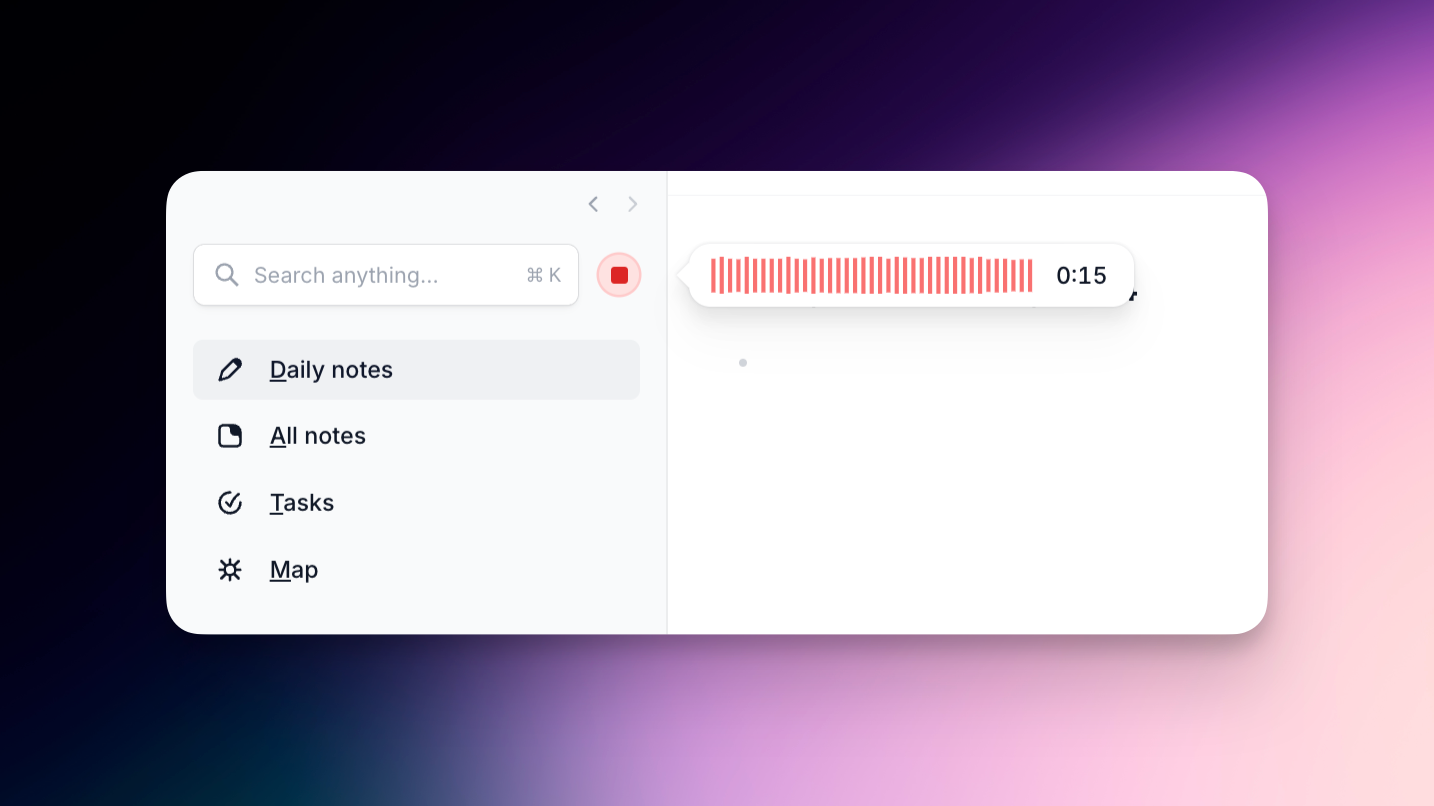
Reflect is an AI-enhanced note-taking app that helps you build a connected personal knowledge base. It keeps your notes end-to-end encrypted and in sync across devices, while also leveraging GPT-4 AI to assist with your writing and organization
Reflect lets you link notes together via backlinks and presents a graph of your ideas, so you can see how concepts connect (much like your mind maps things)
It integrates with your calendar as well – pulling in your Google or Outlook meetings so you can take meeting notes in Reflect and have them linked to the event context
The AI features in Reflect can transcribe voice memos, generate summaries or key takeaways from your notes, and even allow you to “chat” with your notes to find information quickly
Let’s see who uses Reflect and what it can do.
Who is it for?
Reflect is geared towards individuals who value thoughtful note-taking and idea development. This includes startup founders, researchers, writers, and managers – anyone who wants to build a personal knowledge repository. It’s especially useful if you like to journal, plan projects, or brainstorm and want AI to help organize and recall your thoughts. People who might use tools like Roam or Obsidian but also want built-in AI capabilities are the target users for Reflect.
Key Features
Networked Backlinking: Every note can link to other notes; Reflect automatically creates backlinks so you can navigate between related ideas. Over time you get a graph view that visually maps all your connected thoughts
Encrypted Sync: Provides end-to-end encryption for your notes and instant sync across devices (desktop, mobile, offline). Your notes remain private and only you can access them, but you can seamlessly capture ideas anywhere
Calendar Integration: Hooks into Google Calendar and Outlook to import your meetings. This allows you to keep meeting notes directly tied to calendar events and always know what was discussed in each meeting
AI-Powered Note Taking: Uses GPT-4 (via Reflect AI) to aid your note process – it can transcribe voice notes with Whisper, generate outlines or draft content from scattered ideas, and summarize your lengthy notes into key points or action items
“Chat with Your Notes”: An AI assistant in Reflect lets you query your knowledge base. You can ask questions across all your notes (“What did I note about market trends?”) and get an answer or find the note that contains the info. It essentially turns your notes into a searchable, conversational knowledge source
Pricing
Plan: $10 per user/month (no monthly option; billed annually)
Trial: trial for 14 days
Pros and Cons
Pros
Uses backlinks and chronological entry to auto-connect related notes.
Offers fast, minimalist note-taking ideal for meetings, journaling, and tasks.
AI features like semantic search enhance retrieval without needing exact terms.
Syncs handwritten notes from external tools like Remarkable for project use.
Bi-directional linking makes Reflect effective for networked note-taking.
Cons
Syncing issues may occur between devices, affecting reliability.
Lacks folder hierarchy, which may not suit users who prefer structured organization.
Designed with a non-linear format that may not fit every thinking style.
Customization is limited compared to tools like Notion or Obsidian.
Occasional mismatch between app structure and traditional data workflows.
Source: ProductHunt
Final verdict: what is the best note takers for venture capitals?
The best note takers for venture capitals are Jamie, Granola, and Affinity. These three give you the strongest mix of accuracy, speed, data security, client relationship support, and the kind of advisor-specific workflows VCs actually need to stay competitive without compromising security.
Quick recap of the best note takers for venture capitals
Jamie: My top choice for venture teams, wealth management teams, and the average financial advisor who needs clean, structured notes, airtight data security (EU-hosted + no model training), and reliable meeting prep across Zoom, offline, and in-person meetings. Jamie also boosts advisor satisfaction by keeping client relationships organized and searchable, giving you a real competitive advantage.
Granola: Great if you love typing your own notes and want AI to expand them into something organized. It’s simple, fast, and helpful for pre-meeting prep and team collaboration, though not as strong on CRM syncing or long-term knowledge management.
Affinity: Best when you want dealflow + notes in one CRM. It’s expensive, but useful for relationship-driven workflows and firms that treat notes as part of their broader financial planning and pipeline strategy.
And here’s a quick recap for every other tool mentioned because each one truly does serve someone:
Notion: Ideal for flexible workspaces and internal wikis if your team is willing to maintain structure and doesn’t mind slower performance in big VC databases.
Fathom: A strong bot-based AI companion for Zoom’s AI Companion users who want searchable transcripts and quick recaps.
Obsidian: Perfect if you’re a power user building a private, local “second brain” for deep research.
Fireflies.ai: Great for teams wanting a searchable meeting archive and automated action items through a bot-based workflow.
Evernote: Still a solid choice for people who blend meeting notes with broader productivity and life organization.
JotMe: Excellent for multilingual meetings or global teams that need live translation without compromising security.
Reflect: Lovely if you want a minimalist, encrypted personal knowledge base with AI help for recall and reflection.
Each tool shines for a different type of workflow. But if you want something purpose-built for venture teams, deal conversations, advisor-specific solutions, and the realities of managing client relationships in today’s wealth management sector, Jamie simply gives you the most complete package without adding complexity to your day.
Howeverrrr... If you're considering Jamie, you can download it for free on desktop or get the iOS app!
We know how much it matters to have tools that actually help you get things done while keeping your privacy intact.
That’s why we truly recommend giving Jamie a try risk-free.
You’re welcome to book a free demo if you'd like to see it in action first. We're always here to support you on your journey to better, simpler meetings and note-taking.
hours saved weekly on meeting prep and summaries


Read More
Here are the best AI note takers for finance teams.
Want to know the best free and paid AI note takers for private equity firms?
Check out the best note-taking tools for Zoom used in Europe
Learn about the top AI meeting helpers made for European teams
Discover Google Meet note takers that don’t need bots to join
Explore Zoom note takers that keep meetings safe and private
Read about AI meeting tools that work without joining the call
Learn about AI tools that take notes without using meeting bots
FAQS on Note Takers for Venture Capitals
What is the best AI note taker for venture capital meetings in 2025?
You can rely on an AI meeting assistant like Jamie as a top choice to capture structured meeting notes, action items, and accurate meeting data from every founder or LP call. You can feel stuck when AI summaries are too short, so Jamie’s focus on clear structure, speaker identification, and easy editing helps keep your entire client meeting lifecycle in one place, while tools like Granola or Fireflies.ai are strong alternatives if you prefer different workflows, giving most advisory firms confidence that key decisions will not be lost.
How can I capture detailed founder and client meeting notes without missing key metrics?
You can use Jamie to record virtual meetings and phone calls directly from your device so every client conversation, pitch, or diligence session is turned into searchable, structured data with metrics and post meeting tasks clearly listed. You can feel frustrated when generic AI software skips the numbers and nuances, but Jamie’s AI system is tuned for actionable insights and advisor tools, while options like Fathom or Fireflies.ai can also help financial professionals and venture teams keep advice delivery and follow-ups on track.
How do I keep AI meeting notes searchable and secure across my firm?
You can centralize your VC and wealth management meeting notes in a tool like Jamie, which turns meeting data into organized, searchable records while keeping client data in EU-hosted, GDPR-compliant infrastructure with strong data privacy safeguards. You can worry about potential risks when using large language models, so it helps that you can treat Jamie as part of your record keeping alongside CRM systems, and for firms needing extra assurances there are other AI solutions that advertise enterprise grade compliance or certifications such as SOC 2 Type II.
What’s the best way to connect AI meeting notes with my CRM and post meeting workflows?
You can sync AI-generated notes from Jamie directly into tools like HubSpot, Salesforce, Asana, and Notion so post meeting workflows and compliance logs stay aligned with what was actually said. You can easily lose track of post meeting tasks when they stay in a separate app, so Jamie’s integrations with common advisor tools and planning software help advisory firms and wealth management firms keep client interactions, portfolio data, and meeting preparation all linked in one streamlined system that supports better advisor client engagement.
Can AI note-taking tools handle both online and in-person client meetings for advisors and investors?
You can cover online Zoom calls, virtual meetings, and in-person client meetings with Jamie by using its desktop app for calls and mobile app for offline sessions, so independent financial advisors and venture investors do not need separate systems. You can feel torn between best AI tools that only work in the browser, but Jamie’s core functionality is to capture accurate data wherever you talk, while other industry specific solutions like JotMe or Reflect Notes may complement your workflow if you focus more on live translation or deep personal knowledge bases.