Alternative to Microsoft Copilot | Jamie AI [2026]
Sanduni
Growth Content Editor
![Alternative to Microsoft Copilot | Jamie AI [2026]](/api/media/payload/Alternative_to_Microsoft_Copilot_Jamie_AI_Updated_September_2025-dh5qa6.png)
Microsoft Copilot comes in a few forms, and it can get a little confusing. There's the free Microsoft Copilot (the general AI assistant built into Windows and Bing) and then there's Microsoft 365 Copilot (the one that works inside Word, Excel, PowerPoint, Outlook, and Teams).
This article covers both, but we're mostly looking at how Copilot handles meetings, and whether something like Jamie might fit your workflow a little better.
TL;DR
Microsoft Copilot alternatives matter because many teams struggle with setup outside Microsoft, high costs, and limits to one ecosystem.
People want easy setup with their tools, clear summaries with action items, accurate transcripts, custom vocabulary, strong privacy and compliance, fast search across past meetings, and support for any call platform.
Jamie gives you structured summaries with actions, custom vocabulary that matches how you speak, encryption with GDPR controls and audio deletion after transcription, Ask AI to search across your past meetings, and it works with any video conferencing platform.
For other needs there are Microsoft Copilot and Microsoft 365 Copilot with Microsoft 365 apps like Word, Excel, PowerPoint, Outlook, and Teams for deep in app help, Fireflies and Otter.ai for cloud meeting notes and analytics, ChatGPT and Claude for drafting and research, and Bing and Windows for search and system assistance.
But First, What is Microsoft Copilot?
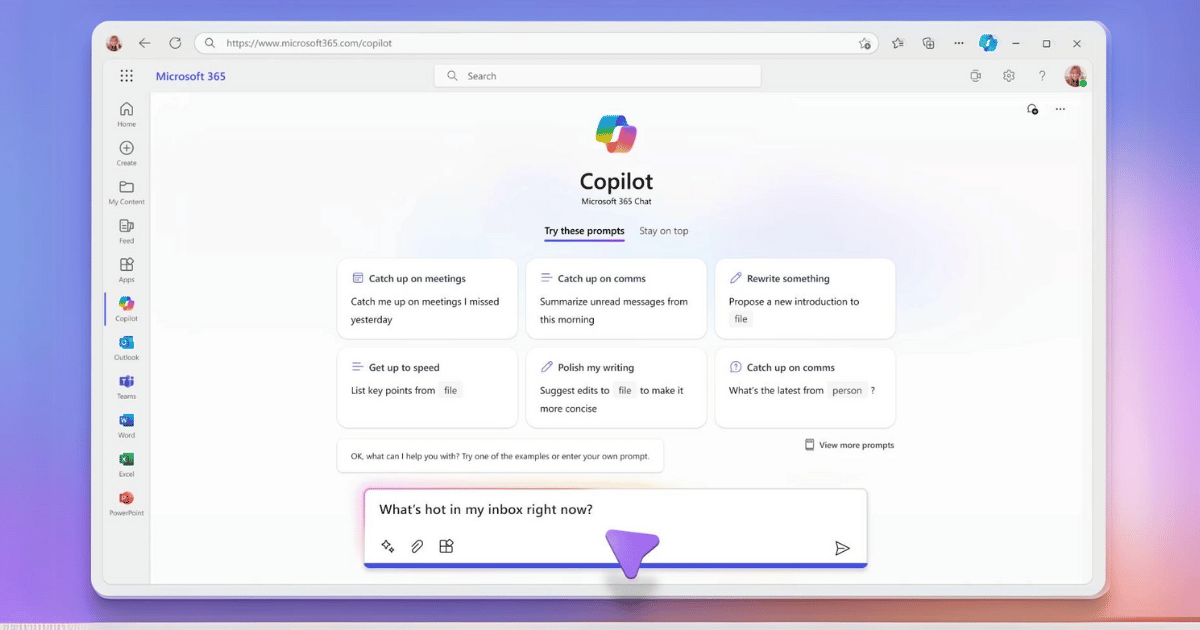
Microsoft Copilot is an AI-powered assistant designed to help users of Microsoft 365 with tasks in Word, Excel, PowerPoint, Outlook, and Teams. It also integrates with Bing and Windows OS. Copilot provides suggestions, automates tasks, and enhances productivity, replacing older tools like Clippy and Cortana.
What can Microsoft Copilot do?
Answer Questions: Copilot can answer many questions to help you find what you need quickly.
Create Content: It writes documents, emails, presentations, and more.
Summarize Meetings: In teams, it summarizes key points, action items, and decisions from meetings.
Draft Emails: Copilot in Outlook helps draft emails, summarizes email threads, and prepares for meetings by gathering relevant information.
Schedule Meetings: It suggests attendees, drafts agendas and finds times for meetings.
Customize Responses: You can customize Copilot to match your style, role, and preferences in Word and PowerPoint.
What are the Drawbacks of Microsoft Copilot?
Integration Complexity:
Issue: Integrating Copilot with existing workflows, especially in non-Microsoft shops, is tough.
Impact: This complexity will slow down adoption and reduce effectiveness (Microsoft Cloud)
High Costs
Issue: The premium features of Copilot, especially in Pro, are expensive. Starting price: $30.00
Impact: Small to medium businesses may not be able to afford it, so the probability of them using it is low.
Microsoft Ecosystem Dependency:
Issue: Copilot works best in the Microsoft 365 world.
Impact: Businesses using a mix of tools from different providers won’t get the full benefit of Copilot, so it may not be as useful or versatile.
Now that we've covered the pros and cons of Microsoft Copilot, let's look at an alternative that might work for you.
Introducing Jamie: An Alternative to Microsoft Copilot
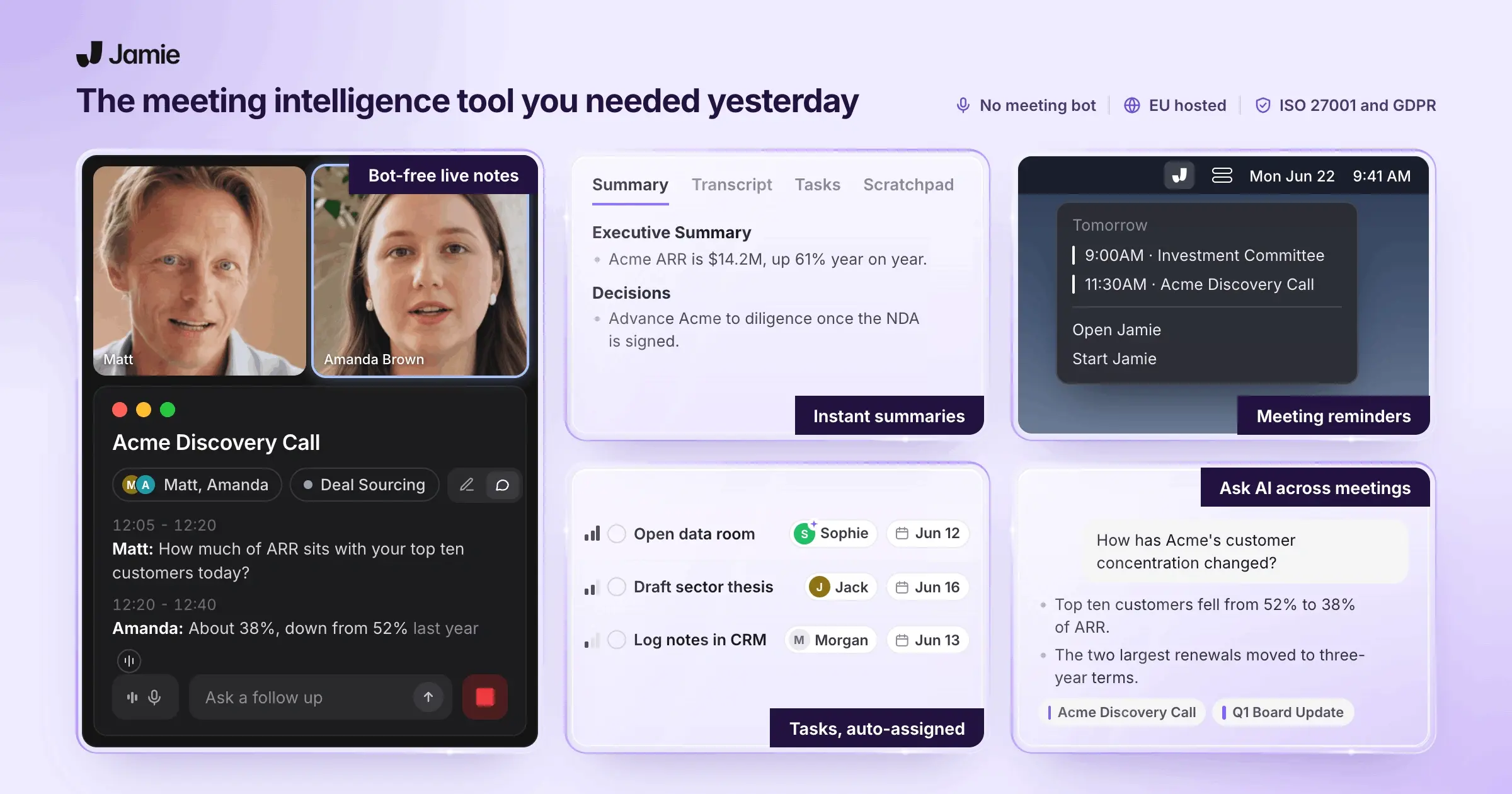
Jamie is an AI meeting tool that gives you meeting notes, summaries, and action items. You can also search across all your past meetings and ask questions about them using Ask AI.
For example:
You're getting ready for a major presentation, and you need insights from past meetings about a product launch. With Jamie's Ask AI, you can simply type "product launch feedback last three months" and get what you need.
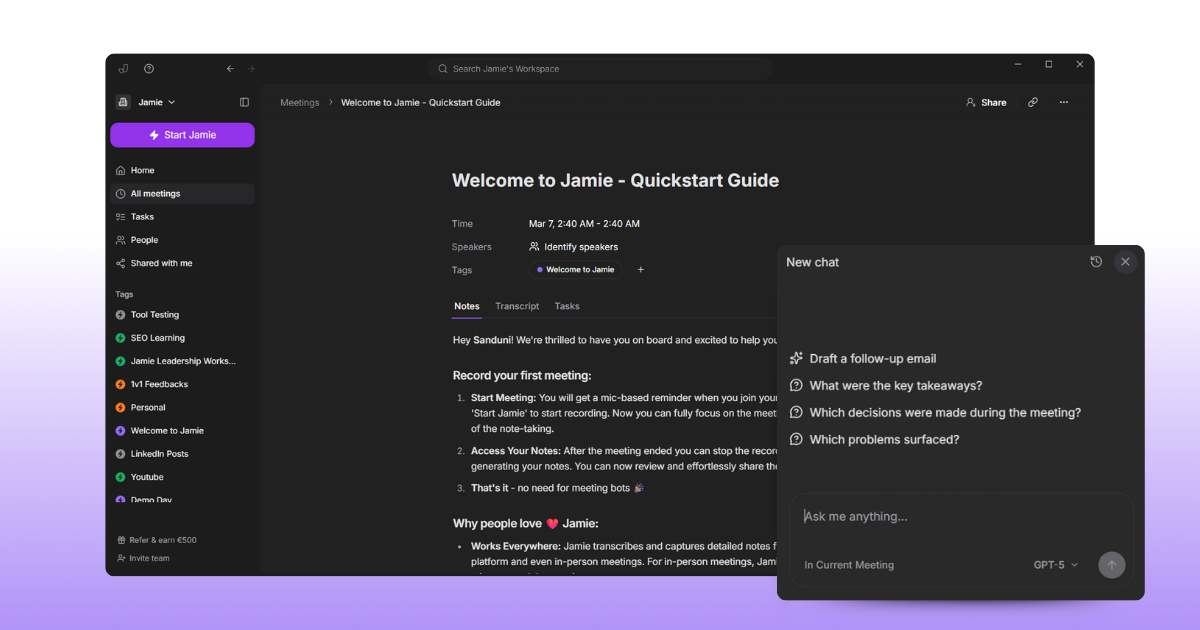
Instantly, Jamie fetches detailed notes and summaries from all relevant meetings. This quick access helps you compile a thorough presentation, saving you hours of manual searching and ensuring you cover all critical points.
Jamie's Ask AI helps you create content like follow-up emails and summaries from your meetings. You can ask questions across all your meetings and get answers pulled from what was actually discussed.
Jamie Vs. Microsoft Copilot Feature Comparison (At a Glance)
Jamie Vs. Microsoft Copilot Feature Comparison (Detailed)
1. Meeting Transcription and Recording
Copilot provides real-time transcriptions for its users.
Jamie provides transcriptions after the audio is transcribed. and the audio then gets deleted, adding to the added privacy.
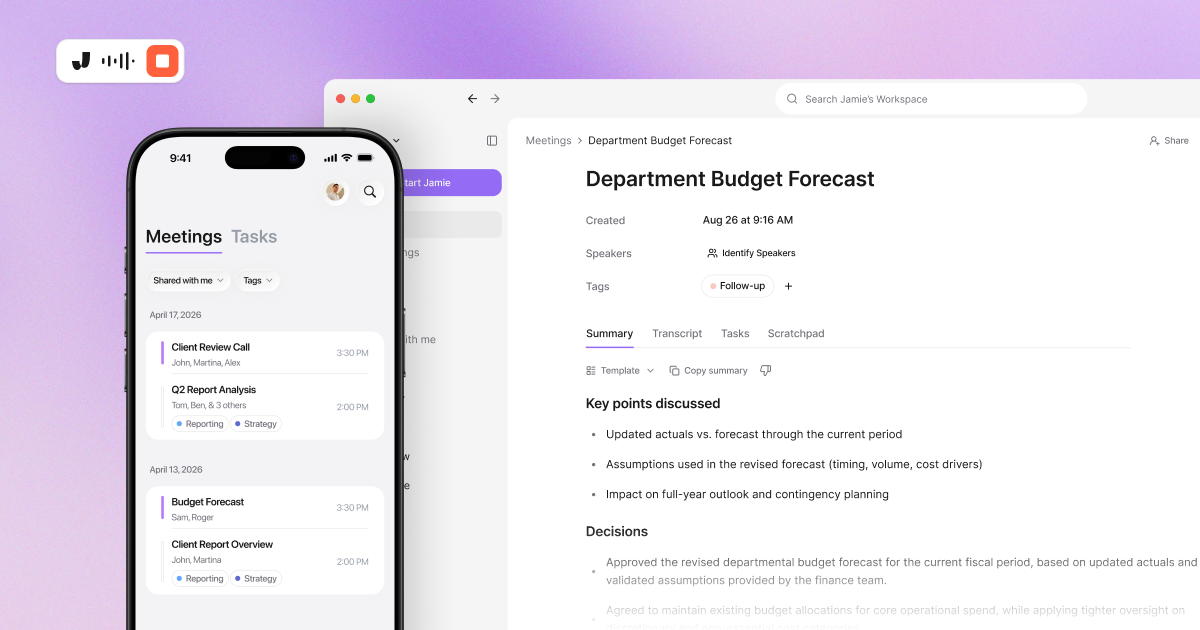
I went and looked at how Jamie's meeting notes compare, and we actually did a test on Jamie vs Fireflies vs Otter.ai. I'd say let the test results speak for themselves.
2. Meeting Summaries and Action Items
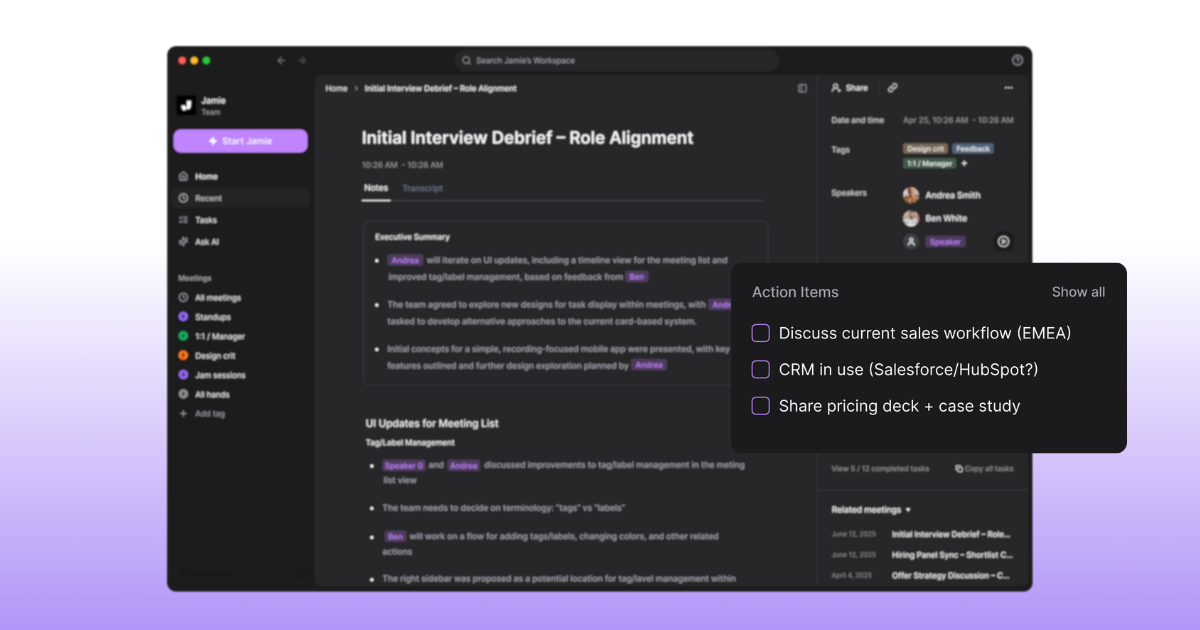
Jamie and Copilot both create meeting summaries and action items.
Jamie's summaries come structured with an executive summary and a full summary, organised by topics discussed in the meeting. You can also customise the detail level in your preferences.
3. Customizable Features
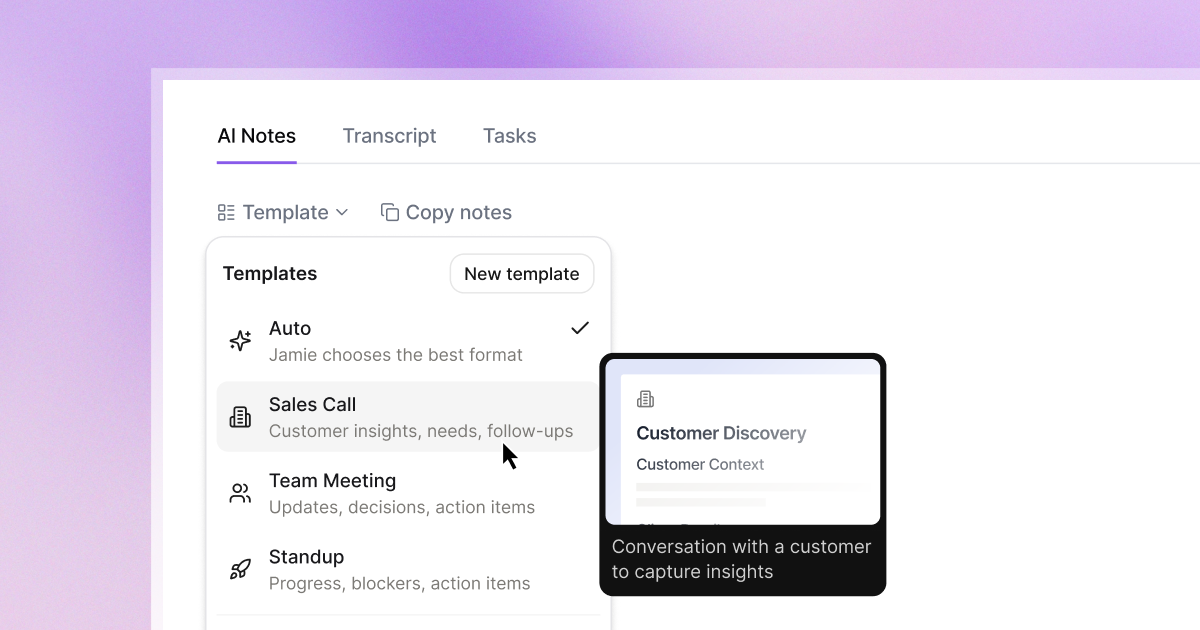
You can customise your own meeting summary templates, and Jamie will generate your notes in that format. You can also teach Jamie your own vocabulary (company-specific words, product names, acronyms), so your summaries come out more accurate and closer to how you actually talk.
4. AI Chat Or AI Search Function
Both Jamie and MS Copilot have AI chat features. You can use Jamie's Ask AI to ask questions about your past meetings and get answers pulled from what was discussed.
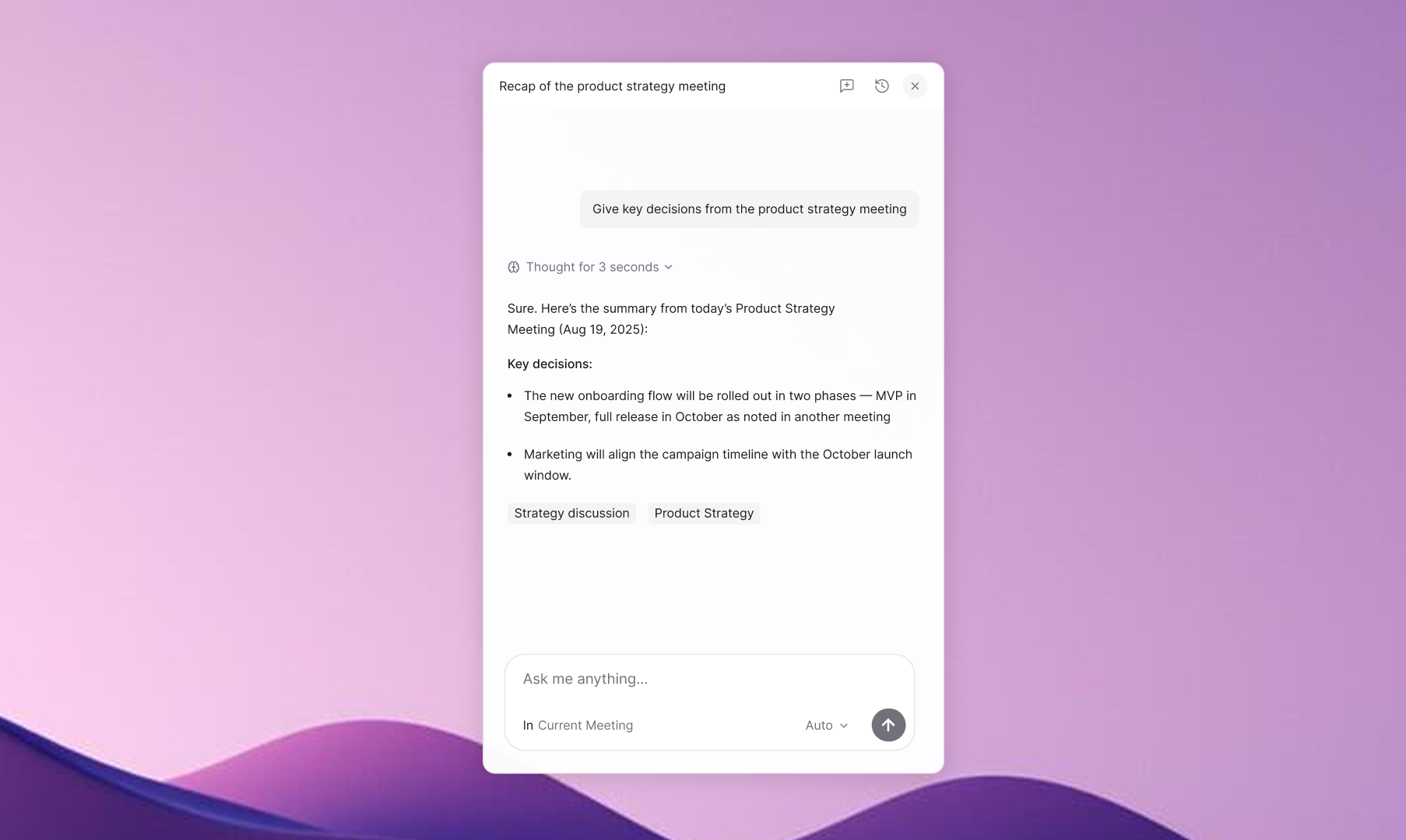
Copilot, too, has a chat feature that helps users retrieve information about their past meetings and information from web data.
5. Video Conference Compatibility
When choosing a good AI assistant, we must also look at how versatile the tool is, how it could fit into different customer behaviors, and the tools they use.
The tool you choose should be compatible with many video conferencing software programs. This way, you wouldn't have to worry about what platform your client is using.
You can start using Jamie on any video conferencing platform with a click of a button, and it gives you meeting notes without you having to switch tools.
However, the copilot only works with Microsoft Teams.
6. Speaker Identification and Speaker Memory
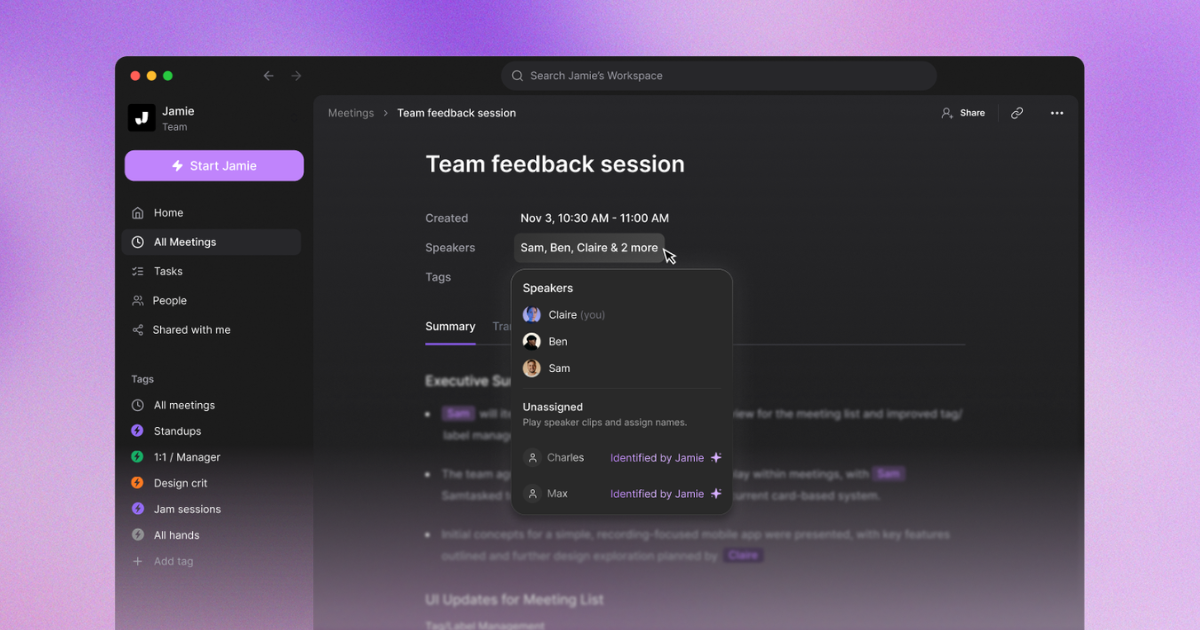
I wanted to look at how both tools handle knowing who said what, because that's one of those things that saves you so much time when you're reviewing notes later.
Jamie actually has two separate features here, and I think that's worth explaining. Speaker Identification is the manual step where, after your meeting is processed, you listen to short audio clips of each speaker and assign names to them. Then there's Speaker Memory, which is a separate feature you can toggle on in your preferences. Once it's on, Jamie remembers the voices you've already identified and automatically recognises them in future meetings, so you don't have to go through the identification step again for the same person.
Copilot in Teams also identifies speakers, and it does this in real time during the meeting. Participants can create a voice profile in their Teams app, and Copilot will use that to attribute what each person said in the transcript. It's a really good system if your team is already set up in Teams, though it does require some admin configuration to get started.
Both tools get you to speaker-attributed notes, just through different paths. With Jamie, you identify speakers once manually and then Speaker Memory handles it going forward without any IT setup. With Copilot, your team enrolls voice profiles upfront through an admin-configured process, and recognition happens in real time from there. I'd say it depends on whether you have an IT team ready to set things up or you'd rather something that learns as you go.
7. Integrations
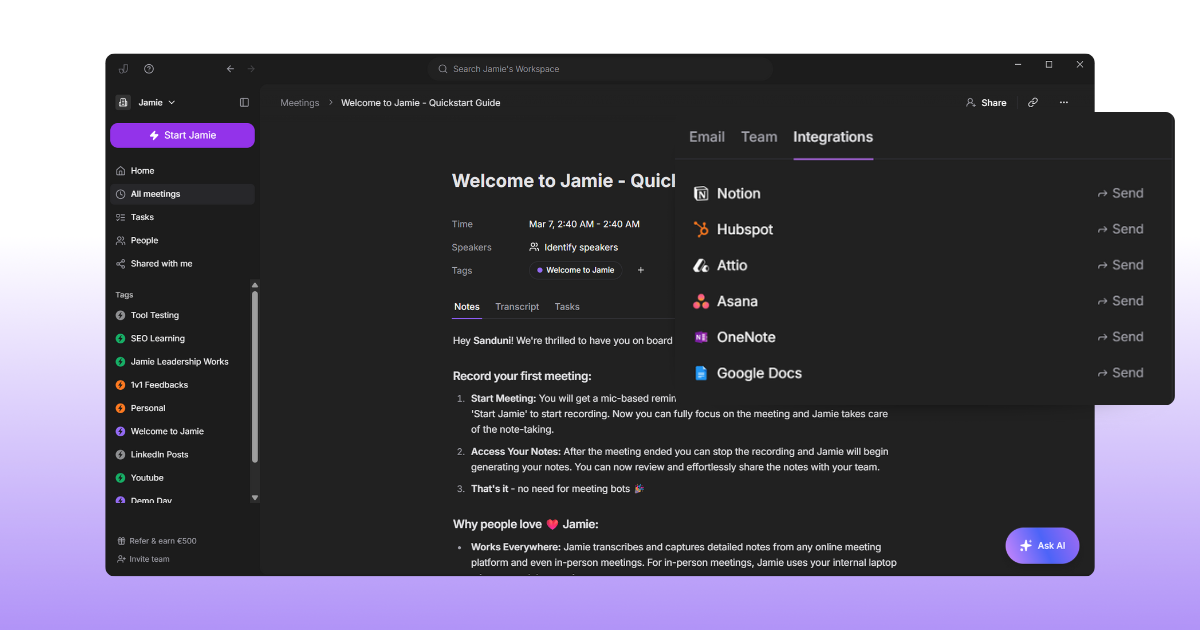
I also looked at where your meeting notes actually end up after the meeting, because that matters more than people think. If your notes just sit in one app and you have to copy-paste them into your CRM or project board, that's time you're losing every single day.
Jamie connects with CRMs like HubSpot, Salesforce, and Attio, so you can log meeting notes to contacts and deals without the copy-paste. It also syncs with Notion, Google Docs, and OneNote for note-taking, and Asana for turning action items into tasks. You can share manually or set it to auto-sync, and you choose what gets sent (your summary, transcript, or tasks).
Copilot integrates deeply with the Microsoft 365 ecosystem, and I have to give credit here. Your meeting notes flow naturally into Word, Outlook, and Teams, and you can connect Salesforce data through Microsoft Graph connectors. If your team already lives in Microsoft apps, that built-in connection is genuinely useful and saves a lot of switching between tools.
So from what I found, it comes down to where your tools live. If you use a mix of platforms like HubSpot and Notion alongside your calendar, Jamie fits into that setup. If your team is centred around Microsoft 365, Copilot keeps everything in one place.
8. Mobile App
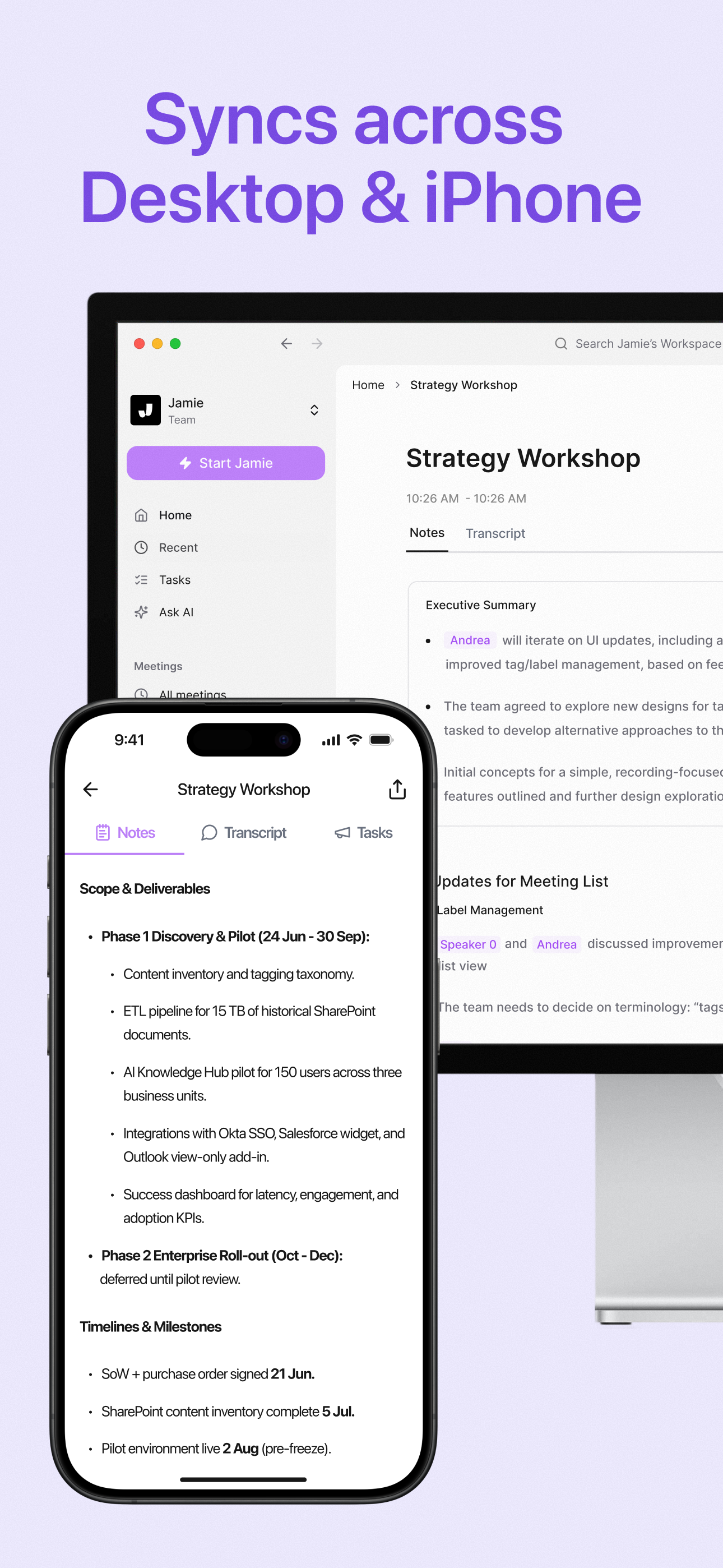
I also wanted to check how both tools handle meetings when you're away from your desk, because not every conversation happens in front of a laptop.
Jamie has a mobile app for iOS where you can record in-person meetings, view your meeting notes and tasks, and use Ask AI to pull up details from past conversations. Everything syncs between your phone and desktop, so a meeting you record on mobile shows up on your laptop and the other way around. Editing isn't available on mobile yet, but your notes are always there when you need them.
Copilot works through the Teams mobile app on both iOS and Android. You can use the Facilitator agent to take notes during in-person meetings, and there's an audio recap feature that turns meeting summaries into something you can listen to on the go. If you're preparing for a meeting while commuting, Copilot can also surface relevant emails and documents right in your meeting invite, which I thought was a genuinely helpful touch.
If you're on iOS and want a simple way to record in-person meetings and check your notes, Jamie's app could work well for you. If you need something on Android too, or you want deeper meeting prep features tied into your Microsoft 365 data, Copilot's mobile experience might be a better fit. You decide what works for your situation.
9. Pricing
Next, when choosing an AI meeting assistant, it might be worth looking for a tool that offers a free plan so you can test it out and see if it's the right fit.
Jamie offers a free plan to their users to test Jamie and its features, allowing them to test the app out.
However, Copilot doesn't seem to offer a free plan. If you go to their website, you can see they have a plan for $30 per month, and if paid annually, it's $360 per user. And in order to qualify for a Microsoft 365 subscription, you must purchase Copilot
Jamie's Pricing Plan
1. Free Plan
Price: 0€ (Free forever)
For: Individuals starting out
Meeting Credits: 10 per month
Meeting Length: 30 minutes per meeting
2. Plus Monthly Plan
Price: 25€/month
Meeting Credits: 20 per month
Meeting Length: 2 hours per meeting
3. Pro Monthly Plan
Price: 47€/month
Meeting Credits: Unlimited per month
Meeting Length: 3 hours per meeting
4. Team Plan
Price: 39€/member
Meeting Credits: Unlimited per month
Meeting Length: 3 hours per meeting
5. Enterprise Plan
Price: Custom pricing
Meeting Credits: Unlimited per month
Meeting Length: 3 hours per meeting
10. Data and Privacy
Jamie AI
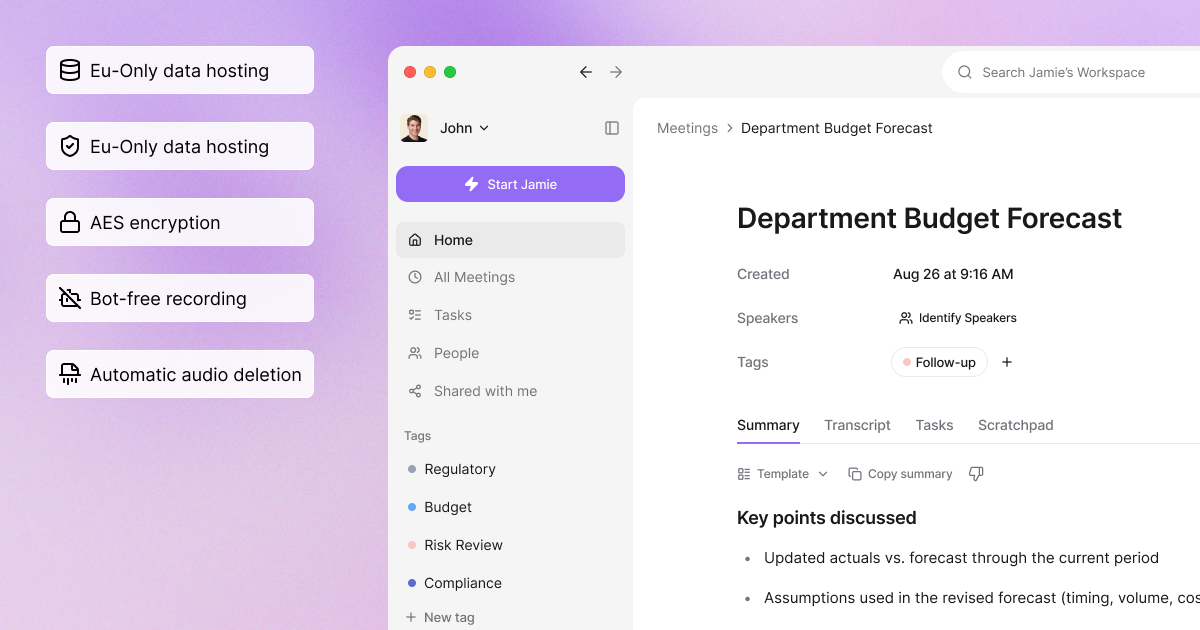
Jamie AI takes data privacy and security seriously. We follow GDPR rules, keeping all data encrypted in transit and at rest with AES algorithms. Audio recordings are processed on a server in Germany and deleted after transcription. Meeting transcripts are stored securely and are easily accessible. We don't aggregate user data across accounts, and we keep your data within your account. We're also audited on a regular basis by an external auditor.
Microsoft Copilot
Microsoft Copilot has robust data protection through its Microsoft 365 privacy and security commitments. Data is encrypted in transit and at rest. Copilot follows GDPR and other international data protection regulations and has regular audits to stay compliant. Single Sign-On (SSO) support for Microsoft Entra ID adds an extra layer of security. While Copilot aggregates user data to improve its AI models and uses it to improve the user experience within the Microsoft 365 ecosystem, it adheres to strict privacy protocols to protect user data.
Which AI Assistant is Right for You?
It depends on what you need. Both Jamie AI and Microsoft Copilot can boost your productivity but they excel in different areas.
Jamie might be a good fit if you want something that does more than just take notes. Ask AI helps you pull up past meeting details and draft follow-up emails based on what was actually discussed. Jamie also detects when you join a video call and reminds you to start recording, so you don't have to remember.
Jamie works with any video conferencing platform, so you don't have to worry about compatibility. It gives you meeting notes and summaries in 100+ languages, and your data stays protected with GDPR compliance and encryption.
Microsoft Copilot is best if you already use Microsoft 365 apps like Word, Excel and Teams. It does real-time transcription, automates tasks and provides personalized help right within those apps. It also has strong security features to keep your data safe, including encryption and compliance with international standards.
Think about what you need: do you want something that works across any platform and gives you flexibility, or do you want deep integration with Microsoft apps?
That will help you decide which AI assistant is right for you.
FAQS
What are AI meeting assistants?
AI meeting assistants are AI tools that encompass machine learning or deep learning through artificial intelligence. Some features of AI meeting assistants allow users to create content faster, allowing them to focus on what matters most.
For example, the Jamie AI tool helps you skip the note-taking part of meetings entirely. It captures the audio from your microphone and speakers, and uses that to give you a transcript, a structured meeting summary, and action items.
How does Jamie handle data privacy and security?
Jamie uses Advanced Encryption Standard (AES) algorithms to encrypt all data in transit and at rest. It is fully compliant with GDPR regulations and is audited on a regular basis by an external auditor.
Can Jamie AI work with my existing video conferencing platform?
Yes, Jamie works with any video conferencing platform. You can use Jamie to transcribe and summarise meetings regardless of the platform your team or clients prefer.
What can Jamie's Ask AI do?
Ask AI lets you search across your past meetings, pull up specific details, and draft follow-up emails. It searches through your meeting history and gives you answers based on what was actually discussed.
How does Jamie AI help with meeting reminders?
Jamie can detect when you join a video call and remind you to start recording, so you don't forget to capture your notes. You can customise which apps trigger this in your notification settings.
![How to Do Breakout Rooms in Zoom: Step-by-Step Guide [2025]](/api/media/payload/How_to_Do_Breakout_Rooms_in_Zoom_Step-by-Step_Guide_2025-2tauce.png)