10 Best Wispr Flow Alternatives In 2026
Chinwoke Nnamani
Growth Content Editor

I reviewed the best 10 Wispr Flow alternatives in 2026: Jamie, Granola, Fireflies.ai, Fathom, and Otter.ai for meeting notes, then Superwhisper, Aqua Voice, Typeless, VoiceInk, and Handy for dictation.
Wispr Flow is remarkably quick at turning speech into text. With its dictation tool, all you need is to hit the shortcut icon and you can ramble all you want, change your mind halfway through a sentence, stop, start again, and carry on.
In return, Flow strips the fluff and hands back something close to what you meant. Here is where it gets interesting, dictation is just a part of Wispr Flow's offerings.
On the 5th of August 2026, Wispr shipped its Notetaker. A tool that records meetings, works out who is speaking, and turns the conversation into transcripts, summaries, and action items you can search later.
So it is now two products, and “Wispr Flow alternative” is now two searches. If you want to talk instead of type, you need a Wispr flow dictation alternative. If you want your meetings in transcript format, you need a Notetaker alternative.
I have reviewed 10 of the best Wispr Flow alternatives for both divisions (Dictation and Notetaking). The meeting note-takers come first, while the dictation tools are listed afterwards.
Ease of use and accuracy are really to the point

Abler
Technology / Software · 11-50 employees
What Are the Best Wispr Flow Alternatives?
The 10 best Wispr Flow alternatives according to my research are Jamie, Granola, Fireflies.ai, Fathom, Otter.ai, Superwhisper, Aqua Voice, Typeless, VoiceInk, and Handy. The first five focus on meeting notes and conversation capture, while the last five are built for voice dictation and turning speech into text.
To give you a better idea of how Jamie, Granola, Fireflies.ai, Fathom, Otter.ai, Superwhisper, Aqua Voice, Typeless, VoiceInk, and Handy differ, you can click any cell to see the longer response:
Best Wispr Flow Notetaker alternative for meeting notes
Wispr Flow Notetaker only launched on August 5, 2026, but it has already made Wispr Flow a very different product. It records meetings, identifies speakers, and turns conversations into searchable transcripts, summaries, decisions, and action items, with bot-free recording and configurable data retention.
If you’re looking for a Notetaker alternative, I compared Jamie, Granola, Fireflies.ai, Fathom, and Otter.ai to see which ones actually hold up. Jamie was previously evaluated against four other famous AI note takers using two metrics that measure an AI note taker's performance during a meeting, and Jamie scored 98 out of 100 for speaker identification and 90 for transcription.
Jamie performed better than Granola, Otter, Fireflies, and Fathom. You can see the receipts and proof of the test over at our AI note taker article.
1. Jamie: Best Wispr Flow Notetaker Alternative for Multilingual Bot-free capture and structured summary note
Best for: Jamie is the AI note taker for teams who want bot-free notes from online and in-person meetings on Mac, Windows, and iPhone, with 100+ languages, speaker memory, Ask AI, and meeting data stored in Europe.
Similar to: Granola, Otter.ai, and Fathom.
Jamie is a bot-free AI note taker that takes notes during in-person and online meetings on Mac, Windows and iOS devices. This means that when you use Jamie to record a meeting, nothing joins your call, no strange participant appears in the attendee list, no host has to admit anything, and nobody stops the conversation to ask who the extra name is.
That removes the work that often comes with meeting note takers. Jamie handles the recording, transcript, speaker identification, summaries, and action items while you stay in the conversation.
It also gives you more flexibility across languages and devices: Jamie supports 100+ languages and runs on Mac, Windows, and iPhone. Wispr Flow Notetaker is available on Mac and Windows, supports 21 transcription languages, and processes customer data in the United States.
In a nutshell, here's how Jamie works:
- Capture meeting conversations without a bot: Connect Google Calendar or Outlook, then record with a click or let Jamie start recording when the meeting begins. You can cancel during the countdown or switch on a live transcript in Scratchpad.
- Structured note-taking without fluff: Jamie provides you with an executive summary, topic-based notes and a full transcript usually within 1–5 minutes after the meeting.
- Accurate speaker identification: Jamie labels each speaker and remembers their voices for future meetings, so recurring participants don't need to be identified again.
- Post meeting CRM alignment: Jamie extracts action items with owners, due dates and priorities. Ask AI lets you query and ask questions about your meeting history.
Jamie's Key Features
Jamie generates structured meeting notes with an executive summary, topic-based summary, transcript, and action items.

When you click “stop recording”, Jamie will create the meeting notes. Jamie does this in sequence, from transcription, then speaker matching, then the summary, then to the tasks, and it takes 1-5 minutes to process. If you write up a client call before the next one kicks off, these are the main pieces of information you get back:
- Executive summary: With Jamie, you can get the key takeaways in a format you can skim.
- Action items: Jamie can extract the action items with assignments so you don't have to stress about who is responsible for each item.
- Live transcript: Jamie records text live during the call as people speak.
- Full summary: It provides a full summary of your discussion, broken down by topic, instead of working through the transcript line by line.
- Templates: Creates notes based on predefined or custom templates for various meeting types
- Tags: Groups meetings by project, client, team, or another category.
- Ask AI: Ask questions across your meeting notes and searchable history instead of opening old transcripts one by one.
- Available on every plan: Both summary formats are included on Jamie's Free plan, so you can use them without paying a dime
- Ready to share: The finished notes give you a clean write-up you can send to a client or use for your own follow-up.
Jamie transcribes your meetings in 100+ languages

Jamie supports meeting notes and transcripts in 100+ languages. It also offers custom vocabulary for the names and terms that matter to your work, whereas Wispr flow note taker supports 21+ languages
- 100+ transcription languages: Jamie can transcribe meetings in 100+ languages, with support for multilingual meetings and automatic language detection.
- Online and in-person meetings: The language support applies whether you record a video call or a conversation in the same room.
- Available on Free: Jamie includes language support on the Free plan, so you don't need a paid subscription to handle multilingual meetings.
Jamie runs on macOS, Windows, iPhone, Android, and the web, with no external recording hardware or meeting bot required

You do not need a hardware device to keep your meetings tied to one computer when using Jamie. It runs across desktop and mobile, so the same meeting workspace can follow you from an online call to a conversation away from your desk.
- macOS and Windows: Record online meetings from your computer without adding a meeting bot.
- iOS: Record conversations on-the-go with Jamie's mobile app.
- Bot-free recording: Jamie records the audio your device is already capturing, rather than joining the meeting as a participant.
- In-person meetings: Record face-to-face meetings without using a recording device.
- Calendar connection: Link Google Calendar or Outlook to help Jamie know when you have a meeting coming up and remind you to record.
Jamie identifies speakers and can remember them between meetings

It is hard to comprehend a transcript that is not organized. It gets better and much easier to use when you know who said what. During the meeting, Jamie can label speakers and recall them for subsequent meetings, so recurring participants can be matched more easily in future meetings.
- Speaker identification: Jamie tags the speakers in the transcript rather than leaving you with Speaker 1 and Speaker 2 tags.
- Speaker Memory: Jamie can recall voices between meetings and identify regular speakers.
- Calendar context: Calendar information gives Jamie another way to identify people in a meeting.
- Customer vocabulary: Free, Plus, and Pro include 50 custom vocabulary terms; Team includes 100, and Enterprise includes 250
- Automatic titles: Jamie can automatically title a meeting based on each conversation's content.
- Free plan: Speaker recognition and memory are included in Jamie's Free plan.
Jamie keeps meeting data in Europe and deletes the audio

Jamie stores and processes meeting data in Europe across its plans and deletes the original meeting audio after transcription.
- ISO 27001 certified: Jamie is certified to the international standard for information security management.
- DORA: Jamie’s security and compliance measures are designed to support organizations subject to DORA.
- European data hosting: Jamie stores and processes meeting data in Europe.
- Audio deleted after transcription: The original meeting audio is deleted once the transcript has been generated.
- AES encryption: Jamie uses TLS 1.2 for data in transit and AES-256 encryption at rest.
- No model training: Jamie says it does not use customer meeting data to train its AI models or the models provided by its third-party providers.
- GDPR compliant: Jamie is GDPR compliant.
- Enterprise controls: Enterprise plans add controls such as SAML SSO, SCIM, audit logs, custom retention rules, and DPAs.
Jamie sends meeting notes into the tools you already use

The most useful meeting notes arrive where the next work happens. Jamie integrates with documentation, CRM, task management, and developer tools, depending on the plan you choose.
- Salesforce integration: Summaries and transcripts are sent directly as notes to Salesforce records such as leads, opportunities, contacts, and accounts with one click.
- HubSpot integration: Notes go straight to HubSpot entities such as contacts, deals, and companies without leaving Jamie.
- Asana integration: Jamie searches Asana projects and sends tasks with summaries and checkboxes that automatically sync status completion.
- Notion and OneNote: Jamie creates a dedicated Jamie Notes database in your Notion workspace and a My Jamie Notes notebook in OneNote, and these sync automatically after summaries are done or manually as needed.
- Google Docs: Move notes into documents for editing and collaboration.
- Task management: Connect meeting follow-ups with tools such as Asana.
- MCP: Pro and higher plans can connect Jamie with compatible AI tools such as Claude, ChatGPT, and Cursor.
Jamie's Pricing Starts at EUR 25 Per Month
Jamie has a Free plan if you want to test its meeting note-taking features before paying.
- Free: €0/month, 10 meetings, 30-minute meeting limit.
- Plus: €25/month, 20 meetings, 2-hour meeting limit.
- Pro: €47/month, unlimited meetings, 5-hour meeting limit.
- Team: €39 per seat/month, unlimited meetings, centralized billing.
- Enterprise: Custom pricing.
The Pro and Team plans cost less per month when billed annually.
What Jamie users love
- Bot-free capture, with no bot on the call
"I like Jamie because it's a bot-free AI note-taker that can take notes without an awkward bot on the call." Verified User in Design, G2
- A lifesaver for multilingual meetings, even Hebrew
"Finally an app that... Understands Hebrew. Jaime is also a lifesaver for: multilingual conversations [and] offline and online meetings." Rachel C., G2
What Jamie users flag
- The free plan stops a meeting at thirty minutes
"The 30 min meeting limit, but I understand that's the business model ;)" Charlotte Z., G2
- Audio quality in the room changes what the notes come back like
"Jamie's features are outstanding; sometimes I had the feeling that my audio quality heavily impacts the outcomes, which I need to adapt from my side." Verified User in Computer Software, G2
Verdict: Wispr Flow Notetaker vs Jamie
Choose Jamie if you want a more established meeting assistant with a deeper set of features for managing and revisiting conversations. Jamie has been around longer, supports Mac, Windows, and iPhone, works with 100+ languages on its free plan, and is ISO 27001 certified. It also keeps data in Europe, which can matter for teams with stricter data-residency requirements.
2. Granola: Best AI Meeting Note Taker for Simple, Bot-Free Notes
Best for: Individuals who prefer to take their own notes during meetings and want AI to enhance them instead of replacing them.
Similar to: Jamie, Fireflies.ai, Fathom.
Source: Granola
Granola is an AI notepad that merges the notes you type during a meeting with the transcript it captures in the background.
At the end of the call, Granola combines your notes with the transcript and turns them into a finished meeting note. Your judgment remains in the record, rather than being substituted with a neutral summary of the statements made.
No bot will be visible in Zoom, Google Meet or MS Teams as the desktop app captures system audio on Mac and Windows.
The iPhone and Android apps support conversations away from your laptop, and on iPhone Granola also takes notes on outbound phone calls made through its own dialler. If you already write notes during calls, Granola combines those notes with its transcript so you don't have to rewrite the meeting afterward.
Granola's Key features
- Bot-free desktop capture: Granola doesn't appear as a participant in the attendee list to be admitted; instead, it listens to the computer audio and microphone.
- AI notes: All typed content during the meeting is added to the transcript afterwards. The final note is not a mechanical transcript of what was said, but rather a note that you would take on a good day.
- Live transcription: You can see the transcript as it is being typed in the same window you are typing in, so you can see what was just typed without switching to another window.
- AI Chat: Pose a question during a meeting or throughout the entire meeting history. It is compatible with the free Basic plan, not just paid plans.
- Recipes: Save a prompt and execute it as many times as needed. They are created for follow-up emails and weekly summaries, and there's a marketplace of community-made ones to borrow from.
- Custom note templates: Granola lets you customize the output based on the meeting type; for example, a candidate interview and a customer call will return in different formats. Included on Basic.
- Pre-meeting briefs: Integrate Google Calendar on Business or Enterprise, and Granola will retrieve context from previous notes, shared workspace notes, the web, calendar information, and optionally from Gmail threads before the meeting begins.
- Shared folders: Teams can share the same set of notes, and folders can be shared even on the free plan.
- Integrations and MCP: Business unlocks Notion, Slack, HubSpot, Attio, Affinity, Zapier, MCP and API access. Below that level, notes can still be exported to CSV from Settings, which includes the title, the summary and the transcript.
- Mobile and in-person capture: Both the Android and iPhone apps are designed for face-to-face meetings. On the iPhone, they also record notes during outgoing calls. According to Granola's own page, mobile apps do not transcribe Zoom or Google Meet calls because phones do not allow apps to record audio from other apps.
Granola pricing (Billed monthly)
There are three plans, each charged monthly. Granola currently lists monthly pricing rather than annual plans
- Basic: Free for each user each month. (AI notes, limited history, AI chat, templates, multi-language, opt out of model training)
- Business: $14/user per month (unlimited notes and history, advanced models, integrations, MCP, API)
- Enterprise: $35/user per month (SSO, enterprise security, org-wide auto-deletion, admin controls)
What Granola users love
- Simple interface and fair pricing
"I like Granola’s UI; it’s simple and clear. It also integrates smoothly with my calendar, which makes it easy to stay organized. Lastly, its pricing feels fair; I get a lot more value out of it than what I pay." — Kiran, D., G2 review
- Bot-free meeting capture
"No awkward “there’s a bot in this call” energy. It transcribes both on my Mac and iPhone, which is a game-changer for on-the-go catch-ups." — Aprielle, D., G2 review
What Granola users flag
- Transcript accuracy
"The only thing I dislike about Granola is that, occasionally, I’ve noticed the transcript isn’t completely accurate. It also doesn’t always distinguish between different voices, so it can be unclear who is speaking." — Verified User, G2 review
- Speaker recognition
"Recognition of speakers. Sometimes it cannot perfectly differentiate who is speaking." — Johannes, E., G2 review
Verdict: Granola vs Wispr Flow Notetaker
If you need to capture your meeting without the bots but with notes that sound more like your meeting notes than a verbatim transcript, then you should select Granola. It's a good choice for creating helpful notes from conversations without inviting a third party to the meeting, thanks to its AI-powered notes, custom templates, recipes, pre-meeting briefs, and shared folders.
3. Fireflies.ai: Best AI Note Taker for Searchable Meeting Memories
Best for: Teams that want more than a transcript and summary from their AI meeting assistant, with meeting search, sales insights, follow-up work, integrations, and automated calls.
Similar to: Jamie, Granola, Fathom, Otter.ai.
Source: Fireflies
Fireflies is an AI meeting assistant that records, transcribes, extracts summaries and action items from meetings, and makes your meeting history searchable. It supports popular meeting platforms and can even record meetings via its desktop and mobile applications. If you're a team with numerous customer calls, sales meetings, interviews, or internal discussions, Fireflies gives you additional ways to turn those conversations into work.
Fireflies include AI skills, CRM and workflow integrations, Live Assist, and voice agents that can hold conversations for you. The trade-off is that Fireflies' primary meeting experience uses a visible bot, while Wispr Flow Notetaker records meetings from your device without participating.
Fireflies.ai Key features
- Meeting bot: Fireflies can automatically join supported meetings, record the conversation and create a transcript while showing up as a participant in the call.
- Bot-free desktop capture: The desktop app can capture the audio from your computer during a meeting without adding a Fireflies bot to the attendee list. This mode does not include some features such as speaker labels.
- Live Assist: A floating panel displays the live transcript, AI notes, and other features during the meeting, so you can follow along without opening a new window.
- AskFred: Pose questions about the meeting you're in or search across all previous conversations. Use it to locate a decision, extract a detail, or determine what happened across multiple meetings.
- AI Skills: Fireflies lets you run specific AI workflows on meeting data, so a transcript can be transformed into a sales analysis, interview evaluation, follow-up email, or other structured output.
- Two-way conversation with AI agents: Voice Agents let Fireflies engage in two-way conversations with AI agents, giving teams a way to automate repetitive calls like lead qualification, candidate screening, and customer surveys.
- Transcription in 100+ languages: Fireflies supports transcription in 100+ languages.
- CRM and workflow integrations: Fireflies integrates with business tools like Salesforce, HubSpot, Slack, Notion, Jira, and Asana, so meeting data flows into the tools your team uses.
- In-person and phone capture: Fireflies isn't just for video meetings. It can record conversations outside the typical Zoom or Meet environment through its desktop and mobile apps.
- Searchable meeting history: Fireflies keeps your meeting information searchable, so you can find an old client remark or choice without having to listen to the meeting again.
Fireflies.ai pricing (billed monthly)
Fireflies currently has four plans:
- Free: $0 (with 400 minutes of storage, 20 AI credits, and unlimited transcription when Auto Join is enabled.)
- Pro: $18/seat per month (20 AI credits, 8,000 minutes of storage)
- Business: $29/seat per month (30 AI credits, unlimited storage, conversation intelligence)
- Enterprise: $39/seat per month, billed annually (50 AI credits, SSO, SCIM, HIPAA)
Certain advanced AI features require AI Credits, which may increase your usage costs, particularly if you rely heavily on features like AI Skills and AskFred.
What Fireflies users love
- A searchable memory for projects
"Fireflies Notetaker has become less of a transcription tool for us and more of a searchable memory for the project." — Samantha, V., G2 review
- More focus on the client
"My experience with Fireflies because, as a salesperson, it has completely changed how I do my job. My absolute highest priority during a meeting is to focus entirely on the client—watching how they say things and reading the room." — Pasi, R., G2 review
What Fireflies users flag
The meeting bot can be intrusive
"What I dislike is that the UI is not really nice on the phone and on the desktop. I don't like that, when in a Google Meet or Zoom video meeting, the bot is asking permission to join the meetings." — Çağrı, P., G2 review
Speaker identification struggles in conference rooms
"If multiple people are logged into a meeting using the same camera, e.g. in a conference room, this is when Fireflies is (understandably) unable to do a great job of determining who is speaking." — Peter, B., G2 review
Verdict: Fireflies.ai vs Wispr Flow Notetaker
If you love using AI meeting recorders for sales, then choose Fireflies.ai. Its CRM integrations, AI Skills, AskFred, searchable meeting history, and workflow features offer more options for the team's next steps after the call.
4. Fathom: Best AI Note Taker for Unlimited Free Recordings
Best for: Revenue teams with a succession of video calls that need to be recorded, searchable, scored, and uploaded to the CRM.
Similar to: Fireflies.ai, Otter.ai, Granola.

Source: Fathom
Fathom's Key features
- Unlimited free recording: Fathom's free plan allows for unlimited recording and transcription of meetings.
- Quick turnaround: Fathom processes completed recordings into transcripts and summaries after the meeting, so you can review the previous meeting before the next one begins.
- Live summaries: Fathom creates a live summary next to the video during the meeting. You can catch up if you fall behind or get lost.
- Highlight and bookmark: Label a helpful moment during a person's talk, such as a positive reaction, feedback, or for review. Fathom stores that section for future reference.
- Ask Fathom: Ask about a completed meeting or search through all your meetings and your team's conversations. Fathom's free plan includes unlimited recordings, unlimited call playback and AI summaries.
- AI Scorecards: Business users can create a rubric and use it to evaluate sales calls. That provides a standardized approach for managers to assess reps' conversation management.
- CRM field sync: Fathom can send meeting information into Salesforce and HubSpot. Business users can also map specific Fathom fields to fields in their CRM.
- Deal View: All conversations related to an opportunity are consolidated into a single view, so sales teams can easily access deal history.
- Team-wide search: Team Edition introduces shared search, playlists, and folders, enabling colleagues to discover helpful calls and examples throughout the team.
- Bot and bot-free capture: Fathom supports both modes, but its new bot-free experience is currently available on Mac, with Windows support coming.
Fathom's pricing
Fathom has four plans:
- Free: $0 (Unlimited recordings, transcription and storage, but limited advanced AI use)
- Premium: $20 per user/month (Advanced AI summaries, Ask Fathom, and additional AI features)
- Team: $19 per user/month (team collaboration, shared content, and CRM integrations)
- Business: $34 per user/month (advanced team features, AI Scorecards, Deal View, and expanded CRM capabilities)
What Fathom users love
- Clean, straightforward interface
"What I like most about Fathom is how straightforward and clean the UI/UX is. Everything is easy to find without feeling overwhelming." — Emmanuel, B., G2 review
- Easy access to meeting records
"What I like best about Fathom is that I can easily access meeting recordings and summaries for reference. This feature enhances productivity by allowing me to focus on discussions without worrying about taking detailed notes." — Thanooj, P., G2 review
What Fathom users flag
- Speaker identification can slip
"Transcription is relatively accurate, but it can generate incorrect speaker assignments if you tend to talk fast or talk over each other." — Kristen, K.,G2 review
- Technical terms can trip up summaries
"Occasionally, the AI summary might misinterpret technical jargon or niche industry terms, requiring a quick manual edit." — Angelina, C., G2 review
Verdict: Wispr Flow Notetaker vs Fathom
Choose Fathom if you want your meeting notes tied closely to the video recording, with highlights, transcripts, AI summaries, and strong sales-focused features.
5. Otter.ai: Best AI Note Taker for Team Workflows
Best for: Sales teams that want meeting conversations turned into structured notes, action items, searchable knowledge, and CRM updates.
Similar to: Jamie, Fireflies.ai, Fathom, and Granola.

Source: Otter
Otter is an AI meeting assistant for Zoom, Microsoft Teams, and Google Meet that records meetings, generates live transcriptions, and transforms them into summaries, action items, and searchable meeting notes.
It also offers AI Chat, which you can use to ask questions during meetings, plus meeting templates for extracting specific information and a desktop app for recording supported meetings. You can enhance transcripts with comments, highlights, and action items, and CRM integration can push meeting insights into Salesforce and HubSpot.
Otter also offers customizable meeting templates, shared annotations, CRM integration, Zapier, and an MCP server that lets AI assistants like ChatGPT and Claude interact with meeting data.
Otter.ai Key features
- Bot-free desktop recording: Otter's Mac and Windows apps can record audio during supported meetings without the Otter Notetaker present. You can also use headphones during recording, but you still need to follow the appropriate consent and recording regulations.
- Live transcription: Otter creates the transcript as the meeting takes place, so you can edit, highlight, and annotate the transcript as it happens.
- Meeting templates: Select one of Otter's templates or make your own to extract specific information from frequent meetings. That can turn the same meeting format into consistent insights, summaries, and follow-up actions every time.
- Otter AI Chat: Search across multiple meetings or ask questions about one meeting. The answers include links to the meetings where they are discussed, so you can review the meeting rather than take the answer on faith.
- Speaker identification: Otter identifies speakers in the transcript and lets you edit a speaker's name if it is incorrect. It can also use data from your calendar and workspace to help with identification.
- Team annotations: Highlight sections of a transcript, add comments, and assign action items with your team without transferring the conversation to another document.
- CRM syncing: Otter can sync meeting insights to Salesforce and HubSpot, including meeting summaries, action items, pain points, and next steps. You can also map selected CRM fields to custom fields.
- Zapier integration: Pro, Business, and Enterprise users can integrate Otter with Zapier to import recordings or to send transcripts, summaries, and action items to other applications.
- MCP server: Otter can integrate its meeting knowledge with AI assistants like ChatGPT, Claude, Cursor, and Perplexity, letting you search and analyze your meetings in the AI tools you already know.
- Six transcription languages: Otter currently supports transcription in English, Spanish, French, German, Japanese, and Simplified Chinese. It supports a variety of regional accents, and Otter Chat can translate conversations into other languages.
Otter.ai pricing
Otter currently has four plans:
- Basic: 300 transcription minutes per month, 3 lifetime audio/video imports, 25 recent meetings, and 20 AI Chat queries per user, all for free.
- Pro: $16.99 per user/month or $8.49 per user/month when billed annually. It comes with 1,200 monthly transcription minutes, 10 monthly imports, advanced meeting templates, unlimited storage, and Salesforce, HubSpot, and Zapier integrations.
- Business: $30 per user/month or $19.99 per user/month per year. It adds unlimited meetings and in-app recordings, unlimited imports, custom AI workflows, up to four-hour meetings, and enhanced admin controls.
- Enterprise: Custom pricing, including enterprise security controls, Otter Sales Notetaker, custom integrations, SSO, SCIM, API and webhooks.
What Otter users love
- Recurring Zoom meetings can be captured automatically
"I appreciate that Otter automatically connects with us for our content sprints every week via Zoom calls." Anders, C (G2 review)
- Meeting Agent stays in the call and writes the action items the moment it ends
"Otter joins the meeting as a participant and sends the action items afterwards." Dr Akshay. G2 review
What Otter users flag
- Long recordings can take time to process
"Processing very long recordings can be slow. Faster handling of large files would improve efficiency." Pratiksha S. (G2 review)
- The free plan limits conversations to 30 minutes
"With the free version, conversations are limited to 30 minutes." Erica, B. (G2 review)
Verdict: Otter.ai vs Wispr Flow Notetaker
If you need meeting transcripts integrated into a larger team or sales process, use Otter. Its templates, team annotations, AI Chat, CRM integration, Zapier, and MCP support give your team more ways to search, share, analyze, and act on a meeting after the call.
Best Wispr Flow Alternatives for Dictation
If you’re using Wispr Flow mainly to dictate emails, documents, messages, or notes, you don’t necessarily need a meeting note taker. The tools below are built specifically around voice dictation, with features for transcription, editing, formatting, and getting your thoughts onto the screen faster:
Best Wispr Flow Alternatives for Dictation
If you’re using Wispr Flow mainly to dictate emails, documents, messages, or notes, you don’t necessarily need a meeting note taker. The tools below are built specifically around voice dictation, with features for transcription, editing, formatting, and getting your thoughts onto the screen faster:
6. Superwhisper: Best Dictation App for Local Transcription
Best for: Mac and Windows users who prefer local speech recognition and want more control over dictation processing.
Similar to: Wispr Flow Dictation, Aqua Voice, and Typeless.
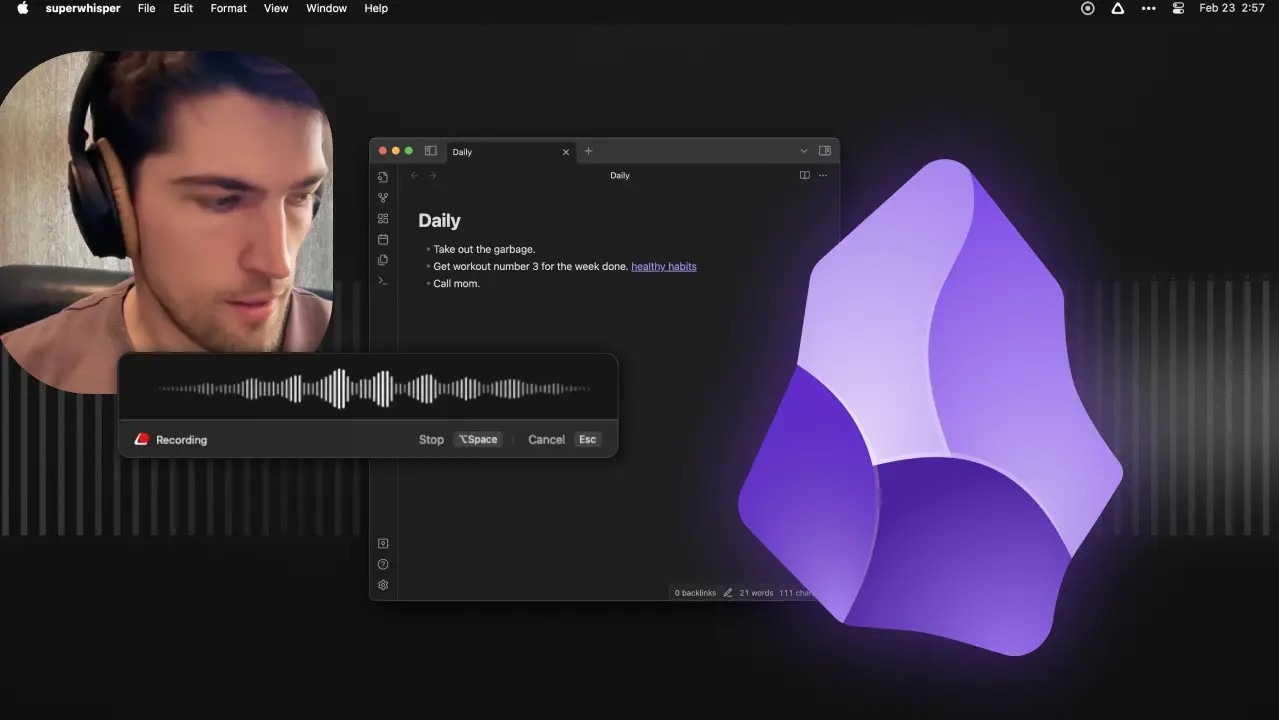
Superwhisper is an AI-powered voice-to-text tool for macOS, Windows, and iOS. You can use it with local or cloud speech models, letting you choose where transcription happens and which model to use.
That control is more helpful when creating custom modes. Superwhisper can switch between modes based on the app you are using or the shortcut you press; each mode can have its own prompt, vocabulary, and shortcut. It also allows for meeting recording and file transcription.
Key features
- Local transcription: Run speech recognition on your device with supported local models, so your audio can stay on your machine.
- Custom Modes: Create different transcription setups with their own prompts, vocabulary, and behavior.
- Automatic mode switching: Set Superwhisper to switch modes based on the app you’re using or the shortcut you trigger.
- Super Mode: Use AI to clean up, structure, and transform your dictated text beyond basic transcription.
- Multiple AI models: Choose from a range of local and cloud speech and language models based on your needs.
- Custom prompts: Tell Superwhisper how you want your dictated text formatted, rewritten, or processed.
- Custom vocabulary: Add names, technical terms, and other words that Superwhisper should recognize correctly.
- Meeting recording: Record and transcribe meetings directly in Superwhisper.
- File transcription: Transcribe existing audio and video files with Pro.
- 100+ languages: Dictate and transcribe speech in 100+ languages.
Pricing
- Free: Voice-to-text, meeting recording, 100+ languages, and unlimited use of the included Whisper models.
- Pro: $8.49/month or $84.99/year. Adds additional models, file transcription, translation, BYOK, and more.
What Superwhisper users love
- On-device privacy
"It runs OpenAI's Whisper model locally on your machine, meaning your audio data does not have to leave your device." — Mandar, P., G2 review
- Natural speech recognition
"I can speak naturally-just like I would with a friend—and it captures almost every word perfectly; I don't need to pause or speak like a robot." — Verified User, G2 review
What Superwhisper users flag
- Longer dictations need editing
"Occasionally, longer dictations need editing for accuracy, and the mobile experience can be less reliable than the desktop version." — Verified User, G2 review
- Proper nouns and specialized terms
"Accuracy on proper nouns and specialized vocabulary is still the weak point, so I check names and industry terms every time." — Qudsia, S., G2 review.
Verdict: Superwhisper vs. Wispr Flow
If you need speech recognition on your own hardware and enough configuration to set up different dictation setups for different applications, then choose Superwhisper. You will need to invest some time in setting it up.
If you're looking to switch between Mac, Windows, and mobile, or want polished output without configuring every part of your workflow, Wispr Flow Dictation is the way to go.
7. Aqua Voice: Best Dictation App for Voice Editing
Best for: Writers, developers, and heavy dictators who want to edit text without having to grab the keyboard.
Similar to: Wispr Flow Dictation
Aqua Voice is a voice dictation software designed for voice writing and editing. It has an Edit Mode that lets you tell Aqua what to change in text you've already written, without switching back to the keyboard.
Its realtime mode presents words as they are spoken, and Send It converts a longer thought to written text. Custom Instructions and a Custom Dictionary also let you set writing rules and add words and terminology you use frequently. Aqua is available for Mac, Windows and iOS.
Aqua Voice Key features
- Avalon: Aqua's proprietary speech model for processing spoken input.
- Edit Mode: Tell Aqua what to change rather than retyping it.
- Realtime Mode: See your words appear as you speak.
- Send It: Dictate a longer thought and let Aqua turn it into finished text.
- Custom Instructions: Make rules for Aqua to follow when processing your writing.
- Custom Dictionary: Add names, jargon and other words that are specific to your work.
- 49 languages: Speak in a variety of languages.
- Cross-device support: Run Aqua on Mac, Windows and iOS.
- iOS keyboard: Speak into any other app on your iOS device without switching keyboards.
- More control over transcript data with Privacy controls: Privacy Mode and Zero Data Retention.
What Aqua Voice users love
- Accurate dictation
Aqua Voice turns natural speech into clean text while handling filler words, corrections, and formatting.
- Voice editing
You can tell Aqua Voice what to change in existing text without reaching for the keyboard.
What Aqua Voice users flag
- Cloud processing
Aqua Voice processes dictation in the cloud, although Privacy Mode can prevent transcripts from being stored.
- Limited free usage
The free Starter plan includes 1,000 lifetime words, so frequent users will likely need a paid plan.
Pricing
- Starter: Free, with 1,000 lifetime words.
- Pro: $8 per month, billed annually.
- Max: $24 per month, billed annually. Adds Realtime Mode and Send It.
- Team: $12 per user per month, billed annually. Adds team-wide settings, centralized billing, and Privacy Mode enforcement.
- Business: Custom pricing. Adds SSO/SAML + SCIM, advanced reporting, Zero Data Retention, and team-wide dictionaries.
Verdict: Aqua Voice vs. Wispr Flow
Choose Aqua Voice if you want to edit and refine text with your voice. Its Edit Mode, Realtime Mode, and Avalon speech model make it particularly useful for writers and developers who want more control over the final text.
8. Typeless: Best AI Voice Keyboard for Android and Desktop
Best for: Android, iPhone, Mac, and Windows users seeking AI voice typing.
Similar to: Wispr Flow Dictation, Superwhisper, and Aqua Voice.
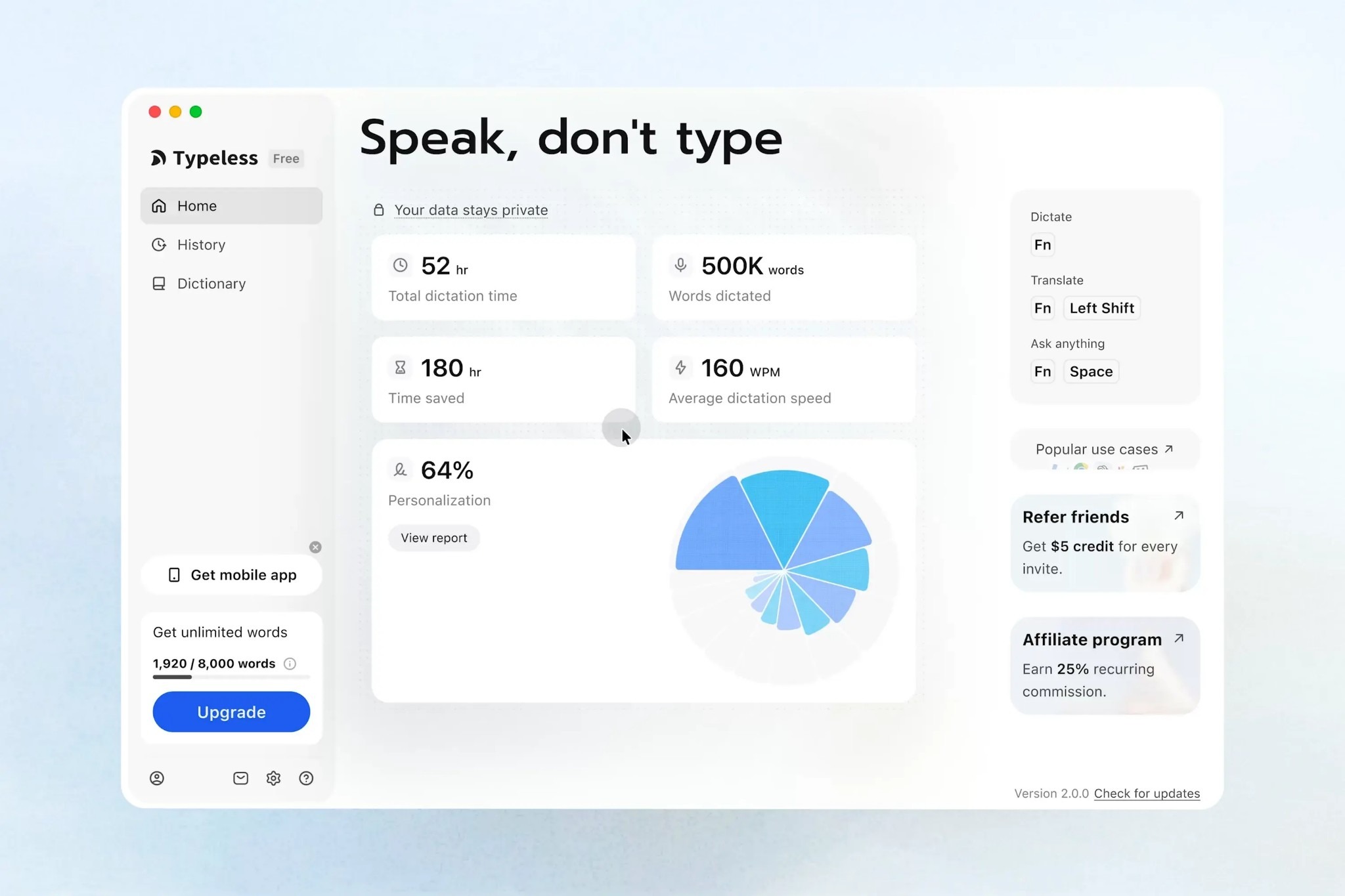
Typeless is a speech-to-text software for desktop and mobile. It eliminates filler words, adapts to your changing mind mid-sentence, and lets you edit, translate, or alter a draft's tone through speech
Typeless can be especially helpful on mobile. It has an Android voice keyboard that lets you dictate in WhatsApp, Slack, email, ChatGPT, and other apps without a desktop workflow.
Key features
- AI voice keyboard: Dictate not only in Typeless but also in mobile applications.
- Cross-platform: Works on Mac, Windows, iOS, and Android.
- Filler removal: Removes filler words from your speech.
- Self-correction: Follows changes of direction without transcribing both versions.
- Speak to edit: Edit text by voice.
- 100+ languages: Dictates in over 100 languages.
- Personal Dictionary: Add names and words that you use often.
- App-specific tones: Set different tones for different apps.
- Voice translation: Speak in one language and get text in another.
- Ask Anything: Ask questions or work with dictated text using your voice.
Pricing
- Free: 8,000 words per week.
- Pro: $12 per member/month (billed annually) or $30/month (billed monthly).
- Enterprise: Custom pricing.
What Typeless users love
- Natural, polished dictation
Typeless removes filler words and self-corrections to turn speech into clean text.
- Voice typing across devices
Its voice keyboard works across Mac, Windows, iPhone, and Android.
What Typeless users flag
- Mobile keyboard limitations
Some users find the Typeless keyboard less convenient for things like emojis, GIFs, and switching between keyboards.
- Occasional reliability issues
Some users report crashes, keyboard problems, or recordings stopping unexpectedly.
Verdict: Wispr Flow vs Typeless
Choose Typeless if Android support and a voice keyboard across desktop and mobile matter most. Its free tier includes 8,000 words per week.
9. VoiceInk: Best Mac Dictation App for Custom Workflows
Best for: Mac users who want to use dictation in various ways across applications.
Similar to: Voibe, Macwhisper, Spokenly
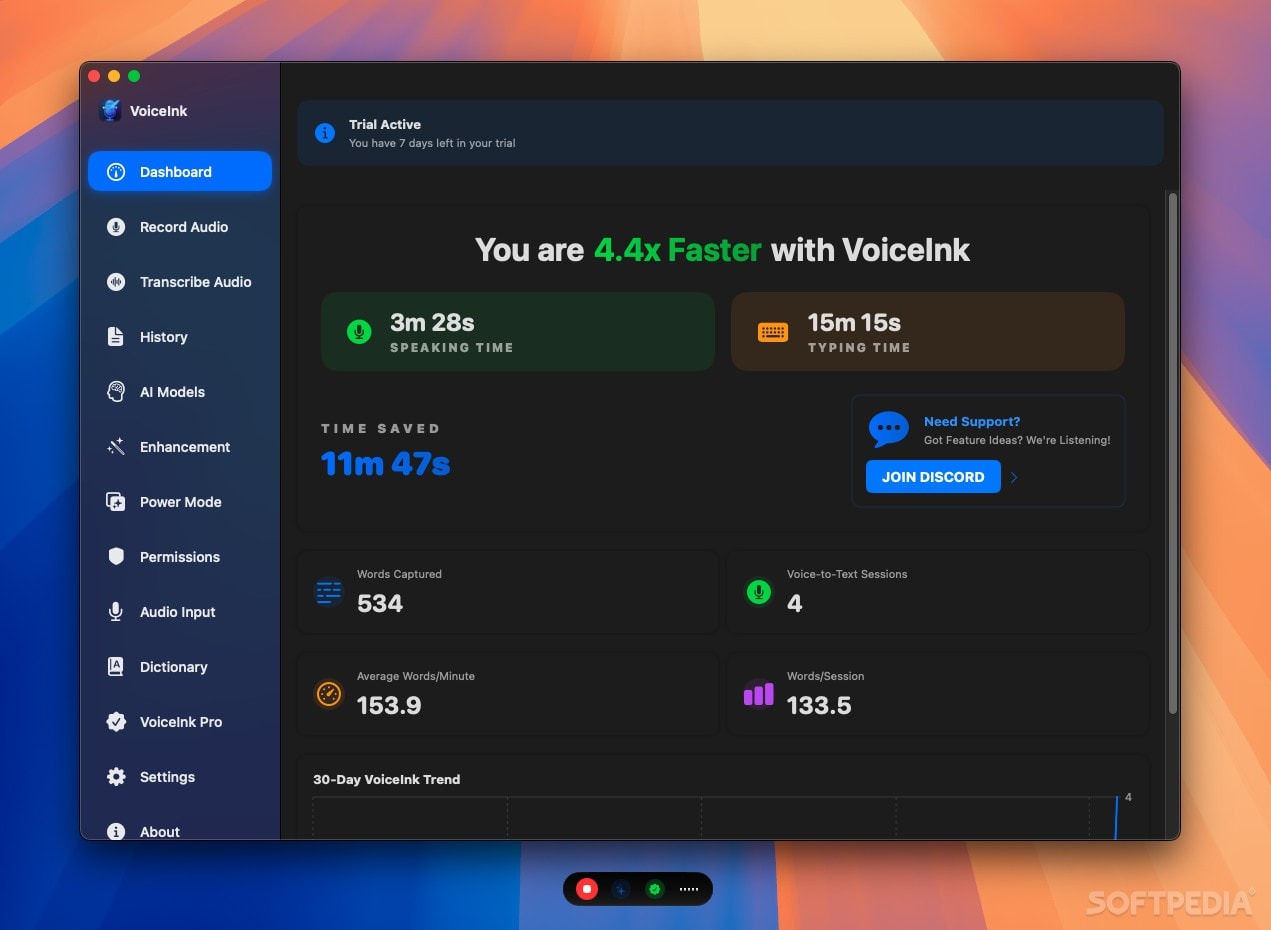
With VoiceInk, you can set what to do when you tap its dictation shortcut. Its Modes let you define different behaviour for different applications, websites, shortcuts or voice commands; for example, the same shortcut can produce different output depending on the mode.
It also has a local-first strategy. On-device models perform speech recognition, and custom prompts/commands affect the result. You can also enable AI cleanup when needed. This makes VoiceInk handy if you want to create a dictation system that works for you, not everyone.
Key features
- Power Mode: Set up custom dictation behaviour for particular tasks.
- On-device Whisper: Perform speech recognition on supported devices.
- AI Enhancement: Use AI to clean up and enhance transcribed text.
- Custom prompts: Provide instructions for each Mode on how to process a transcript.
- Open-source code: VoiceInk's source is published under GPLv3, while its compiled version is commercial and is licensed separately.
- Voice commands: Use speech to trigger actions rather than transcribe speech.
- Personal Dictionary: Add words and terminology that you use often.
- Smart Replace: Replace frequently used dictated phrases with your favorite text.
- File transcription: Use supported models to transcribe existing audio files.
- App-specific behavior: Apply different Modes based on the app you're working in.
Pricing
VoiceInk operates on a one-time purchase basis:
- Solo: $25 for one Mac.
- Personal: $39 for 2 Macs.
- Extended: $49 for three Macs.
The Mac version requires an Apple Silicon Mac running macOS 14.4 or later. VoiceInk also has a separate iOS companion app.
What VoiceInk users love
- Accurate dictation
Users praise VoiceInk for its transcription quality, with some saying it is more accurate than built-in Apple dictation.
- Local processing
Users like that VoiceInk can run transcription locally, keeping audio on their device when they choose on-device models.
What VoiceInk users flag
- iOS experience needs work
Some users report bugs, weaker recognition than the Mac version, and issues with language detection on iOS.
- Inconsistent local models
Some reviewers report crashes or incorrect language detection when using certain local transcription models.
The Verdict: VoiceInk vs Wispr Flow
If you prefer per-app behavior, local processing, and a one-time payment, select VoiceInk. It gives you more control over dictation behavior across Mac apps.
If you want more platform support, Wispr Flow is the better option. It works on Mac, Windows, iPhone, and Android without requiring you to build the workflow from scratch.
10. Handy: Best Free Dictation App for Offline Use
Best For: Free, open-source dictation for Windows, Mac or Linux.
Similar to: VoiceInk, Superwhisper, 
It converts speech to text using local speech-recognition models and puts the transcribed text into nearly any text field.
The workflow is still straightforward, but Handy goes beyond simple transcription. Push-to-talk or toggle shortcuts are available, along with control over text insertion, CLI commands, and optional AI post-processing if the raw output needs tidying up.
Key features
- Local speech recognition: Transcribe speech on the local computer.
- Transcript post-processing: Optionally clean up raw output using AI.
- Push-to-talk: Press and hold a shortcut to talk.
- Toggle mode: Start and stop dictation with one keypress.
- Windows, Mac, Linux compatibility: Works on major desktop platforms.
- Open source: Handy's source code is publicly available.
- Configurable shortcuts: Dictate using the shortcuts you want.
- Universal text insertion: Paste transcribed text into editors, browsers, terminals and chat applications.
- CLI controls: Scripted workflow with CLI control of Handy.
Pricing
- Free: Free to use, with no subscription required.
- Operating systems: Windows, macOS, and Linux.
- Mobile: No mobile version available at the moment.
What Handy users love
- Free and open source
Handy is completely free and open source, with local speech recognition and no subscription for its core dictation workflow.
- Works offline
Handy processes speech locally, so you can dictate without sending your audio to a cloud service.
What Handy users flag
- No mobile app
Handy is desktop-only, with no iOS or Android app.
- Limited AI editing
Handy focuses on transcription and text insertion, so it has fewer built-in AI writing features than tools such as Wispr Flow.
Verdict:Wispr Flow vs Handy
If you want free, offline dictation and need Linux support, try Handy.
For longer pieces where you want filler removal, punctuation, formatting, and polished output, Wispr Flow is the better option. With Handy, there's more of that cleanup in your hands.
Final Verdict on the Best Wispr Flow Alternatives
The best Wispr Flow alternative depends on your specific requirements for a voice tool.
Here's a quick recap of why these tools stand out.
- Meeting notes: Jamie, Granola, Fireflies.ai, Fathom, and Otter.ai convert meetings into transcripts, summaries, action items, and searchable records. The remaining five tools focus on speech-to-text dictation.
- Speaker diarization: Jamie got 98 out of 100 for speaker identification in our own test against 4 other AI note takers, and speaker memory can match recurring speakers in future meetings
- Speech-to-text accuracy: Superwhisper, Aqua Voice, Typeless, VoiceInk, and Handy are all intended to convert natural speech to usable text without you having to type it all out yourself. Superwhisper offers several speech recognition models, and features like Typeless and Aqua Voice enable AI editing to refine your speech.
- Language offering: Language support is very unevenly distributed among these tools. Superwhisper and Typeless support 100+ languages, and Jamie can transcribe meetings in 100+ languages. Others have more limited language coverage, and you can easily rule them out if your language isn't supported.
- Data security and residency: Privacy also varies by tool. Jamie stores and processes meeting data in Europe, which can matter for teams with European data-residency requirements, and Superwhisper also offers on-device transcription for those who prefer to keep their audio on their device. Other tools use cloud processing but offer different retention and privacy options.
- Bot-free capture and pricing: Jamie, Granola, and some newer capture options can capture without adding a bot to the call. Pricing also varies from totally free tools like Handy to paid platforms with free tiers, so you don't need yet another subscription to get started.
And when it's time for you to decide which tool to choose:
- Choose Granola when you want a simple, bot-free meeting notepad that works across Mac, Windows, iPhone, and Android.
- Choose Fireflies.ai when you want a searchable meeting memory with extensive integrations, AI Skills, and tools for finding information across your conversations.
- Choose Fathom when unlimited free meeting recordings and transcriptions are your priority, especially for sales and customer-facing calls.
- Choose Otter.ai when you need a team-focused meeting assistant with live transcription, speaker identification, workflows, and CRM integrations.
- Choose Superwhisper when dictation privacy matters and you want to run speech recognition locally using different AI models.
- Choose Aqua Voice when you want to dictate and then edit your text using natural voice commands.
- Choose Typeless when you want a voice keyboard that works across Android, iPhone, Mac, and Windows and automatically cleans up your speech.
- Choose VoiceInk when you're a Mac user who wants local dictation, custom workflows, and a one-time purchase instead of another subscription.
- Choose Handy when you want completely free, open-source dictation that works offline on Windows, Mac, or Linux.
- Choose Jamie when you want the strongest overall alternative to Wispr Flow Notetaker, especially for bot-free recording, speaker memory, 100+ language support, and European data hosting.
Jamie makes capturing and sharing meeting insights effortless and fast

Oney Insurance
Insurance · 1.001-10.000 employees
Frequently Asked Questions
When did Wispr Flow Notetaker launch?
Wispr Flow Notetaker was released on August 5, 2026, and is an extension of the existing Wispr Flow dictation product that includes meeting recording and AI-generated meeting notes.
What's the best alternative to Wispr Flow?
The best alternative will depend on your Wispr Flow usage. Jamie is a solid option for taking notes and Superwhisper, Aqua Voice, and Typeless are more suitable for voice dictation.
Which is the best Wispr Flow alternative for dictation?
If you are looking for local transcription and support for several speech recognition models, Superwhisper is a good option. If you want to edit text using your voice, Aqua Voice is the better choice, and if you want a voice keyboard for both desktop and mobile, Typeless is a better option.
Which alternative to Wispr is best for meeting notes?
If you are looking for meeting notes, Jamie is the best option. It records meetings without being a bot, is available in 100+ languages, includes Speaker Memory and Speaker Identification, and stores meeting data in Europe.


