Best Transcription Tools for Marketers in 2025
Rodoshi
Growth Content Editor
As a marketer, you sit through more conversations than you can possibly keep track of: client calls, campaign brainstorms, customer interviews, webinars, podcasts, and so much more.
Each one is packed with insights you could use to sharpen messaging, build content, or guide strategy.
But keeping track of them becomes a massive challenge.
Here’s what usually happens:
Important quotes stay buried in recordings
Insights get scattered across platforms
Repurposing webinars into blog posts or social content takes more time than it should
Deadlines stack up while you replay long calls just to find a single detail
As a marketer myself, I’ve tested more than 20 transcription tools extensively to see which ones actually help with these problems.
In this guide, I’ll share the best transcription tools for marketers in 2025 that deliver fast and accurate transcripts and fit neatly into your existing workflow, so you can capture, organize, and repurpose conversations without slowing down.
Factors to look for in a transcription tool for marketers
When you’re choosing a transcription tool, the difference comes down to how well it supports the way you work. Here are the factors that matter most for marketers in 2025:
High accuracy transcription: You can’t afford to misquote a customer or lose a key data point. Accuracy should always be non-negotiable
Detailed notes and summaries: Raw transcripts are helpful, but what really saves time is when the tool organizes conversations into highlights, key takeaways, and action items you can reuse in campaigns
Sharing and integrations: Marketing rarely happens in silos. Look for tools that make it easy to share transcripts with teammates or plug directly into platforms you already use
Bot-free recording: Some tools require bots to join your meetings, which can feel intrusive. Bot-free options run in the background, giving you the same results without adding another participant to the call
Speed: Deadlines move fast. A tool that delivers transcripts in minutes (not hours or days!!) helps you keep momentum between meetings, campaigns, and content production
Searchability: Being able to quickly pull up a customer quote, stat, or keyword is critical. Strong search and tagging features turn transcripts into a living knowledge base for your team
What Are the Best Transcription Tools for Marketers in 2025?
Based on my experience and research, the best transcription tools for marketers are:
Jamie: Best for accurate, bot-free meeting transcription and notes in 100+ languages
Reduct.Video: Best for repurposing interviews, webinars, or customer stories into social or video content
Descript: Best for producing podcasts, webinars, or training videos that need fast editing and repurposing
Sonix: Best for marketers who need fast, multilingual transcription with built-in translation and content analysis
Rev: Best for marketers who want the option of both fast AI transcription and high-accuracy human transcription
Temi: Best for fast, one-off transcriptions with no subscriptions or long-term commitment
Scribie: Best for high-accuracy human transcription; ideal for research, interviews, or legal content
GoTranscript: Best for marketers working with global content, heavy accents, or translation needs
Transcription Panda: Best for teams who prefer human transcription with flexible turnaround and optional add-ons
Fireflies.ai: Best for marketers who rely heavily on meetings and want transcription, summaries, and conversation insights in one place
Before we get into the details of each transcription tool, here's what one of our amazing customers has to say about Jamie:
Accuracy in multilingual transcription


1. Jamie
Best for: Accurate, bot-free meeting transcription and notes in 100+ languages
Here's Jamie in action 👇
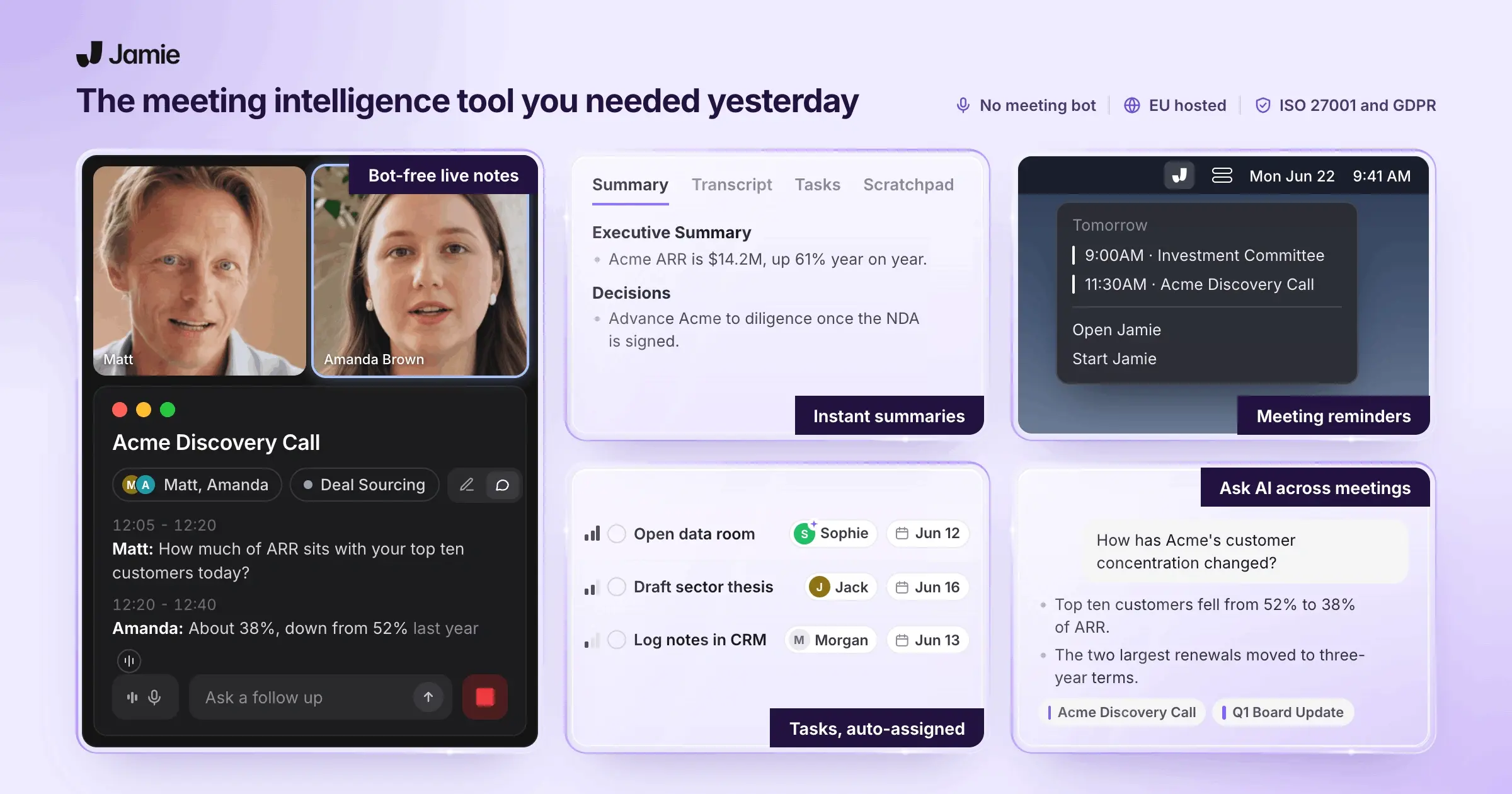
Jamie is a bot-free notetaker that doesn’t interrupt the flow of your conversations.
Whether it’s a virtual meeting or a face-to-face brainstorm, Jamie listens and delivers clean summaries, action items, and full transcripts right after the meeting ends.
It’s built for fast-moving teams who don’t have time to pause and document.
With Jamie, you won’t miss key ideas or decisions. You talk, Jamie captures, so you can stay present and keep things moving.
Take meeting notes without bots joining your calls

Jamie captures your meetings without dragging in awkward bots or extra participants.
It runs as a desktop app on Mac or Windows (also available as a mobile app for your iOS devices), recording audio directly from your device.
All you have to do is hit record when the meeting starts.
When you’re done, Jamie’s AI gets to work, and delivers a clean summary in just minutes.
Because it records system audio, it works with any platform: Zoom, Google Meet, Teams, or whatever your team prefers, and even in-person meetings.
Automatically capture tasks and decisions
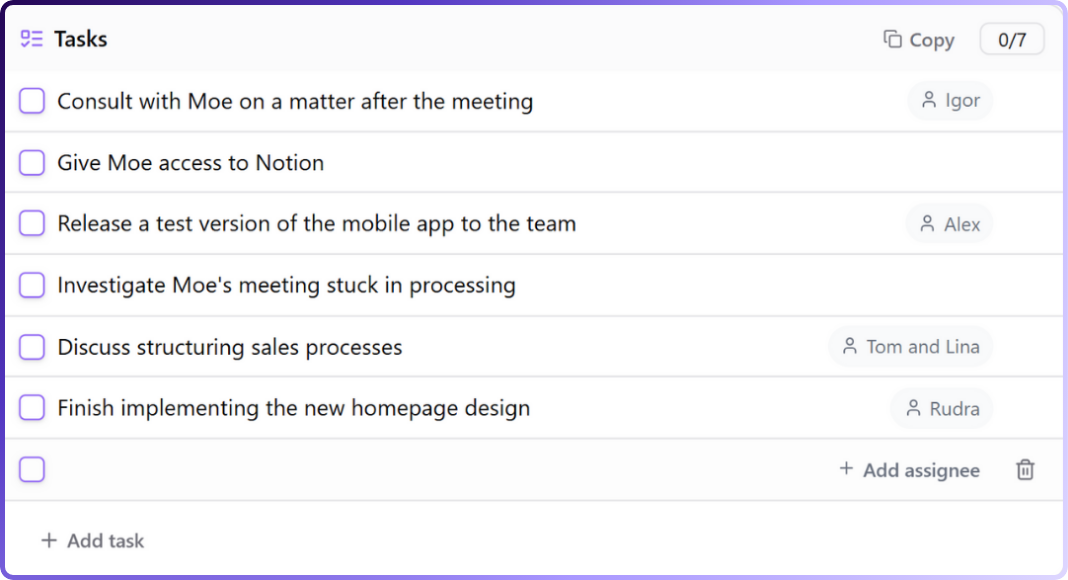
No more scrambling to write things down or following up with “Who was handling that?”
Jamie listens in as your meeting unfolds, and picks up on tasks, decisions, and next steps. It organizes everything into a clear checklist with owners and timestamps.
Need to double-check what was said? Just click the link to jump straight to that moment in the transcript.
You can also add new action items on the fly with a simple “/” command.
Get an accurate transcript of every meeting
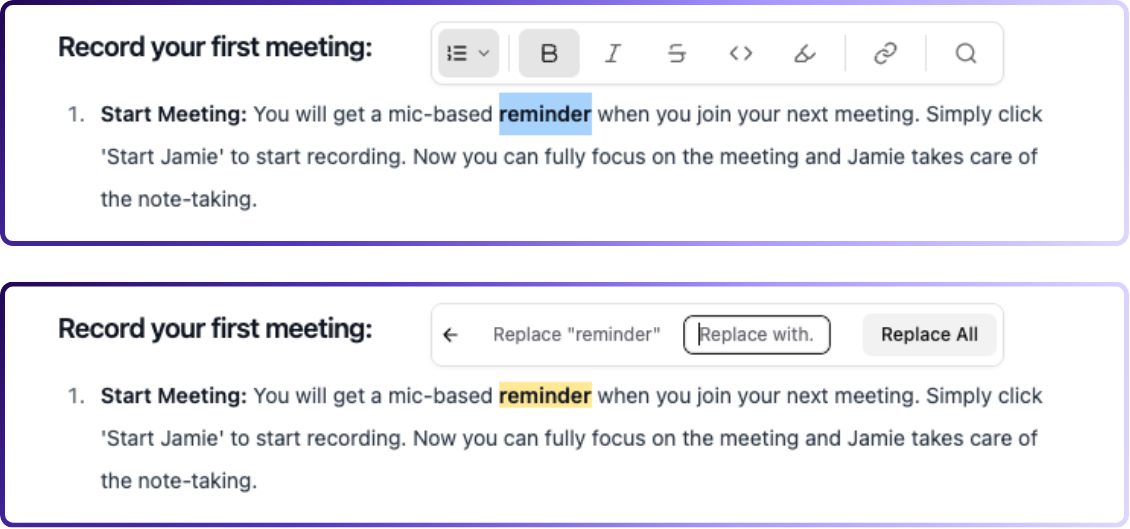
Alongside your summary, Jamie gives you a full transcript, capturing every word so you have a complete record.
You can edit misheard words, search for exact quotes, or pull up key phrases in seconds.
Transcribe and summarize meetings in 100+ languages
No matter where your team’s from or what language they speak, Jamie’s got it covered.
It automatically recognizes the language being spoken, transcribes the meeting in real time, and generates summaries in that same language, or translates them into English if needed.
Different accents, dialects, or switching between languages mid-call? Jamie keeps up without missing context.
Just press record, and let it handle the rest.
Organize meeting notes with tags and filters
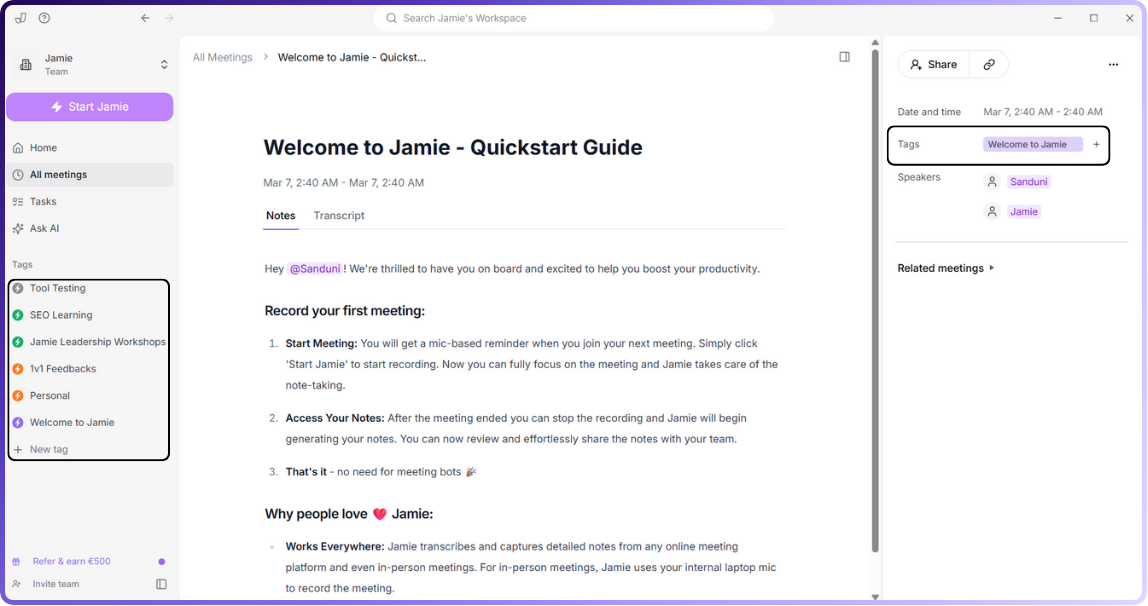
Tired of digging through messy folders?
Jamie lets you label any meeting with tags like #Marketing, #Q4Strategy, or anything else that fits your workflow.
Later, just filter by tag to quickly surface the notes you need.
Since each summary can have multiple tags, your notes stay organized without being boxed into rigid folder structures.
Send notes straight to your favorite tools
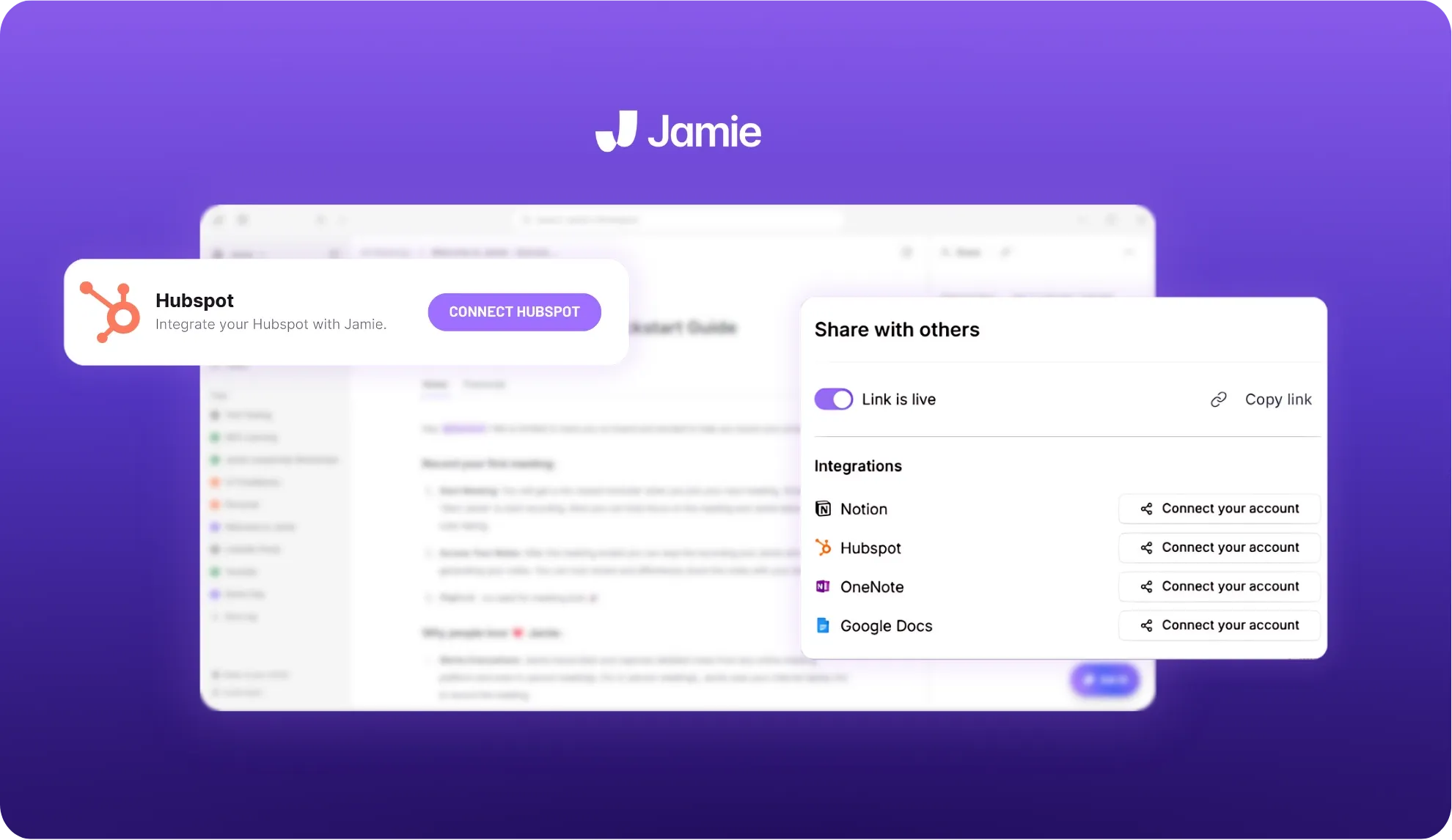
Jamie fits into the tools you already rely on.
It connects with Google Calendar and Outlook to remind you to hit record, and with a single click you can push notes into HubSpot, Notion, OneNote, or Google Docs.
Your meeting documentation ends up exactly where you need it!
Keep your meeting data secure and private
Jamie is built for teams that take privacy seriously.
All recordings are encrypted, processed on secure servers in Frankfurt, and deleted as soon as your notes are ready; only the text transcript stays in your account, and you can remove it anytime.
Your data is never used to train third-party models. Jamie partners with providers like OpenAI and Anthropic for processing, but your information stays private.
With regular security audits and full GDPR compliance, Jamie keeps your conversations safe from start to finish.
Ask AI for instant meeting insights
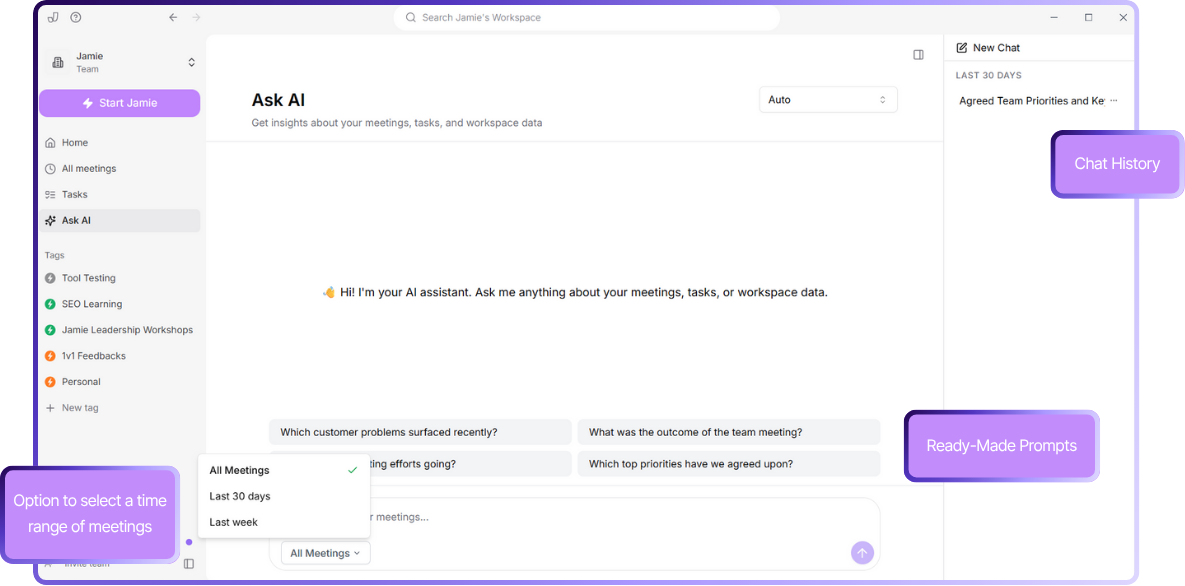
Need a quick recap or a specific decision from a past meeting? Just ask.
Jamie’s Ask AI lets you query your meeting history like a conversation. Whether you're looking for outcomes from last week’s launch sync or trying to track down a comment from a month ago, it pulls the right moments instantly.
Jamie's pricing
FREE Plan (€0/month)
10 meeting credits per month
30-minute meeting duration limit
AI-generated meeting notes
Automatic action item extraction
Complete meeting transcripts
Speaker identification
Calendar integration (Google & Outlook)
Tag system
Task management
Advanced text editing
Copy-paste integration
Team workspace sharing
No meeting bots required
100+ languages support
PLUS Plan (€25/month)
20 meeting credits per month
2-hour meeting duration limit
Includes everything in FREE plan
PRO Plan (€47/month)
Unlimited meeting credits
3-hour meeting duration limit
Includes everything in PLUS plan
Team & Enterprise Plans
Custom pricing
Custom solutions
Contact required for details
Pros
✅ Works with any virtual meeting platform
✅ Can be used for in-person or offline meetings, not just online calls
✅ AI chat makes it easy to quickly find information from past meetings
✅ Built-in reminders help you remember to start recording
✅ Available on Mac, Windows, and iOS devices
✅ Generous free plan with all premium features available
Cons
❌ No real-time transcription (summaries and transcripts are available after the meeting ends)
❌ Doesn’t store audio or video files to maintain privacy
2. Reduct.Video
Best for: Marketers who repurpose interviews, webinars, or customer stories into social or video content
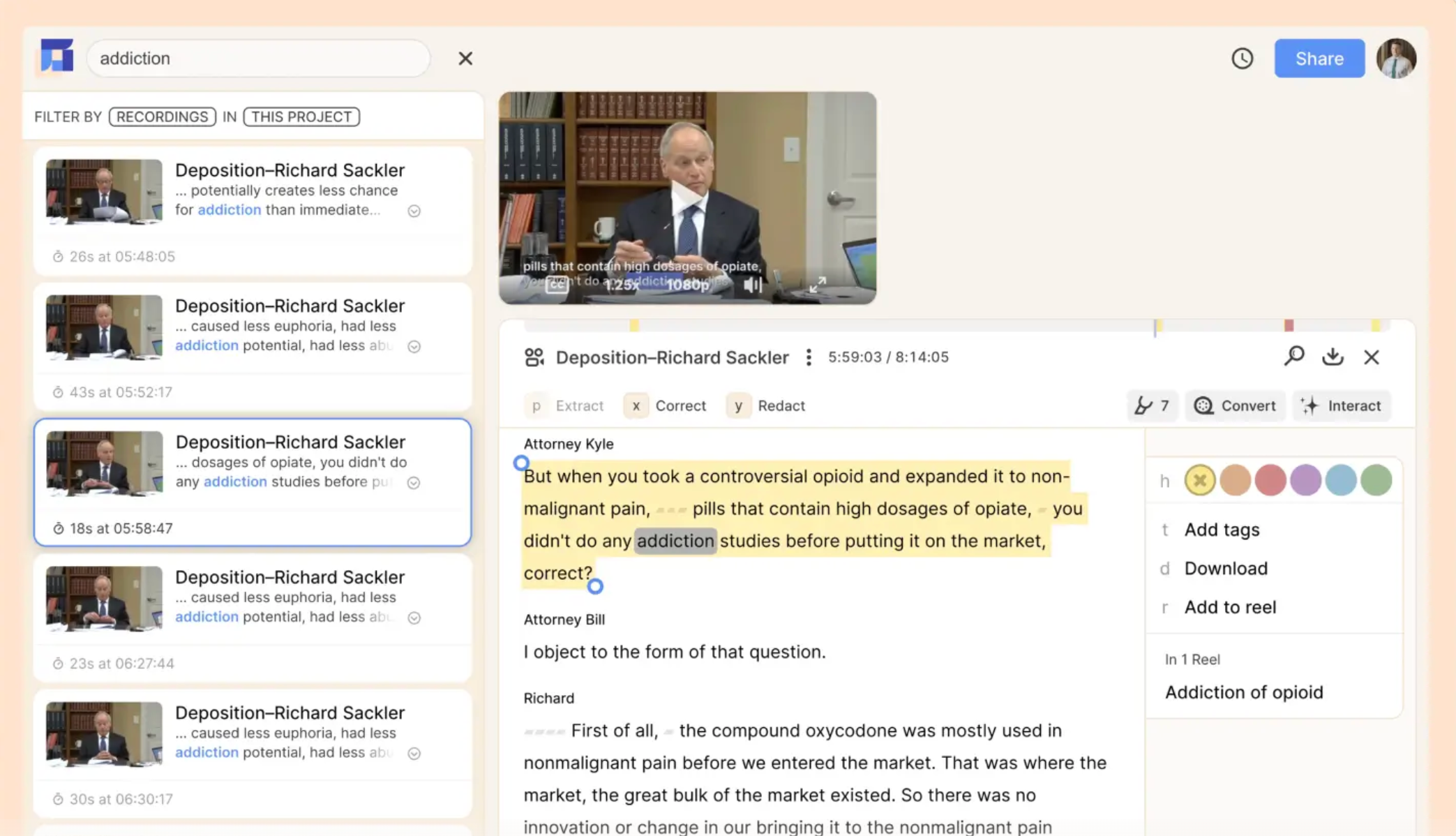
Reduct.Video makes it easy to turn recorded conversations into clips, stories, and shareable assets, without needing editing skills.
You can edit clips by editing the transcript, and the video updates in real time.
It's especially useful for turning long-form content into short, campaign-ready snippets.
Reduct. Video's key features
Text-based editing that lets you cut or stitch clips directly from the transcript
Collaborative “Videoboard” to organize highlights into themes or stories
AI-powered transcription in 90+ languages with an option for human-level accuracy
Secure storage with compliance features like HIPAA and SOC 2
Reduct. Video's Pricing
Personal: $12/month per editor
Professional: $40/month per editor
Enterprise: From $75/month per editor
Pros
✅ Makes video editing accessible for marketers who don't have editing skills
✅ Strong collaboration tools for organizing and reviewing content
✅ Scales well for teams handling large volumes of interviews or webinars
Cons
❌ More expensive than basic transcription-only tools
❌ Feature set may feel heavy if you only need transcripts
Also read: 10 Best Interview Transcription Software in 2025
3. Descript
Best for: Marketers producing podcasts, webinars, or training videos that need fast editing and repurposing
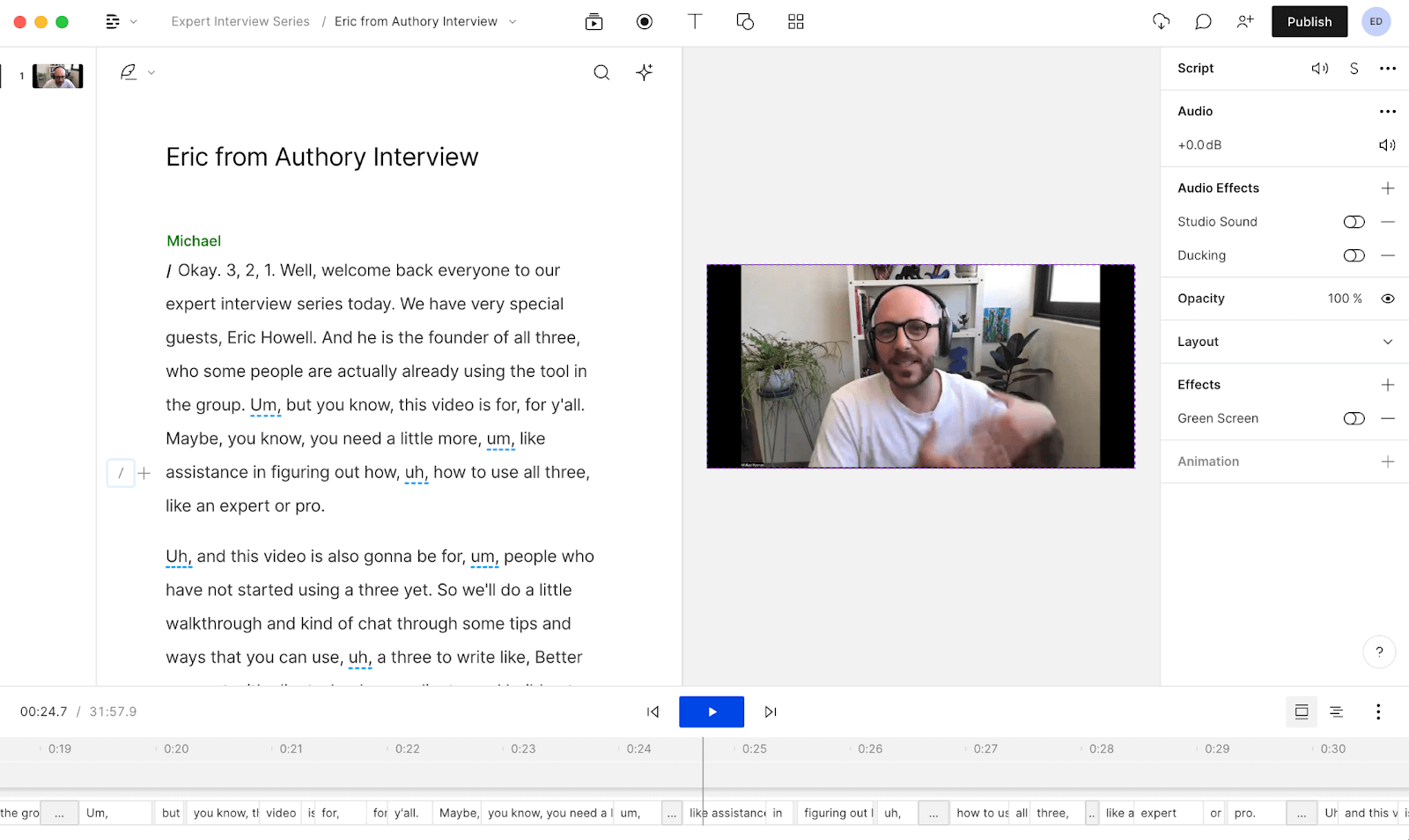
Descript turns transcripts into an editing workspace where you can cut, polish, and publish audio or video, simply by editing text.
Its built-in AI tools, like Overdub and Studio Sound, help you produce polished content without hiring a full video team.
Descript's key features
Edit by editing text: cut and shape audio/video through the transcript
AI enhancements like filler-word removal, Studio Sound, Green Screen, Eye Contact, and translation
Automatic captions, avatars, and quick design templates from a media library
Descript's pricing
Free
Hobbyist: $16/month
Creator: $24/month
Business: $50/month
Enterprise: Custom pricing
Pros
✅ Editing audio and video by editing text keeps workflows smooth and intuitive
✅ Deep AI toolset covers everything from cleanup and automation to localization
✅ Unified platform that supports writing, recording, editing, and publishing; ideal for multi-format marketers
Cons
❌ Steeper cost than simple transcription-only services if you primarily need basic transcripts
❌ Some users note that advanced editing features can be overwhelming at first, especially if you're used to timeline tools
Also read: 10 Best Descript Alternatives & Competitors in 2025
4. Sonix
Best for: Marketers who need fast, multilingual transcription with built-in translation and content analysis
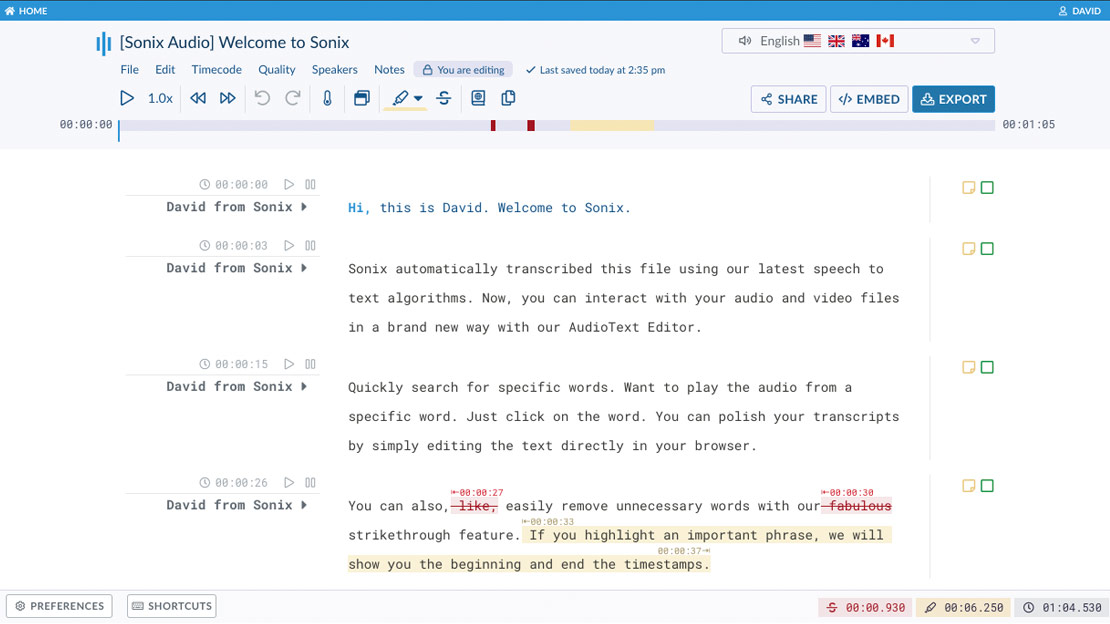
Sonix is a transcription platform that goes beyond just getting words on the page.
It supports over 50 languages, delivers transcripts in minutes, and offers multilingual subtitles.
If yours is a global team working across content formats, you can give it a try.
Sonix's key features
AI Analysis tools, including summaries, topic detection, thematic analysis, and more
In-browser editing with search, comments, speaker labeling, and media player sharing
Integrations with Zoom, Adobe Premiere, Dropbox, and support for team collaboration and permissions
Sonix's pricing
Standard (Pay-as-you-go): No monthly fee; $10 per audio/video hour
Premium: $16.50/month per seat plus $5 per audio/video hour
Enterprise: Custom pricing
Pros
✅ Transcription and translation in one platform; ideal for multilingual marketing campaigns
✅ AI analysis features save time by summarizing and organizing content
✅ Robust security and management features support enterprise-level workflows
Cons
❌ Subscription cost plus per-hour transcription fee adds up if volume is unpredictable
❌ Users handling minimal transcription might find standard pay-as-you-go more costly on a per-minute basis versus flat-rate tools
5. Rev
Best for: Marketers who want the option of both fast AI transcription and high-accuracy human transcription
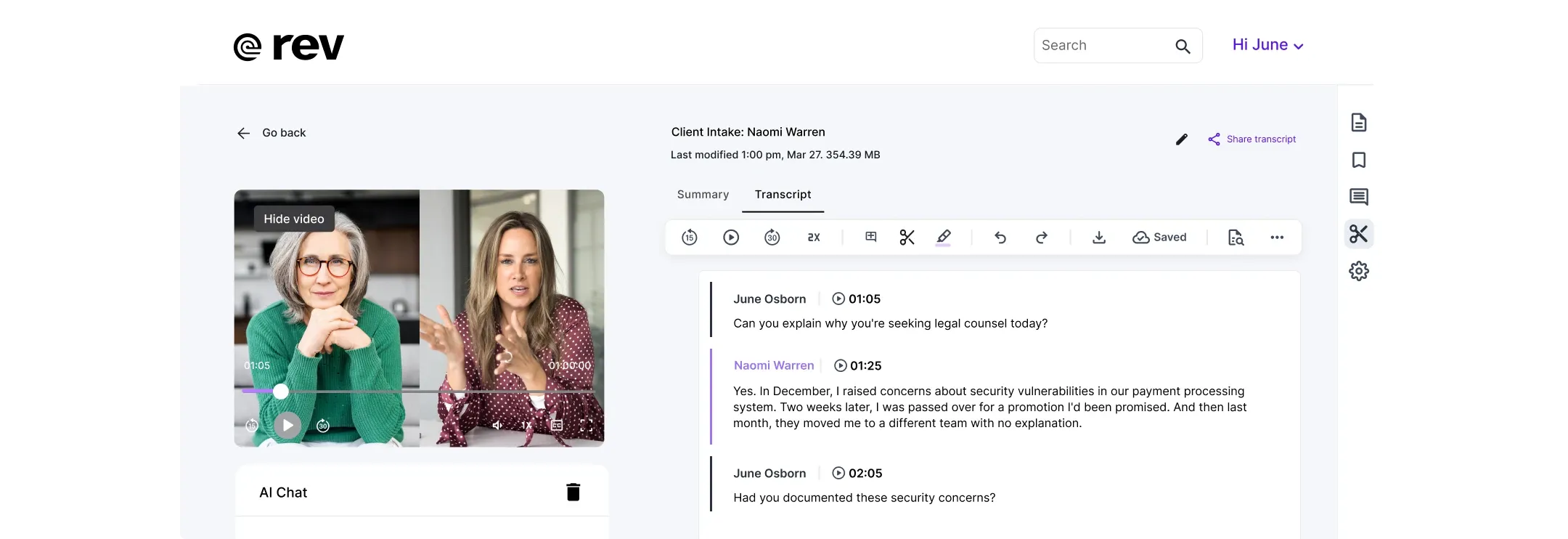
Rev gives you flexibility to switch between instant AI transcripts and polished human transcription, depending on your content type or deadline.
It’s useful when accuracy is critical, like quoting customers or transcribing sensitive interviews. Also, its AI Notetaker adds automation to recurring meetings.
Rev's key features
AI and human transcription services in one platform
AI Notetaker that captures meeting notes from Zoom, Google Meet, and Teams
Interactive transcript editor with searching, commenting, clip sharing, and playback syncing
Support for captions and subtitles: AI in 37+ languages, human captions and global subtitles with compliance (ADA/FCC)
Rev's pricing
Free
Basic: $9.99/month
Pro: $20.99/month
Enterprise: Custom pricing
Pros
✅ Dual transcription options offer greater flexibility
✅ Integrated AI Notetaker and editor keep ideas actionable without juggling multiple tools
✅ Fast, multi-language support, plus accessibility and compliance built in
Cons
❌ Pricing scales with usage; heavy-volume teams could see costs rise quickly with AI hours
❌ Human transcription turnaround (up to 12 hours) may be slow when content needs to go live fast
6. Temi
Best for: Marketers who want fast, one-off transcriptions with no subscriptions or long-term commitment
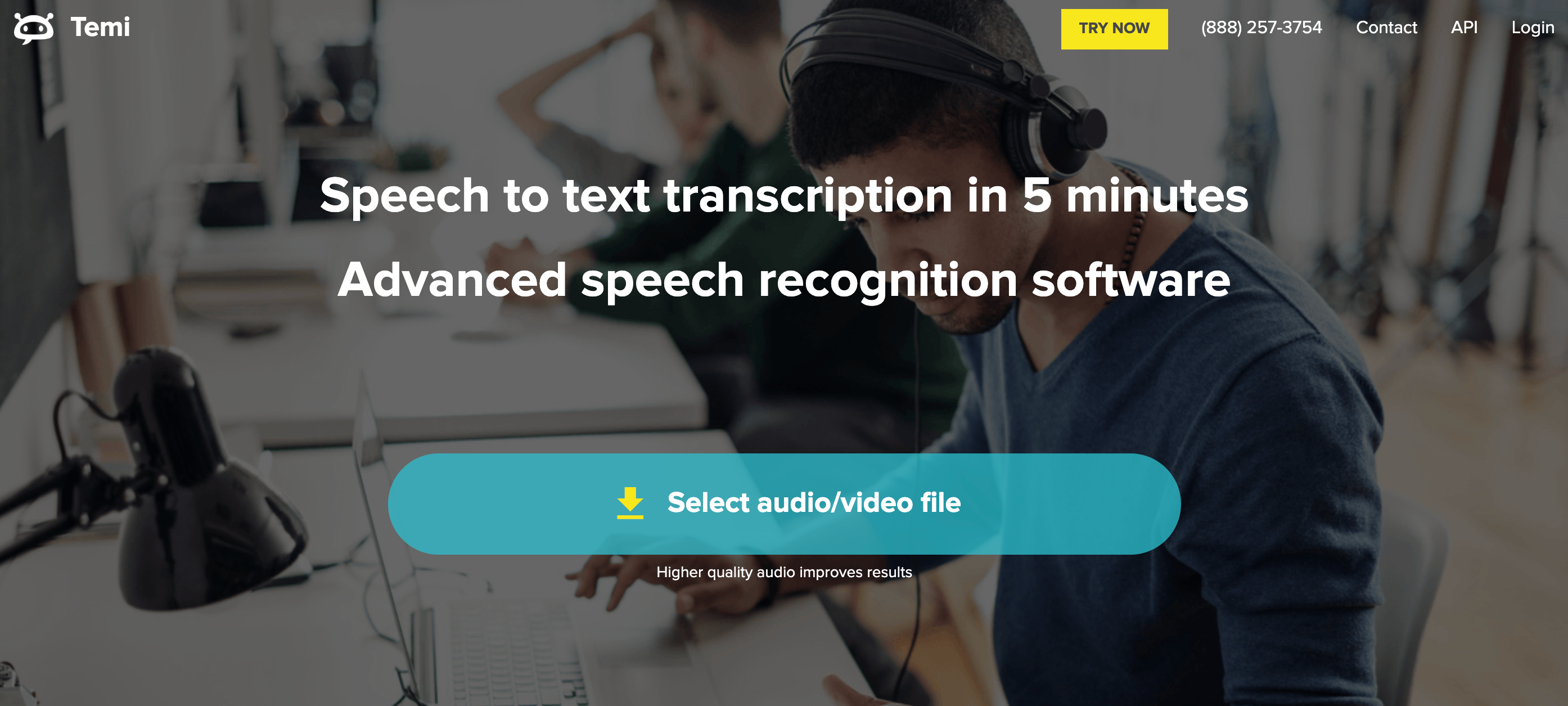
Temi (powered by Rev) keeps things simple: upload your file, get a transcript in minutes, and pay per use. There's no account setup or billing complexity.
It’s a no-friction option for marketers who need a quick draft to work from.
Temi's key features
Most transcripts are delivered in minutes, with shorter files arriving even quicker
Web-based editor includes an embedded media player with read-along tracking, timestamps, speaker identification, highlights, comments, and multiple format exports (Word, PDF, SRT, VTT)
Enterprise-level security with TLS 1.2 encryption, secure servers, and optional file deletion for your peace of mind
Temi's pricing
Pay-as-you-go: $0.25 per audio minute, no monthly fees or commitments. The first transcript (up to 45 minutes) is free
Pros
✅ Temi’s simplified workflow is perfect for quick, one-off transcription tasks
✅ Its full-feature editor brings media player, notes, speaker labels, and export options in one place
✅ Risk-free trial lets you test all capabilities before spending money
Cons
❌ English-only transcription limits its use in multilingual marketing or international campaigns
❌ Costs scale with volume, so high-use scenarios could become expensive without flat-rate plans
7. Scribie
Best for: Marketers who need high-accuracy human transcription for research, interviews, or legal content
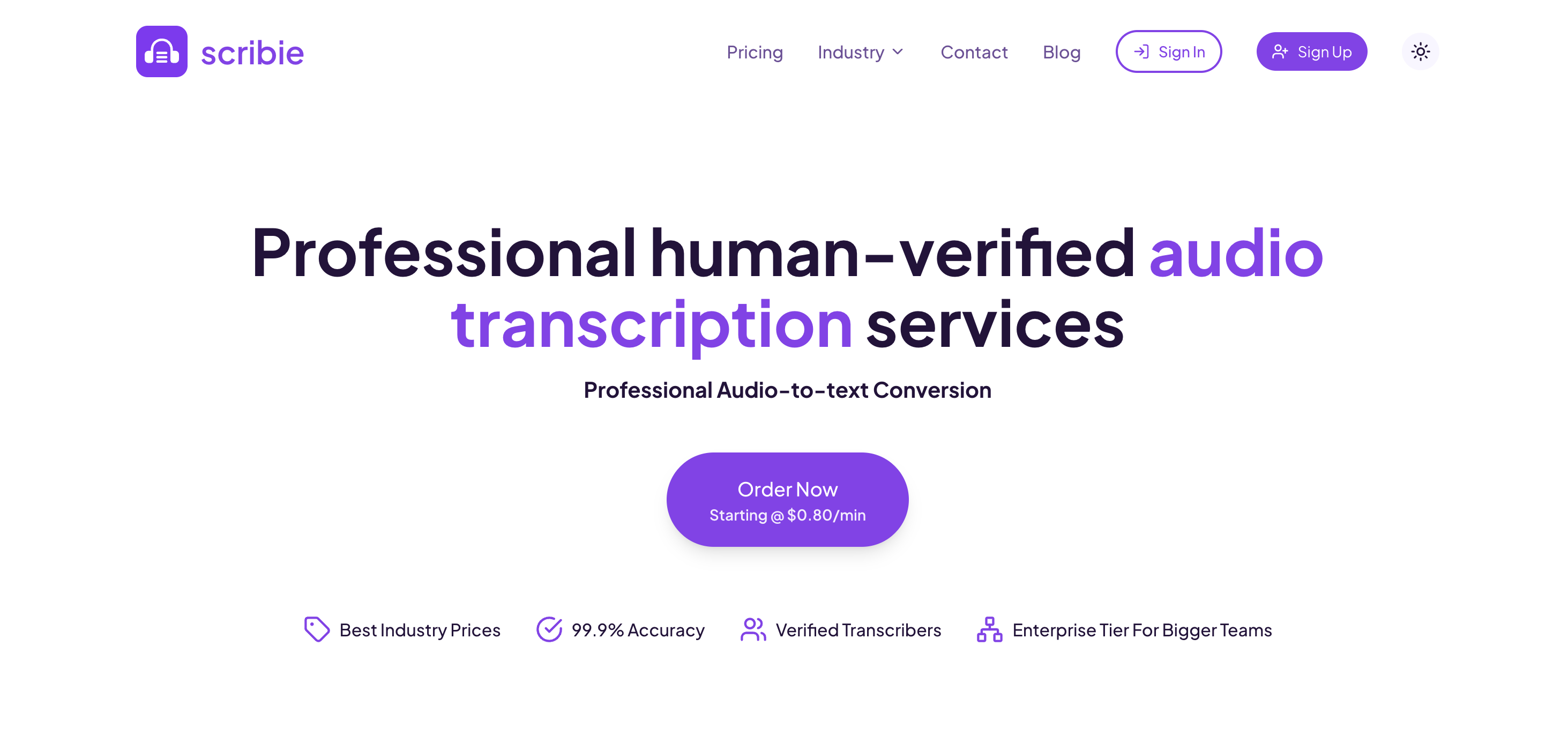
Scribie delivers 99%+ accurate transcripts through a multi-step human review process.
It’s a great fit for projects that need speaker tracking, timestamps, or verbatim transcripts without relying on AI.
Pricing is transparent and a la carte, so you only pay for what you need.
Scribie's key features
Human transcription service includes speaker tracking, timestamps, Word and subtitle (SRT/VTT) exports by default
A four-step quality-assurance process ensures high accuracy with free re-reviews when needed
You get options to add features like strict verbatim, rush delivery, or handling noisy or accented audio
Scribie's pricing
Pay-as-you-go: $0.80 per audio minute for standard human transcription
Pros
✅ Delivers human-level precision at a predictable flat rate, which is great for critical marketing content
✅ Delivers documents in formats ready for repurposing (like SRT or Word)
✅ Free re-review policy ensures confidence in transcription quality
Cons
❌ English-only support; not ideal for international or multilingual teams
❌ Pay-per-minute model and add-on costs can escalate for high-volume workflows; less streamlined than flat-rate subscriptions
8. GoTranscript
Best for: Marketers working with global content, heavy accents, or translation needs
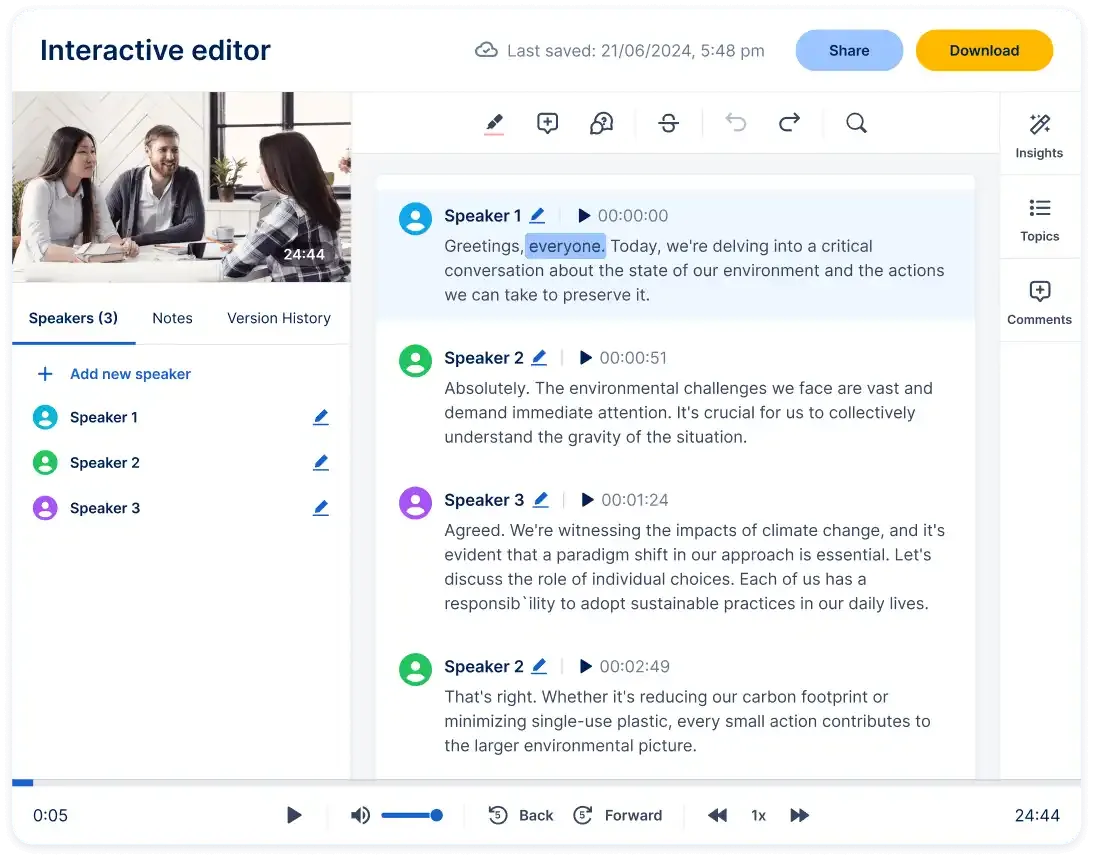
GoTranscript offers both human and automated transcription, and also services like captioning, subtitle generation, and translation.
It’s ideal for content that requires accuracy across languages or formats, especially if your team handles research, thought leadership content, or international campaigns.
GoTranscript's key features
All transcripts are created and reviewed by humans, ensuring high accuracy
Data is protected by strict NDAs, GDPR compliance, and advanced security protocols
Transcription and translation available in over 40 languages
Services are tailored for education, legal, medical, business, and more
GoTranscript's pricing
Human Transcription: From $1.02 per minute
Automated Transcription: $0.20 per minute; AI subscription plan available at $0.02 per minute for high-volume users
Pros
✅ Highly accurate human transcription that's ideal for sensitive or detail-oriented marketing content
✅ Broad service scope includes captions, subtitles, translations, and descriptions and supports global campaigns
✅ Subscription and enterprise billing options make it adaptable for teams of all sizes
Cons
❌ Pricing per minute adds up quickly for long content
❌ Automated versions may lack precision on noisy files or heavy accents
Also read: 10 Best Speech-to-Text Software
9. Transcription Panda
Best for: Marketers who prefer human transcription with flexible turnaround and optional add-ons
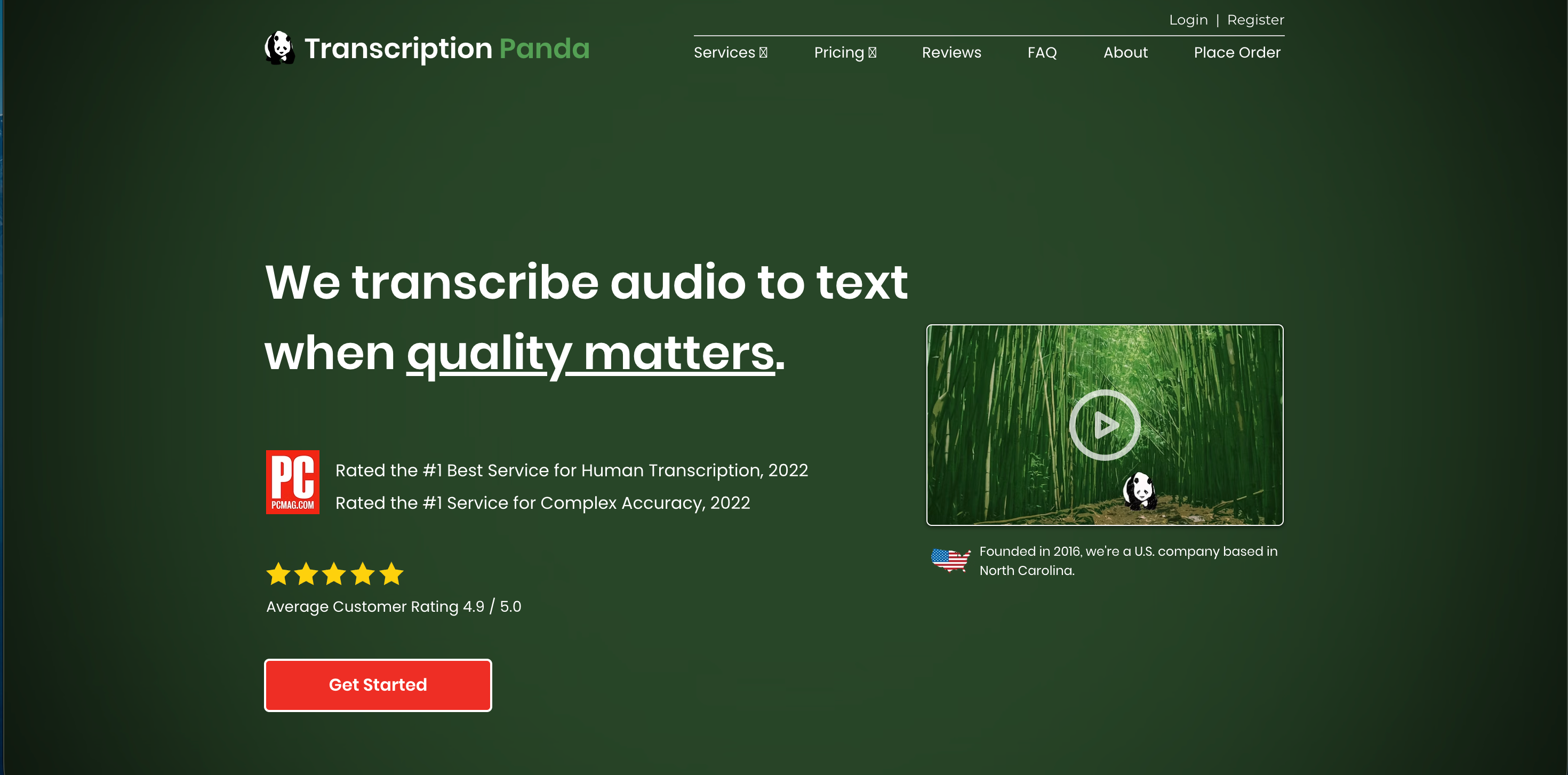
Transcription Panda gives you options: choose a rough draft for speed or a final draft for quality.
You can also add timestamps, verbatim, or translations as needed.
It’s well-suited for marketers who want reliability without committing to a subscription.
Transcription Panda's key features
All transcripts are prepared 100% by experienced, in-house human transcribers with multiple quality checks
Files are stored on private, encrypted servers and treated as highly confidential
Accepts a variety of audio and video file formats (MP3, M4A, WMV, etc.) and offers additional services like Spanish translation and business meeting summaries
Offers custom formatting and transcription options to suit individual needs
Transcription Panda's pricing
Rough Draft: $0.79/min
Final Draft: $0.95/min
Faster Final Draft: $1.20/min for 2-day turnaround; $2.40/min for 24-hour delivery
Pros
✅ Human-level accuracy; ideal for critical or sensitive marketing content
✅ A la carte add-ons let you customize based on needs
✅ Transparent pricing and a money-back guarantee show strong customer focus and trust
Cons
❌ Human transcription and add-ons can get pricey
❌ No built-in web editor; transcripts arrive as Word files, so editing requires external tools
10. Fireflies.ai
Best for: Marketers who rely heavily on meetings and want transcription, summaries, and conversation insights in one place
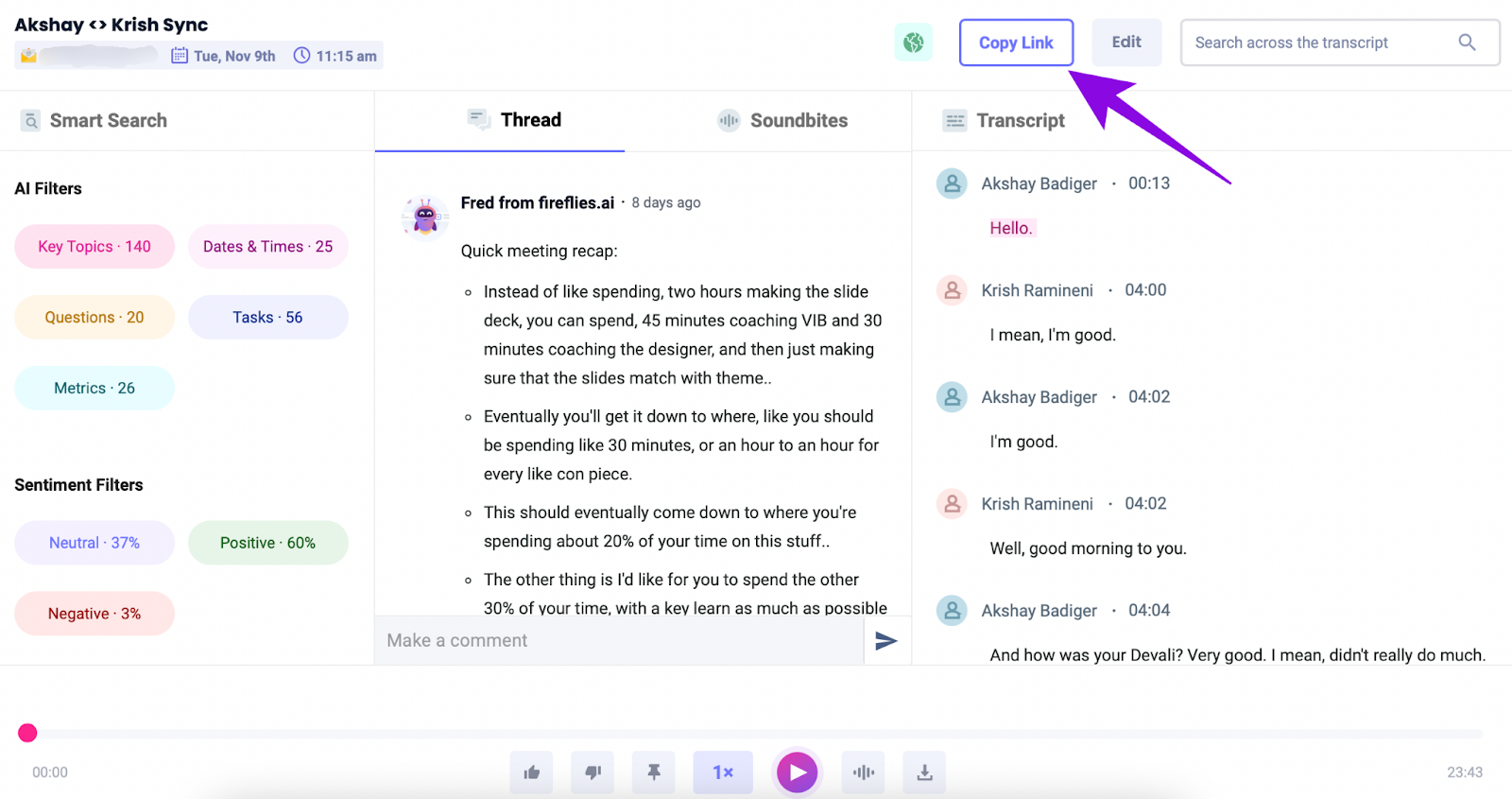
Fireflies.ai acts like a teammate that never forgets a meeting.
It joins your calls, transcribes conversations in real time, and delivers AI-generated summaries, action items, and searchable transcripts.
Fireflies is a handy tool if your marketing work revolves heavily around calls, feedback, and collaboration.
Fireflies.ai's key features
Real-time notes, live transcription, and multi-language support (100+ languages) across platforms like Zoom, Google Meet, and Teams
AskFred AI assistant lets you query past meetings, generate follow-ups, blog lines, or social copy
Conversation intelligence features are available; e.g., sentiment analysis, speaker talk-time, custom topic tracking, and team analytics (for Business and higher plans
Fireflies.ai's pricing
Free
Pro: $10/seat/month
Business: $19/seat/month
Enterprise: $39/seat/month
Pros
✅ Captures and analyzes meetings holistically, from transcription to smart summaries and insights
✅ Suitable for all team sizes
✅ Robust integrations and analytics make it a central hub for meeting-driven content workflows
Cons
❌ Free tier limits storage and summary capabilities
❌ AI summaries and transcription accuracy can vary with noisy audio or overlapping voices
Also read: Top 10 Bot-Free Fireflies AI Alternatives
Get Accurate Transcripts and Meeting Notes with Jamie
Great marketing starts with great conversations.
But if your transcription tool can’t keep up, you end up wasting hours chasing down quotes, rewriting from scratch, or worse, missing the moment entirely.
That’s why when you’re choosing a tool, a lot is at stake!
If you're working across formats and need speed, Descript can help you edit podcasts and webinars faster
Reduct.Video makes it easy to clip interviews or customer stories for social
For human-level accuracy and flexibility, GoTranscript and Transcription Panda are both reliable options
But if you're looking for a transcription tool that blends into your workflow, works across virtual and in-person meetings, and quietly delivers high-quality notes without sending bots into your calls, Jamie is the one to try.
Jamie keeps up with how marketers work today, so you can stay focused on the big picture instead of digging through recordings.
Download Jamie for free on desktop or get the iOS app!
Or if you’d like to see the tool in action before making a move, book a free demo.
Read More
FAQs on the Best Transcription Tools for Marketers
1. What makes transcription tools for marketers different from generic transcription software?
Transcription tools for marketers are designed to go beyond basic audio transcription. Instead of just converting speech to text, they help marketing teams extract key insights, organize notes, and repurpose audio and video content into blogs, case studies, or social media posts. For example, Jamie not only transcribes but also creates actionable insights and meeting summaries, making it a better fit for campaign workflows than generic speech to text tools.
2. Should I choose AI transcription or human transcription for my marketing projects?
The choice depends on your transcription needs. AI transcription tools like Jamie provide fast, cost-effective results with high precision, especially useful when you need real time transcription for calls on Google Meet or Microsoft Teams. On the other hand, human transcription services still offer the most highly accurate transcripts for critical content like legal-sensitive material, though the turnaround time and cost are higher.
3. How does automated transcription software help marketing teams save time?
Automated transcription software uses artificial intelligence and natural language processing to turn audio recordings into written text instantly. The process helps teams save time when handling large volumes of meeting transcripts, webinars, or video files. Tools like Jamie take it further by tagging, summarizing, and letting you search past transcripts, so you don’t have to manually dig through hours of audio or video to find your target audience’s key quotes.
4. What are the key features I should look for in a transcription tool?
When evaluating a transcription platform, consider transcription accuracy, ability to handle multiple speakers, data security, and support for background noise. Look for AI-powered transcription that can generate summaries and integrate with other tools like CRMs. Jamie, for example, offers a free plan, strong privacy controls, and AI-driven highly accurate summaries that turn raw transcripts into ready-to-use written content.
5. Can transcription services improve SEO and content reach?
Yes. By turning audio content or video transcription into written content, marketers can optimize for search engines while preserving their brand voice. Accurate transcripts make your webinars, podcasts, and video content discoverable, allowing you to repurpose them into blogs or guides.
6. Is AI voice cloning related to transcription, and should marketers care?
While AI voice cloning isn’t directly a transcription service, it’s an adjacent AI tool powered by machine learning that lets you recreate a brand voice or speaker tone. For marketers, the bigger value comes from pairing voice cloning with the best AI transcription software: you can transcribe video content, then reuse the accurate transcriptions to generate localized audio versions or video content for different regions.