I have compared 7 AI notetakers for iPhone: Jamie, Otter, Fireflies, Notta, Wave, Apple Notes and Speakwise.
Let's try a small game. Why don't you go ahead and take the notes that you got from the app you are using from your last client meeting and then determine if you would send that same content to the client without making any changes.
Regardless of how visually appealing the app may look, you will find yourself humbled.
This was my criteria for evaluating all seven apps on six questions.
Can the app record an in-person meeting using the iPhone?
Does a bot join your online calls?
Will the app identify each speaker by name in the transcript?
What does the app do with the audio of your meeting?
Where is your meeting data stored under GDPR?
What does the free plan stop at?
So "Which one is the best AI notetaker for iPhone?" Here are seven answers, and I have included real user reviews taken directly from both the App Store and G2. Look through these, and decide which one you would pay for.
TL;DR
Jamie: Best Overall AI Notetaker for iPhone Meetings, With Briefings and Ask Jamie
Otter: Best AI Notetaker for iPhone for Real-Time Transcription
Fireflies: Best AI Notetaker for iPhone for Conversation Intelligence
Notta: Best AI Notetaker for iPhone for Transcription in 58 Languages
Wave: Best AI Notetaker for iPhone for Recording Phone Calls
Apple Notes: Best Free Built-In AI Notetaker for iPhone
Speakwise: Best AI Notetaker for iPhone for Hands-Free AirPods Recording
What are the Best AI Notetakers for iPhone?
The 7 best AI notetakers for iPhone are Jamie, Otter, Fireflies, Notta, Wave, Apple Notes and Speakwise. Each app will take what was spoken at a meeting and convert it to a readable transcript that can be accessed from an iPhone.
A comparison table is listed below for Jamie, Otter, Fireflies, Notta, Wave, Apple Notes, and Speakwise; click any cell to view the full answer and where the actual differences lie.
1. Jamie: Best AI Notetaker for iPhone Meetings, With Briefings and Ask Jamie
Best for: Jamie is the best AI notetaker for iPhone if you record in-person client meetings on your phone, with a briefing before the next meeting and Ask Jamie across every meeting you record.
Similar to: Otter, Fireflies, Notta, Wave, Apple Notes, and Speakwise.
App Store Ratings: 4.9/5.0
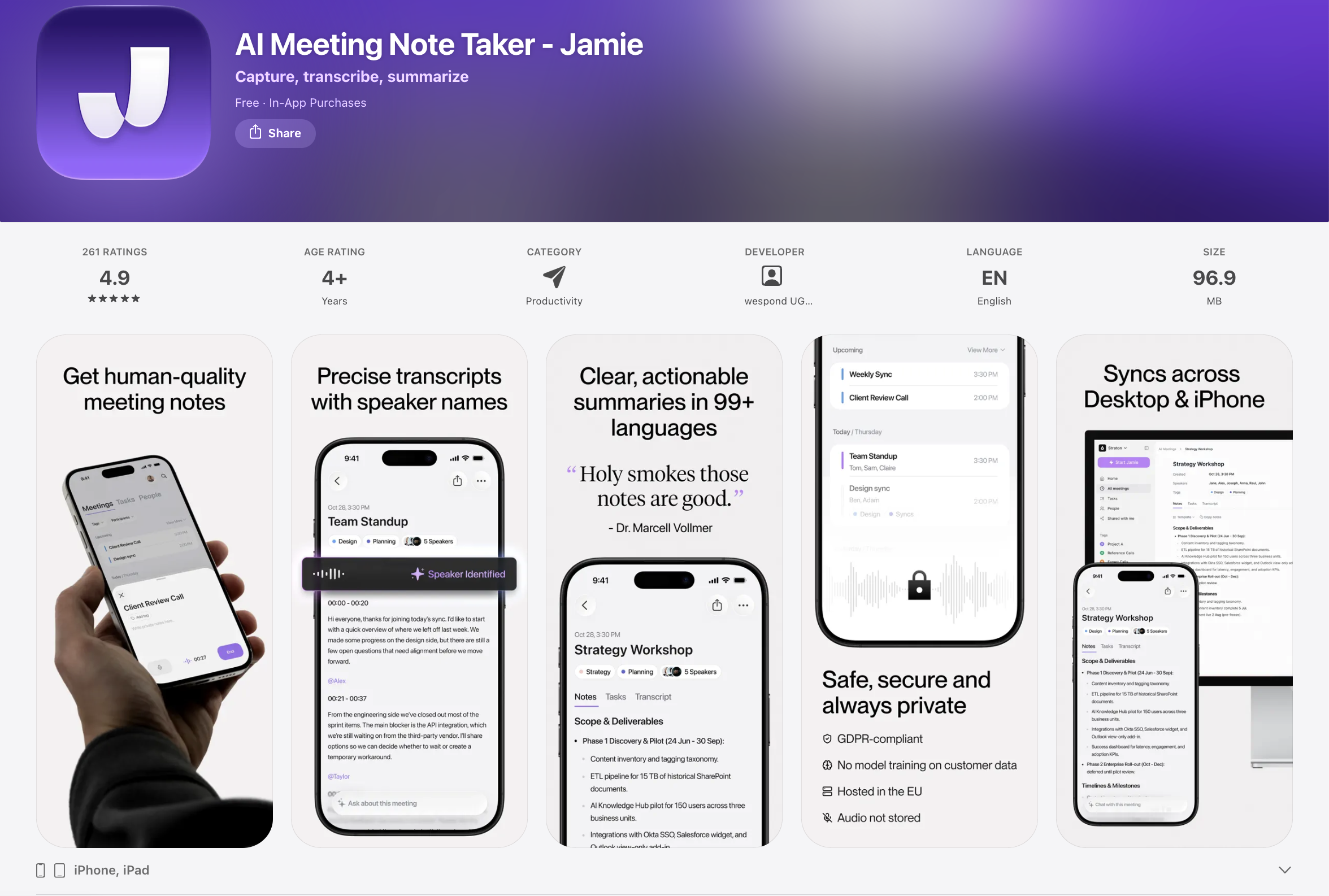
Jamie is a bot-free AI note-taker for iPhone. You open Jamie, tap record, put the phone on the table, and you can simply have a conversation with the other party without any bot interference. When you stop, Jamie turns the recording into a summary, a transcript, and your action items.
Telling everyone that you are recording is still your duty under GDPR Article 13. Verbal consent in your own words is the most professional way to open up a conversation with Jamie in your hand. Another method could be that, if your calendar is connected, the optional Recording notice email can also inform invitees before they arrive at the meeting.
On privacy, the meeting audio is deleted after transcription for utmost privacy; your data never trains AI models, and all meeting content is processed in the EU. Jamie's paid plans start at €25 per month with Plus, and the free plan is the entry point, with 10 AI notes a month and unlimited "Ask Jamie". Pro unlocks the advanced features, including unlimited AI notes. I'll take you through each feature on the phone, starting with the recording:
a. Jamie Records In-Person Meetings on Your iPhone, With a Live Transcript and Your Scratchpad
Jamie will capture your in-person meeting on your iPhone, with a live transcript and your Scratchpad. A live transcript of each participant's dialogue (with timestamps) is displayed. Your Scratchpad (in the Notes tab) contains your own notes. Scroll up to reread what was said, and tap the arrow to go back to the latest line.
Some features worth knowing when using Jamie for in-person meetings;
Feature | Description |
|---|---|
In-person meetings | Jamie records in-person meetings on your iPhone, right at the table with your client. |
New Meeting widget | Tap New Meeting on your Home Screen, and Jamie starts recording right away. |
Lock Screen | Hold the Jamie button on your Lock Screen, and a meeting starts. |
Siri | Say "Siri, start a new Jamie meeting", and recording starts right away. |
Control Center | Swipe into Control Center and tap New Meeting to start recording. |
Action button | Hold the Action button to start recording, on iPhone 15 Pro or later. |
Live transcript | Read each speaker's words with timestamps while your iPhone is still recording. |
Catch what you missed | Scroll up to re-read a line, then tap back to the latest one. |
Scratchpad | Write private notes in the Notes tab, and Jamie saves them to the meeting. |
Sync across devices | Meetings sync both ways instantly, from your iPhone to desktop and back again. |
b. Jamie Generates the Summary, Transcript, and Action Items From Your iPhone Meeting
Once you finish recording, Jamie generates the transcript and an executive summary for the key points of the entire meeting. Jamie also generates a full summary which includes all topics that were covered.
Next to these summaries, Jamie will generate your action items as well. Each task is extracted automatically and assigned to the right person.
Some features of Jamie worth knowing in case you had a meeting and need to know about the basic outputs.
Feature | Description |
|---|---|
Executive summary | Read the most important points of the whole meeting on your phone. |
Full summary by topic | Every topic discussed gets its own section, which means no scrolling through raw transcript. |
Transcript | Check any disputed number in the word for word record, organised by speaker. |
Tasks | Action items are extracted automatically, each one with its assignee. |
Company context | Add your company, job title and description, and summaries fit your role. |
Integrations | Sync set up on desktop sends iPhone meetings to Notion, Google Docs or OneNote. |
c. Jamie identifies the Speakers in Your iPhone Transcript, and Speaker Memory Names Returning Voices
Speaker identification identifies each speaker by name within your iPhone meeting transcript. Speaker Memory is where the voices you have identified as individuals during your past meetings will be carried over to use for your future meetings. Which, if you put it in another way, means Jamie remembers all your past speakers so you don't have to rename or reidentify them again.
Not all speakers are automatically identified with names. I would never say that speaker identification works perfectly. Still, there may be times that background noise or fast speaker turns break what could be one voice into two separate voices, and then you may give each of the new voices the same name.
You will also want to learn that Jamie supports custom vocabulary. Custom Vocabulary helps with identifying specific keywords and terms, and keeps two lists, your own and your team's.
Each list holds 50 custom words on the Free plan, Plus, and Pro; 100 on Team and 250 on Enterprise.
Some features you may want to know once four people start talking across to each other in an in-person meeting, and the app you used doesn't seem to just get it.
Feature | Description |
|---|---|
Speaker identification | Real names replace Speaker 1 and Speaker 2 across your transcript and notes. |
Speaker Memory | Name a voice once, and Speaker Memory identifies it in every later meeting. |
Custom vocabulary | Add client names and acronyms on your iPhone, and they sync everywhere. |
Languages | Run your client meetings in 100+ languages, and Jamie generates the notes in them. |
d. Jamie Prepares You on Your iPhone With Briefings Before Your Meetings and Ask Jamie After Them
Jamie's Briefings are designed to prepare you for your upcoming meeting, while Ask Jamie will help answer all of your questions after the meeting, on your iPhone. As soon as you connect your calendar, each Briefing is available approximately 30 minutes prior to the scheduled meeting.
Each Briefing includes who has been invited to the meeting, past meetings with attendees, open tasks, and recommended questions. When it's time, you tap Start now, and the recording begins.
All plans (free and paid) have unlimited use of Ask Jamie. The way I see it, the meeting you're walking into usually started months ago, and the Briefing puts those months in front of you. Before your next client meeting, you will want to know about Briefings, prep notes, open tasks, and Ask Jamie:
Feature | Description |
|---|---|
Briefings | Walk in knowing the goal, what happened last time and what is open. |
Scratchpad | The Scratchpad holds questions you write beforehand, and they carry into the meeting. |
Open Tasks | Action items still open with these attendees appear before you start. |
Ask Jamie | Ask about your meetings from your phone, unlimited on every plan, paid and free. |
e. Jamie Deletes the Audio of Your iPhone Meetings After Transcription and Never Uses Your Data for AI Training
Jamie deletes the audio of your iPhone meeting recordings after transcription. No customer data is ever used for training AI. On Enterprise, your admin can also have transcripts deleted on a set schedule, from immediately up to 2 years. We're GDPR compliant, and your data is also encrypted during transmission (AES) and stored (AES). A recording of a client's conversation has a risk directly related to how long it is stored on a server. Under an NDA, you will want to know about permanent audio deletion, no model training, and what certifications we hold:
Feature | Description |
|---|---|
Permanent audio deletion | Audio is deleted right after transcription, and no recording sits on a server. |
No model training | Your client conversations never train AI models, ours or anyone else's. |
All meeting content in Europe | Audio, transcripts, summaries and action items are processed in the EU. |
GDPR | Jamie is GDPR compliant, for every meeting you record on your phone. |
AES 256 | Your phone’s meetings stay encrypted, TLS 1.2 in transit and AES 256 at rest. |
DORA-ready | Banks and funds under DORA can use Jamie on mobile, because Jamie is DORA-ready. |
ISO 27001 | Hand your vendor review an audited ISO 27001 certificate, alongside GDPR compliance. |
SOC 2 Type II | A SOC 2 Type II audit, covering security and availability, is underway. |
Jamie's pricing
Free: €0 per month
Plus: €25 per month
Pro: €47 per month
Team: €39 per member per month
Enterprise: Custom pricing
Source: Jamie subscriptions and plans, monthly billing.
What Jamie users love
Jamie records with no bot joining the call
"Jamie has been a godsend. It’s easy and usually very accurate. It also avoids the weird, intrusive virtual assistant who shows up randomly in meetings." Eileen0902, App Store
Jamie picks up softly spoken voices from around the table
"In a meeting context it is able to pick up different voices from around the table and even softly spoken contributors are clearly recognised within the notes." Marketing professional, App Store
What Jamie users flag
Due to the lack of negative reviews on the App Store, we opted for features we currently do not provide to remain unbiased with the review.
You can not create new templates on mobile (just apply existing ones)
You can not edit notes/transcript on mobile
The Action button needs the phone unlocked
2. Otter: Best AI Notetaker for iPhone for Real-Time Transcription
Best for: Otter is the AI notetaker for iPhone for people who want to read the transcript live while the meeting runs, on every plan including the free Basic plan.
Similar to: Jamie, Fireflies, Notta and Wave.
App Store Rating: 4.8/5.0
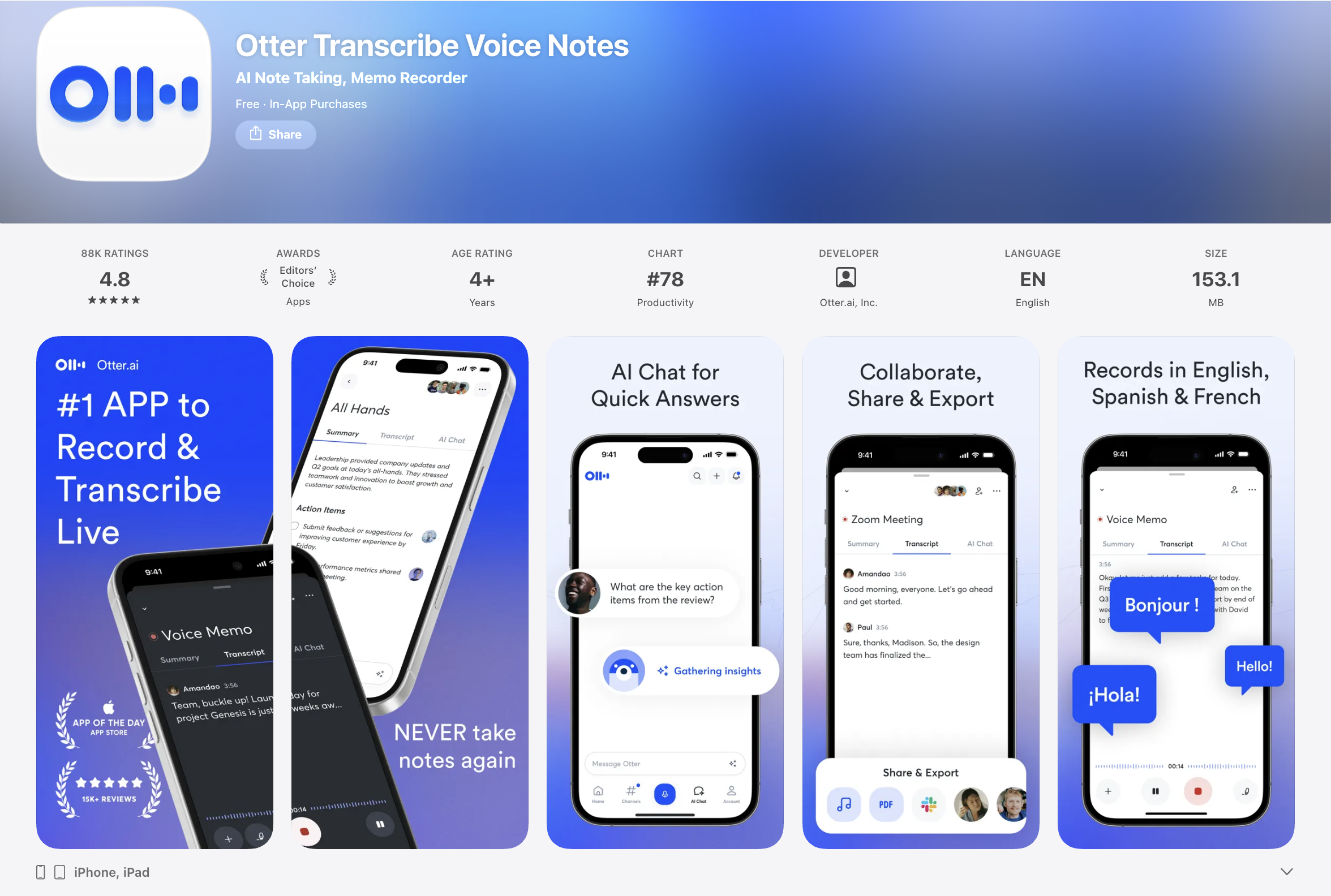
Otter is an AI note taker you can use on your iPhone or iPad, as well as through apps for Android, the web, Mac and Windows, plus a Chrome extension. You can import call recordings made using Apple's built-in Call Recording feature directly into Otter by sharing the recording from Notes into Otter.
Otter's key features
In-person recording: Otter's iPhone app records through the built-in mic or an external mic.
Live transcription: Otter transcribes in real time while you record, on every plan.
Push notifications: Otter notifies you on every device and keeps recordings in sync.
Widget and Siri: Record from an Otter widget or Siri shortcut on iPhone.
Speaker identification: Tag a speaker once, and Otter tags that voice in future conversations.
Action items: Next steps from every meeting are captured and assigned automatically.
AI Chat: Ask across meetings, 20 queries a month on Basic, 3 per conversation.
Free plan: Basic covers 300 minutes a month, up to 30 minutes per conversation.
Integrations: Pro syncs notes to Salesforce or HubSpot for one user, plus Slack.
Security: Otter holds SOC 2 Type 2 and follows GDPR, HIPAA and ISO 27001 policies.
Otter's pricing
Basic: 0 dollars per month
Pro: 16.99 dollars per user per month
Business: 30 dollars per user per month
Enterprise: Custom pricing
What Otter users love
Otter lets you scroll back through a live lecture transcript
"now I could simply scroll up the transcript and read verbatim what I had missed." Greggy 2, App Store
Otter attaches photos at the right moment in a conversation
"I use it for property inspections, making sure I catch what contractors are saying to me and attaching photos in the right place in the conversation makes it a perfect reference document." Julia Says, App Store
What Otter users flag
One reviewer hit a 90 minute session limit after upgrading to Otter Pro
"The other issue I’ve been having are the recording and transcription limits (90 minutes per session) even after upgrading to pro." EJ1H, App Store
One reviewer twice found an Otter recording missing at the end
"Also, twice now I’ve depended on the recording, and found it’s not there at the end." td10010, App Store
3. Fireflies: Best AI Notetaker for iPhone for Conversation Intelligence
Best for: Fireflies is the AI notetaker for iPhone for people who want AskFred, soundbites, and 100+ AI apps working across their meetings, right from the phone.
Similar to: Jamie, Otter, Notta, and Wave.
App Store Rating: 4.8/5.0
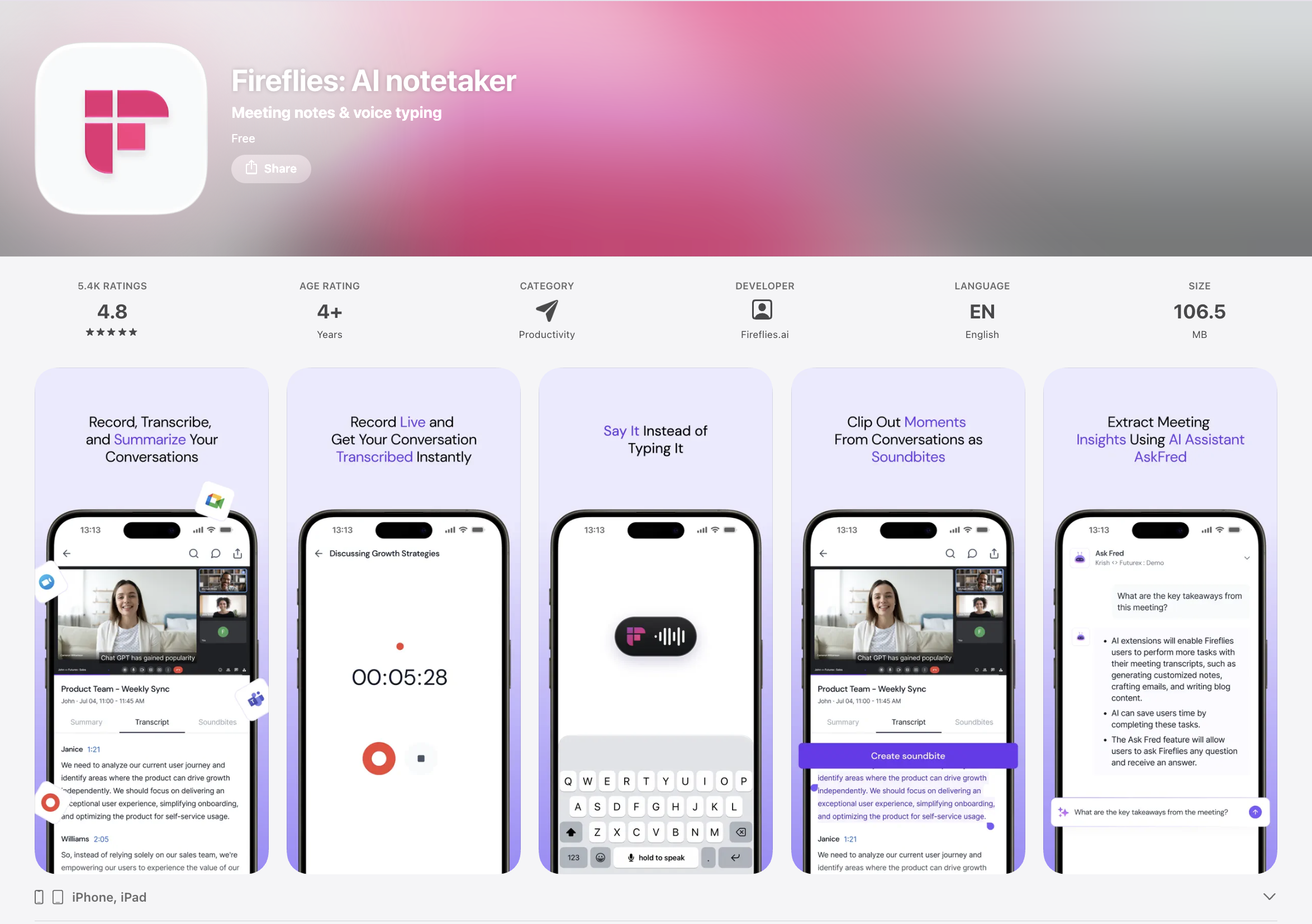
Fireflies is an AI note taker for use across iPhone, Android, the web, Mac and Windows. The Fireflies keyboard includes the Fireflies Talk feature, free dictation anywhere you are typing using your voice, on iOS 18 or later. Also, using the Fireflies app, you can send the Fireflies bot into a live Zoom, Teams or Meet call as well.
Fireflies' key features
One-touch record: Tap the purple button on iPhone to record, pause and resume.
Unlimited transcription: Record in-person meetings and voice notes, and Free starts with 3 transcriptions.
Live Assist: Once the Fireflies bot joins, live notes appear on your phone.
AI summaries: Every recording gets notes and action items, with limited summaries on Free.
Action items: Action items are assigned to each participant and tracked in Tasks.
AskFred: Ask questions across all your past meetings, limited on the Free plan.
Soundbites: Clip important moments from a call into shareable audio snippets.
Upload recordings: Add a recorded meeting from your phone and get a summary.
Languages: Fireflies transcribes 100+ languages, with multi-language meetings in beta on Business.
Security: Fireflies meets GDPR and holds SOC 2 Type II, ISO 42001 and Enterprise HIPAA.
Fireflies' pricing
Free: 0 dollars per month
Pro: 18 dollars per seat per month
Business: 29 dollars per seat per month
Enterprise: 39 dollars per seat per month, billed annually only
What Fireflies users love
Fireflies identifies speakers by name from the recording
"It’s uncanny how it can identify speakers by name purely from listening to the recording." Matty Matt, App Store
Fireflies makes the action list easy to share with clients
"A clear list of actions, access to questions and answers AND the simplicity of sharing the whole thing with clients because they were at the meeting too so nothing is open to interpretation." Chrisnic66, App Store
What Fireflies users flag
One reviewer lost a whole meeting when Fireflies did not upload it
"Great app and potential but doesn’t always upload the conversation and loses the whole meeting." MANC AL, App Store
One reviewer cannot edit Fireflies notes in the iPhone app
"my ONLY complaint with the app itself is that you are unable to edit conversations and notes. For that, you need to be on the online version on your computer." Simi Dave, App Store
4. Notta: Best AI Notetaker for iPhone for Transcription in 58 Languages
Best for: Notta is the AI notetaker for iPhone for people whose meetings run in two languages, with transcription in 58 languages and translation into 42.
Similar to: Otter, Fireflies and Wave.
App Store Rating: 4.1/5.0
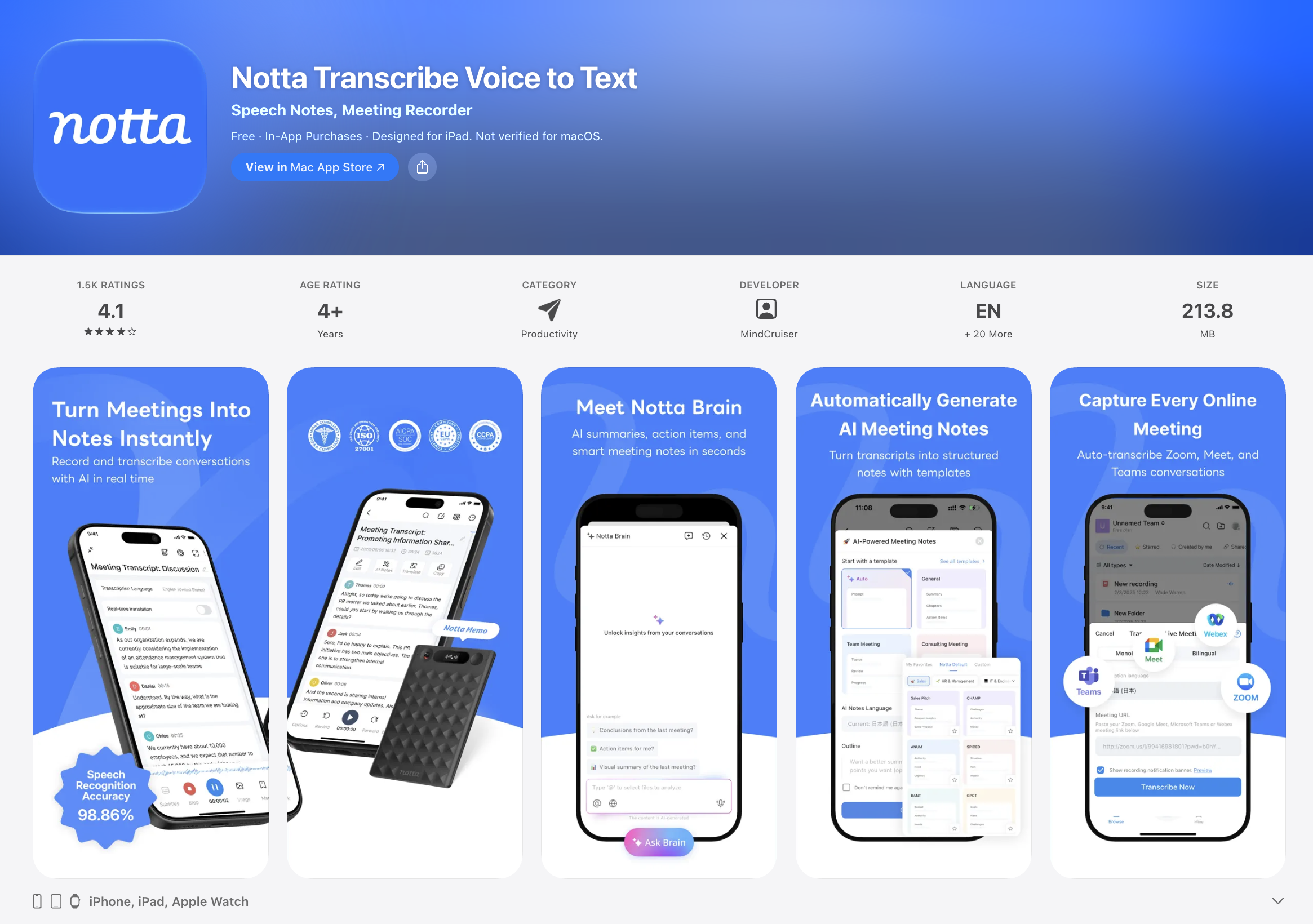
Notta is an AI note taker available across multiple platforms (iPhone, iPad, Apple Watch, Android, the web, Mac and Windows, plus a Chrome extension). There are several ways to get started with Notta on an iPhone. One way is to use the Voice Memos app to record a meeting and then share that recording to Notta to have it transcribed. And there is a dedicated Apple Watch app that lets you begin a recording directly from your watch and will automatically synchronize that recording with your iPhone.
Notta's key features
Action Button: Hold it to start recording, on iPhone 15 Pro or later.
Widgets: Record from a Notta widget on your Home Screen or Lock Screen.
Siri: Say "Hey Siri, start recording with Notta" and recording begins hands free.
Live Transcribe Meetings: Send Notta Bot into Zoom, Teams, Google Meet or Webex calls.
Bookmarks: Bookmark important moments while recording, then search keywords in the transcript.
Playback: Play recordings back at up to 3x speed on Pro.
AI summaries: The Free plan gets 10 AI summaries a month, Pro gets 100.
Notta Memo: Notta's recorder captures calls on your phone, or meetings on its own.
Export: Save transcripts as TXT, DOCX, PDF or SRT files on Pro.
Security: Notta is SOC 2 Type II and GDPR compliant, following ISO 27001 and HIPAA.
Notta's pricing
Free: 0 dollars per month
Pro: 13.49 dollars per month
Business: 27.99 dollars per seat per month
Enterprise: Custom pricing
What Notta users love
Notta lets you build your own AI note template
"My favorite part is that you can create your own custom AI template, so all of my interview notes are formatted exactly how I want them every single time." M3OW MFS, App Store
Notta handled noisy interview recordings for one student
"I was honestly skeptical that this app would work as the recordings weren’t the best quality and there was a lot of background noise. The transcription isn’t 100% perfect (they never are), but it’s as good as I could have hoped for given my situation!" k.a.t.2001, App Store
What Notta users flag
One reviewer saw Notta recordings stop in the first few minutes of meetings
"This worked well for voice recordings on my own but very unreliable for meetings with multiple speakers. For more than 50% of the meetings, the recording stopped after the first few minutes and I lose the rest of the recording." aeli1980, App Store
One reviewer has to label each speaker in Notta by hand
"I wish you’d automatically label speaker 1,2,3 etc rather than the user having to do it." beccamala, App Store
5. Wave: Best AI Notetaker for iPhone for Recording Phone Calls
Best for: Wave is the AI notetaker for iPhone for people who take client calls on the phone itself, because Wave records iPhone phone calls on Pro, in the countries Wave supports.
Similar to: Jamie, Otter, Notta and Speakwise.
App Store Rating: 4.9/5.0
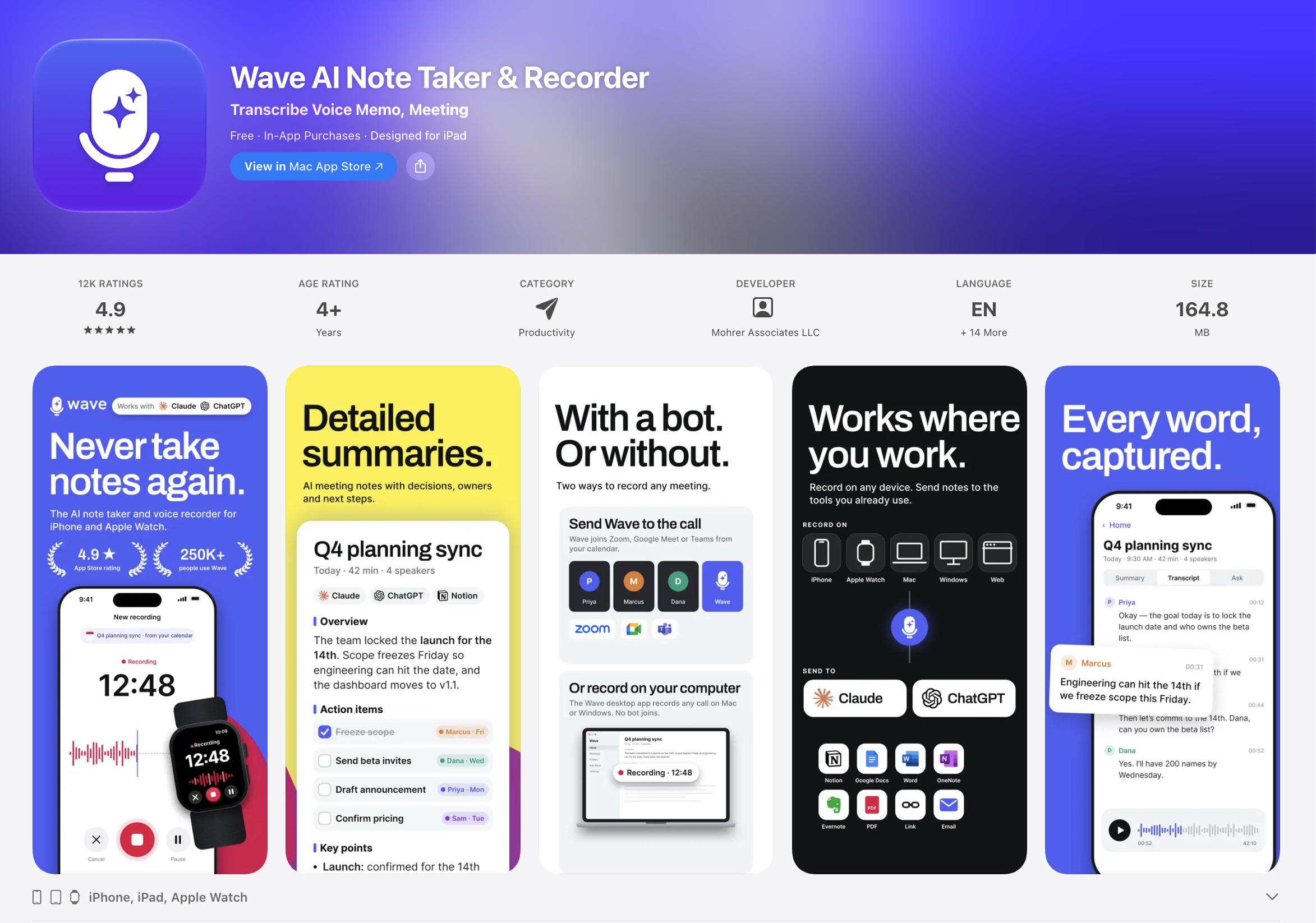
Wave is an AI note taker that can be used on the iPhone, Android, on the web, Mac and Windows, plus Apple Watch, a Chrome extension and Linux in beta. Wave creates a customized summary of each conversation, whether it was a meeting, a class or a sales call. On Pro, Wave also transcribes YouTube videos and podcasts from a link, and you can add your own custom vocabulary.
Wave's key features
One-tap recording: Tap once on iPhone, Android or Apple Watch, and Wave records.
Speaker labels: Wave splits every recording into separate speakers and can suggest their names.
Voice ID: On Pro, Wave matches a saved voice after 10 seconds of audio.
Structured summaries: Templates shape each summary's key points, plus action items on Pro.
Screen off: Wave keeps recording on iPhone with the screen off.
Apple Watch: Record from your Apple Watch, and it hands off to your iPhone.
AI Chat: Ask about one session on Free, or your whole library on Pro.
Integrations: Sessions reach Zapier's 8,000+ apps, with Slack, OneNote and Google Calendar on Pro.
Security: Wave is SOC 2 Type 1, with SOC 2 Type 2 in progress.
No model training: Wave never uses app recordings or transcripts to train AI models.
Wave's pricing
Free: 0 dollars per month
Pro: 15 dollars per month
Teams: 7.50 dollars per user per month, 5 users minimum
What Wave users love
Wave AI records a meeting without inviting a bot as an attendee
"Just turn it on and let it record your meeting - from a different device if you want to - you don't have to 'invite the AI as an attendee' to your meeting." DJMetta, App Store
Wave AI creates notes and a transcript from a recorded meeting
"Record my meetings and Wave Ai does an awesome job of creating notes along with a transcript." Op jack, App Store
What Wave users flag
One reviewer lost 10 to 15 minutes of an important meeting
"I hadn't touched my device and so I had to pause the recording and restart just to get the recorder to pick up sound. Lost like 10-15 minutes of an important meeting." anythinggoes, App Store
One reviewer re-bullets Wave summaries in OneNote by hand
"But it stopped being able to upload summaries with proper formatting to Day One and OneNote. Now, for OneNote, I have to email it to myself, cope and paste, and then re-bullet which is super cumbersome." jwest357, App Store
6. Apple Notes: Best Free Built-In AI Notetaker for iPhone
Best for: Apple Notes is the AI notetaker for iPhone for people who want free recording and transcription built in, with nothing extra to install.
Similar to: Otter, Notta and Speakwise.
App Store Rating: 4.8/5.0
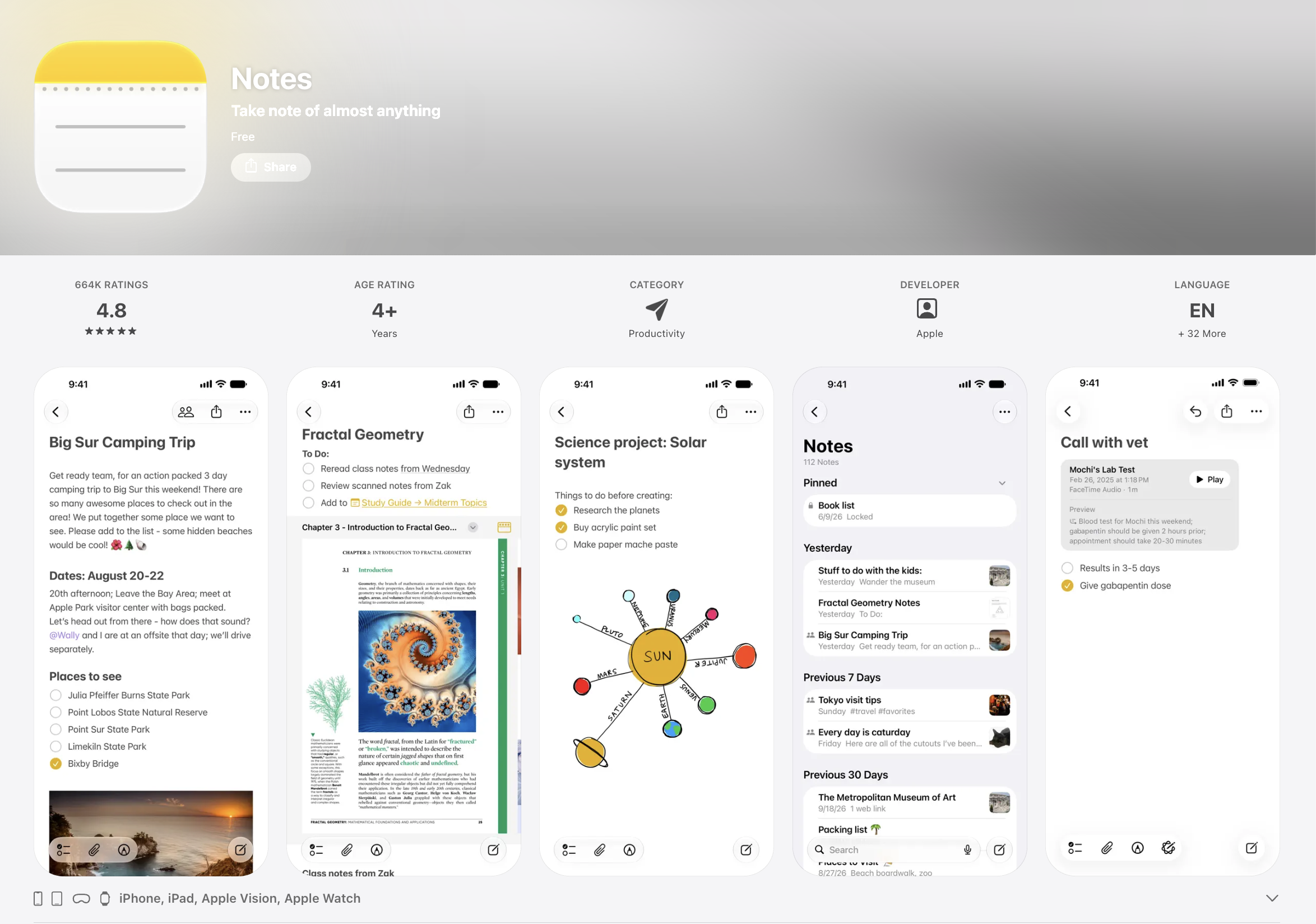
Apple Notes is a built-in app on your iPhone, iPad and Mac. If your device is an iPhone 12 or later, Apple Notes will also be able to record and transcribe your voice; however, this feature can only use a supported device language. When you open your audio note within Apple Notes, tapping on any given section of the transcription plays the audio for that portion. And when you make one-on-one FaceTime (audio) recordings in certain regions, they are added to your Notes application, along with a written transcript of the conversation.
Apple Notes' key features
Live transcript: Watch the spoken words appear while the recording runs, in supported languages.
Notes while recording: Swipe down from the top of the screen to type notes.
Find in Transcript: Search any recording's transcript for a word or a name.
Add Transcript to Note: Drop the full transcript into the note, or copy it.
Call Recordings folder: Every recorded call saves to its own folder in Notes automatically.
Transcription languages: Notes transcribes ten device languages, including English, German, French and Spanish.
iCloud sync: Notes sync through iCloud, including to iCloud.com in a web browser.
Export: Open a note in Pages, or export it as Markdown or a PDF.
Save audio files: Save or share a phone call's audio file from the transcript.
Security: Apple holds ISO 27001 and 27018 for iCloud, plus GDPR privacy impact assessments.
Apple Notes' pricing
Free: 0 dollars per month.
What Apple Notes users love
One reviewer records audio in Apple Notes alongside photos and video
"It's very simple to use since all buttons are simplified. You can do so many different things too- record audio, choose photos and videos" Melanie Vaughn Robert, App Store
One reviewer opens Apple Notes from iCloud on the go for meetings
"Love being able to grab my notes from iCloud when I am on the go and need them for meetings." MRS Coach Moe, App Store
What Apple Notes users flag
One reviewer says Apple Notes lost a recorded client call
"I recorded a call with a super important client and Notes just lost it. Nobody at Apple Support could help." KrayNouts, App Store
One reviewer says Apple Notes search misses words in a note title
"Even when searching for words I know are in the actual title, the note still doesn't come up." Nikkideez, App Store
7. Speakwise: Best AI Notetaker for iPhone for Hands-Free AirPods Recording
Best for: Speakwise is the AI notetaker for iPhone for people who record meetings in the room, through AirPods or the Apple Watch, even with no signal.
Similar to: Otter, Notta and Apple Notes.
App Store Rating: 4.8/5.0
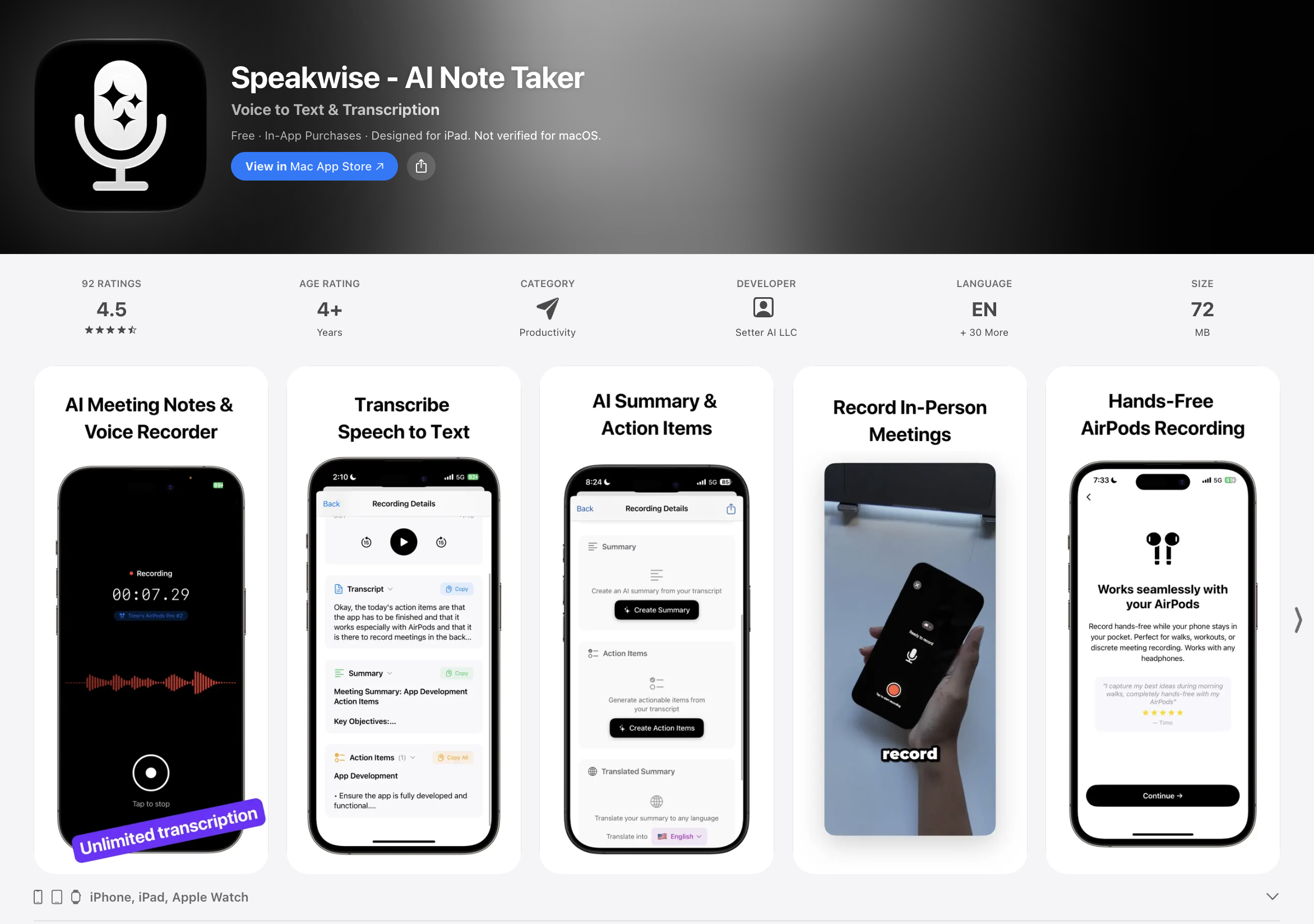
Speakwise is an AI note taker that provides a mobile app for iPhone and iPad users along with a companion Apple Watch app. Find & Replace fixes a misheard name in one step across the transcript, the summary and the action items. Speakwise also lets you retranscribe a recording later, choosing a different spoken language.
Speakwise's key features
One-tap recording: Record with one tap, and recording keeps going with the screen off.
Action Button: Start recording hands free from the Action Button or Control Center.
External microphones: Record through AirPods, Bluetooth earbuds, or USB-C and wireless microphones.
Speaker identification: Rename speakers, and Speakwise offers to rewrite the summary and action items.
AI summaries: Each summary carries key points, decisions and automatic action items.
Transcript search: Search inside a transcript and filter it by speaker.
Import audio: Import m4a, mp3 or wav files, or share a voice memo in.
Notes section: Add your own notes to any recording, and they sync and export.
Export: Export to PDF, Word or text, sync to Notion or share a link.
Privacy: Speakwise never trains AI on your recordings, and you can delete any recording.
Speakwise's pricing
Pro: 69.99 dollars per year, billed annually only
What Speakwise users love
Speakwise records a 2 hour in-person meeting with the display off
"Was looking for a way to record my 2h in-person team meeting. This does the job. Even works when the display is off." cosmos.xyz, App Store
Speakwise catches the numbers in one reviewer's client meetings
"Always missed numbers in client meetings. Speakwise catches everyting and shows who said what." Alex8513X, App Store
What Speakwise users flag
One reviewer says Speakwise saved only 7 seconds of a meeting
"when the meeting ended and I stopped the recording, only 7 seconds were saved. The rest of the meeting was completely lost." MikoMason, App Store
One reviewer says a 2 hour Speakwise recording would not upload
"Now I have it recorded, but it won't upload and it does not provide me with a way to download the audio file." DirtDoc, App Store
Final Verdict on What's the Best 7 AI Notetakers for iPhone?
Jamie is the best AI notetaker for iPhone if you record in-person client meetings, because one tap on the New Meeting widget starts the recording, the live transcript runs while you talk, and the notes come back in 100+ languages.
The New Meeting widget starts a recording from your Home Screen. It will start recording your meeting even if your iPhone is locked, as long as you hold the Jamie button on your Lock Screen. Recording for meetings can be started with Siri. And you can start recording from Control Center, or with the Action button on an iPhone 15 Pro or later model.
Jamie will display everything each participant says during a meeting using the live transcript. Any personal note-taking during a meeting may be stored within the Scratchpad, in the Notes tab.
Speaker identification displays the names of the people present in the meeting room. Speaker Memory remembers the voices of speakers from previous meetings and applies them in your future meetings. Jamie has 100+ languages available for transcription, which means clients can speak in their native language.
Following a meeting, Ask Jamie will answer any question across every meeting you've recorded, unlimited on every plan, free plans included. Before your next meeting, your Briefing shows details regarding the attendees, information from your last meeting, and any tasks that are still open.
Your compliance officer cares about this too. It is still your responsibility under GDPR Article 13 to tell everybody present that you are recording. Obtaining verbal consent in your own words is the most professional way to open. After transcribing, Jamie deletes the audio; in Enterprise you can determine when (or if) the transcript is deleted. Jamie is GDPR compliant and ISO 27001 certified and has all meeting related data both stored and processed in Europe.
You can also pick a different tool when the job is different:
Choose Fireflies when you want shareable audio soundbites from calls.
Choose Notta when you also want a dedicated recorder device.
Choose Wave when your client conversations happen on phone calls.
Choose Apple Notes when you want nothing extra to install.
Choose Speakwise when you need to import existing audio files.
Our Picks for the Best AI Notetakers for iPhone
Jamie is my pick for in-person meetings on your iPhone, and I'd recommend the other two for the jobs they were built for.
Jamie, the meeting intelligence platform: Jamie uses your iPhone to record your meetings in person using either the New Meeting widget, the Lock Screen or Siri. The live transcript of what you said during the meeting is available immediately as you speak, and the Scratchpad is for note taking privately. Each speaker is identified by name during the recording, and Speaker Memory carries their voice over to all future recordings. Ask Jamie answers questions across each meeting, unlimited on all plans (including free). Once transcribed, the audio is deleted. On Enterprise accounts you get to decide how long you want to keep the transcriptions. Jamie is GDPR compliant and ISO 27001 certified.
Wave, the audio and phone call recorder: Wave runs on iPhone, Android, the web, Mac and Windows. One tap starts a recording on your iPhone or your Apple Watch. Wave keeps recording on your iPhone with the screen off. Each summary carries key points and action items, and templates change the format. On Pro, Wave also records phone calls on your iPhone, though not in every country yet. In the app, Wave never uses your recordings or transcripts to train AI models.
Apple Notes, the notes app built into iPhone: Apple Notes is included as standard with iPhone, iPad and Mac devices. Recordings made using the audio recorder in Apple Notes can be recorded and transcribed on iPhone models 12 or newer. By tapping on any line within the transcript you will play back the recording at that time. Use Find in Transcript to search a recording's transcript for a word. The summary requires an Apple Intelligence-enabled iPhone 15 Pro, iPhone 15 Pro Max, or iPhone 16 device or later. Apple holds ISO 27001 and ISO 27018 certifications covering iCloud, and runs privacy impact assessments for its major products as part of its GDPR work.
Read More
Explore the full comparison of AI note takers that work best on mobile phones.
Learn how to choose an AI note taker that suits your workflow and privacy needs.
See the best AI meeting notes apps for productivity in 2025.
Understand how AI meeting note takers are changing the way we work.
Discover the benefits of a bot-free AI meeting assistant for private, secure note-taking.
Read our hands-on Granola AI notetaker review and feature breakdown.
Dive into how No Apple Intelligence in EU: What's Next?.
FAQs on AI Note Takers for iPhone
Why are bot-free AI note takers getting more popular?
Bot-free tools are getting more popular because a lot of users prefer apps that don't bring an additional participant into their private conversations. All of these iPhone apps provide you with the ability to record the room without having any meeting bots. As a result, no one will be required to "admit" another person into your meeting. However, bot-free does not mean that your recording session will be private; the real question is what happens to the audio afterwards. You still have responsibility for obtaining consent from all participants when creating audio recordings under GDPR Article 13. Verbal consent is the most professional method for opening a recording session. Jamie deletes the audio after transcription and never uses any customer information for training artificial intelligence (AI) models.
Can I search my past meetings by asking a question on my iPhone?
Yes, natural language search lets you ask your note archive a question using plain words from your iPhone. I think this is most important when preparing for a client meeting. On your iPhone, scrolling through an old transcript is slow, and if you rely on a summary of that earlier meeting, you might miss some key points. All three apps (Fireflies, Otter, Wave) allow you to do natural language searches. Each has limits on how much chatting you can do on their free plans. Jamie has a feature called Ask Jamie, which is an AI assistant built into Jamie. With Ask Jamie, you search by typing questions like "What did we agree upon regarding pricing during our previous meetings?" Ask Jamie is unlimited on every plan, including free, which means there is no need to worry about running out of AI credits.
Do AI note takers create action items automatically after a meeting?
Yes, Otter, Fireflies, Wave Pro and Speakwise all produce automatic summaries and action items. That's important when leaving an in-person meeting, as no one wants to re-type their follow-up. Otter will auto-assign next steps while Fireflies will auto-assign action items to each participant. There are some limitations to that. The reliability of the assigned owner cannot exceed the accuracy of the speaker identification behind it. Jamie extracts your action items automatically, each with its assignee, and speaker identification attaches each one to the right person.
Can I record a meeting on my iPhone and open the notes on my laptop?
Yes, that's what cross-device synchronization means. You record a meeting on your iPhone and then pick the notes back up on your laptop. That's where this feature really comes into play. For example, if you have to write the follow-up email after a meeting, you can do it at your desk instead of while sitting in a taxi. Apple Notes syncs through iCloud, including iCloud.com in a browser, and once a recording uploads, Otter keeps it in sync on every device. Notta currently works on iPhone and Android, in a web browser, through a Chrome extension, and as a Mac and Windows desktop app. Jamie syncs both ways instantly, which means a meeting you record with Jamie on your iPhone appears in Jamie on your desktop.