Top 10 AI Meeting Note-Takers for Investors [2026]
Chinwoke Nnamani
Growth Content Editor
![Top 10 AI Meeting Note-Takers for Investors [2026]](/api/media/payload/top-10-ai-meeting-note-takers-for-investors-2026-5343.png)
I compared the best 10 AI meeting note-takers for investors in 2026: Jamie, Fellow, Zocks, Granola, CircleBack, Fireflies, Fathom, MeetGeek, Otter, and tl;dv. I ranked them on note structure, speaker attribution, deal-CRM logging, data residency, and compliance controls.
Our co-founder Leo Wendler regularly speaks with investors, private equity firms, and investment bankers. After dozens of conversations with them, he kept hearing the same problem: meeting notes are still transferred by hand, so juniors take notes, clean them up, and then manually copy everything into the CRM, SharePoint, and Teams.
NORD Holding, a private equity firm we work with, spent 1 to 2 hours after each call writing up notes and chasing follow-ups before they moved to Jamie.
That’s why we reviewed all the tools that will make it easier for investors so you don't have to do the hard work of reviewing them.
Each AI note taker below is assessed on whether the note arrives structured for the meeting type, whether every point is attributed to the speaker, whether the audio is handled in a way that compliance will approve, and whether the result reaches the deal record without anyone copying it there.
What Are the Best AI Meeting Note-Takers for Investors?
The 10 best AI meeting note-takers for investors in 2026 are Jamie, Fellow, Zocks, Granola, Circleback, Fireflies, Fathom, MeetGeek, Otter and tl;dv.
Each of these tools can capture investor meetings and turn them into structured notes, helping teams spend less time on note-taking and on moving information between systems.
Jamie stands out for its European data processing across all plans, including the Free plan, ISO 27001 certification, and automatic deletion of meeting audio after transcription. It also integrates natively with private-capital CRMs, including DealCloud and Affinity.
Below is a breakdown of best meeting note takers for investors including: Jamie, Fellow, Zocks, Granola, Circleback. Click any cell to expand it:
1. Jamie - Best AI Note Taker for Confidential Investor Calls in Europe
Best for: Deal teams whose calls are confidential by default and who need the note to arrive shaped for the meeting type and logged to the deal record, with all meeting data stored and processed in Europe.
Similar to: Granola, Circleback, Fellow
Jamie is a bot-free AI meeting note-taker built for investors who want to capture every important conversation so they can spend less time taking notes and more time focusing on the deal.
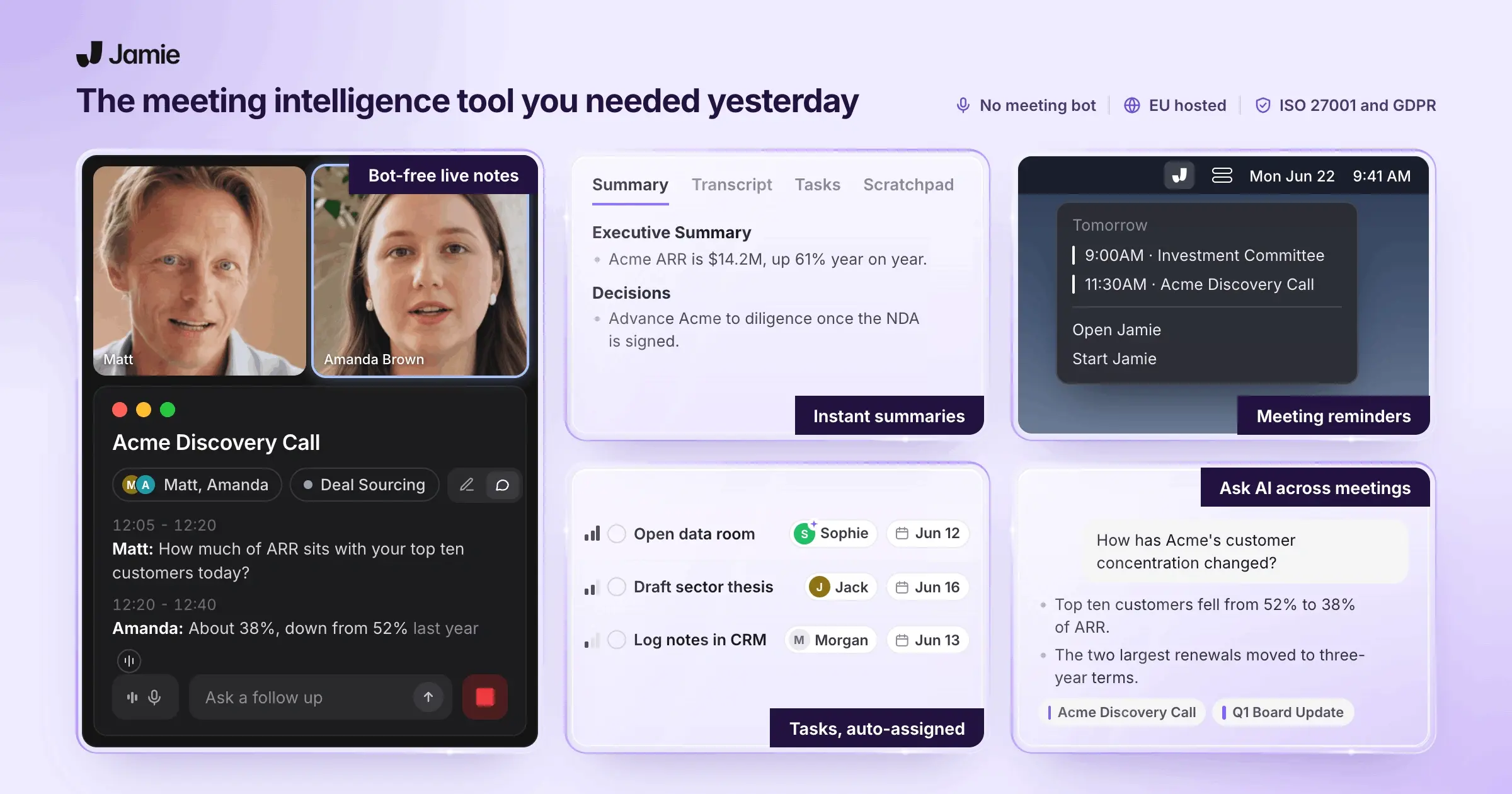
If your biggest challenge is capturing confidential deal conversations without adding another attendee, Jamie is ideal for the job. It records meetings directly from your own machine, capturing management presentations, buyer calls, expert calls, and internal deal reviews without a bot joining the meeting or changing the conversation.
It arranges each conversation against a template built for that meeting type and routes it into the CRM your firm already uses.
This removes the stressful second working day that follows a day of deal calls:
No second person on the call: You don't need to ask your junior what they have to write, and nobody splits their attention between the conversation and the keyboard.
No write-up afterwards: The moment you stop recording, the work is done. Get the structured note, full transcript, and action items without replaying the call or turning a messy transcript into something your team can actually use.
No reformatting: You get every expert call in the same format, so there’s no time spent cleaning up notes or moving information around for analysts. Call context, key numbers, and open questions are where your firm expects them to be.
No copy-pasting into the CRM: You get the note on the deal in DealCloud or Affinity, so the pipeline is up to date before anyone opens it.
No reconstructing: Anyone on the team can search any call on any deal in seconds, rather than rebuilding what was said from someone’s notebook.
As a result, deal teams stop spending their day on manual documentation and start spending it on deal analysis.
Don't take my word for it; we have seen firsthand how Jamie has helped private equity firms. For example, NORD Holding, a private equity firm running 10 to 25 meetings per person per week, experienced this firsthand.
Before Jamie, the team took notes manually in OneNote, spent one to two hours after each call writing them up and chasing follow-ups, and brought an additional person into calls purely to take notes. After adopting Jamie, the firm saves an estimated 120-150 hours per week across the investment team.
“In private equity, the quality of decisions depends on the quality of information. Jamie ensures that the insights generated in hundreds of deal conversations don’t disappear but compound into institutional knowledge.” Investment Professional, NORD Holding.
Want your deal calls captured without a bot in the room and without the write-up? Book a demo today.
In the meantime, read on to find out how Jamie can help you:
Record management presentations, expert calls and boardroom meetings with nothing in the attendee list
Get a note formatted for the call you actually had, not a generic summary
Keep the same names on the same voices across an entire process
Ask questions across every call your team has recorded
Log the note to DealCloud, Affinity and the rest of your stack automatically
Turn a finished deal call into the follow-up work, with an approval step before anything is written
Pass a compliance review with ISO 27001 at company level and every meeting stored in Europe
Jamie records management presentations, expert calls and boardroom meetings with nothing in the attendee list
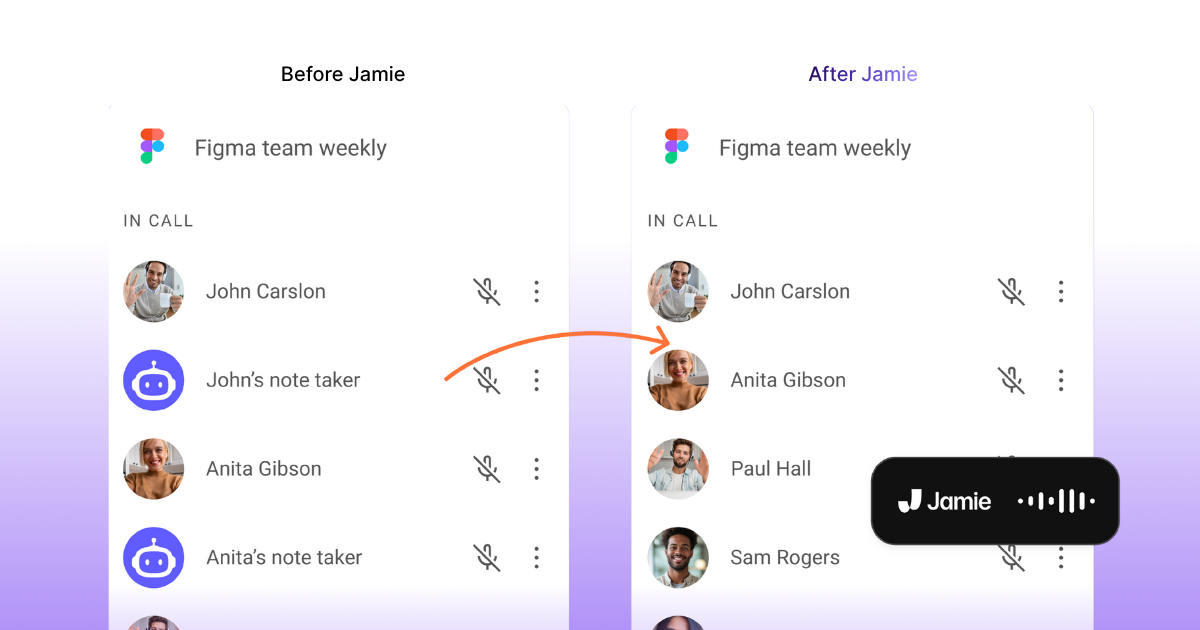
Jamie runs as native software on your own machine and captures the audio your device is already handling, which is why nothing requests entry and nothing appears as a guest nobody invited. When the people on the call are founders, management teams, or LPs, these six captured behaviors keep the conversation:
Native desktop app: Jamie records from your own machine and never joins as a participant, so there is no bot for a counterparty’s IT team to block and no lobby to wait in.
Auto-start recording: Jamie needs your microphone to go live AND a calendar meeting to be running. Either one alone does nothing. Auto-start is off by default, and it needs a connected calendar.
Auto-stop recording: Jamie’s AutoStop feature ends the recording only when three conditions are met: the microphone is inactive, the meeting is close to its scheduled end, and nobody has spoken for at least 15 seconds. It’s off by default, so a long pause in the middle of a meeting won’t accidentally stop your recording.
Scratchpad: Type your own private read on a management team during the call, and it stays out of the summary that goes to the deal record.
In-person meeting capture: Record the management presentation in the room from your phone and get the same structured note you get from a video call.
Floating recorder: A small draggable recorder sits beside your meeting window, so you can see it is running while you present a model.
Jamie tailors each note to each call, so an expert call and portfolio review never come back in the same format
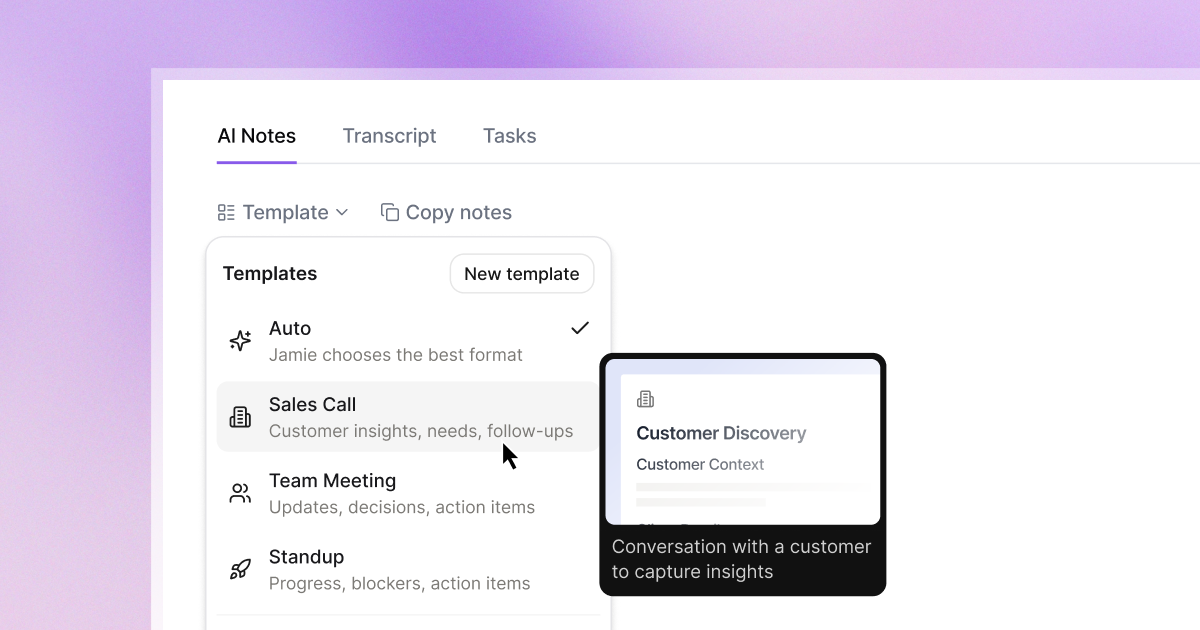
A generic summary can flatten a two-hour diligence call into prose and bury the figures, which leaves you rewriting it. Jamie does it differently as it classifies the meeting and applies a template built for it, so the output is already the document you needed:
30+ prebuilt templates: 1 on Free, 3 on Plus, unlimited on Pro.
Auto-apply: Jamie reads the content, calendar, and title you have marked, then applies the best-matching template.
Sections you define: Each custom template has named sections and instructions so that call context, key numbers, risks, and open questions land where your firm expects them. 1 custom template on Free, 3 on Plus, and unlimited on Pro.
Shared workspace templates: Team and Enterprise share templates across the firm, so every analyst’s expert call note has the same shape.
Retroactive reformatting: Apply a different template to a call you already recorded, and Jamie regenerates the note in the new format without touching the transcript.
Custom vocabulary: Teach Jamie your portfolio company names and deal jargon to improve transcription accuracy. You get 50 terms per list on Free, Plus, and Pro; 100 per list on Team; and 250 per list on Enterprise. Jamie supports a personal list and a shared team list.
Editable output: Correct a figure or a heading directly in the summary, so one mistyped number never travels on to the investment committee.
Jamie remembers a voice between meetings, so a name follows a management team through the whole process
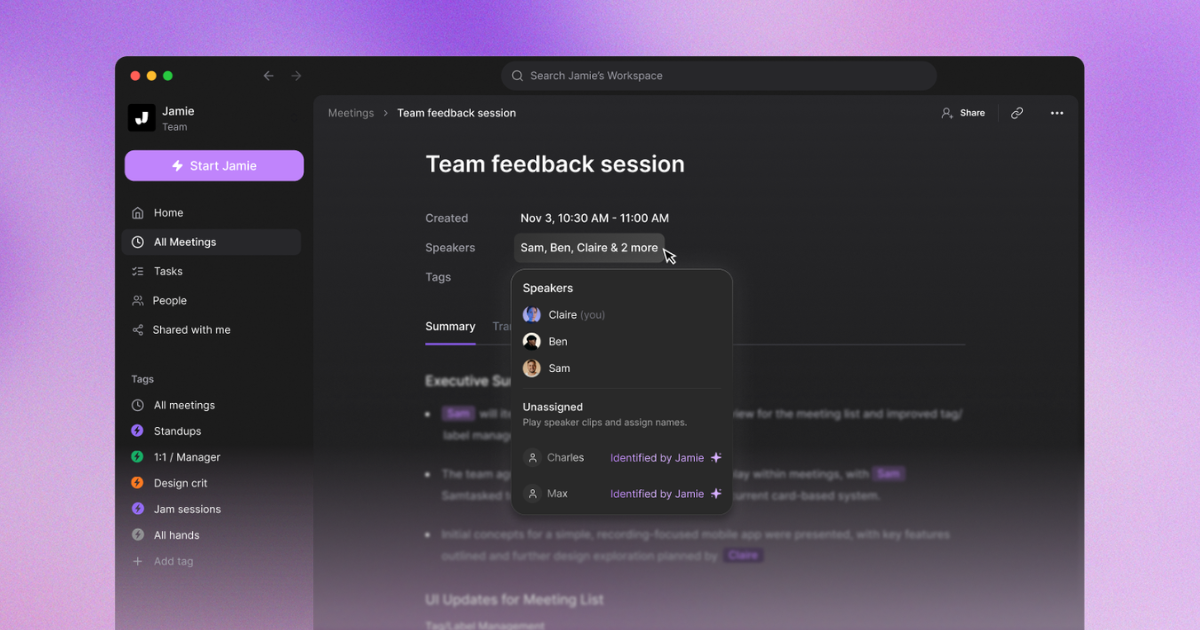
Attribution is what makes a deal note useful instead of just another wall of text. It’s one thing to know that someone raised a caveat. It’s much more useful to know that it came from the CFO, while the advisor didn’t raise it.
Jamie tells you exactly who said what and when they said it through:
Automatic speaker identification: Jamie entered real names into the summary and transcript and matched speakers to attendees in 98 out of 100 cases in Jamie’s own accuracy test.
Speaker Memory: Name a voice once, and Jamie recognizes that person in future meetings on every plan, including Free, so six calls with the same management team come back consistently attributed.
Names in the room: Voice-based identification is the only option that works in an in-person management meeting when no attendee metadata is available.
Calendar matching: Google and Outlook sync attendee lists and meeting titles, so the names are filled in before you start.
Manual correction: Edit a name or match one to a contact, and Jamie carries that forward.
Jamie answers questions across every call your team has recorded, with AI
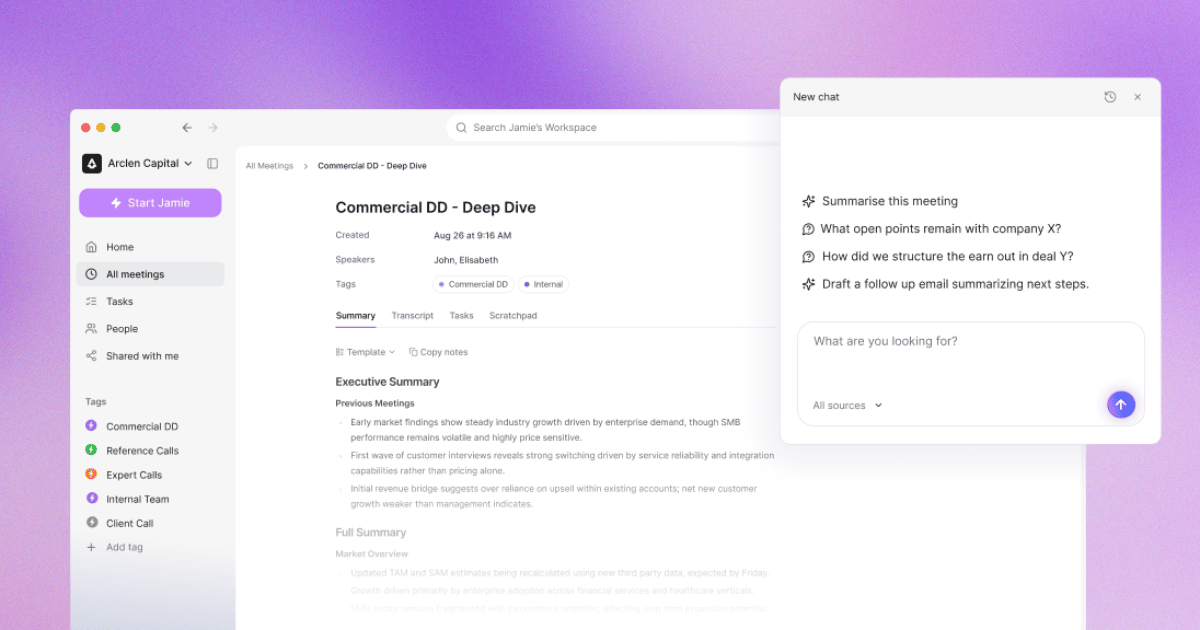
The only source of knowledge on a private target is the calls, which makes the archive the asset of most meetings. Jamie's Ask AI turns it into something the whole team can query:
Ask AI in one meeting: Need one number, decision, or commitment from a two-hour call? Ask for it directly instead of digging through the transcript.
Cross-meeting search: Ask the same question across all your calls. Jamie shows which recordings it used to answer, so you can trace a figure or claim back to the exact conversation.
Tag-scoped queries: Keep meetings grouped by deal and search within that group. That way, information from one process doesn’t get mixed up with another.
Compare across a live process: Want to know how six buyers responded to the same issue? Ask once and compare their answers side by side instead of opening six separate notes.
Draft the follow-up: Generate the scoping email or the internal update straight from the meeting content.
Jamie logs your notes to DealCloud and Affinity, the CRMs private capital actuall.y runs on
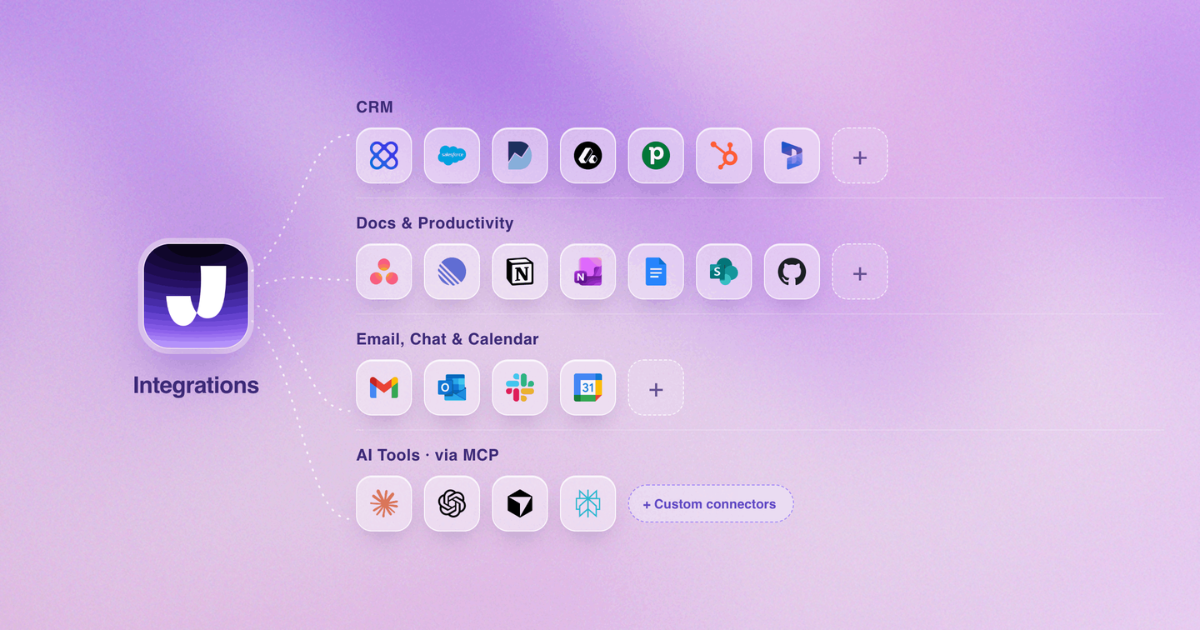
Bot-based tools earn their CRM sync by sitting in the meeting, which is what you were trying to avoid. Remove the bot from most tools, and you also remove the plumbing, which puts an analyst back to pasting notes into a deal record. Jamie records from your device and still writes everything downstream:
DealCloud: Jamie logs your meeting notes to DealCloud on Team so an interaction lands on the deal itself rather than in a separate app.
Affinity: Jamie logs to Affinity on Enterprise, so a relationship-led pipeline shows the last real conversation.
HubSpot, Salesforce, Dynamics 365, Attio, and Pipedrive: Notes attach to the contact, company, deal, or opportunity you select, from Pro upward.
Notion, Google Docs and OneNote: Available on every plan, including Free, so a deal page or a SharePoint-adjacent doc updates itself without a paid tier.
Asana: Action items are presented as tasks with notes attached, so the follow-up list is built before the call ends.
Content selection: Choose, per integration, whether the summary, the transcript, the tasks or a combination goes across so a confidential call can share next steps without the full record.
Auto-sync or manual: Send all future meetings automatically, or push them one at a time to Tasks or the Share tab when the call needs a judgment first.
Webhooks and API: Three personal endpoints per user and five workspace endpoints on Pro and up, so your own systems receive the meeting without an export.
Jamie turns a finished deal call into the follow-up work, and shows you what it would do before it does it
Most note-takers stop at the note. Jamie’s agentic layer closes that with a safety step that matters when the thing being written to is a live deal record:
Agent: Jamie takes action in your connected tools from a chat, so the post-call chores happen without opening five tabs.
Connectors: Notion, Linear, GitHub and Slack, authorized with your own account, so Jamie can only reach what you can already reach.
Skills: Write your qualification framework or follow-up routine once, and have Jamie apply it during agent conversations, so the same standard applies every time.
Workflows: Describe an automation in a sentence (match the call to the right deal, pull the metrics and next steps, write the fields, file the note, post the recap), and Jamie builds it, asks what it needs, and tests it on a past meeting.
Approval gate: Automatic runs perform a dry run, show you the exact actions they would take, and wait for your approval. Grant unattended access once a workflow has earned it.
Run traces: Every step of every run is recorded and streamed live, so if something odd reaches your CRM, you can see precisely what did it.
MCP: Connect Claude, ChatGPT, Microsoft Copilot, Cursor, or Windsurf to your meetings from Pro upward so the tool doing your analysis can reach the calls without anyone pasting a transcript into it.
Jamie is GDPR compliant and ISO 27001 certified at company level and keeps every meeting inside Europe
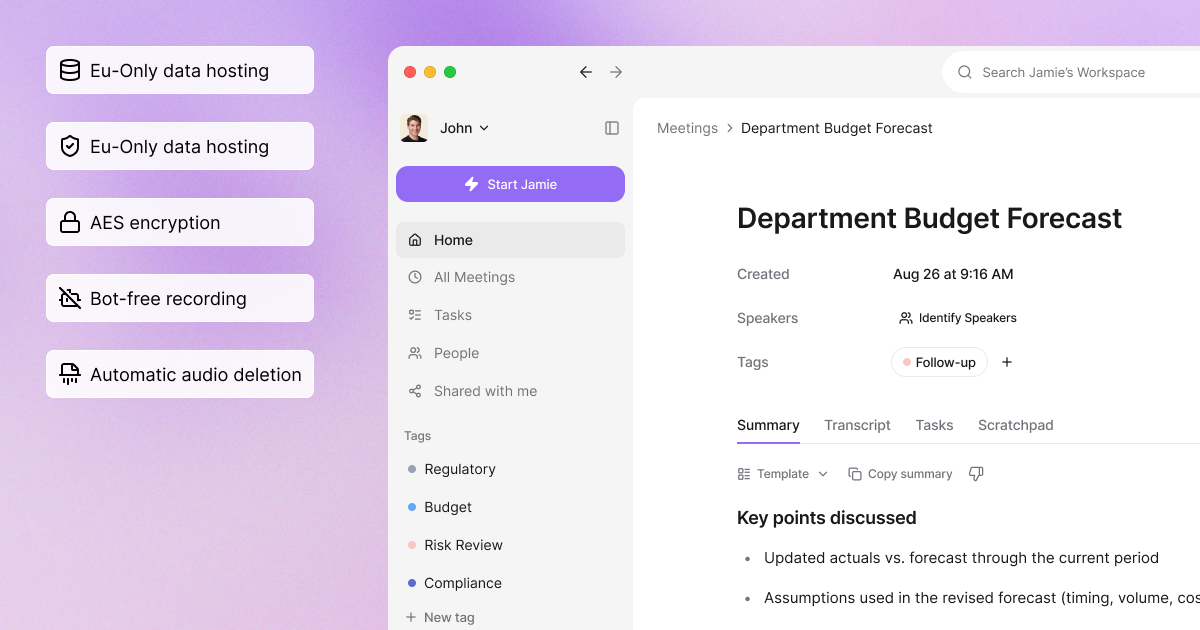
Investment meetings can contain sensitive deal information, so security matters. Jamie has its own GDPR-compliant doc and ISO 27001 certification rather than relying on a hosting provider’s certificate.
All meeting data in Europe: Storage and processing occur within Europe on every plan, including Free, so a European counterparty never has to ask where their call recording is stored.
ISO 27001 at the company level: Independently audited against the international standard for information security management, not inherited from a cloud provider.
DORA-ready: A fund or bank operating under DORA can approve Jamie without a special exception.
Permanent audio deletion: Jamie deletes the meeting audio once transcription finishes, so no recording of a management call remains for anyone to request.
No model training: Jamie never trains on your meetings, and neither do its model providers, so a target’s numbers stay inside your own account.
AES-256 and TLS: Encrypted at rest and in transit, which answers the encryption line on an IT questionnaire before it is asked.
SAML SSO and SCIM: Enterprise connects Okta or Azure AD with automatic provisioning, so a departing analyst loses access the day IT removes them.
Audit logs, retention, and IP allowlist: Enterprise supports audit logs, custom retention rules, and an IP allowlist, so logins occur only from your own network.
DPAs: Data processing agreements come with Enterprise.
Jamie pricing
Free: €0 per month. 10 meetings, 30 minutes each, unlimited Ask AI, Speaker Memory, EU hosting, ISO 27001, no card
Plus: €25 per month. 20 meetings, 2-hour calls, 3 custom templates
Pro: €47 per month. Unlimited meetings, 5-hour calls, unlimited templates, CRM sync, MCP, API, webhooks
Team: €39 per seat per month. Shared templates and workspace, admin controls, DealCloud logging
Enterprise: Custom SSO, SCIM, audit logs, custom retention, IP allowlist, Affinity logging, DPAs
Annual billing saves 17%. Source: Jamie's pricing page, read on 31 August 2026.
What Jamie users love
Nothing to invite into a confidential call
“I like that I can use Jamie without having to invite a weird assistant to the meeting, so nobody knows I’m using it. The quality of the transcripts and summaries is great.” Alberto A., G2
The write-up stops eating the evening
“Saves me a lot of time in creating meeting minutes. I can also use Jamie as a brainstorming tool by having my spoken thoughts summarized. Works on the phone too.” Wolfgang Z., G2
European hosting, and it stays out of the way
“I like Jamie’s security, especially since it’s hosted in Europe where privacy priorities seem stronger than in the US. I appreciate that it’s unobtrusive and doesn’t distract from my work or interviews.” Verified User, G2
What Jamie users flag
The free plan cuts off at 30 minutes, which a management call will exceed
“The 30min meeting limit, but I understand that’s the business model ;)” Charlotte Z., G2
The iPhone app does less than the desktop app
“The iOS version isn’t as optimized as the desktop version. " Verified User in Consulting, G2
What our investor customers are telling us directly
“Jamie has removed note-taking from our meetings entirely. We can instantly share structured notes across the team, which makes it much easier to track performance. project updates, and key decisions across the portfolio—all in one place.” German Sklyarsky, Elvaston.
“Jamie is like an additional team member. It's a personal AI assistant for each of us that turns individual productivity into collective intelligence.” Jan Pörschmann, Managing Partner | atares
2. Fellow
Best for: Investment banks, funds, and broker-dealers whose meetings fall under SEC recordkeeping or FINRA supervision
Similar to: Jamie, Circleback, Fireflies
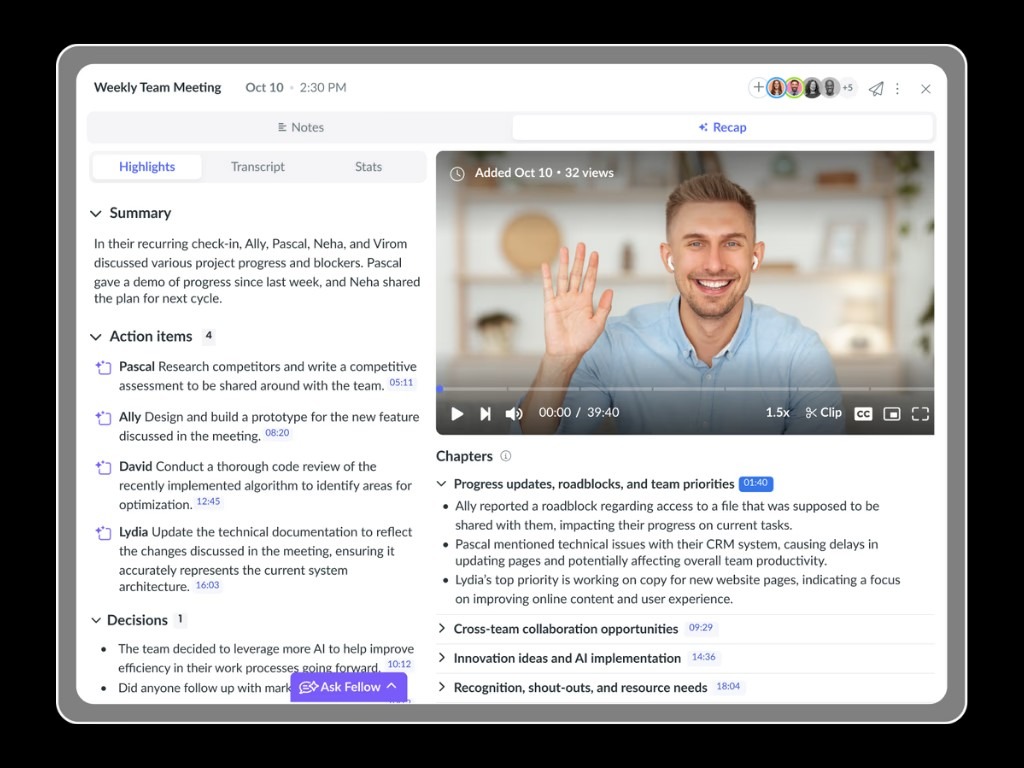
Source: Fellow
Fellow is a meeting platform built for teams whose calls are subject to SEC recordkeeping. Its features are purpose-built for investment banks, private equity firms, hedge funds, RIAs, and broker-dealers. It is helpful in redacting names, account numbers, and material nonpublic information from transcripts.
As a plus, Fellow also supports information barriers when different parts of a firm remain separate around a deal, while its admin API records deletions in an exportable audit trail. Meetings can be captured either with a visible bot or through botless desktop recording, with admins controlling who can record and when.
While it connects with Salesforce and HubSpot through 50+ integrations, it doesn't have native integrations with DealCloud or Asoich, so you'd need to rely on Zapier or Fellow's API.
Key features
Dual Capture Modes: Fellow records through a botless desktop app or a visible bot, switchable per meeting, across Zoom, Teams, Google Meet, and in person.
Zero-Day Retention: Admins can set recordings and transcripts to be deleted immediately after AI processing, while summaries, decisions, and action items are preserved.
Transcript Redaction: Fellow strips names, account numbers, and MNPI from the transcript, summary, and audio before storage.
Pause and Resume: Fellow removes paused content from the transcript entirely when a call goes off the record.
Information Barriers: Policy controls restrict who can see which meetings when part of the firm is inside on a given day.
Deletion Audit Trail: The Super Admin API logs every deletion to an exportable record.
Ask Fellow: Natural-language search runs across the firm’s entire meeting history, not one call at a time.
CRM Integrations: Fellow logs notes in Salesforce and HubSpot via 50+ integrations, with no native DealCloud or Affinity paths.
SOC 2 Type II: Compliance covers SOC 2 Type II, HIPAA, and GDPR; Fellow does not handle customer data and connects to Global Relay for firms with archiving obligations.
Canada Central Hosting: Fellow's help center states the infrastructure runs on AWS in Canada Central, with 30-day backups and AES-256 at rest.
Pricing
Free: $0
Team: $7 per user per month, billed annually
Business: $15 per user per month, billed annually
Enterprise: $25 per user per month, billed annually, from 10 users
What Fellow users love
Keeps meeting work inside the tools you already use
“Fellow is genuinely easy to use, which matters a lot when you're jumping between back-to-back meetings all day. The Google Meet extension is probably my favourite bit; having the agenda sit right there in the call without switching tabs saves so much time and just fits into how I already work.” (G2)
Turns meetings into tasks without manual note-taking
"The way it creates tasks for you following your meetings. I love that I never need to worry about taking notes anymore." (G2)
Gives teams a shared place to prepare for and document meetings
"We use Fellow for enhancing the quality of our business meetings, as this is the software through which all of our employees and team leaders give their inputs before the meeting and take notes during the meeting." (G2)
What Fellow users flag
The floating Mac bar can get in the way
"The floating minimized bar often gets in my way on the Mac interface." (G2)
The interface takes some time to learn
"The UI took some time to get used to it." (G2)
Slow summaries and lost recordings can be frustrating
"The loading times for summaries are slow, and I also run into periodic bugs where the recordings end up getting lost afterward." (G2)
3. Zocks
Best for: Wealth managers, RIAs and advisory firms whose compliance policy is that no recording of a client conversation should exist in the first place.
Similar to: Fellow, Jamie,
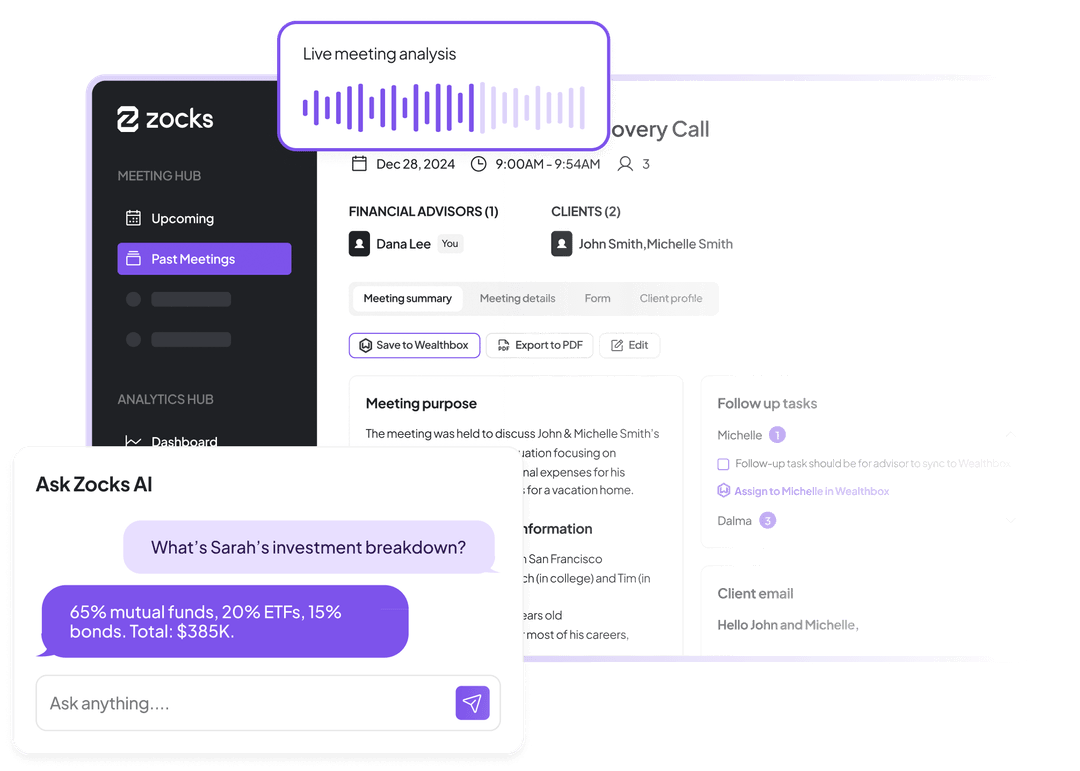
Source: Zocks
Zocks is an AI note-taking assistant built for wealth managers and financial advisors who want to save time on admin work.
It operates on your meeting platform by listening to client conversations, capturing meeting notes and insights in real time, and automatically turning those conversations into structured data for your CRM and financial planning workflows.
Zocks also tracks agendas and surfaces insights during and after meetings, helping firms coach associate advisors to work more like their top performers while reducing the administrative work that ramps up in hours.
Key features
No-Recording: Zocks captures all relevant information from your virtual meetings, in-person discussions, and phone calls without recording.
Multi-Channel Meetings: It captures in-person conversations, virtual calls, and phone meetings across landline, VoIP, and shared lines.
Role-Based Speaker Attribution: Zocks separates advisors, clients, and external professionals so a reference to one client is not merged into another’s profile.
Live Meeting View: Client details, agenda items, and outstanding tasks surface during the call, drawing on past meetings, CRM data, and the planning system.
Field-Level CRM Sync: Notes and client data flow into Wealthbox, Redtail, Salesforce, Zoho, and financial planning and portfolio systems.
AI Consent Capture: Zocks records and reports client consent to use AI as part of the meeting workflow.
Firm-Controlled Data: Firms set data residency, ownership, access, and retention with granular permissions across the organization.
Unlimited Meetings: Zocks places no monthly cap on the number of meetings on any plan.
SOC 2 Type II: Zocks is SOC 2 Type II-certified and reports passing security reviews conducted by large financial institutions.
Pricing
Essentials: $80 per user per month with meeting preparation, AI note-taking, CRM integration, financial planning
Professional: $140 per user per month, with Zocks MCP and personalized onboarding
Ultimate: $220 per user per month. With Custom workflow automation with Zapier and Native meeting scheduling
Enterprise: Custom quote
What Zocks users love
Lets advisors stay focused on the client
"I like that I can focus more on my clients and what they’re saying. In the past, I’d almost have to zone out for a second just to jot down notes, but not anymore." (G2)
Connects client meeting notes with CRM workflows
"I use Zocks to document client meetings, and it integrates with my CRM system for tasking while also pulling information from other technology providers." (G2)
Gives advisors better notes and preparation before client meetings
"Zocks has improved the quality and depth of the notes that our advisors are gathering. The advisors are finding the advance preparation to be helpful." (G2)
What Zocks users flag
AI-generated outputs could offer more customization
"One area where Zocks could improve is the customization of its AI-generated outputs." (G2)
Multiple speakers can lead to transcription mistakes
"When I have a meeting with multiple people, sometimes Zocks gets the dictation incorrect." (G2)
Some features take time to learn
"The main thing I dislike about Zocks is that some features can take a little time to get used to." (G2)
Getting a wall of text where the numbers should be?
Jamie applies a template built for the meeting type, so an expert call comes back as call context, key insights, and open questions, with every point attributed, in under 30 seconds after you stop recording.
4. Granola
Best for: Partners and solo GPs who type during a pitch and want the output to read like their own judgment rather than a machine’s recap.
Similar to: Jamie, Circleback,
Source: Granola
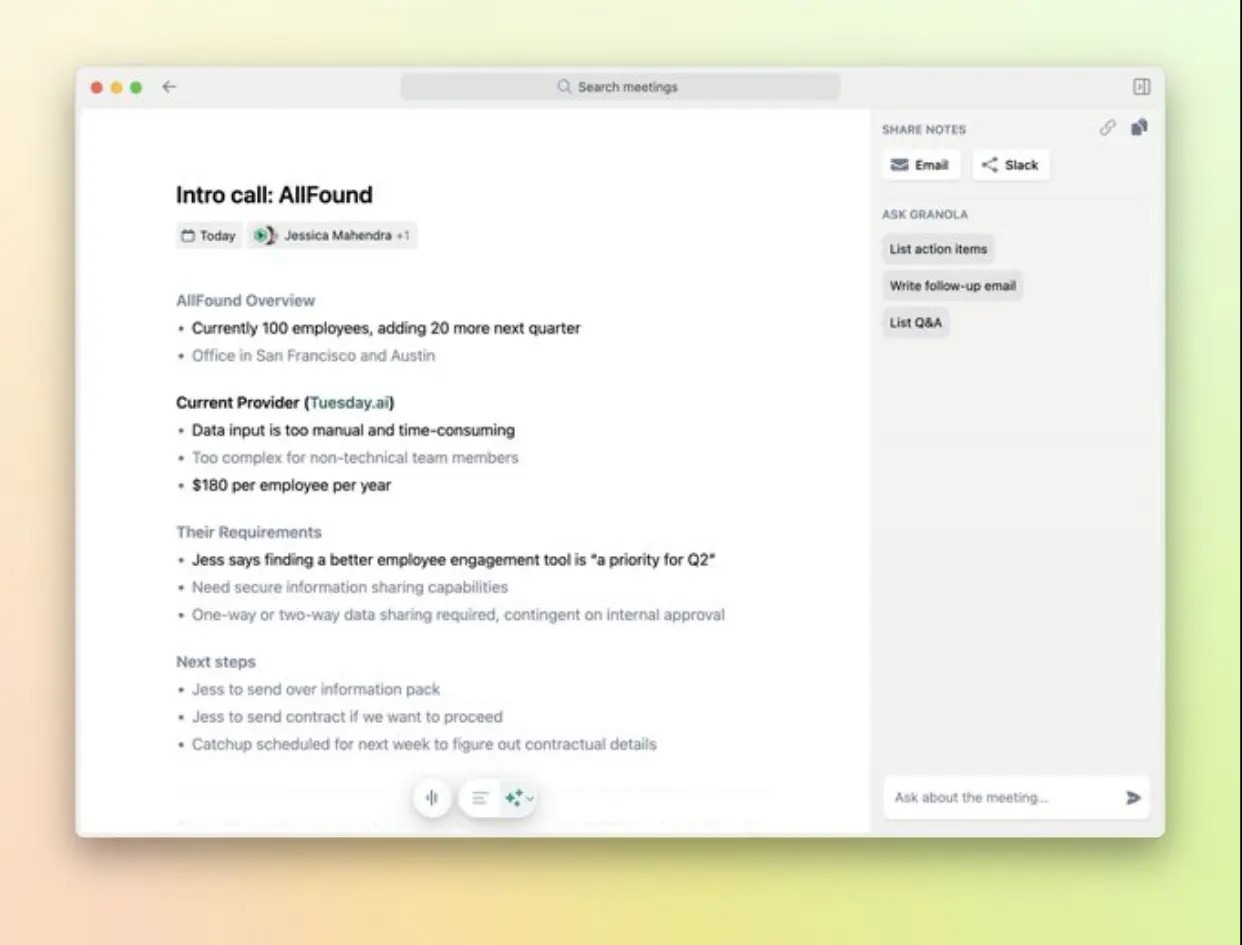
Granola is a bot-free AI notepad for investors who want their own judgment to shape the meeting notes, rather than an AI-generated summary.
It runs on macOS and Windows, captures your computer’s audio in the background, and combines the transcript with the notes you type during the meeting. The result is a set of notes shaped around what you found important or what was discussed in the deal meeting.
For investment teams, data residency is another consideration: Granola stores data in the US, offers no EU or UK data residency options, and enables de-identified model training by default. It has SOC 2 Type 2 but does not currently offer ISO 27001 or HIPAA compliance.
Let's see what Granola can do for your investment workflow.
Key features
Note Merging: Granola combines the rough notes you type during a call with the transcript to produce the finished summary.
Device Audio Capture: The desktop app records system audio on Mac and Windows and does not add a bot to the call.
Audio Deletion: Granola caches audio during the meeting for transcription only, then deletes it from its systems and any third-party services.
Custom Templates: Note templates are configurable and available on the free Basic plan.
Cross-Meeting Chat: AI chat works within a single meeting and across your full history, with context and citations.
Consent Tooling: An automated in-meeting message, a watermark and an org-wide notice on Enterprise tell participants Granola is running.
CRM and Workspace Integrations: Slack and MCP work on Basic; Attio, Affinity, Notion, HubSpot and Zapier are available on Business.
Multilingual Transcription: Granola supports 10 named languages on desktop and 17 on mobile.
SOC 2 Type 2: Held since July 2025. Granola holds no ISO 27001 certification and is not HIPAA compliant.
US Hosting: All data is hosted on AWS in the United States, with no EU, UK or regional residency options.
Pricing
Basic: $0 per user per month, showing the last 30 days of meeting history
Business: $14 per user per month, with unlimited history
Enterprise: from $35 per user per month, adding SSO, admin controls and the org-wide training opt-out
Granola bills monthly only.
What Granola users love
It stays out of the meeting
“No awkward "There's a bot in this call” energy. It transcribes both on my Mac and iPhone, which is a game-changer for on-the-go catch-ups.” Aprielle D. (G2)
Automatic recording
“I like that I have the Granola app, and if a meeting is starting, it recognizes that and pops up, so I never forget to click record. " Anne C., (G2)
Notes come out clean enough to use immediately
Granola takes a full transcript and analyzes it, making it easy for me to reference at any point in its library. David T. (G2)
What Granola users flag
Seamless integration with project management tools
A richer connection with project management tools would make post-meeting workflows even smoother. Alessandro O. (G2)
Inconsistent speaker identification
“Recognition of speakers. Sometimes it cannot perfectly differentiate who is speaking. Johannes E., (G2)
Some integrations still leave users wanting more
It does not capture all meeting details. It would be nice if it can provide an entire transcript of our meetings so you would know in case it misses something, especially if the meeting is quite lengthy.” Paul M (G2)
5. Circleback
Best for: Small funds that need audited certifications and cross-meeting voice recognition without negotiating an enterprise contract.
Similar to Jamie, Granola, Fellow
Source: Circleback
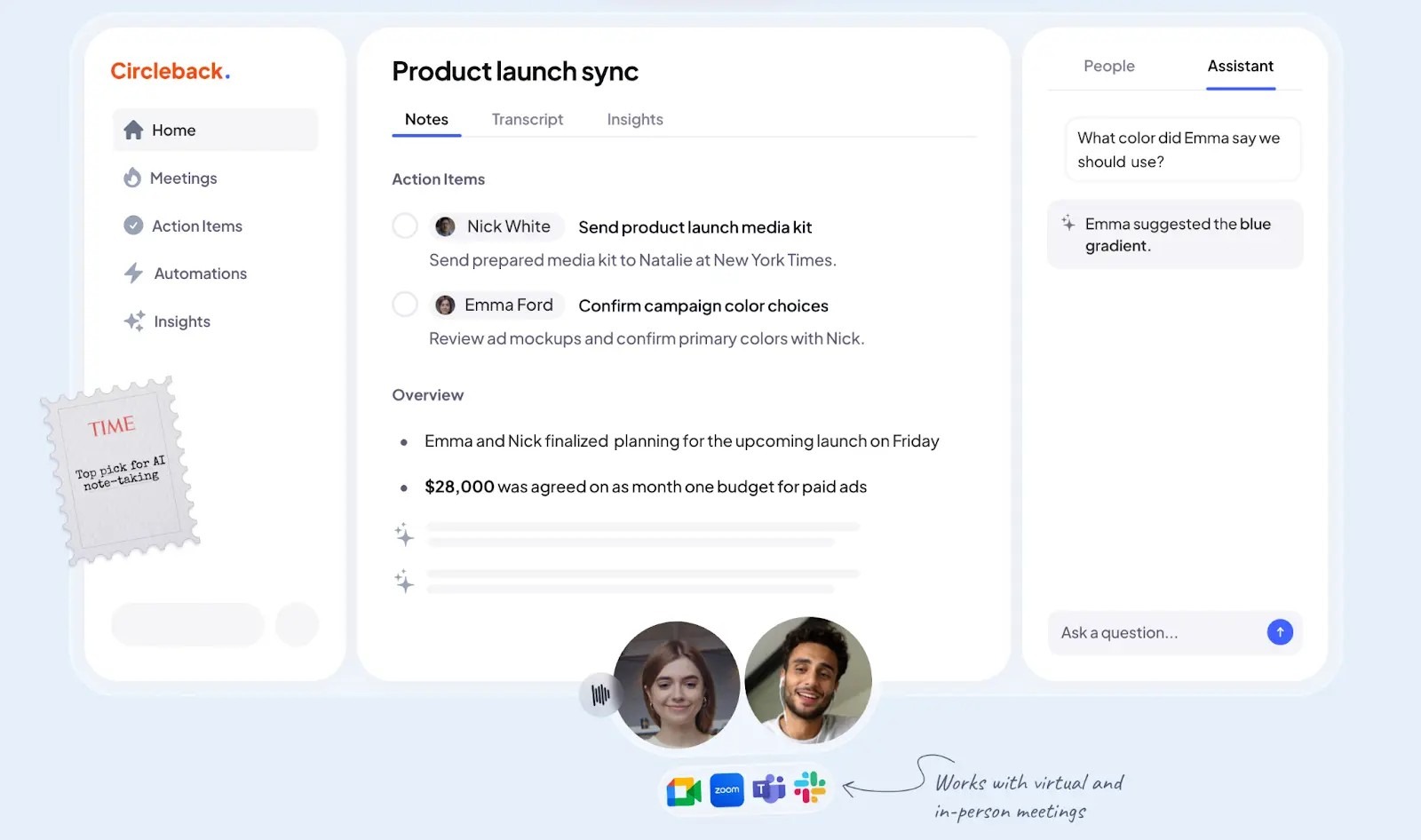
Circleback is an AI meeting notetaker that captures your calls through a macOS or Windows desktop app or its phone app, so no bot joins, though it can join from your calendar as a note-taker instead if you prefer that route.
Its “action items” feature is helpful for organizing insights by context, making tasks easier to find and helping you execute them properly.
On certifications, it is SOC 2 Type 2 audited, HIPAA-compliant with BAAs for enterprise customers, GDPR-compliant, and certified under the EU-U.S. Data Privacy Framework, including the UK extension.
Key features
Bot-Optional Capture: Circleback records via a macOS, Windows, or mobile app, with joining from your calendar as a note-taker available as a setting.
In-Person and Upload Support: It transcribes face-to-face meetings, uploaded files, and virtual calls.
Contextual Action Items: Each auto-assigned task carries a sentence or two explaining why it exists.
Cross-Meeting Voice Recognition: A voice you have named once is recognized in future calendar meetings.
Insight Templates: AI-generated custom insights are configurable on both paid plans.
Post-Meeting Automations: Circleback performs actions after a meeting rather than only producing a note.
1,000+ Integrations: These include Slack, Notion, HubSpot, Salesforce, Linear, monday.com and Zapier.
Multilingual Transcription: Circleback supports over 100 languages.
Playback and Retention: Video and audio playback are included, and retention settings are available on the Team plan.
SOC 2 Type 2: Compliance covers SOC 2 Type 2; HIPAA with BAAs for enterprise; GDPR; and EU-U.S. Data Privacy Framework certification, including the UK extension.
Pricing
Individual: $25 per user per month, with AI notes for unlimited meetings, auto-assigned action items, transcription + speaker recognition, etc
Team: $30 per user per month, with centralized billing, usage dashboard, meeting participant customization, etc
Enterprise: Custom pricing
What Circleback users love
Summaries include useful context and action items
"The way it summarizes the notes and includes action items with a 1-2 sentence context is fantastic." (G2)
Calendar integration gets it working right away
"I just logged it into my calendar, and it worked right away." (G2)
Its transcription compares well with competing tools
"That feature is pretty nice and better than some of the other tools I've seen, like Microsoft's Copilot AI transcription." (G2)
What Circleback users flag
Soft audio can trip up transcription
"Sometimes the transcription doesn't recognize words in the audio, especially if the audio is a bit soft." (G2)
Reliability can become a serious problem
"It has not been working for me for several weeks now." (G2)
Support can be slow when something breaks
"I have tried to reach out to support multiple times, but the answer times are very long." (G2)
6. Fireflies
Best for: Firms that want every call the team has ever had searchable in one place
Similar to: Otter, tl;dv, MeetGeek
Source: Fireflies
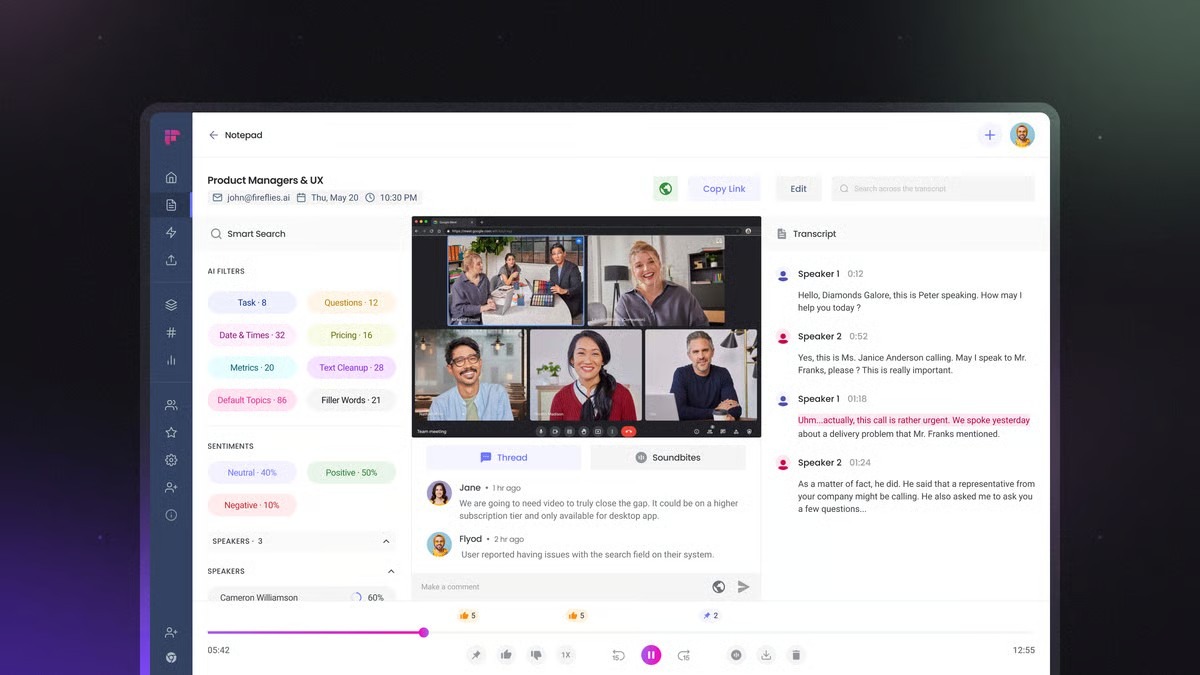
Fireflies is an AI meeting intelligence platform that records, transcribes, and organizes conversations from meetings, with a strong focus on turning large volumes of calls into searchable knowledge.
One of its standout features for investors is AskFred, which lets you query your entire meeting history in plain language, while custom prompts can extract recurring metrics such as CAC, LTV, and ARR from founder calls. Fireflies also offers Live Assist, which surfaces relevant information from past conversations during a live meeting.
For investment teams, the appeal lies in the ability to build a searchable archive of founder pitches, portfolio reviews, and LP calls, rather than treating each meeting as a standalone transcript.
Key features
Dual Capture Modes: Fireflies records via a bot that joins the call or via a desktop app that captures system audio without one.
Bot-free trade-off: Fireflies has two bot-free routes. The Chrome extension for Google Meet keeps speaker name detection. The desktop app's system audio mode does not save any audio or video files, and the speakers appear as Speaker 1 and Speaker 2 rather than by name.
AskFred: Natural-language search queries the firm’s entire meeting database rather than a single call.
Custom Prompt Templates: These automatically extract recurring figures such as CAC, LTV, and ARR from pitch calls.
Live Assist: A real-time panel surfaces answers from your knowledge base and past decisions during the conversation.
Consent Messaging: Fireflies displays an indicator during bot-free capture and offers an optional consent message.
CRM Integrations: Notes push to Salesforce, HubSpot, and Affinity, with meeting analytics across the archive.
Multilingual Transcription: Fireflies supports over 100 languages.
SOC 2 Type II: SOC 2 Type II and GDPR apply to every plan, including Free, with HIPAA and FERPA at Enterprise.
No Model Training: Fireflies states it does not use customer data to train any AI models.
Pricing
Free: $0
Pro: $10 per user per month, billed annually ($18 billed monthly), with Unlimited transcription, unlimited AI summaries, 8,000 mins of storage/seat and 20 AI credits
Business: $19 per user per month, billed annually ($29 billed monthly), with 30 AI credits, multi-language Mode, conversation intelligence, etc
Enterprise: $39 per user per month, billed annually, with 50 credits, everything in business plus a rules engine, SSO + SCIM, Audit Logs (API)
For more details, check our Fireflies pricing guide.
What Fireflies users love
CRM integration fits into existing workflows
"The real game-changer for me is how seamlessly it integrates with our CRM." (G2)
Automated summaries and action items cut the admin
"The automated meeting summaries and action-item extraction are absolutely fantastic." (G2)
Recording, transcription and summaries save time
"What I like most about Fireflies.ai is that it automatically records, transcribes, and summarizes meetings, which ends up saving me a lot of time." (G2)
What Fireflies users flag
Transcription errors can change the meaning of a conversation
"Sometimes the transcriptions are totally wrong and change the correct meaning of the things discussed in the meeting." (G2)
Fireflies' chat notifications can disrupt the call
"The most annoying thing is it will send chats to all people. And then that becomes a kind of a disruptor to the call where people are being pulled into a chat room to see that Fireflies is recording." (G2)
Permissions can be confusing
"I find the permissions of Fireflies a little confusing." (G2)
7. Fathom
Best for: Investors looking for an AI meeting note taker with a free plan with more storage and unlimited features.
Similar to: Otter, tl;dv, Fireflies
Source: Fathom
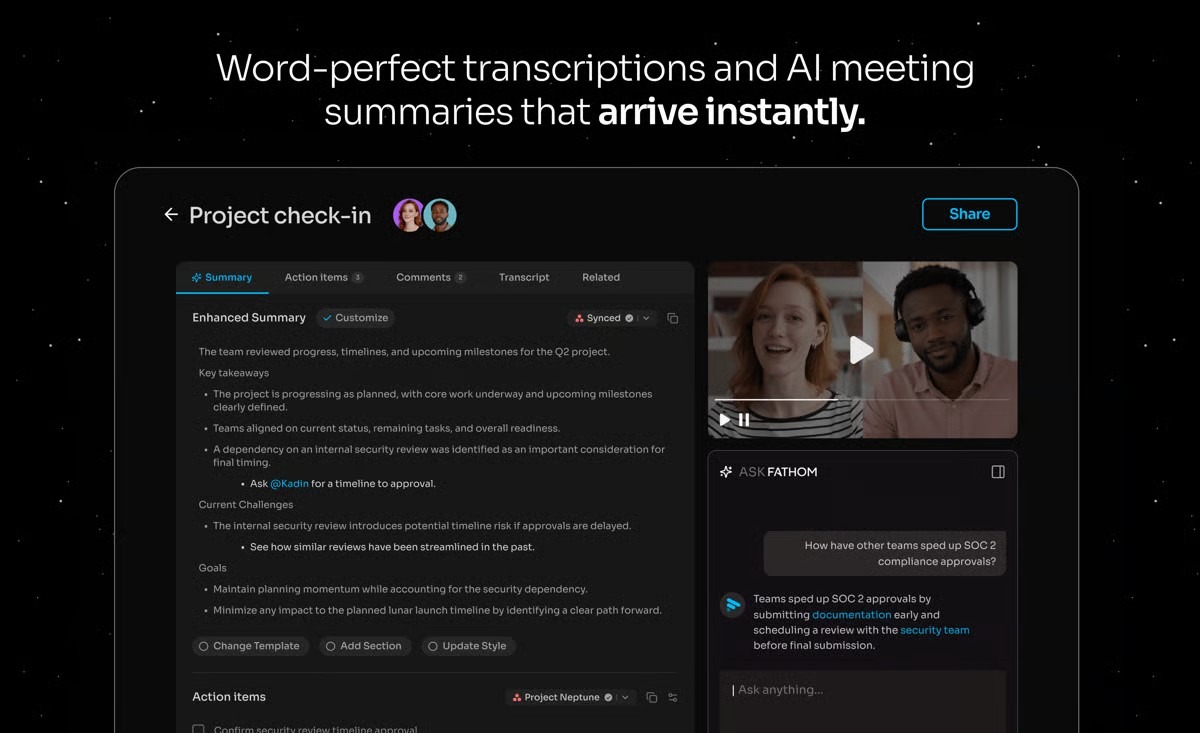
Fathom is an AI meeting note-taker with a free plan that includes unlimited recordings, transcriptions, and storage. It also offers bot-free capture, real-time highlights, AI-generated summaries, and scorecards.
One of Fathom’s strengths is its full audio and video capture, including screen sharing. For investors, that means you can revisit the complete conversation and review founder presentations, reactions, and other details that a transcript alone would miss.
Its Deal View feature helps you pull every conversation on a single opportunity into one place, showing who's who, what matters and where things stand, and pushes the details into Salesforce or HubSpot automatically. Fathom is SOC 2 Type II, HIPAA, and GDPR compliant, and it has undergone security reviews by Zoom
Key features
Dual Capture Modes: Fathom records either via a visible “Fathom Notetaker” participant or as a bot-free capture that adds no one to the call.
Unlimited Free Recording: The free plan carries no cap on recordings, transcription, or storage.
Real-Time Highlighting: One click marks a traction claim or a red flag as it is said, rather than hunting for it afterwards.
AI Scorecards: Fathom auto-grades calls against criteria you define, which maps onto screening founders against a consistent rubric.
ChatGPT and Claude Integrations: Fathom integrates with both, so you can pull insights and draft follow-ups from your call history.
CRM Field Sync: Call logs and structured notes are written to Salesforce and HubSpot, with field-level sync in business.
Summary Templates: Fifteen or more templates are available from the Premium tier.
Portfolio Program: VC-backed startups get up to two years free, a perk a fund can pass to portfolio companies.
SOC 2 Type II: Compliance covers SOC 2 Type II, GDPR, and HIPAA, with SSO and SCIM available.
Pricing
Free: $0. Unlimited recordings, transcription and storage, with advanced AI summaries on the first five calls a month
Premium: $20 per month, or $16 billed annually. Removes the summary cap and adds summary templates
Team: $19 per user per month or $15 per user billed annually. Shared folders and team collaboration
Business: $34 per user per month, or $25 billed annually. CRM field sync, AI scorecards and SSO
What Fathom users love
Accurate AI summaries make client and team meetings easier to document
"We use it to take notes during conversations with our clients and within the team, and we’re really happy with how accurate the AI summaries are." (G2)
Strong integrations and a simple user experience
"Simplicity, how seamlessly it connects with other tools, the integrations, and the overall UX are what I like most." (G2)
Questions help teams learn from patterns across customer calls
"The Questions feature is great for us to compare with other calls and create more structured scripts with answers that we see are getting better reactions for customers." (G2)
What Fathom users flag
Meetings can go unrecorded when hosts block the notetaker
"Occasionally, a meeting host won’t allow the Fathom notetaker to join, so the meeting isn’t recorded or transcribed." (G2)
Technical jargon can trip up the AI summary
"The AI summary might misinterpret technical jargon or niche industry terms, requiring a quick manual edit." (G2)
Some accessibility elements are not clearly labeled
"There are some screen reader accessibility issues with it, some elements being unlabeled." (G2)
Notes that never reach the deal record?
Jamie logs your summary, transcript, and action items to DealCloud on Team and Affinity on Enterprise, alongside HubSpot, Salesforce, Attio, Pipedrive, and Dynamics 365 from Pro, plus your own webhooks, API, and MCP clients.
8. MeetGeek
Best for: Investors who need to pull a specific figure back out of a call weeks later without reopening the transcript.
Similar to: Fireflies, Otter, tl;dv
Source: MeetGeek
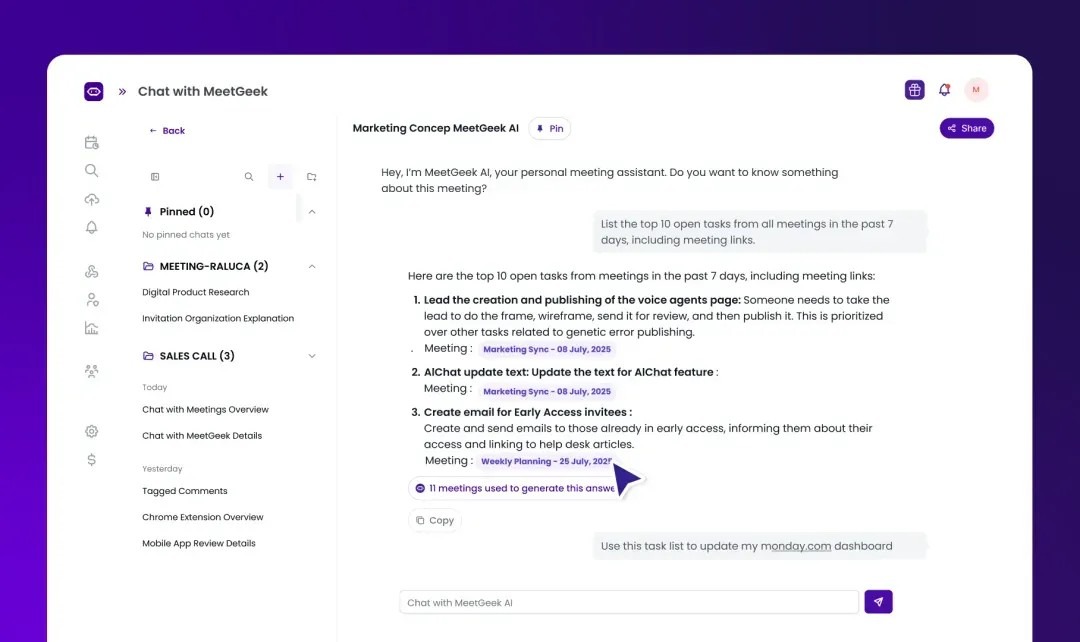
MeetGeek is a meeting assistant designed to retrieve information from past conversations. Its finance workflow covers budget reviews, vendor negotiations, financial reviews, and investor updates, letting you ask questions in plain language instead of searching transcripts.
It supports Google Meet, Zoom, Microsoft Teams, and Webex, with CRM integrations on Pro, including HubSpot, Salesforce, Affinity, Attio, and Pipedrive. Security includes SOC 2 Type II, GDPR, CCPA, HIPAA BAA, and 256-bit AES encryption.
Key features
Dual capture modes: A bot that joins Zoom, Google Meet, and Teams or bot-free recording on every plan, including Basic, through the Chrome Recorder in the browser or the desktop app on macOS and Windows
Selectable Data Region: Users choose EU or US storage themselves rather than accepting a fixed region.
Recording Consent Notifications: On Business, MeetGeek requests explicit participant approval and tracks consent before recording begins.
CRM Integrations: Affinity, Attio, Pipedrive, HubSpot, and Salesforce connect from Pro, alongside Zapier, Make, and n8n.
Meeting-Type Auto-Detection: MeetGeek identifies the meeting type and applies the corresponding summary format from Pro.
Meeting Analytics: Sentiment and engagement scoring run across calls, which few tools at this price offer.
Agentic Workflows: Workflow automation, voice agents, and API and MCP access are on every plan.
Multilingual Transcription: MeetGeek supports over 100 languages and offers unlimited AI summaries, even on the free plan.
SOC 2 Type II: SOC 2 Type II, GDPR, HIPAA with a BAA on request, and CCPA apply on every plan, including Basic. MeetGeek cites AWS’s ISO 27001 rather than holding one itself.
Free-Plan Retention Limits: On Basic, transcripts are deleted after 3 months and audio after 1 month.
Pricing
Basic: $0 with 3 hours of transcription a month, unlimited AI summaries, full certifications, no integrations and 1 month of audio storage
Pro: $15.99 monthly. 20 hours of transcription, CRM integrations, workflow automation, meeting-type auto-detection, with overages at $0.50 an hour
Business: $27 monthly. Unlimited transcription, team spaces and analytics, consent notifications, custom summaries, 12 months of video storage
Enterprise: Contact sales
Annual billing saves roughly 40%, and all paid plans include a 14-day trial.
What MeetGeek users love
Workflows and integrations are easy to use
"The workflows and connectivity is also easy to use and impressive." (G2)
Meeting notes come in a useful structure
"I really appreciate that MeetGeek provides meeting notes in a structure I can work with, making it super convenient." (G2)
Structured notes make meetings easier to work through
"MeetGeek provides meeting notes in a structure I can work with, making it super convenient." (G2)
What MeetGeek users flag
Summaries can miss small details
"Occasionally the summaries miss small details." (G2)
New meetings can take a while to start recording
"Takes a while to join new meetings." (G2)
The menu can feel more complex than necessary
"I think they have a fairly complex menu, far beyond my needs." (G2)
9. Otter
Best for: Investors who want a familiar, low-friction transcription tool, with live transcription and slide capture on every plan, including the free Basic plan
Similar to: Fireflies, tl;dv, MeetGeek
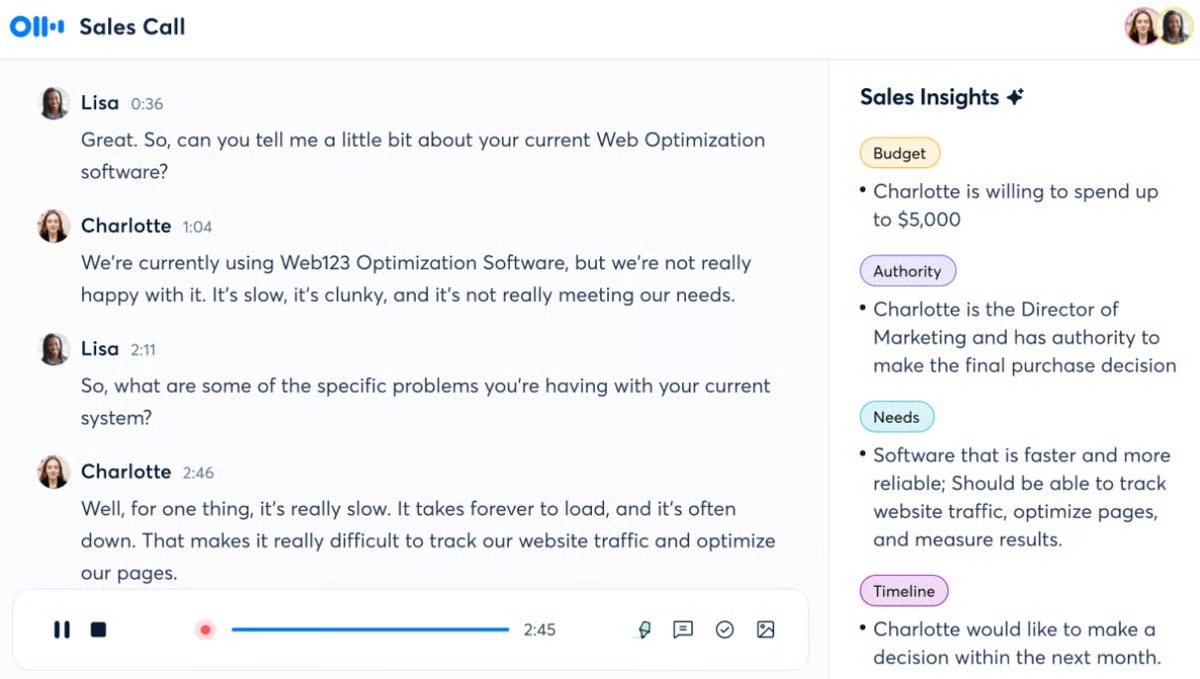
Otter is an AI meeting note taker built around live transcription and searchable meeting intelligence. It transcribes conversations as they happen, captures presentation slides, identifies speakers, and lets users query their meeting history through AI Chat. You can capture meetings through an Otter bot or its desktop app without adding a bot to the call.
Its integrations include Salesforce and HubSpot, while more advanced capabilities to push structured meeting insights into CRM records are reserved for enterprise customers. It also has narrower language support than the other tools in this guide, with six transcription languages, while SSO, SCIM, and HIPAA support is available only on higher-tier plans.
Key features
Dual Capture Modes: Otter records via a bot that joins Zoom, Teams, and Google Meet, or via a desktop app that records without one on Mac and Windows.
Live Transcription: Text appears in real time during the meeting rather than only afterwards.
Automated Slide Capture: Otter captures slides shown during a call and attaches them to the notes.
AI Chat: Questions can be asked from any point in your conversation history.
CRM Integrations: CRM notes sync to Salesforce, HubSpot, Microsoft Dynamics, Monday.com and Zoho from Pro, for one user on Pro, five on Business and unlimited on Enterprise. AI Chat with Salesforce is Enterprise only.
Custom AI Workflows: Configurable workflows are available from the Business plan.
Enterprise Provisioning: SSO, SCIM, domain capture, API and webhooks all sit on Enterprise, alongside a HIPAA add-on.
Multilingual Transcription: Otter supports six languages, the narrowest coverage in this guide.
SOC 2: Compliance covers SOC 2, GDPR and the EU AI Act with SAML SSO, and Otter states it does not train on customer data.
Hard Minute Caps: Free carries 300 minutes a month; minutes do not roll over, and deleted conversations still count against the allowance.
Pricing
Basic: Free plan. 300 transcription minutes a month with a 30-minute cap per conversation
Pro: $16.99 per user per month, or $8.33 billed annually. 1,200 minutes a month, 90-minute cap per call
Business: $30 per user per month, or $19.99 billed annually. Unlimited monthly minutes with a four-hour ceiling per meeting, admin controls and unlimited file imports
Enterprise: Custom SSO, SCIM, domain capture, API and webhooks, HIPAA add-on and the sales note-taker
What Otter users love
Real-time transcription and summaries come together automatically
"What I like best about Otter.ai is how seamlessly it handles real-time transcription and generates concise automated summaries." (G2)
Custom vocabulary helps with company-specific terms
"With Otter.ai's ability to manage vocabulary, I was able to insert various terms and nicknames that we use in-house." (G2)
Recurring Zoom meetings can be captured automatically
"I appreciate that Otter automatically connects with us for our content sprints every week via Zoom calls." (G2)
What Otter users flag
Multiple speakers can confuse speaker identification
"Speaker identification isn't always accurate, especially when multiple people speak over one another." (G2)
Long recordings can take time to process
"Processing very long recordings can be slow. Faster handling of large files would improve efficiency." (G2)
The free plan limits conversations to 30 minutes
"With the free version, conversations are limited to 30 minutes." (G2)
10. tl;dv
Best for: Deal teams that want every call scored against their own diligence framework, so gaps show up before the investment committee finds them.
Similar to: Fireflies, Otter, MeetGeek
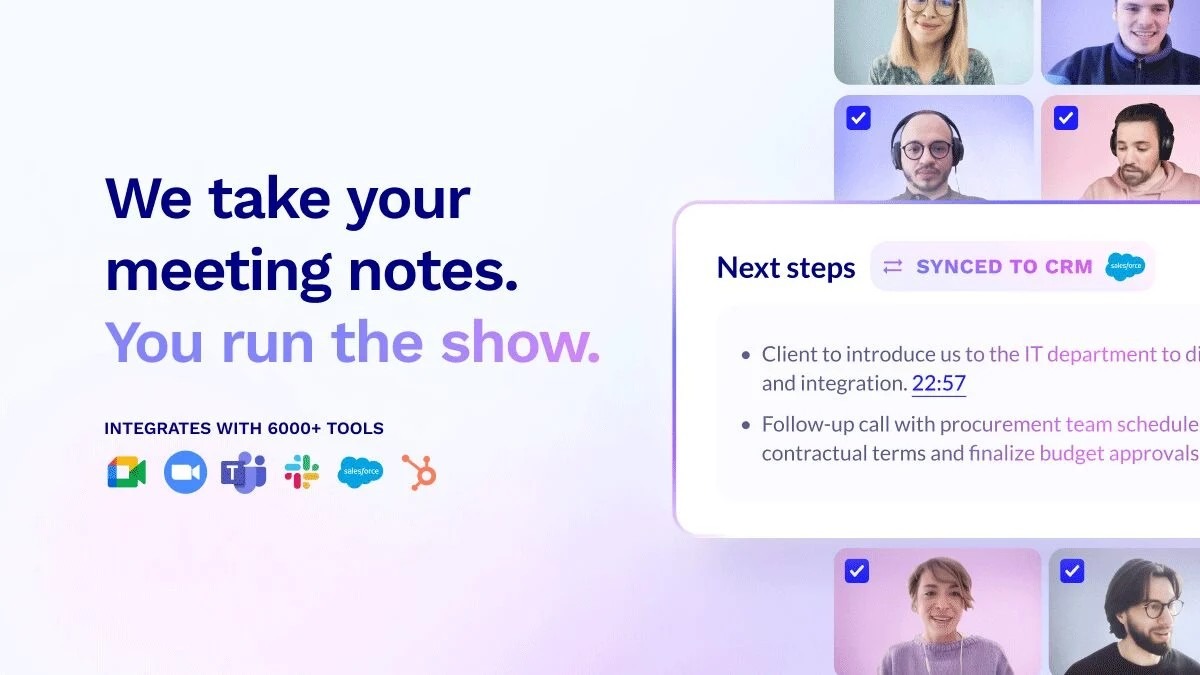
tl;dv is an AI meeting note-taker that records, transcribes and analyzes calls, helping investors apply the same diligence criteria across every founder or management meeting.
Its custom scoring is very helpful for investment teams with juniors who are learning on the job, as it lets them use frameworks such as BANT, MEDDICC or your own checklist to see which questions were covered and where gaps remain. Multi-meeting reports let you query your entire call history, while speaker analytics show who dominated the conversation.
Key features
Dual Capture Modes: tl;dv records through a bot on Zoom, Google Meet, and Teams or bot-free through the Mac and Windows desktop apps.
Deal-Framework Auto-Fill: tl;dv populates MEDDICC, BANT, or custom frameworks automatically after the call.
Multi-Meeting AI: In business, reports query the full call history at once rather than one meeting at a time.
CRM Sync: Automatic HubSpot and Salesforce sync is available at Pro, along with an email follow-up drafter.
MCP Access: From Pro, you can query your meetings from Claude or ChatGPT.
Coaching Playbooks: Business scores calls against a playbook and surfaces cross-meeting trends.
EU Data Centers: tl;dv hosts on AWS, Google Cloud, and Hetzner in ISO 27001-certified European data centers, with private AI hosting on Enterprise.
AI processing location: Summaries run on Anthropic models, hosted in the US by default, or in the EU through Google Vertex AI if you set that in your account.
Multilingual Transcription: tl;dv supports 30+ languages with automatic detection mid-call.
SOC 2 Type II: Compliance covers SOC 2 Type II, GDPR, and the EU AI Act, with AES-256 at rest, and tl;dv states recordings are not used to train its models.
Pricing
Free Forever: $0. Unlimited recordings and transcription, but AI summaries are capped for the lifetime of the account rather than monthly, and recordings are deleted after three months
Pro: $29 per user per month, or $18 billed annually. Custom AI prompts, CRM sync, unlimited AI prompts and template summaries
Business: $39 per user per month, or $29 billed annually. Multi-meeting AI, team-wide analytics, coaching playbooks, advanced security and SSO
Enterprise: Custom. Private AI hosting
A three-hour session cap applies on every plan.
What tl;dv users love
Supports multiple sales methodologies out of the box
"TL;DV is easy to implement, manage, and use. It offers flexible AI-powered analysis with support for multiple sales methodologies, making it particularly valuable for sales." (G2)
A clean interface makes the meeting library easy to navigate
"The tl;dv website interface is incredibly clean and intuitive, making it a breeze to navigate your video library and edit clips with zero learning curve." (G2)
Lets users control who can access recordings and extract patterns across meetings
"I can set it up so it only connects when I need it, I can save my recordings in specific folders, I can share with only particular people, and I can extract patterns across multiple meetings." (G2)
What tl;dv users flag
Some AI capabilities require an upgrade
"You can't really interact more if you don't upgrade." (G2)
Users want more control over AI-generated output
"Well, though they have transcripts, I still need my own AI agent to make it to my own tone. I also want it to be able to do multi-language transcription." (G2)
The meeting bot appears as another participant
"I honestly don't necessarily like the fact that it shows up as another person in our meetings." (G2)
How to Pick the Best AI Meeting Note-Taker for Your Deal Meetings
Choosing the right tool comes down to what your firm actually needs from a conversation, whether that’s a sharp memo structured for an investment committee (IC), zero raw audio stored to protect sensitive founder IP, or a searchable deal database that automatically populates your CRM.
Choose Jamie if you want every management presentation, expert call and boardroom meeting captured as a decision-ready note without a bot in the attendee list, and you would rather have templates by meeting type, cross-meeting speaker memory, EU processing, and DealCloud or Affinity logging from one platform than assemble them from three.
Choose Fellow if governance is the part you care about most. It can redact MNPI before anything is stored.
Choose Zocks if your policy is that no audio or video recording of a client conversation should exist. You still get a complete transcript, archivable through Smarsh or Global Relay.
Choose Granola if you’re the kind of person who scribbles notes during a founder pitch and wants the final memo to reflect your own judgment rather than read like a transcript.
Choose Circleback if you need SOC 2 Type 2 and HIPAA coverage without negotiating an enterprise contract. It’s especially useful if you find yourself talking to the same management teams repeatedly.
Choose Fireflies if you are trying to find out what exactly someone said some months ago. The trade-off is that the bot must join the meeting to provide reliable speaker labels.
Choose Fathom if seeing the meeting matters, not just hearing it. A founder’s reaction, hesitation, or body language can tell you something a transcript won’t. Deal View also lets you pull the calls associated with an opportunity into one place.
Choose MeetGeek if the partner deciding on a deal attended only a third of the calls, then anyone needs to pull a figure from a conversation they weren't in.
Choose Otter if your pitches are deck-led and you want the slides captured with the transcript, not just what was said about them.
Choose tl;dv if you want every call scored against your own diligence framework so gaps surface before the IC finds them.
Final Verdict: What Is the Best AI Meeting Note-Taker for Investors?
The best choice of AI note-taker for investors is the one that eliminates the need for manual work rather than just postponing it; although accuracy, the range of integrations, and pricing are all important, it is whether the notes produced after an expert call can be taken directly to an investment committee without having to rewrite them that makes the difference.
Want to see how deal calls get captured without a bot in the room and without the write-up? Download Jamie for free to try it on your next management call. Or book a demo to see how European deal teams have set it up.
Frequently asked questions about AI Meeting Note Takers For Investors
What is the best AI note-taker for private equity and venture capital?
Jamie and Fellow publish dedicated private equity pages, and Fireflies, MeetGeek, Granola and Circleback all publish investor or venture pages of their own. Zocks is built for financial advisors rather than deal teams."
Do AI note-takers work for in-person management presentations?
Some do. Jamie, Zocks, Circleback, Fireflies, MeetGeek and Otter capture face-to-face meetings via mobile or desktop apps. Anything that works by putting a bot into a video call cannot, because there is no call for it to join. If a meaningful share of your diligence happens in a room, check this before anything else on the list.
Can I use an AI note-taker on a call covered by an NDA or involving MNPI?
Yes, but it depends on how the tool handles your meeting data. If you're dealing with an NDA or material nonpublic information, the key questions are pretty straightforward: Where is the audio processed? How long is it kept? Is it used to train a model? And who can access it later?
Jamie deletes the audio once the transcript is ready and keeps processing in Europe. Fellow gives admins the option to delete recordings immediately after processing and to redact sensitive details, such as names and account numbers, before storage. Zocks takes a different approach and never creates a recording in the first place.
The other tools covered here retain audio by default, so you'll want to check their data-handling policies before using them on sensitive calls.
Will a note-taker bot put off a founder or a management team?
Often, yes. An unfamiliar name appearing in the attendee list mid-pitch changes what people say next, and in a live process some counterparties' IT policies block external participants outright. Jamie and Granola never join the call. Zocks joins virtual meetings as a labeled participant. Fellow, Circleback, Fireflies, Fathom, MeetGeek, Otter, and tl;dv all offer bot-free capture.
Which AI note-takers log meetings to DealCloud or Affinity?
Jamie connects to DealCloud on Team and Affinity on Enterprise. MeetGeek and Fireflies 1 connect to Affinity, Attio, and Pipedrive on Pro, while Granola connects to Attio and Affinity on Business.
Fellow integrates natively with Salesforce, HubSpot, and Pipedrive. Fathom adds Close CRM. Otter adds Microsoft Dynamics, Monday.com, and Zoho. None of the three publishes a DealCloud or Affinity integration.
If your pipeline runs through a private-capital CRM, this one criterion can narrow the field faster than almost anything else.
Do AI note-takers train their models on my deal conversations?
It varies more than most buyers expect. Jamie states neither it nor its model providers train on your meetings or on any plan. Fireflies, Fathom, Otter and MeetGeek all state they do not train on customer data. Granola is the exception worth knowing about: de-identified training is on by default and off by default only on Enterprise, and the opt-out applies going forward rather than retroactively.
Is there a free AI note-taker good enough for an angel investor or solo GP?
Fathom's free plan offers the most storage: unlimited recordings, transcription and storage, with advanced AI summaries for the first 5 calls a month. Fireflies and MeetGeek both give unlimited AI summaries for free, with tighter storage limits.