Search and Copy & Paste
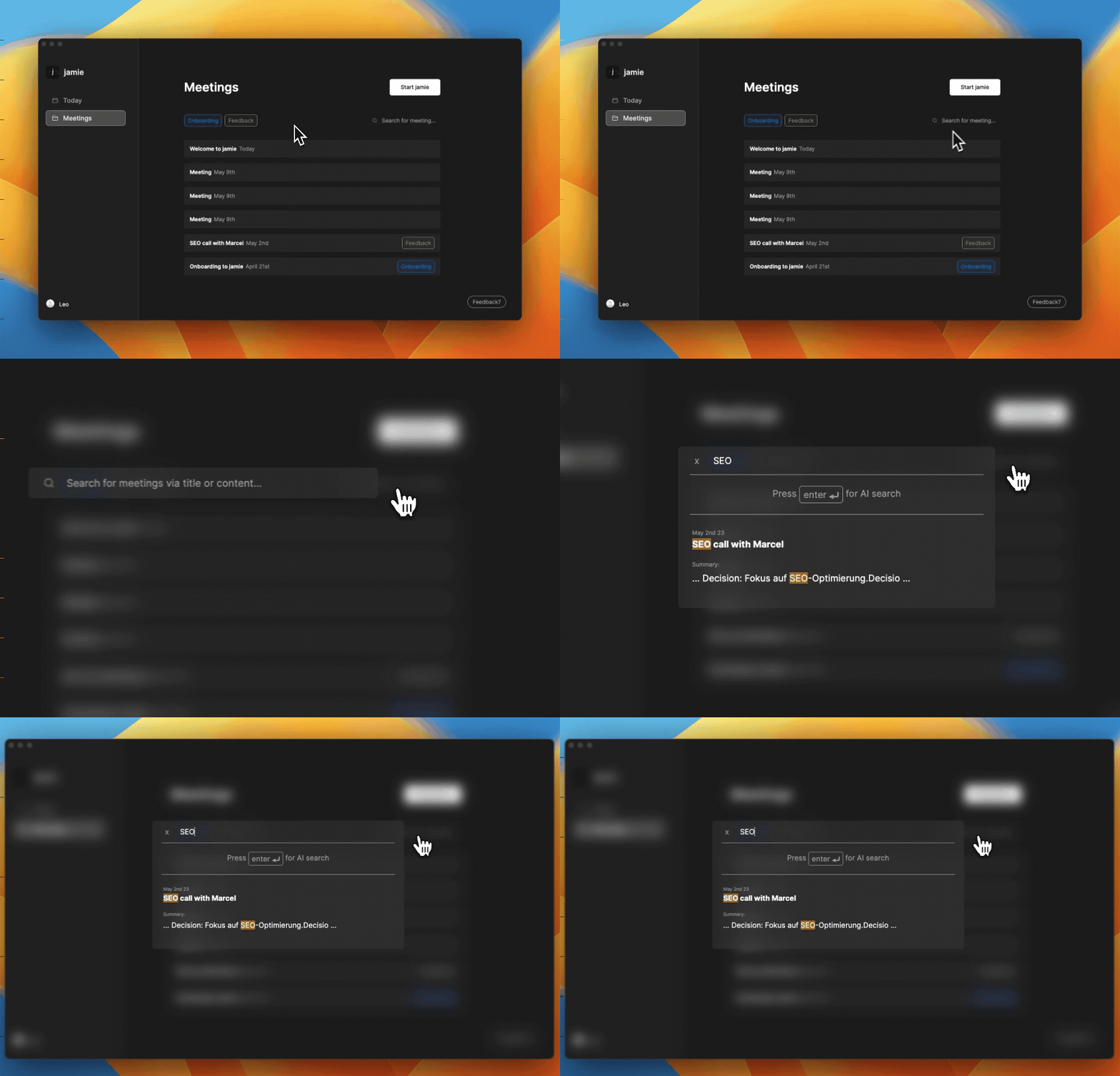
Were you ever looking for specific information of a meeting you had? Us as well. Now, you can search for any keywords across all your meetings inside of jamie easily. It will search through all titles, transcripts, and notes you summarised with jamie. Special shout out to David 🥳.
📋 Copy & Paste
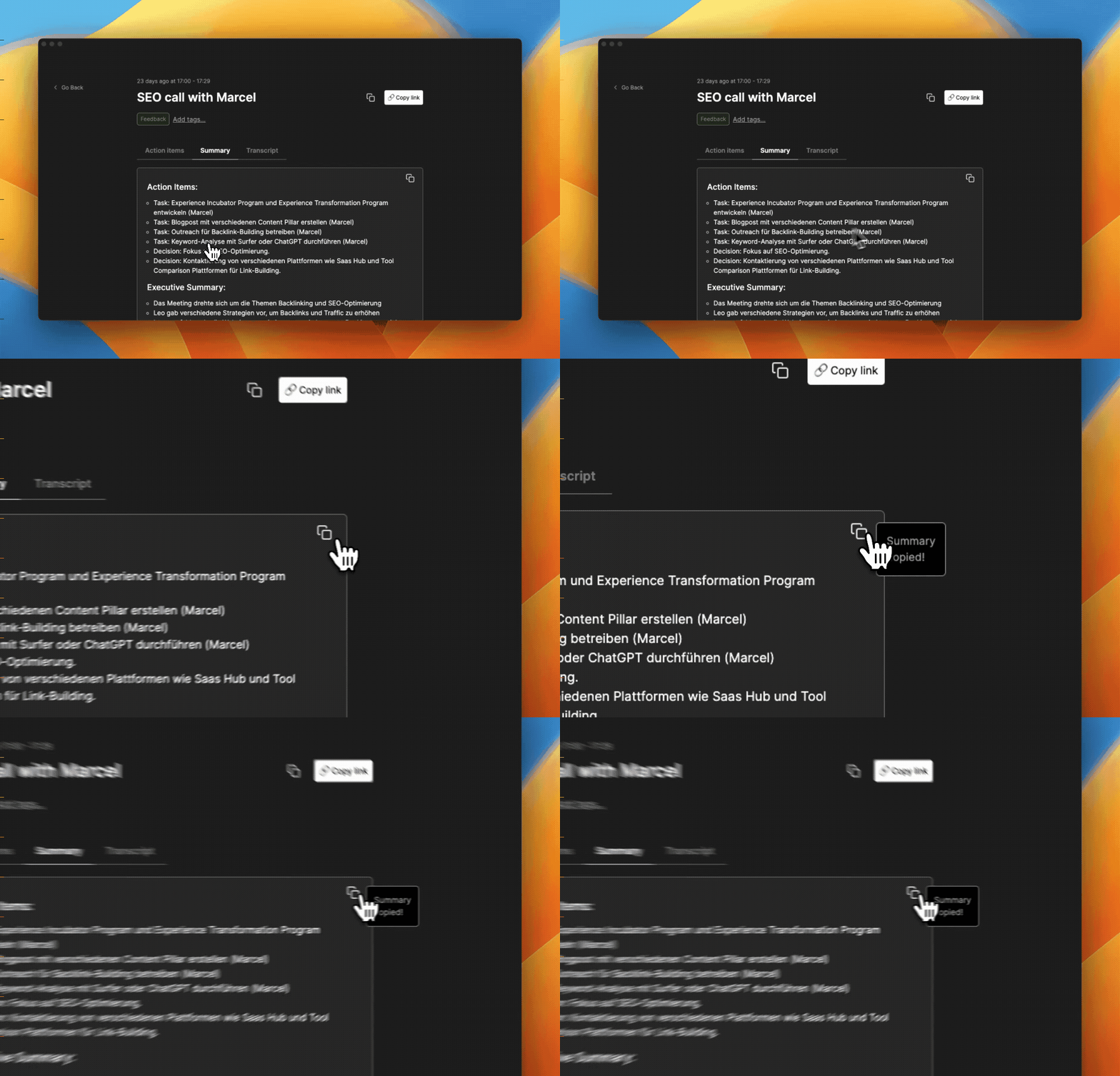
Getting information out of jamie and into other tools you already hard is tremendously important. This is why you can now copy-and-paste single parts of a meeting like the summary, tasks, or decisions. Also, you can copy-and-paste everything at once with a click of a button.
💎 Improvements
Added smiley-based summary rating
Some minor UI improvements
Improvements to auto-updater to allow for one-click updates
Improved windows installer
Added help center links to settings & feedback box
Automatically focus search bar when looking through meetings
🐞 Fixes
Fixed billing bug that created multiple subscriptions when trialing accounts
Added several retry mechanisms to increase the speed of summaries
Replacement of names in the action items section
Wait for driver installation on Mac for headphone mode