Best 10 Airgram Alternatives & Competitors [Updated September 2025]
Sofia
Growth Content Editor
![Best 10 Airgram Alternatives & Competitors [Updated September 2025]](/api/media/payload/Best_10_Airgram_Alternatives_Competitors_Updated_September_2025-vro4md.png)
Looking for the best Airgram alternatives to enhance your meeting productivity in 2025? We've rigorously tested the top tools to help you find the ideal solution for your team's needs.
In this comprehensive review, we'll analyze 10 of the best Airgram alternatives and competitors, diving into their key features, use cases, pricing, pros, and cons.
To provide a well-rounded overview, we:
▶️ Had our team of productivity experts thoroughly test each platform
▶️ Gathered feedback from real users about their experiences and preferences
▶️ Analyzed hundreds of verified reviews across trusted sites
We evaluated a diverse range of meeting tools, from AI transcription solutions to all-in-one collaboration platforms.
First, let's discuss why you might seek Airgram alternatives.
TL;DR
Meeting productivity is the main issue because Airgram often lacks transcription accuracy, customization, and smooth integration into team workflows.
People want tools that capture accurate transcripts with speaker names, support multiple languages, extract action items, protect privacy, work offline, connect with other apps, and help structure conversations.
Jamie supports all of this by delivering high transcription accuracy, real-time speaker recognition, customizable meeting templates, privacy-first offline recording with no bots, task tracking, calendar and Notion integration, and seamless sharing through platforms like OneNote and Todoist.
Other tools specialize in different areas like transcription and editing (Otter.ai, Trint), scheduling and automation (Jifflenow, Sembly.ai), conversation analysis and coaching (Gong, Chorus.ai, Avoma), searchable meeting storage (Fireflies.ai), and voice generation for content (Voicera).
Why You Might Look for Airgram Alternatives
Airgram does offer some notable benefits:
▶️ Real-time meeting transcription for easy note-taking
▶️ AI-generated summaries highlighting key points and action items
However, certain limitations can be problematic for teams with more advanced requirements.
Reason 1: Limited Customization Options
Some users find Airgram's transcription and summarization features too basic for their needs.
As one Product Hunt reviewer noted,
"Airgram assistants are more plentiful then actual video conference participants recently so the product must be catching on. There are several other similar meeting agenda creation, transcript and summary apps and ultimately I am hoping to see them integrate into the video platform as the costs of AI separately in all my business apps as an add on is already not trivial."
This lack of flexibility can be frustrating for teams with specific formatting or branding requirements.
Reason 2: Inconsistent Transcription Accuracy
Despite its AI capabilities, Airgram's live transcription can struggle with certain accents, technical jargon, and poor audio quality.
Another user mentioned,
"nice thing, even though it mostly doesn't distinguish speakers yet."
For teams that rely heavily on accurate transcripts, this inconsistency can be a major drawback.
Reason 3: Limited Integration Options
While Airgram works with popular video conferencing tools, it lacks integrations with many other platforms teams use to manage tasks and share information.
One customer shared their experience, stating;
"I wanted to love this but this product has become a nuisance that frankly isn't worth the trouble. Despite revoking it's access to my calendars, the bot sporadically shows up to zoom meetings -- random meetings at random times often past the meeting start time."
These issues can lead to friction in workflows and reduced productivity.
What Are the Best Alternatives to Airgram?
The 10 best Airgram alternatives and competitors in 2025 are:
Jamie: Best overall for AI meeting assistance and task management
Otter.ai: Leading speech-to-text solution for accurate transcription
Fireflies.ai: Comprehensive meeting assistant with powerful search capabilities
Sembly.ai: AI platform for automating meeting processes and workflows
Jifflenow: Scheduling automation tool for streamlining meetings
Gong: Revenue intelligence platform for analyzing customer interactions
Trint: Speech-to-text solution with advanced speaker identification
Avoma: Meeting lifecycle assistant for scheduling, transcription, and coaching
Voicera: AI voice generation platform
Chorus.ai: Conversation intelligence platform for sales teams
Let's start with an in-depth look at our top pick, Jamie AI.
1. Jamie AI - Best Airgram Alternative Overall
Jamie AI is an innovative, AI-driven meeting assistant that helps teams have more productive conversations and seamlessly takes notes to turn the discussion into action. Trusted by leading companies like Google and Netflix, Jamie AI goes beyond transcription to truly streamline meeting workflows.
We chose Jamie AI as the #1 Airgram alternative because it addresses the core reasons teams seek a better meeting solution, with a more comprehensive and customizable feature set. Here are three key areas where Jamie AI shines:
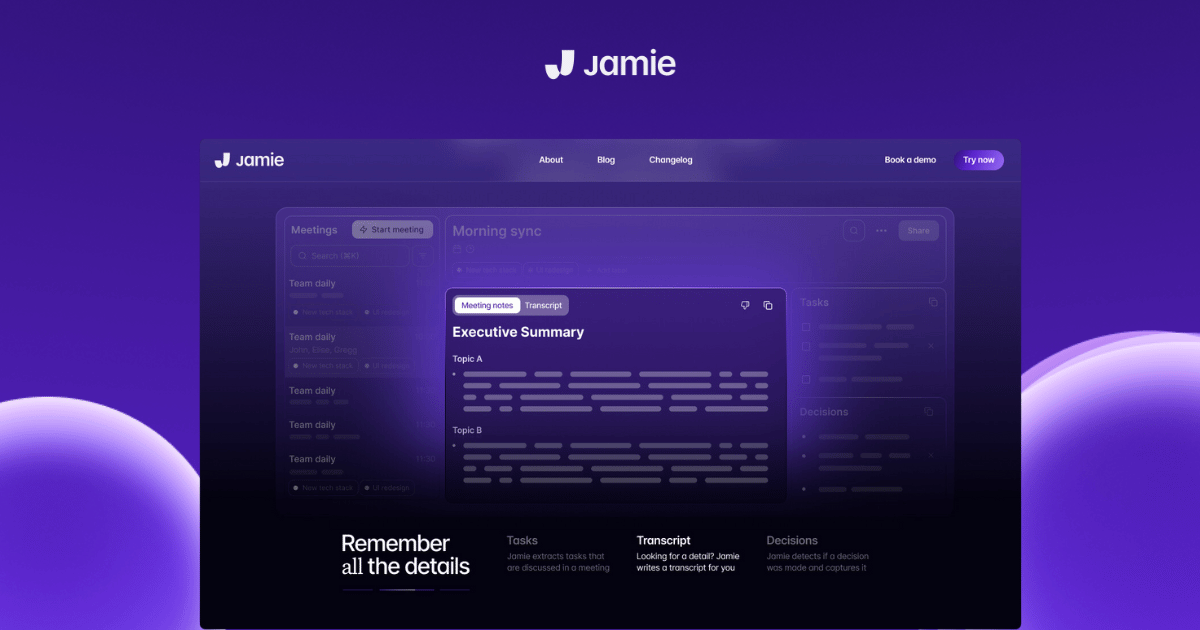
Feature 1: High Transcription Accuracy
Jamie's AI consistently achieves industry-leading transcription precision, even in complex multi-speaker discussions between remote teams. During hands-on testing, Jamie demonstrated an excellent ability to capture nuanced details, jargon, and speaker-specific phrasing and accents. This ensures meeting notes are reliable and concise with zero manual edits required.
Feature 2: Privacy-First Architecture
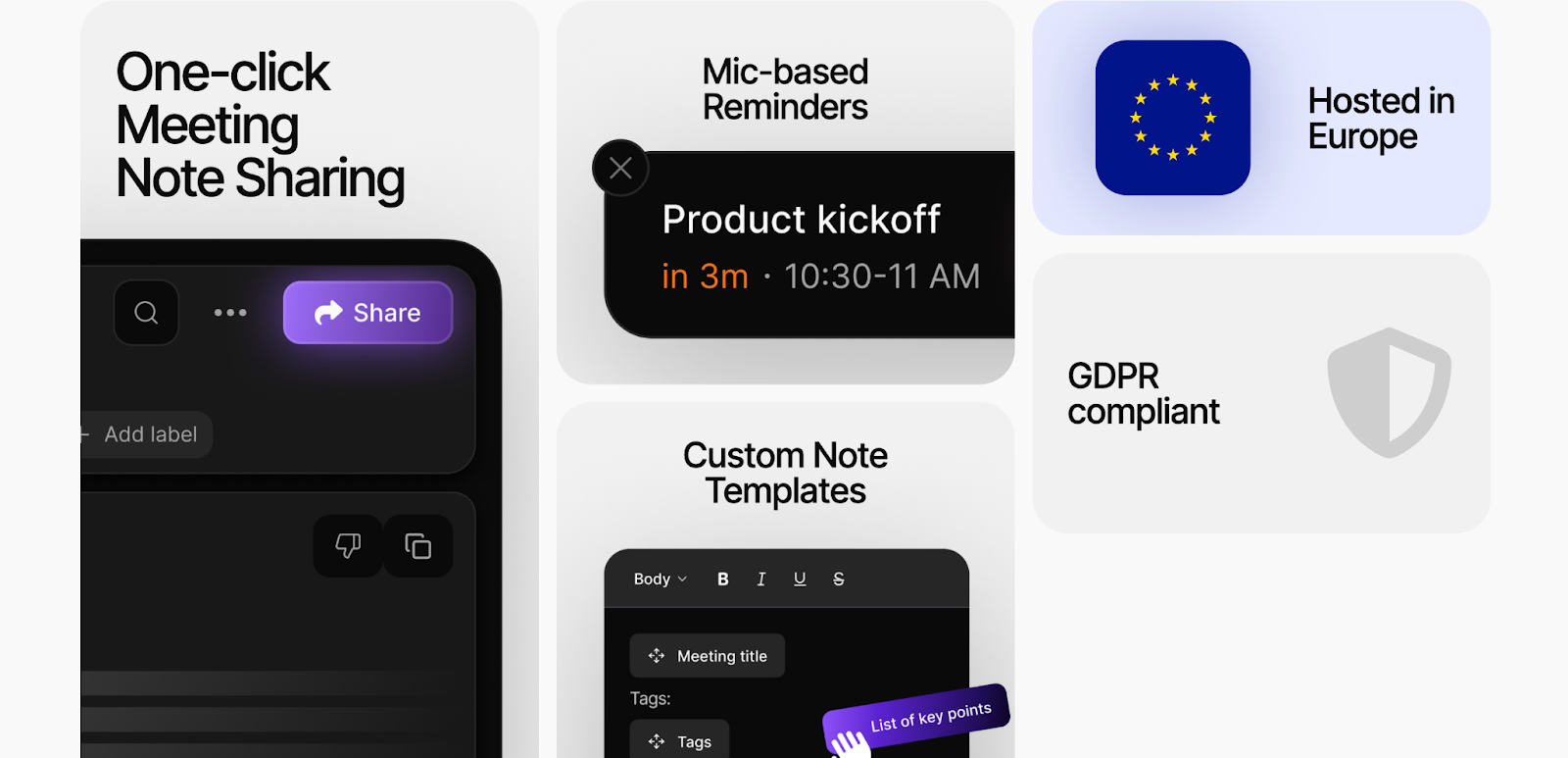
Jamie was built with user data and confidentiality as the top priority. No intrusive bots join video meetings, and Jamie works with any video platform. All data is encrypted end-to-end, processed in accordance with GDPR, and audio is deleted after transcription.
This makes Jamie well-suited for sensitive discussions, deal closing, and regulated industries.
Feature 3: Customizable Meeting Templates
Jamie offers a library of customizable meeting templates to help teams structure their conversations for maximum impact. Whether you're running a sprint planning session, a client check-in, or a brainstorming workshop, there's a template to guide you.
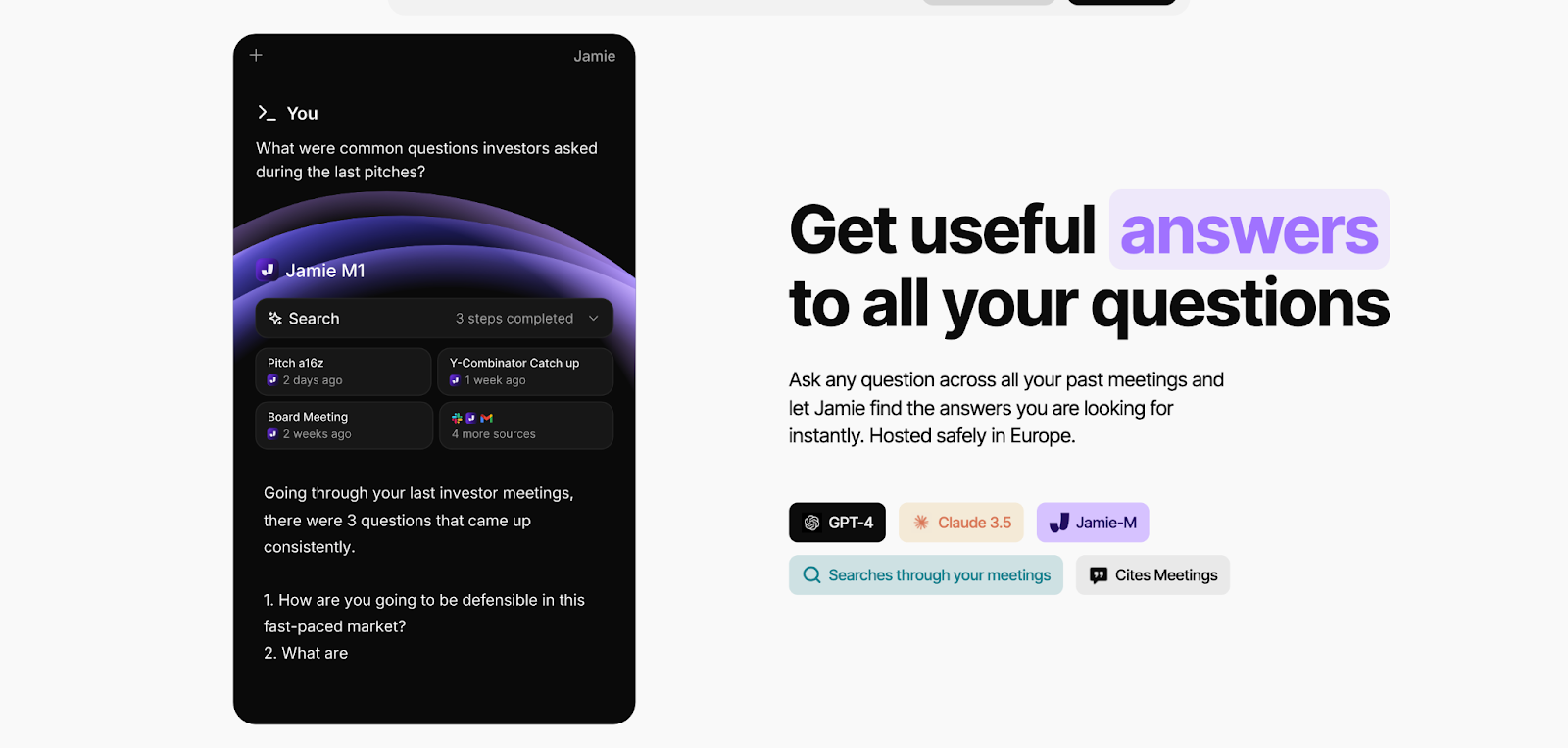
These research-backed frameworks prompt you to cover key topics, ask important questions, and align on the next steps. You can also create your own team-specific templates to institutionalize best practices.
Why It Matters:
Poorly structured meetings are a major drain on productivity. By providing intelligent templates, Jamie AI helps teams have more focused, outcome-oriented conversations that drive projects forward.
Jamie AI Pricing
Jamie AI offers straightforward pricing tiers to support teams of all sizes:
Free plan:
Includes core advanced features like human-grade transcription, speaker identification, and AI chatbot assistant sidebar.
Allows teams to thoroughly evaluate the product before committing to a paid subscription.
Paid plans:
The standard plan at 24€ per month unlocks more meetings per month, more minutes per meeting, and more messages to the AI meeting assistant chatbot.
The pro plan at 47€ per month adds more meetings, minutes, and messages; plus priority customer support
The executive plan at 99€ per month includes unlimited usage, dedicated account management, and customized onboarding.
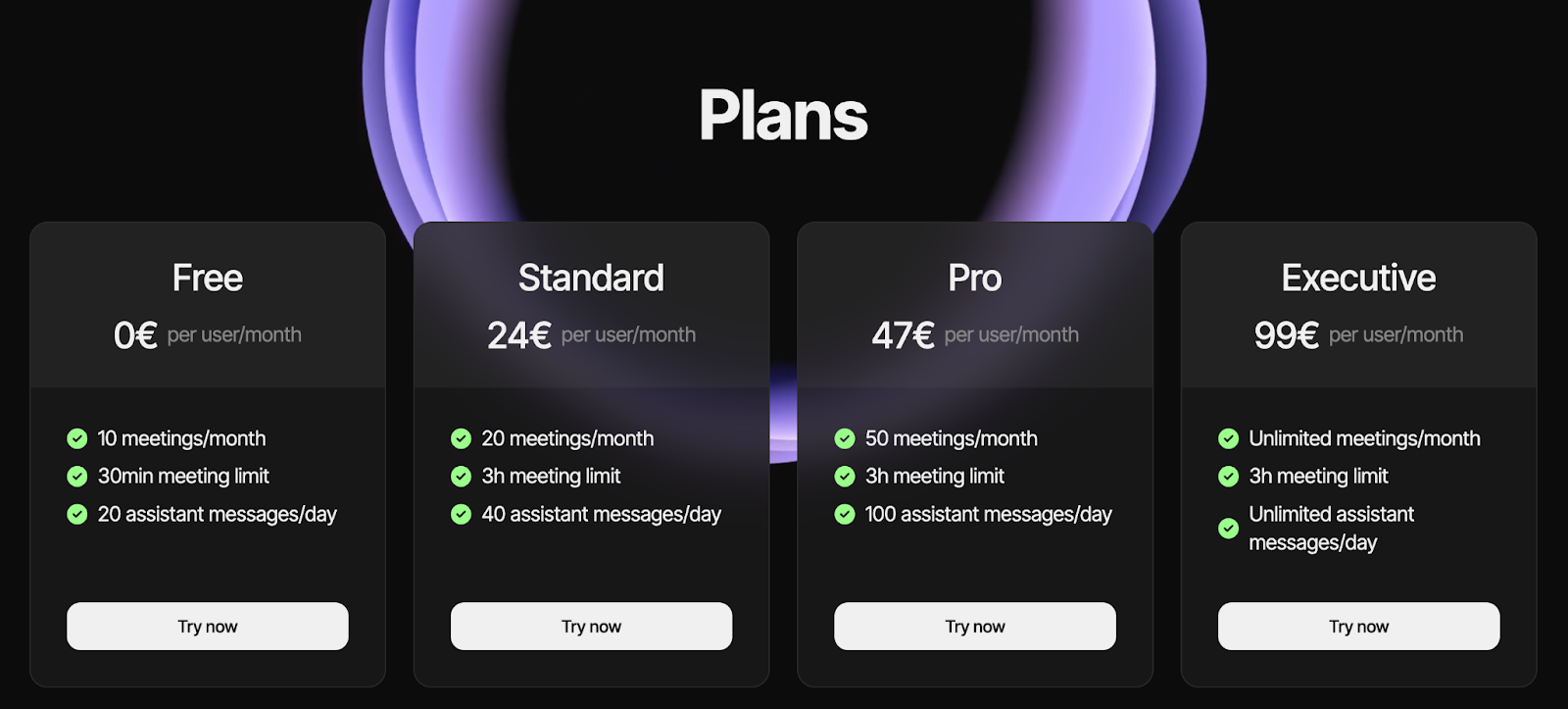
Jamie offers a robust free tier alongside flexibly priced paid plans. Jamie aims to provide value to teams of all sizes and budgets, from individual professionals and early-stage startups to enterprise organizations. Jamie’s pricing is both transparent and accessible.
How Does Jamie AI Compare to Airgram?
While both tools aim to manage meetings and improve meeting productivity, Jamie AI takes a more action-oriented and adaptive approach:
Airgram focuses primarily on transcription and basic summaries
Jamie AI generates actionable meeting notes tailored to your team
Airgram offers limited integrations with other tools
Jamie AI seamlessly connects with your task management workflow
Airgram provides a standard feature set for all teams
Jamie AI enables extensive customization to fit your unique needs
For teams seeking an intelligent solution to not only document but also drive results from their meetings, Jamie AI delivers greater impact and usability.
Jamie AI Pros and Cons
Pros
Generates highly relevant, actionable meeting summaries
Integrates tightly with popular task management tools
Offers customizable templates to structure productive conversations
The free plan includes all core AI capabilities
Cons
Requires some upfront configuration to optimize for your team
More expensive than entry-level transcription tools
Relatively new player with a smaller user community than some alternatives
#2: Otter.ai
Otter.ai is a popular speech-to-text solution known for its highly accurate, real-time transcription. It's used by millions for capturing meeting notes, interviews, and lectures.
Best for: Fast, reliable transcription and speaker identification
Similar to: Trint, Fireflies.ai
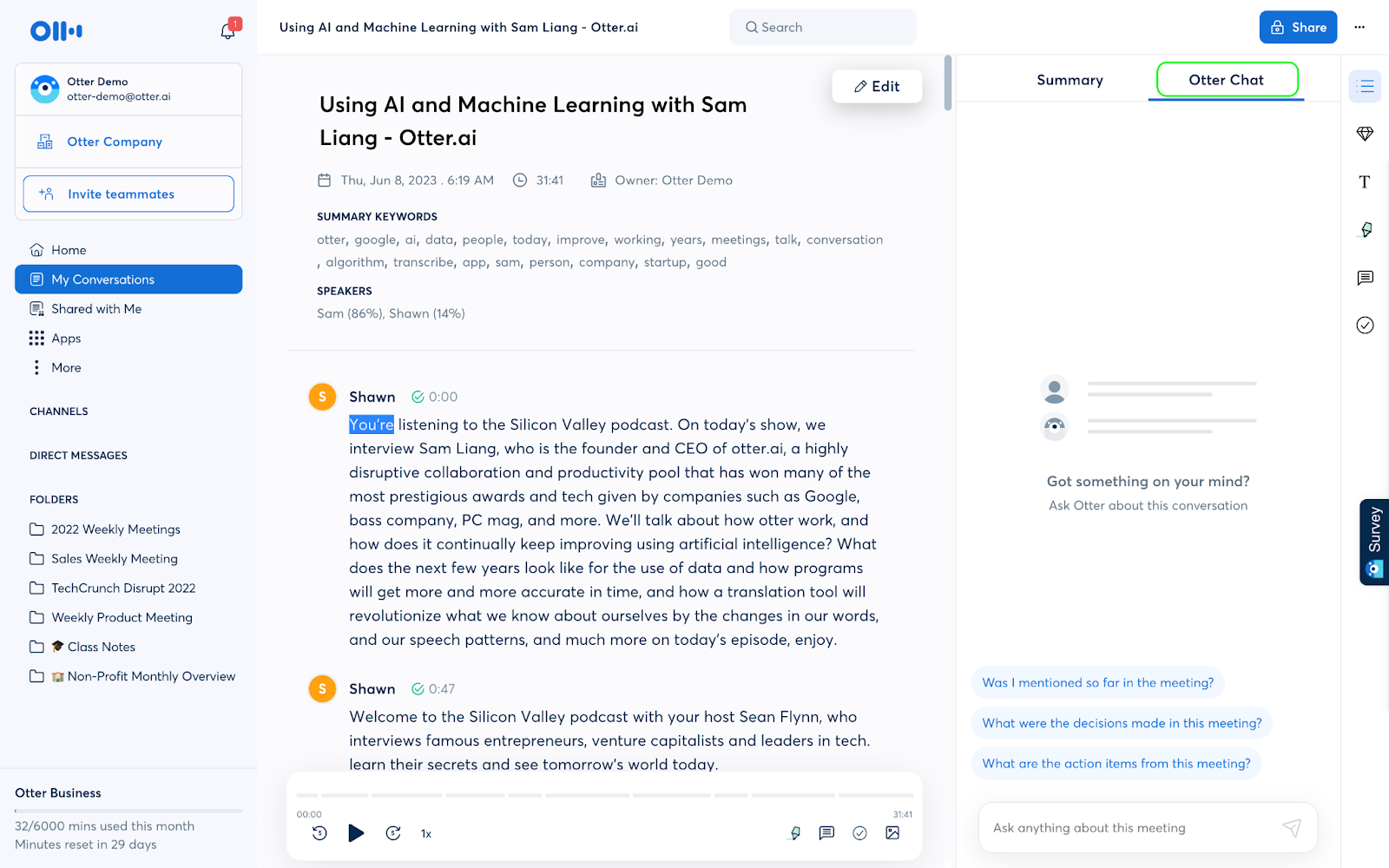
How it differs from Airgram:
Focuses primarily on transcription, with fewer AI-powered features
Offers industry-leading accuracy for multi-speaker conversations
Provides a generous free plan with core functionality
Who Is It For?
Otter.ai is ideal for individuals and teams who prioritize getting a precise written record of their meetings and conversations.
Otter.ai's Top Features
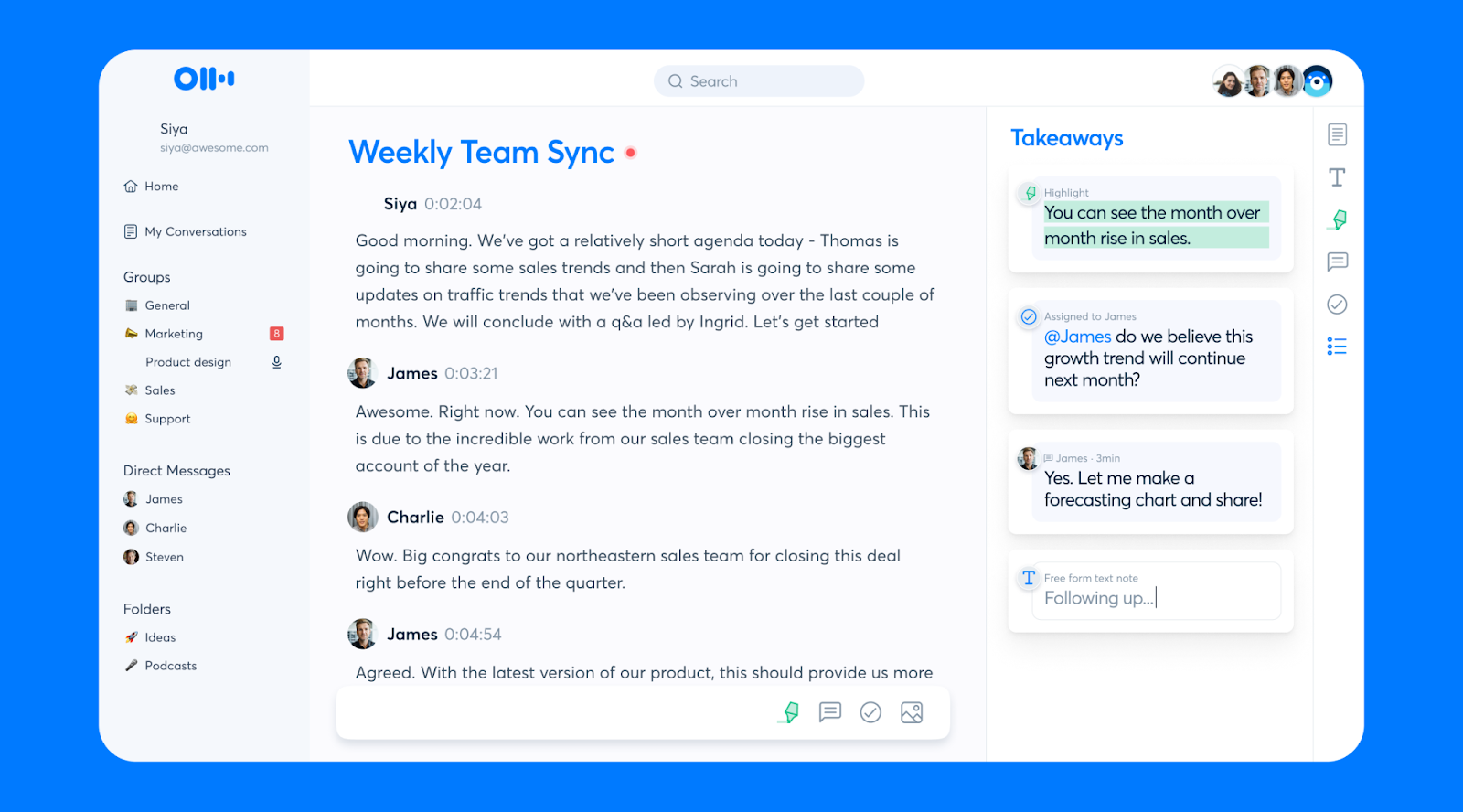
Real-time transcription with high accuracy rates
Automatic speaker identification for easy follow-along
Rich text editor for collaborating on and exporting notes
Mobile app for recording and transcribing on the go
Otter.ai Pricing
Otter.ai offers a range of plans to suit different use cases:
Basic: Free (Includes 300 monthly transcription minutes and core features)
Pro: $8.33/user/month (Unlocks 6,000 monthly minutes, custom vocabulary, and advanced search)
Business: $20/user/month (Adds 6,000 minutes per user, bulk import, and centralized billing)
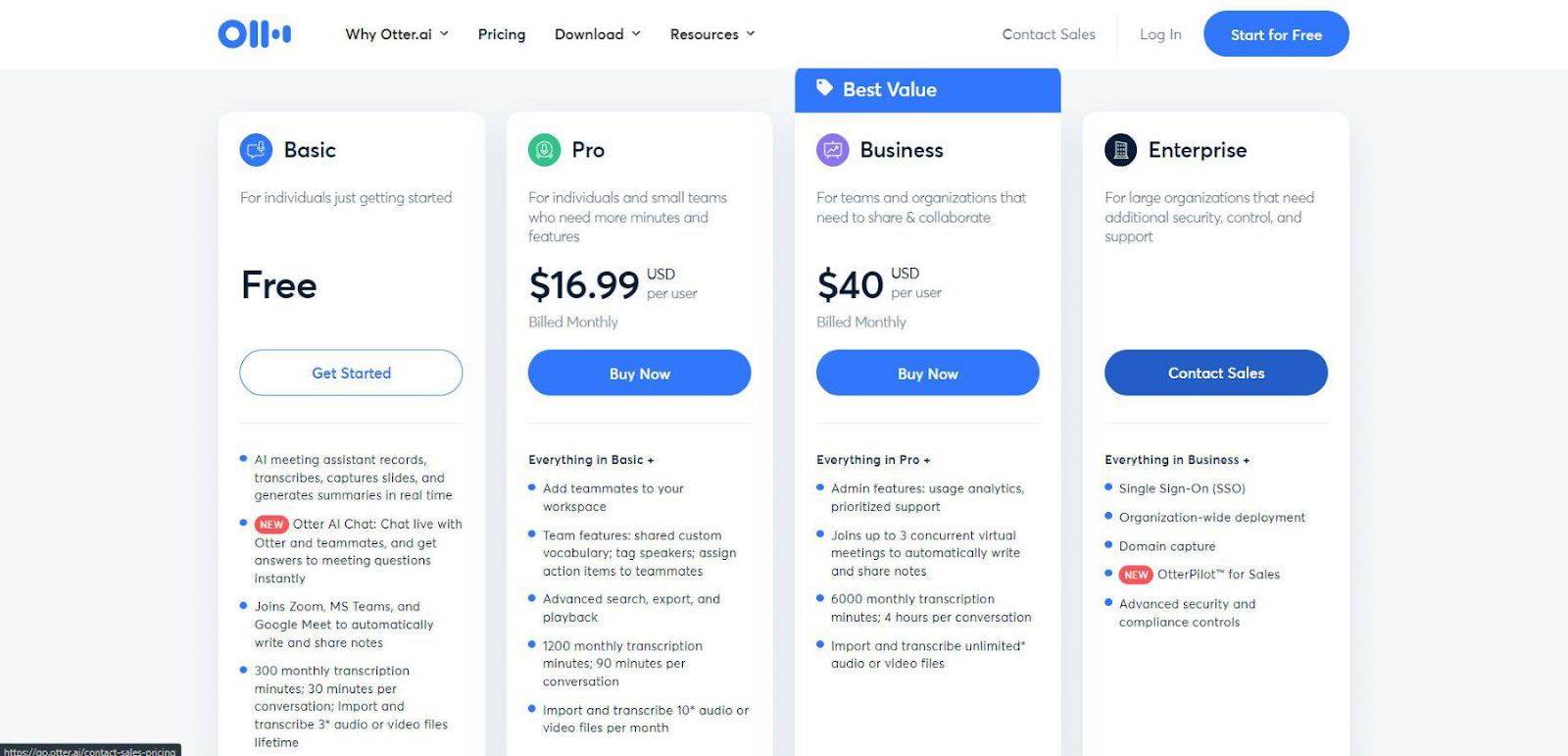
While more affordable than comprehensive tools like Jamie AI, Otter.ai is primarily a transcription solution and may lack some AI-powered meeting features.
Otter.ai Pros and Cons
Pros
Delivers highly accurate speech-to-text in real time
Excels at differentiating and labeling multiple speakers
Offers easy-to-use collaborative notes and export options
Generous free plan and affordable pricing for individuals
Cons
Lacks more advanced AI features like auto-summaries and task extraction
No integrations with task management or productivity tools
Some concerns about data privacy and retention policies
#3: Fireflies.ai
Fireflies.ai is a comprehensive AI meeting assistant that helps teams record, and transcribe meetings, and search across all their voice conversations. Its powerful indexing makes it a popular choice for knowledge management.
Best for: Unified, searchable repository of meeting content
Similar to: Avoma, Jiminny
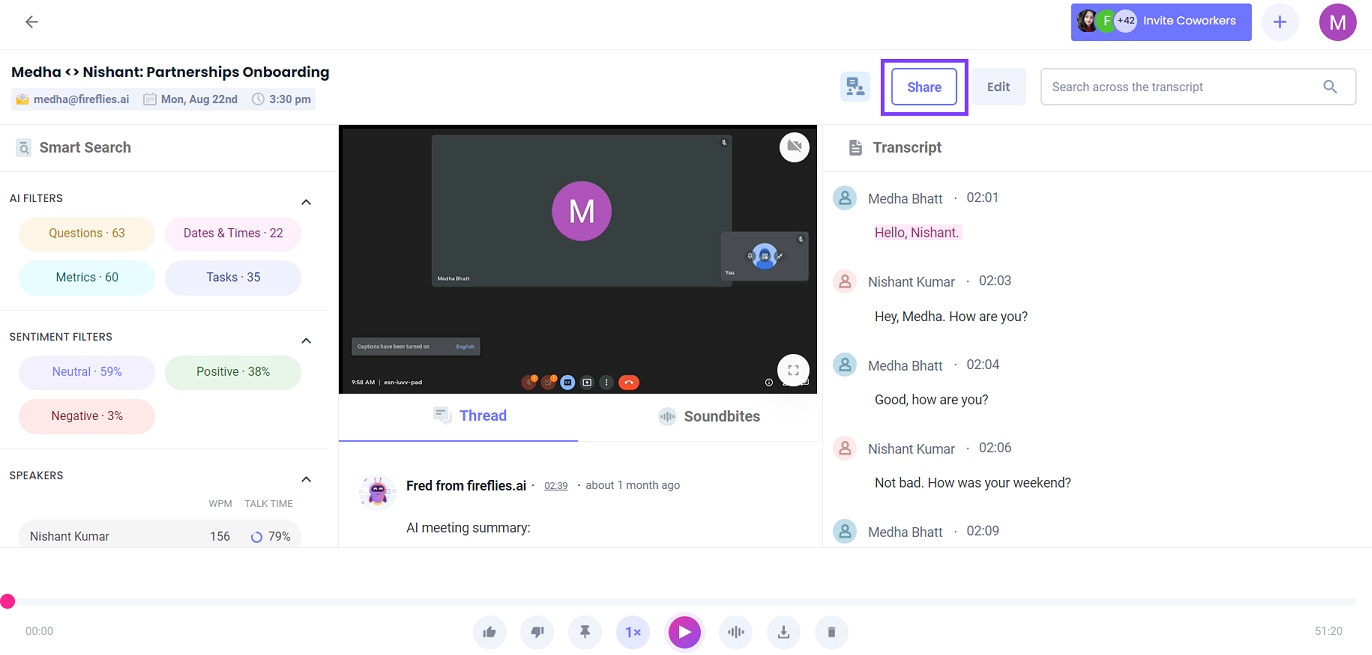
How it differs from Airgram:
Offers more advanced search and filtering options
Provides conversation intelligence insights for sales teams
Includes a free plan with AI-generated notes
Who Is It For?
Fireflies.ai is well-suited for organizations that want to make all their meeting content easily discoverable and actionable. Sales teams find its conversation analytics especially valuable.
Fireflies.ai's Top Features
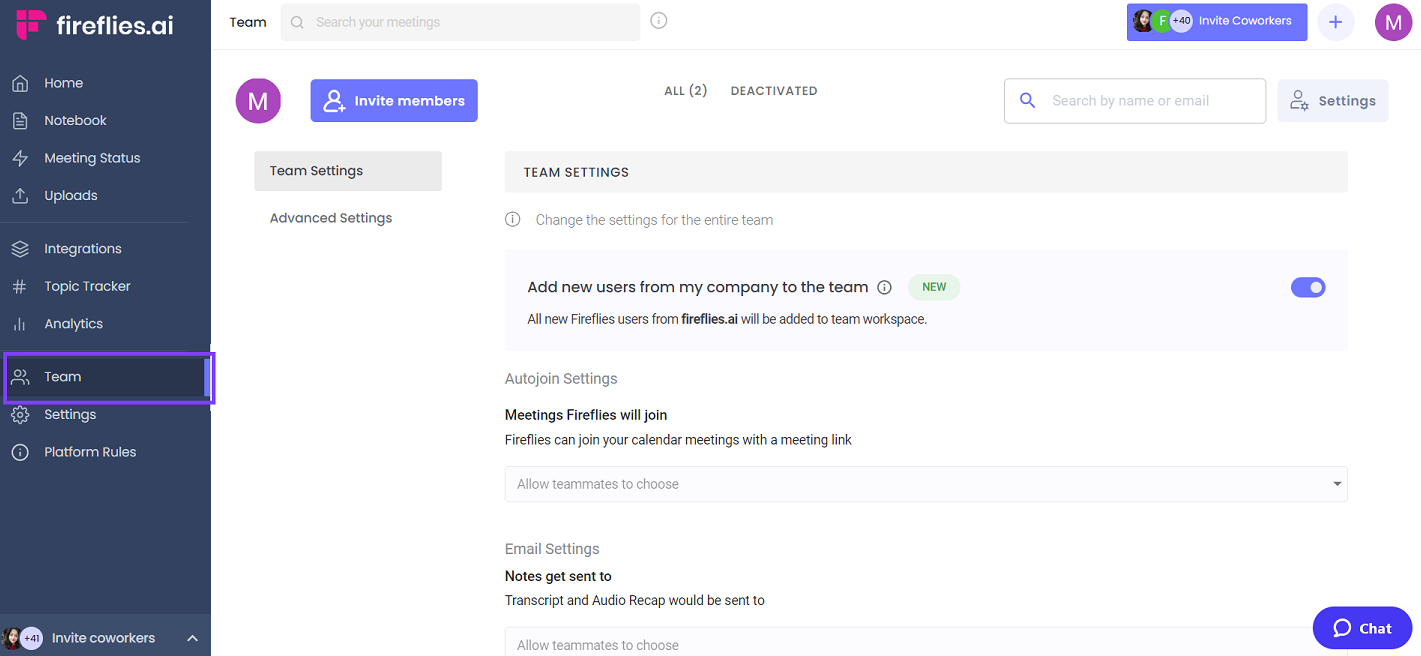
Automatic transcription of meetings from Zoom, Google Meet, MS Teams, and more
Intelligent search with filters for speaker, date, topic, and keywords
AI-generated meeting notes and key point detection
Conversation intelligence dashboard with metrics like monologues, filler words, and pacing
Fireflies.ai Pricing
Fireflies.ai has a usage-based pricing model:
Free: Up to 5 hours of free uploads per month
Starter: $10/seat/month - Adds call sharing, 5 GB storage, and basic integrations
Growth: $19/seat/month - Unlocks API access, SSO, 20 GB storage, and premium support
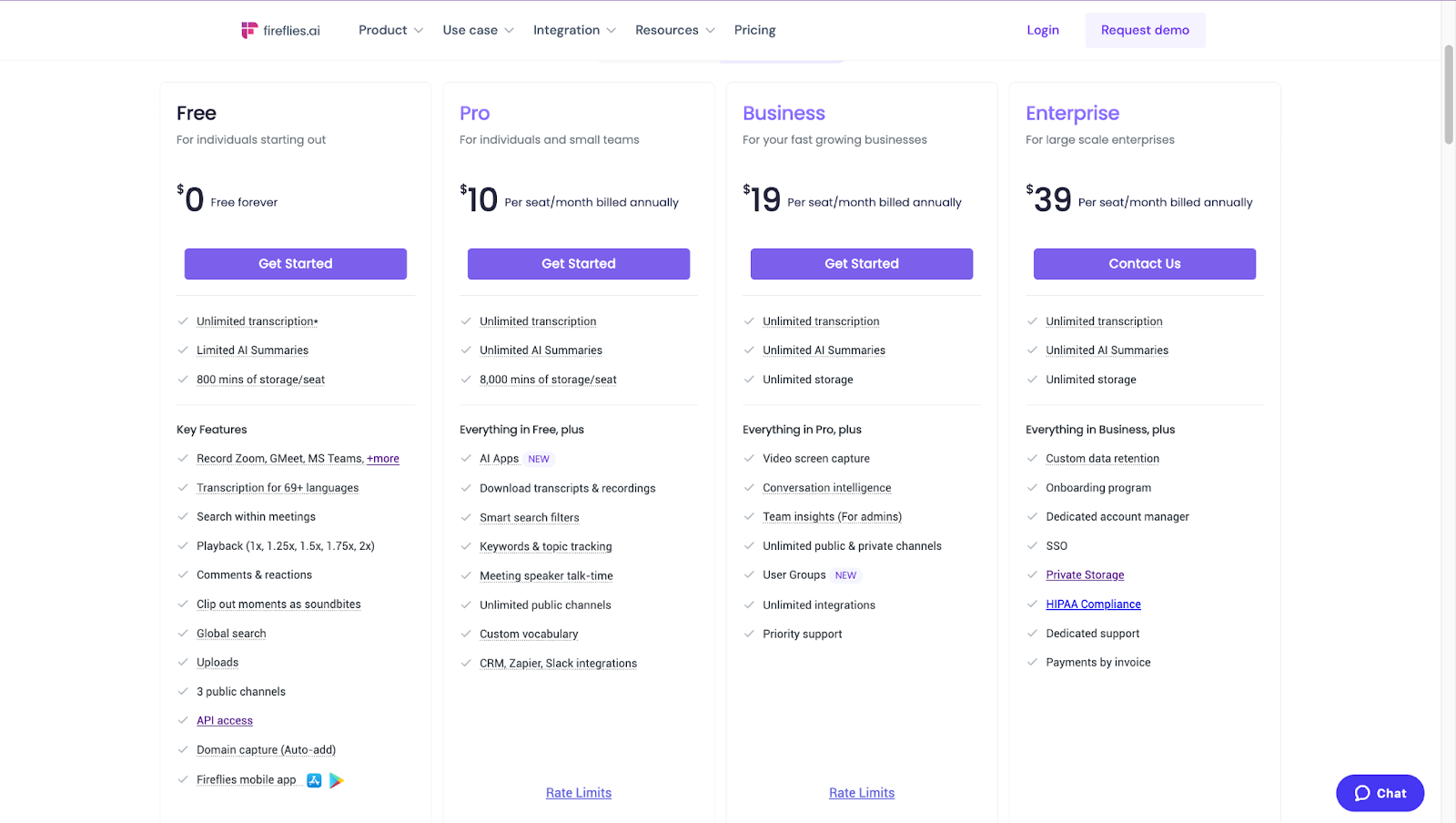
The free tier is generous, but paid plans can get expensive for larger teams. The conversation intelligence features may be worth the cost for sales-driven teams.
Fireflies.ai Pros and Cons
Pros
Provides powerful search and filtering across all meeting content
Offers valuable conversation analytics for improving sales performance
Integrates with the most popular web conferencing and sales enablement tools
Free plan includes unlimited AI-generated notes
Cons
Can become costly for teams that have many meetings
Some reviews note transcription errors with poor audio quality or accents
Dashboard and settings can feel overwhelming for new users
#4: Sembly.ai
Sembly.ai is an AI-powered platform that automates many tedious meeting processes, from scheduling and transcription to analysis and follow-ups. Its goal is to make every meeting more efficient and productive.
Best for: Automating end-to-end meeting workflows
Similar to: x.ai, Jifflenow
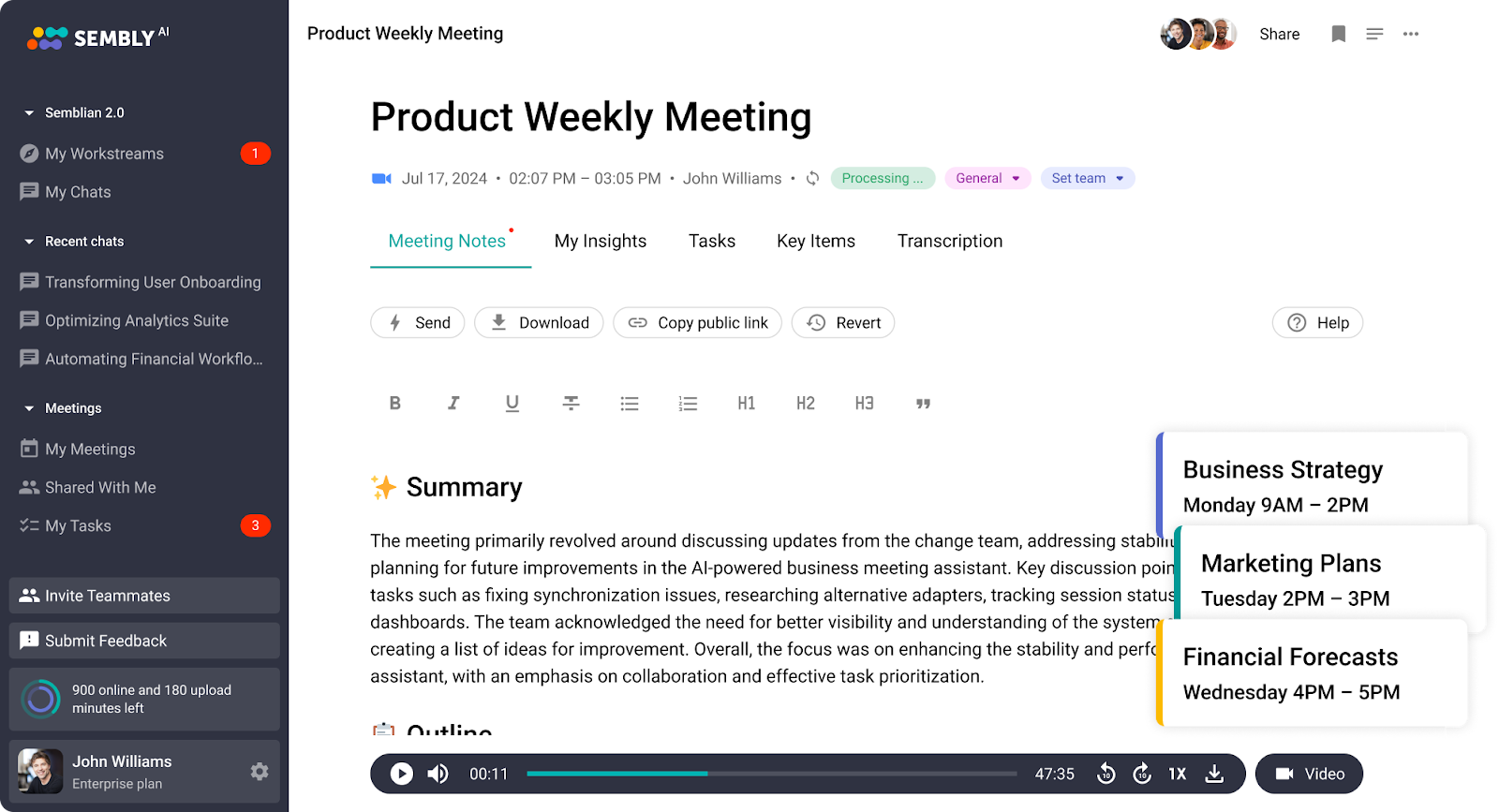
How it differs from Airgram:
Offers a complete suite of tools for before, during, and after meetings
Uses AI to optimize scheduling and automate repetitive tasks
Provides intelligent meeting templates and agenda recommendations
Who Is It For?
Sembly.ai is ideal for teams that spend a significant amount of time on meeting-related tasks and want to streamline the entire process. It's particularly popular among sales, customer success, and project management teams.
Sembly.ai's Top Features
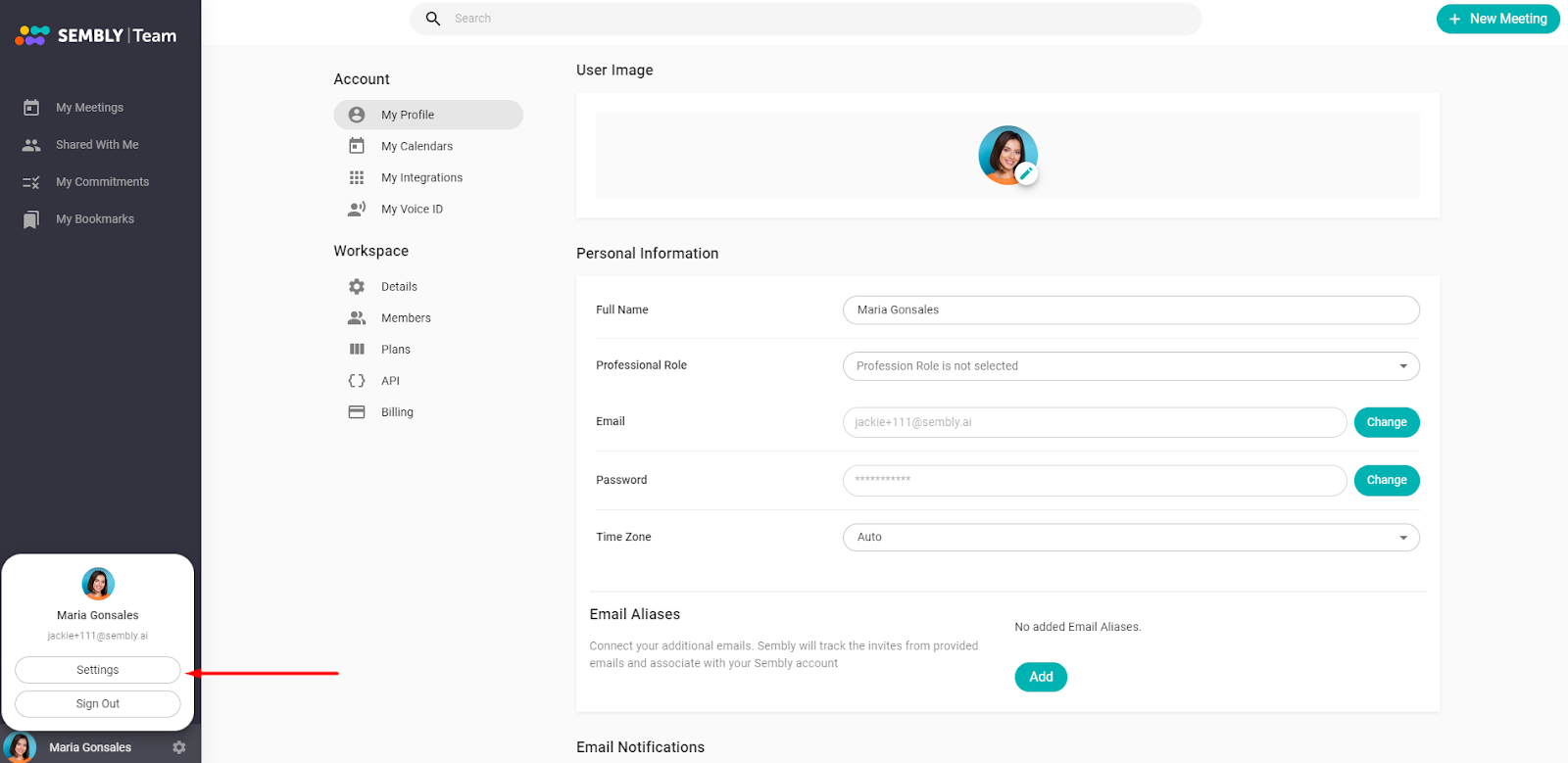
AI meeting scheduling that checks availability and books rooms/call links
Real-time transcription with speaker identification and highlighting
Automatic summary notes with key discussion points, decisions, and action items
Integration with CRMs and project management tools for seamless follow-ups
Sembly.ai Pricing
Sembly.ai offers three tiers of service:
Basic: $15/user/month - Includes scheduling, transcription, and integration with 3 apps
Pro: $25/user/month - Adds custom meeting templates, analytics, and unlimited integrations
Enterprise: Custom pricing - Offers dedicated support, training, and SLAs
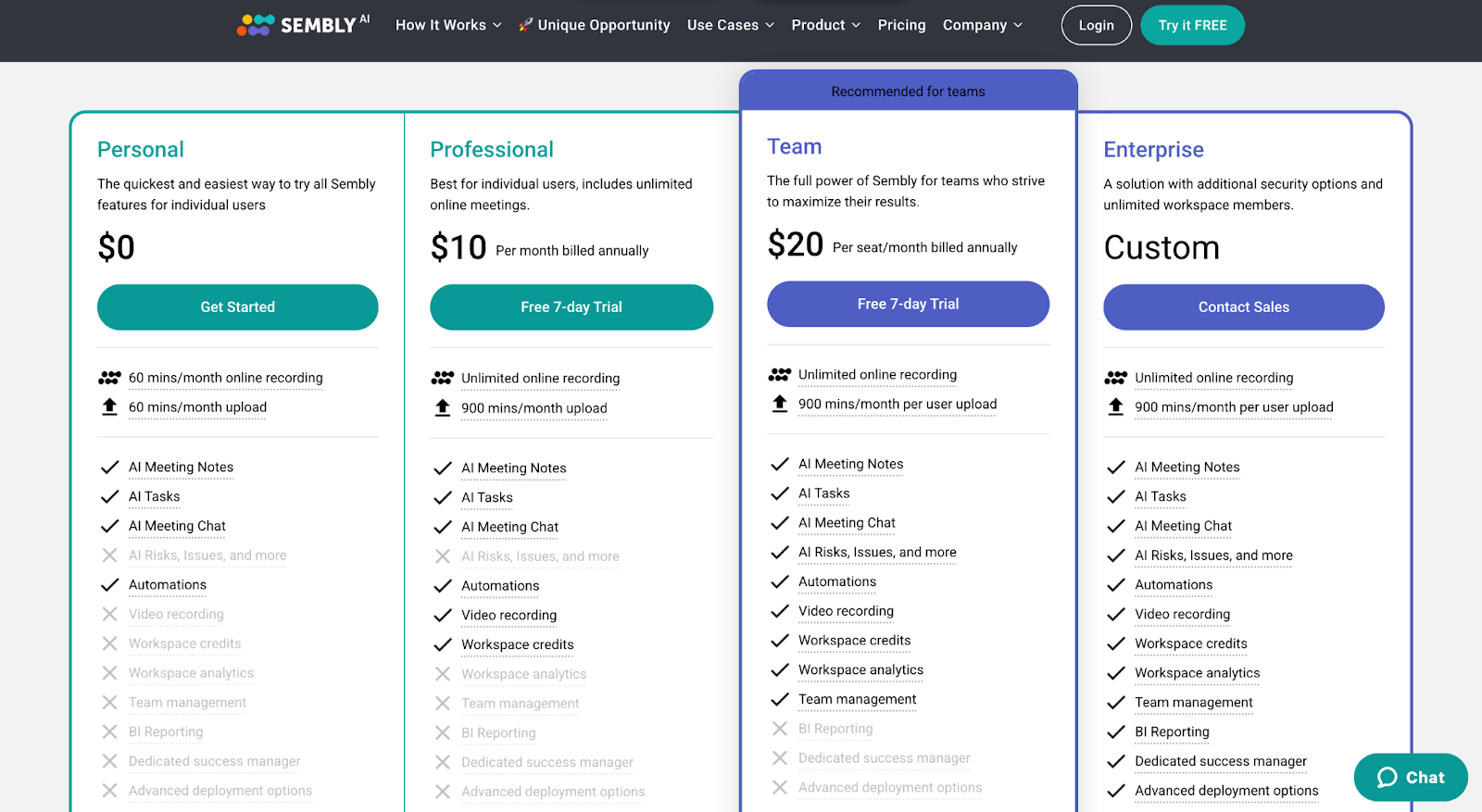
While pricier than some basic transcription tools, Sembly.ai's automation features can result in significant time savings that justify the cost.
Sembly.ai Pros and Cons
Pros
Streamlines the entire meeting lifecycle from scheduling to follow-ups
Saves time with intelligent templates and agenda suggestions
Integrates with a wide variety of productivity and sales tools
Offers a user-friendly interface for managing all meeting-related tasks
Cons
More expensive than standalone transcription or scheduling tools
Requires team-wide adoption to see maximum efficiency gains
Some advanced features like custom templates limited to higher-tier plans
#5: Jifflenow
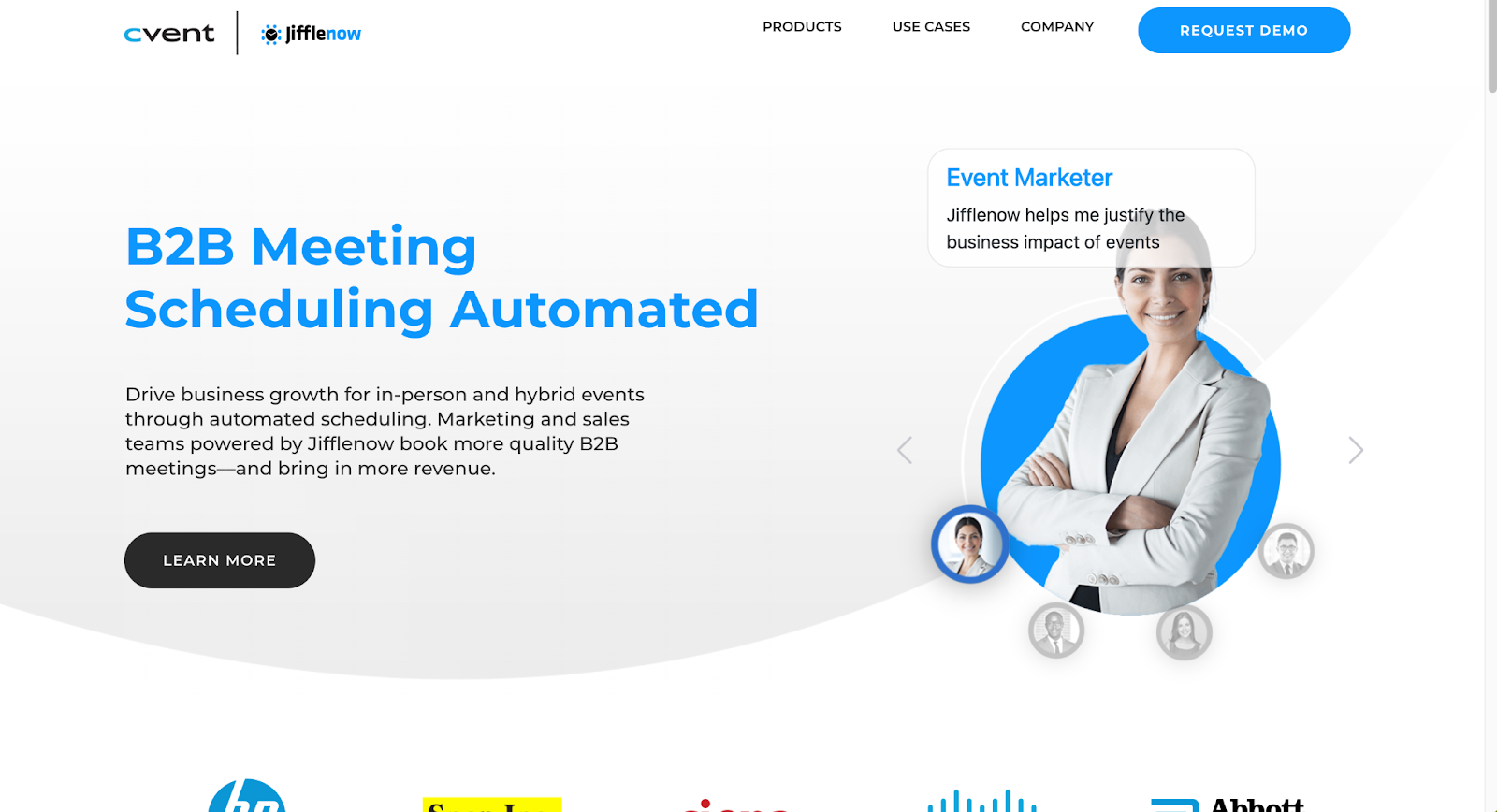
Jifflenow is a meeting automation platform that simplifies scheduling, especially for complex scenarios like multi-day events, round robins, and double bookings. It aims to eliminate back-and-forth coordination.
Best for: Streamlining scheduling for large-scale events and initiatives
Similar to: Chili Piper, Calendly
How it differs from Airgram:
Specializes in optimizing complex meeting scheduling
Offers rules-based automation for assigning and confirming meetings
Provides detailed analytics on meeting outcomes and performance
Who Is It For?
Jifflenow is best suited for enterprise-level organizations that need to schedule high volumes of meetings, such as for sales campaigns, conferences, or executive briefings.
Jifflenow's Top Features
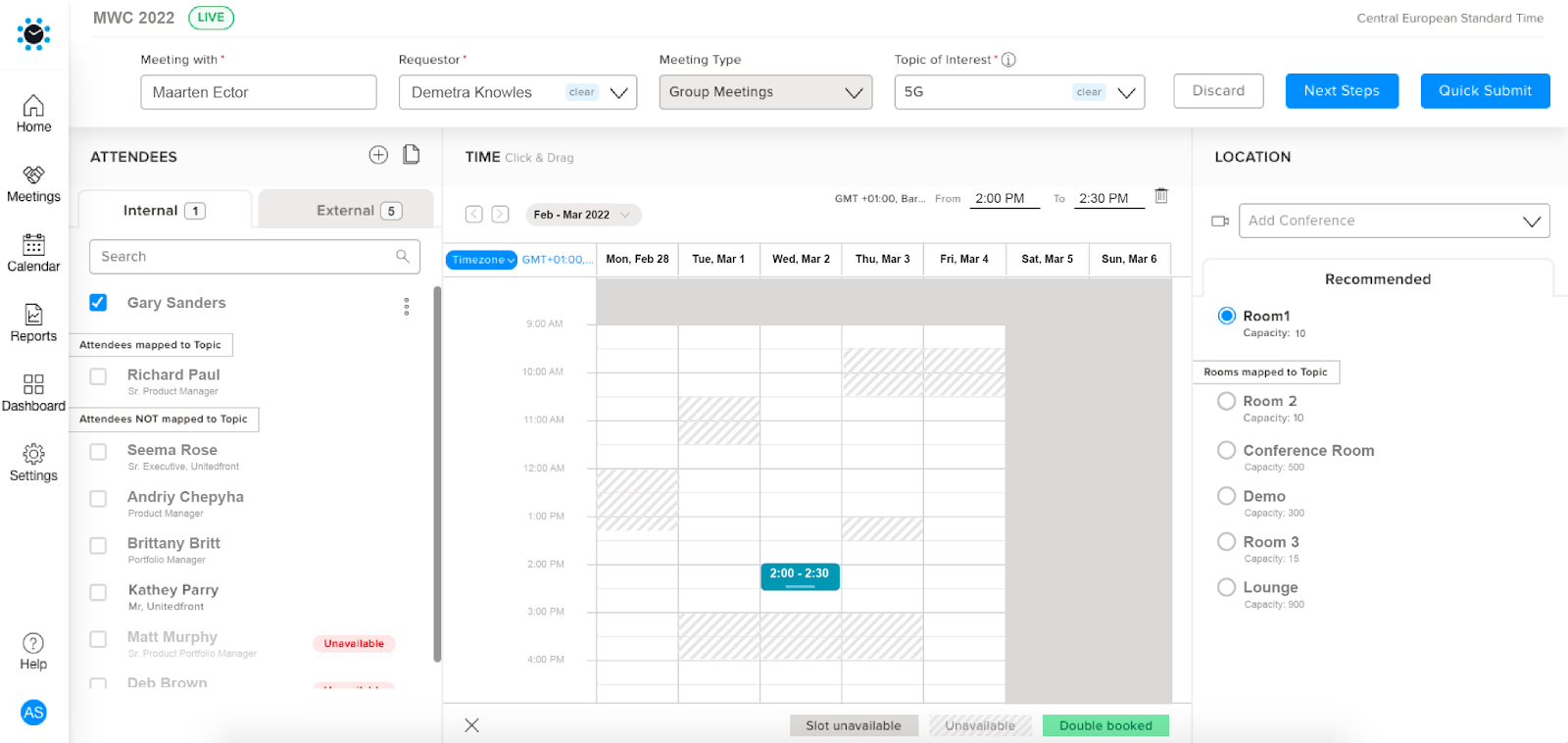
Automated scheduling based on rules for priority, proximity, availability, and more
Customizable meeting types with associated templates and workflows
Integration with Salesforce and marketing automation platforms for tracking ROI
Alerts and reminders for upcoming meetings or scheduling tasks
Jifflenow Pricing
Jifflenow provides custom packages based on each organization's scheduling needs and scale. Pricing is available upon request and generally starts at around $500 per month for a single user.
Enterprise plans are highly tailored and include custom SLAs, dedicated support, and training.
While significantly more expensive than self-service tools like Calendly, Jifflenow's automation and analytics features can result in major efficiency gains and cost savings for large events.
Jifflenow Pros and Cons
Pros
Excels at automating complex, large-scale meeting scheduling scenarios
Offers granular control over meeting assignment rules and workflows
Provides robust integration with CRMs and marketing platforms for tracking impact
Responsive customer support and SLAs for enterprise clients
Cons
Very expensive compared to lightweight scheduling tools
Overkill for most small businesses or simple meeting types
Can take significant time to configure meeting templates and rules
#6: Gong
Gong is a revenue intelligence platform that helps sales teams capture, analyze, and learn from their customer interactions. While not a direct replacement for Airgram, its conversation intelligence features can provide valuable insights for revenue teams.
Best for: Analyzing sales calls and demos to improve performance
Similar to: Chorus.ai, Avoma
How it differs from Airgram:
Focuses specifically on sales conversations and revenue optimization
Offers advanced AI analytics for topics, sentiment, and sales techniques
Provides coaching insights and scorecards for manager feedback
Who Is It For?
Gong is primarily designed for B2B sales teams who want to leverage AI to gain a competitive edge.
Gong's Top Features
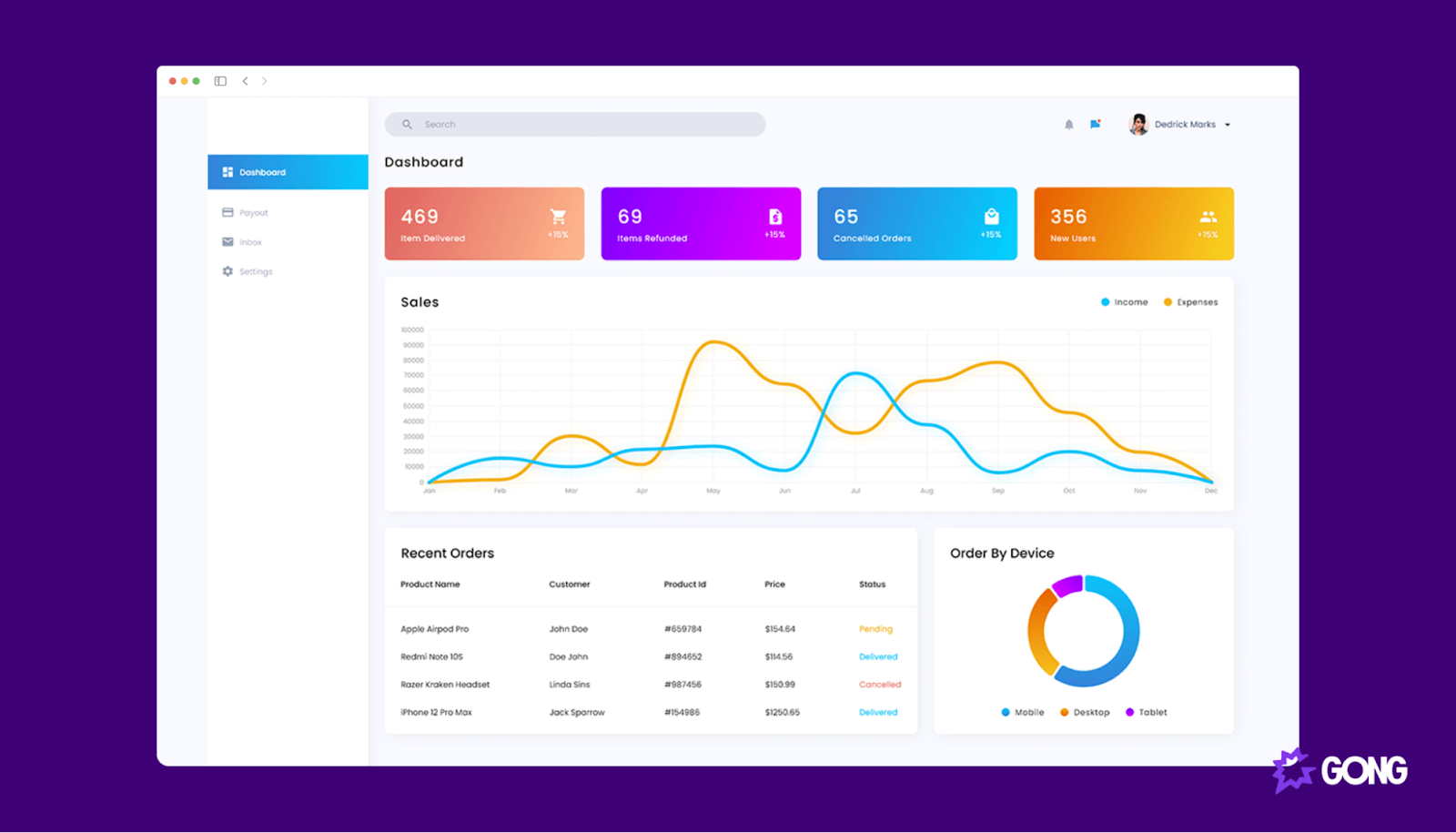
Automatic recording and transcription of all sales calls and meetings
AI analysis of sales techniques, objection handling, and talk:listen ratios
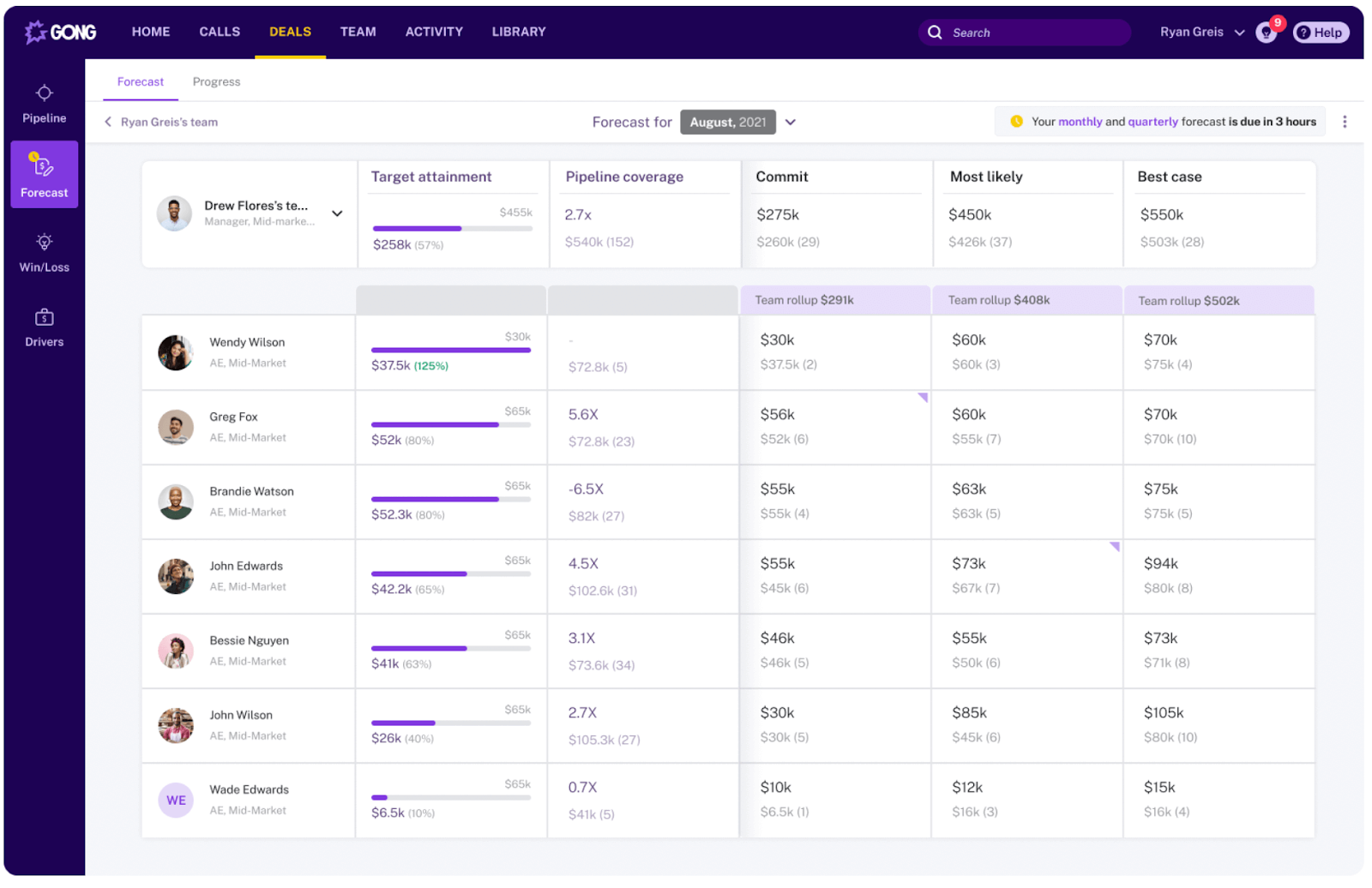
Deal intelligence dashboard that predicts revenue and identifies risks
Personalized coaching plans and scorecards for each rep
Gong Pricing
Gong doesn't publish standard pricing, as plans are customized for each team's size and needs. Based on user reports, costs average around $1,200 per user per year.
While expensive, Gong's impact on revenue can make it a worthwhile investment for enterprise sales teams. Many users report significant increases in win rates and quota attainment.
Gong Pros and Cons
Pros
Provides unparalleled visibility into sales conversations and deals
Offers powerful AI analytics for improving sales techniques and forecasting revenue
Enables personalized, data-driven coaching at scale
Integrates with Salesforce, Zoom, and other key sales tech
Cons
Very expensive compared to basic call recording tools
Can be overwhelming to implement and requires change management
Some reps may feel micromanaged or resistant to being recorded
#7: Trint
Trint is a speech-to-text platform that specializes in high-accuracy transcription and translation. It's built for media professionals and content creators who need precise transcripts and subtitles.
Best for: Professional-grade transcription and content localization
Similar to: Rev, Sonix
How it differs from Airgram:
Focuses on professional media and content production workflows
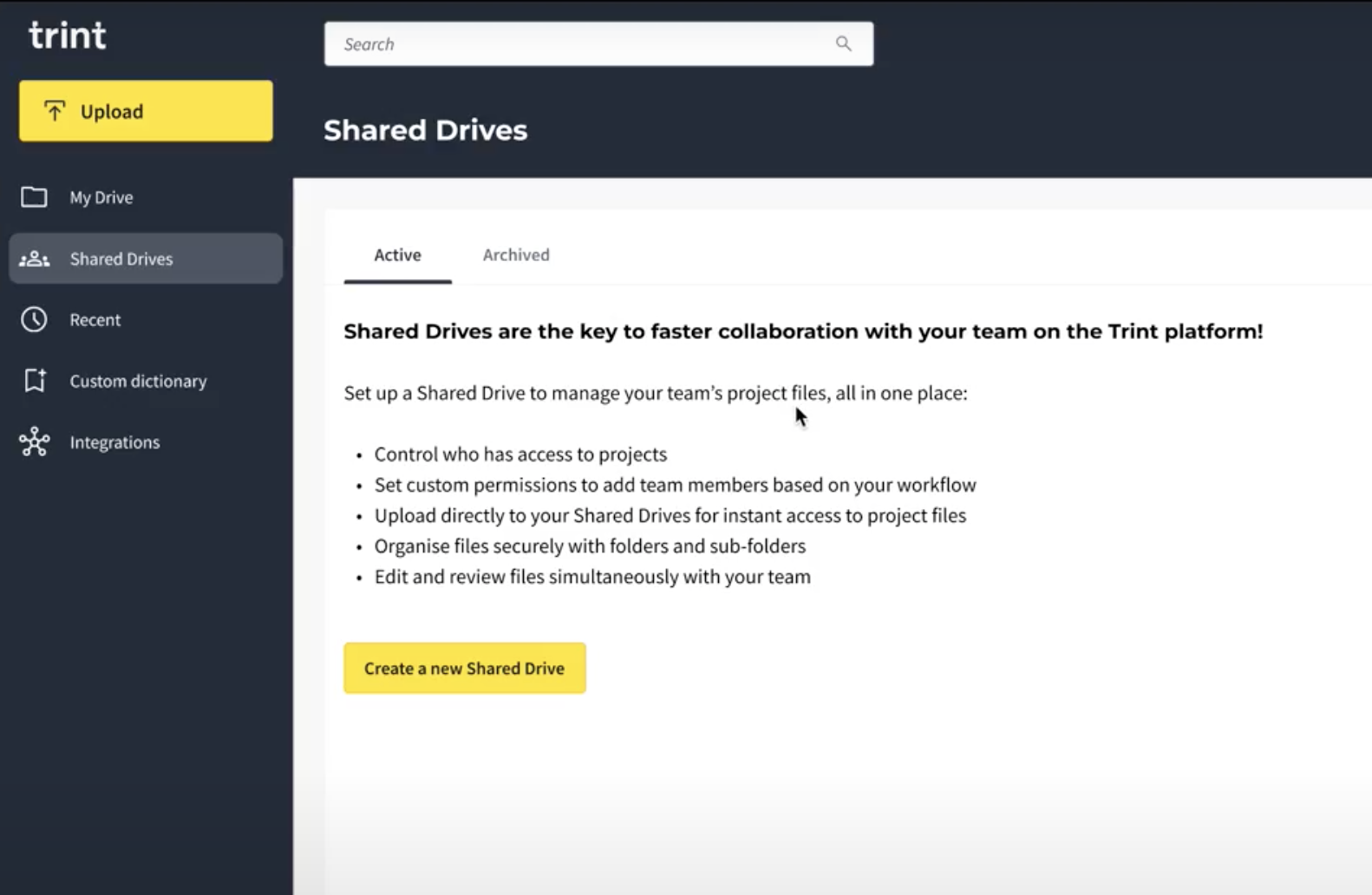
Offers advanced editing tools for transcript refinement
Provides enterprise-grade translation and localization features
Who Is It For?
Trint is ideal for media organizations, journalists, and content teams who need accurate transcripts and captions for their productions. It's particularly popular among video producers and podcasters.
Trint's Top Features
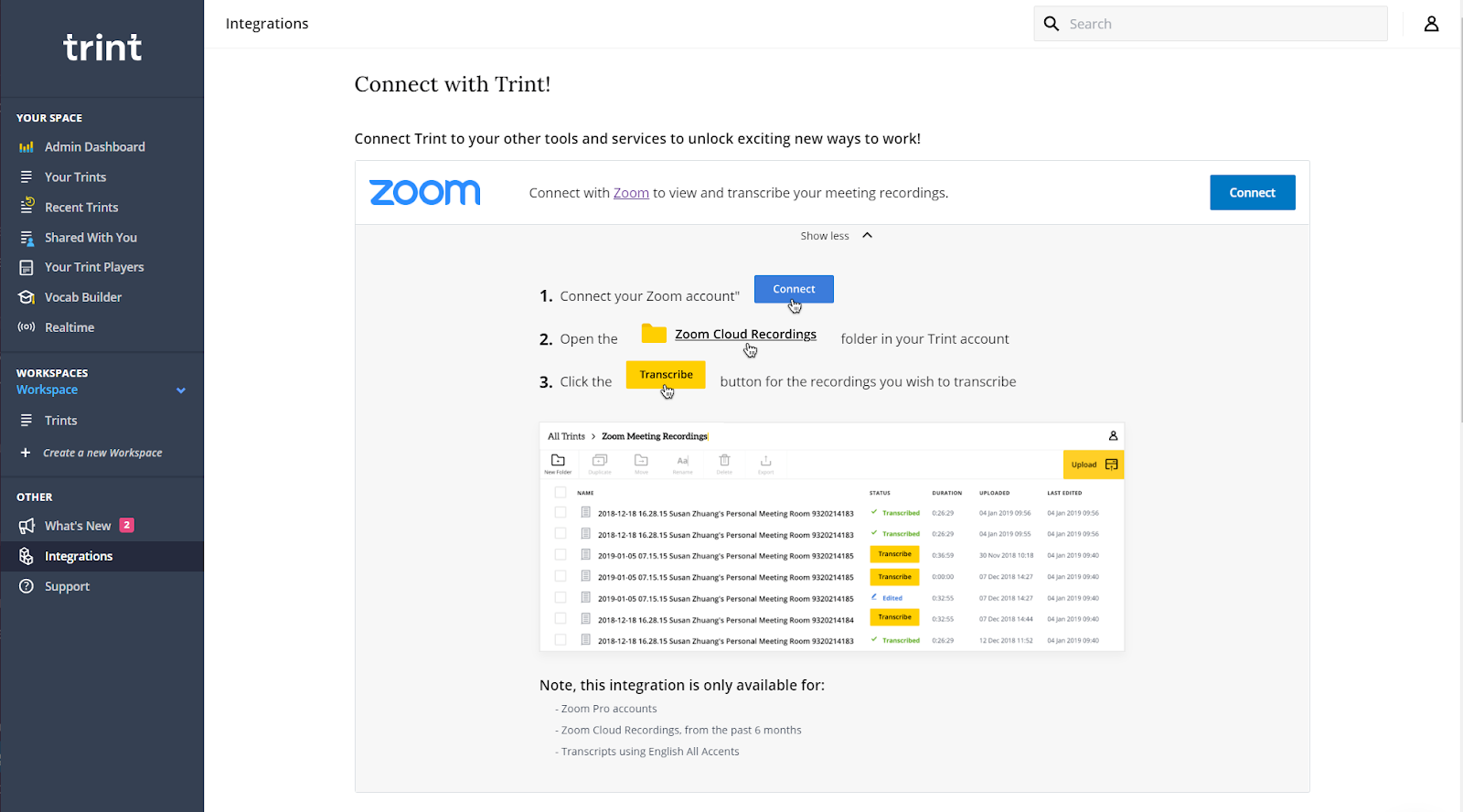
Multi-speaker transcription with advanced speaker identification
Built-in translation and localization tools for global content
Collaborative editing environment for team-based projects
Export options for various media formats and platforms
Trint Pricing
Trint offers several subscription tiers:
Starter: $48/month - Includes 7 files per month and basic features
Advanced: $60/month - Adds team collaboration and more file uploads
Pro Team: Custom pricing - Offers enterprise features and unlimited users
Trint Pros and Cons
Pros
Professional-grade transcription accuracy
Robust translation and localization capabilities
Advanced editing tools for transcript refinement
Strong security and compliance features
Cons
Higher price point than basic transcription tools
Learning curve for advanced features
Limited meeting-specific functionality
#8: Avoma
Avoma is a meeting management assistant that helps teams prepare for, conduct, and follow up on meetings effectively. It combines AI note-taking with conversation intelligence.
Best for: End-to-end meeting management and coaching
Similar to: Gong, Chorus.ai
How it differs from Airgram:
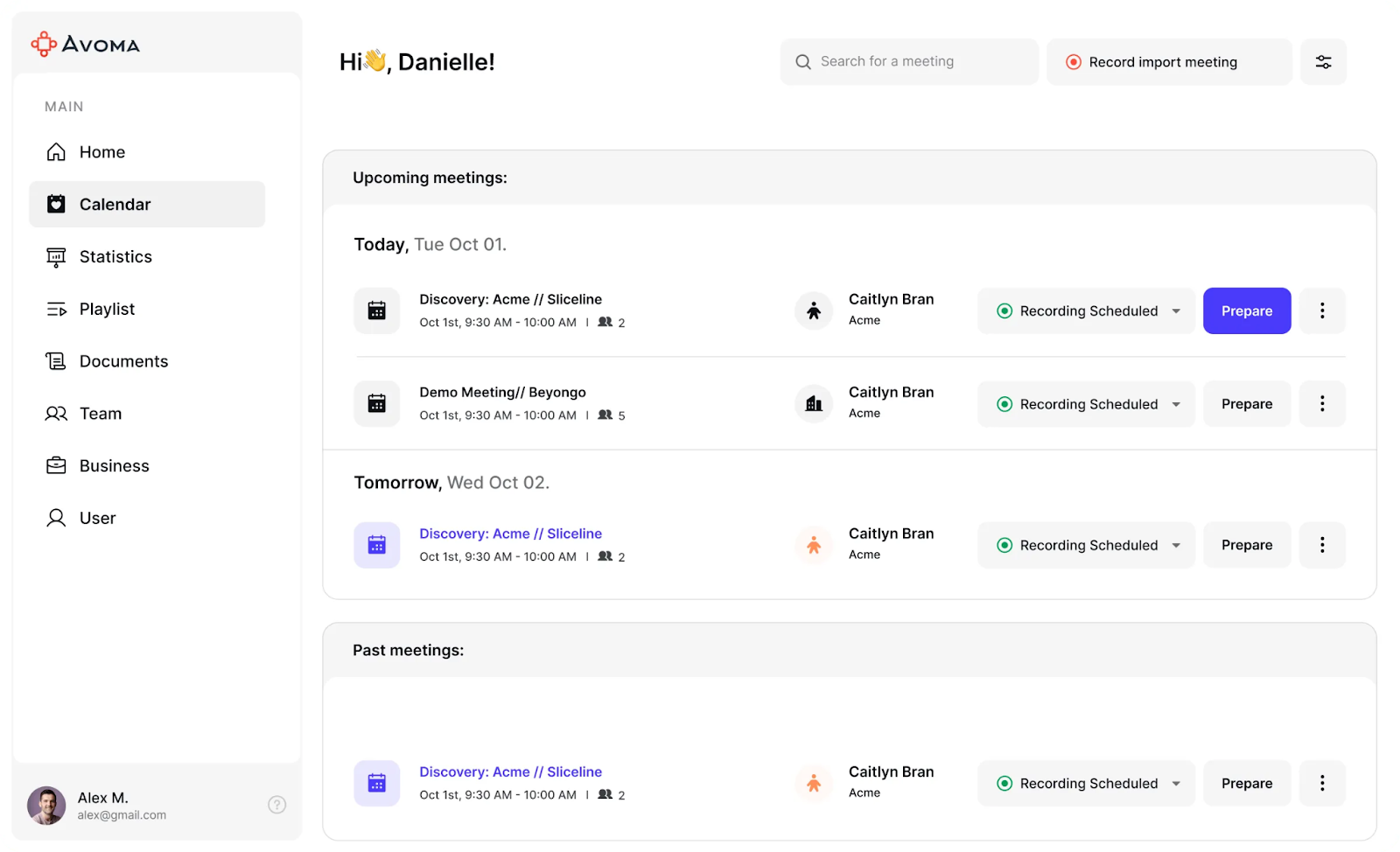
Provides pre-meeting agenda templates and preparation tools
Offers conversation coaching for sales and customer success teams
Includes meeting analytics and productivity insights
Who Is It For?
Avoma serves teams that want to improve their meeting effectiveness across the board, from preparation to execution to follow-up.
Avoma's Top Features
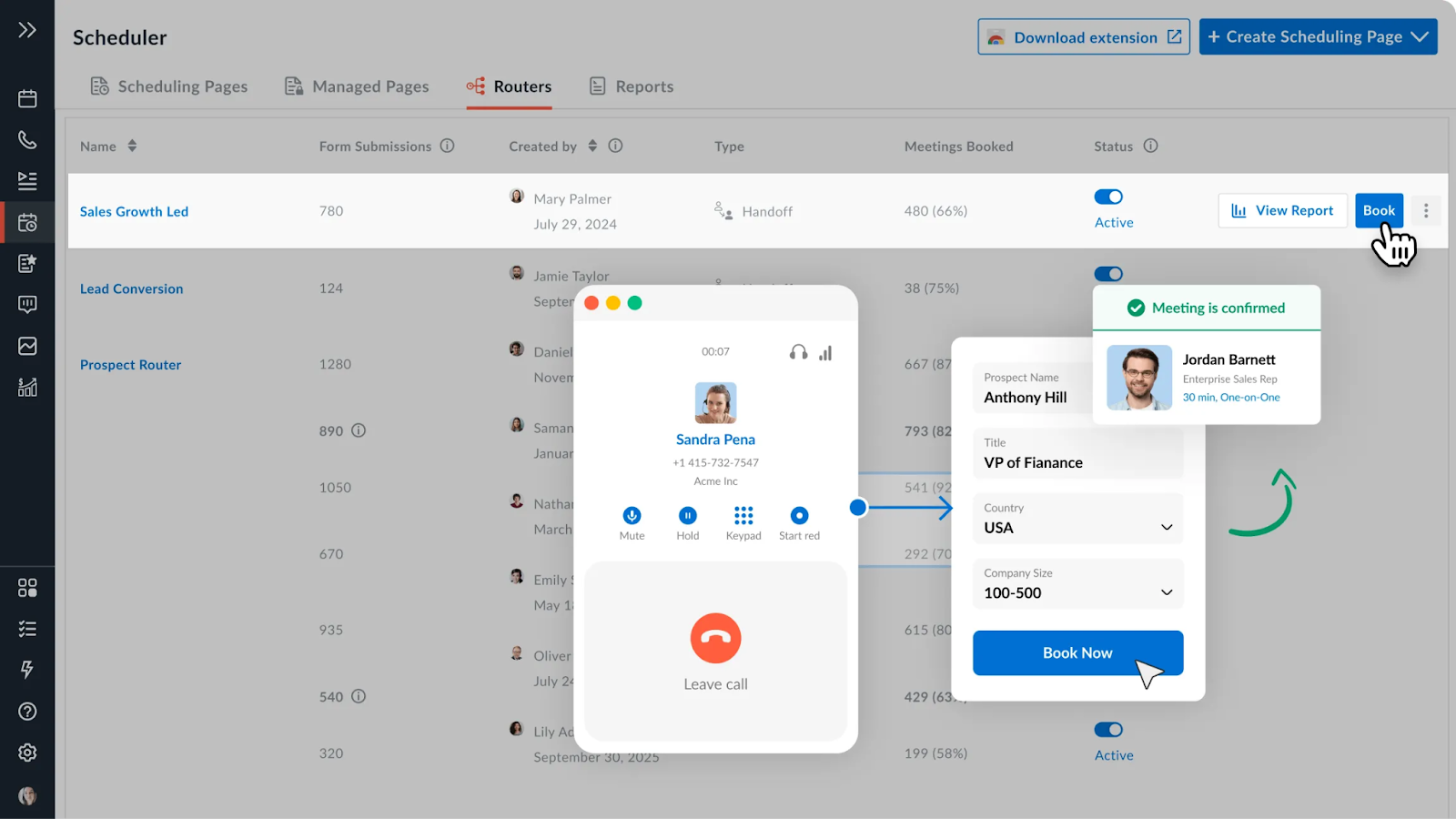
AI-powered meeting templates and agenda builders
Real-time note-taking and action item capture
Conversation intelligence for coaching and training
Integration with CRM and project management tools
Avoma Pricing
Avoma offers several pricing tiers:
Starter: $24/user/month - Includes advanced scheduler, group scheduling, and limited AI-generated notes
Plus: $59/user/month - Adds unlimited transcription, CRM integration, and custom views
Business: $99/user/month - Adds scorecards and conversation intelligence for revenue teams
Enterprise: $109/user/month (billed annually) - Includes everything in Business plus strategic support
Avoma Pros and Cons
Pros
Comprehensive meeting lifecycle management
Strong coaching and development features
Excellent integration capabilities
Robust analytics and reporting
Cons
Can be complex to fully implement
Higher cost for advanced features
Requires team-wide adoption for maximum value
#9: Voicera
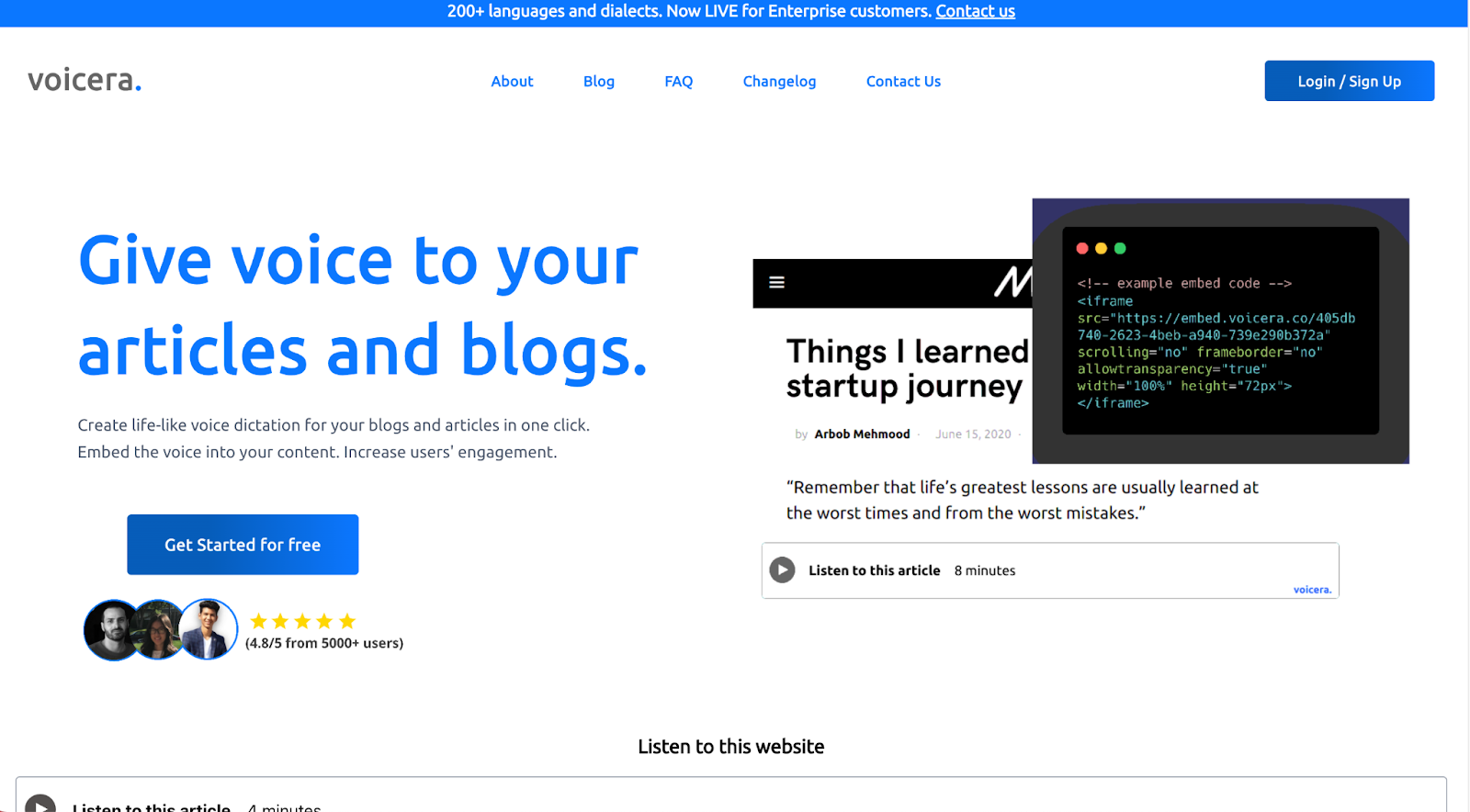
Voicera is an AI voice generation platform that creates audio versions of written content, helping businesses increase content accessibility and engagement.
Best for: Converting written content to voice, audio content creation
Similar to: Murf.ai, Play.ht
How it differs from Airgram:
Specialized in voice generation rather than meeting management Focuses on content accessibility and engagement Offers pay-as-you-go pricing model
Who Is It For?
oicera serves content creators, bloggers, and organizations who want to make their content more accessible through audio format.
Voicera's Top Features
One-click voice generation from text Support for 10+ languages and voice versions Lightweight embed code (~2.2KB) Multi-language support with various accents
Voicera Pricing
Voicera uses a credit-based pricing system:
Basic: Free - 5,000 credits, up to 5 articles
Pro: $9 - 100,000 credits, up to 50 articles
Enterprise: Custom pricing - Millions of credits, 200+ languages
Voicera Pros and Cons
Pros
Simple one-click voice generation
Lightweight implementation
Multiple language and accent options
No monthly subscription required
Cons
Limited number of voices in basic plan
Credit-based system may not suit all users
Not designed for meeting management
#10: Chorus.ai
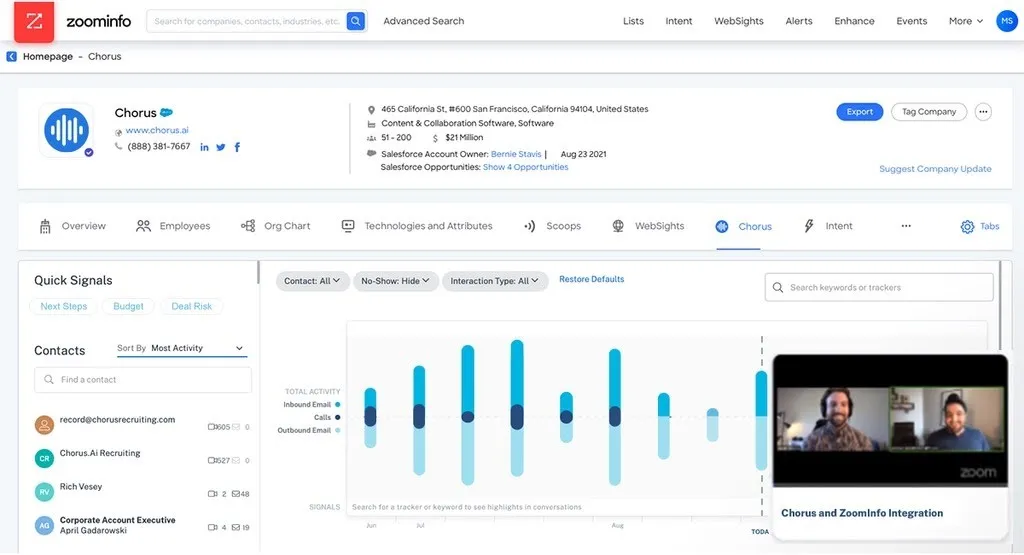
Chorus.ai by ZoomInfo is a conversation intelligence platform that helps teams analyze and improve their customer-facing conversations. It's particularly strong in sales enablement and coaching.
Best for: Sales conversation analysis and coaching
Similar to: Gong, ExecVision
How it differs from Airgram:
Specializes in sales conversation analysis
Provides detailed coaching and training tools
Offers advanced deal intelligence features
Who Is It For?
Chorus.ai is designed for sales organizations that want to leverage AI to improve their team's performance and win more deals.
Chorus.ai's Top Features
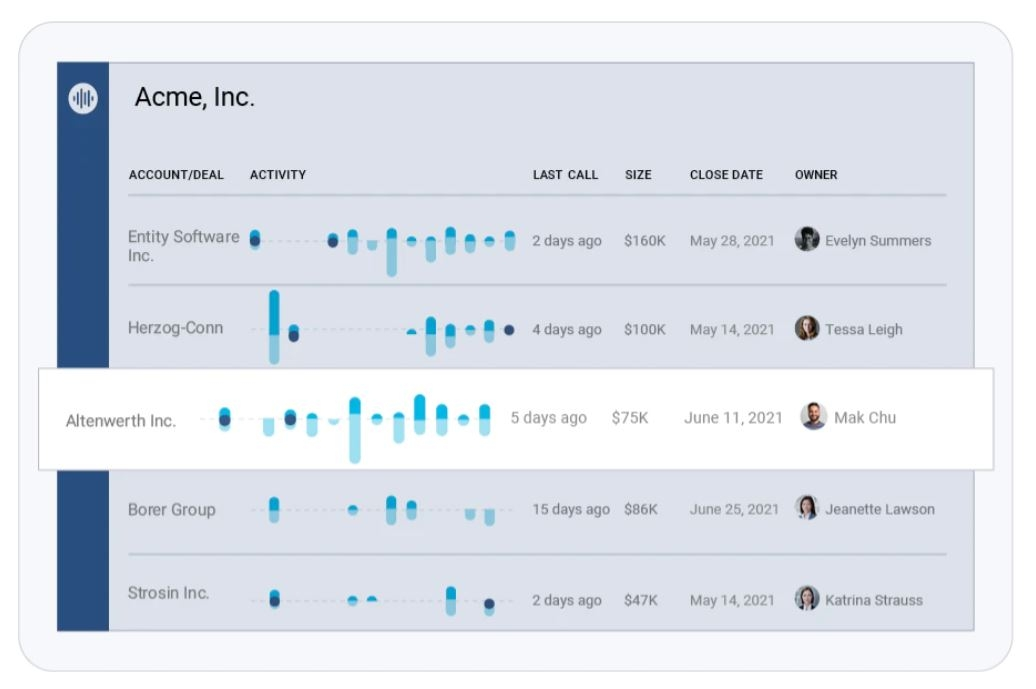
AI-powered conversation analysis and scoring
Deal momentum tracking and risk alerts
Personalized coaching recommendations
Integration with major CRM platforms
Chorus.ai Pricing
Chorus.ai offers custom pricing based on team size and needs:
Growth: For small teams getting started
Pro: For scaling sales organizations
Enterprise: For large, complex deployments
Chorus.ai Pros and Cons
Pros
Powerful sales conversation analytics
Comprehensive coaching toolkit
Strong deal intelligence features
Extensive CRM integration
Cons
Significant investment required
Complex implementation process
Limited use beyond sales teams
Make Meetings More Meaningful
While Airgram offers a solid foundation, these alternatives provide more flexibility, customization, and specialized features to drive your specific meeting goals.
The best way to find your perfect fit is to start a trial and see the impact firsthand. Take advantage of free plans and demos to evaluate how each tool can make your meetings more efficient and actionable.
By leveraging AI and automation, these Airgram alternatives can help you spend less time note-taking and more time driving results. Elevate your meeting productivity today and see the difference it makes for your team.
Read More
Otter AI Price Look: Check out our simple review of Otter AI's prices and if it's worth it.
Best Fireflies AI Choices: Find the top picks instead of Fireflies AI, chosen by us.
Top Read AI Options: Discover the best choices instead of Read AI for your needs.
Best Fathom AI Picks: Here are the 10 best Fathom AI choices we tested for you.
Top Otter AI Picks: Check out our test and comparison of 10 Otter AI options.
Top Krisp AI Choices: Check out our team's review of the best Krisp AI rivals.
Fireflies Vs Fathom: Compare Fireflies and Fathom to find your best fit.
Otter ai Vs Notta: Otter.ai or Notta, see which is better.
Otter ai Vs. Descript: See how Otter.ai compares to Descript.
Tactiq Pricing: Tactiq vs. Jamie pricing, features, AI, and offline use compared.
![10 Best Jamie Alternatives [2026]](/api/media/payload/10_Best_Jamie_Alternatives_Updated_September_2025-yske7s.png)