I compared 10 alternatives to Grain: Jamie, Fathom, Fireflies.ai, Otter.ai, tl;dv, Avoma, Gong, MeetGeek, Notta, and Read AI. I looked at meeting capture, transcription, AI notes, language access, video and clips, integrations, pricing, and the workflows each tool is built for.
Grain can help you capture meetings using bot and desktop capture to generate AI notes, and turn conversations into searchable records. But teams with different meeting workflows may need more flexibility around how meetings are captured, how much data is stored, and what happens after the call.
We reviewed the best 10 Grain alternatives that let businesses capture meetings, handle more languages, add deeper sales intelligence, and turn meeting data into workflows that fit their needs.
What Are the Best Alternatives to Grain?
Jamie, Fathom, Fireflies.ai, Otter.ai, tl;dv, Avoma, Gong, MeetGeek, Notta, and Read AI are the 10 best Grain alternatives. Each of the 10 can record or capture meetings and convert conversations into AI-generated notes, summaries, or transcripts, depending on the tool. Jamie, Fathom, Fireflies.ai, Otter.ai, tl;dv, MeetGeek, Notta and Read AI also provide bot-free or desktop-based capture options, depending on the platform and plan.
Use the comparison table below to see how all 10 compare side by side. It lets you see all the features that are important when you're considering a Grain alternative, including meeting capture, transcription, AI notes, integrations, pricing, languages, and more. Click the cells to see more information about the tools supported.
1. Jamie: Best Grain Alternative for Bot-Free Meeting Notes and Meeting Intelligence
Best for: Teams that want meetings captured without a bot, turned into follow-up work across their CRM and other tools, and kept without an audio recording of every conversation.
Similar to: Granola, Fireflies.ai
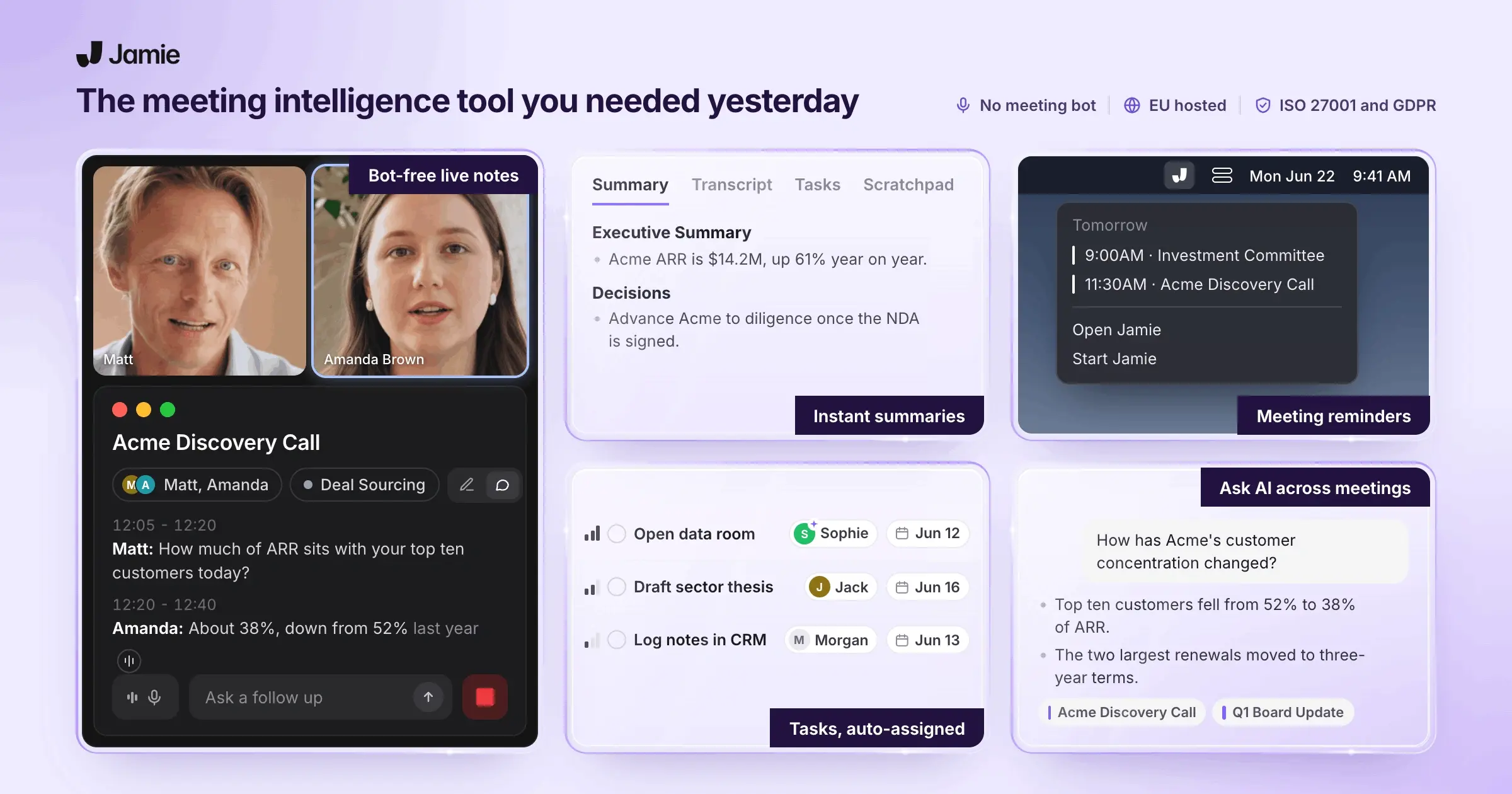
Jamie is your go-to meeting intelligence platform for bot-free AI meeting note taking that records meetings directly from your own computer or phone. Nothing joins the call as a participant, so you can capture conversations across Zoom, Google Meet, Microsoft Teams, Webex, or other meetings running on your machine.
After the meeting, Jamie turns the conversation into structured minutes with an executive summary, topics, decisions, action items, and a transcript. You can then search across your meeting history, ask questions about past conversations, connect Jamie to your existing work tools, or use its AI agents to act on what was discussed.
That makes Jamie a different kind of Grain alternative. Grain puts video recording, clips, and sharing at the center of its workflow. Jamie puts the meeting record and what you can do with that knowledge afterward at the center of its value proposition.
Jamie Records Your Online Meetings From Your Own Machine, With No Bot Joining the Call
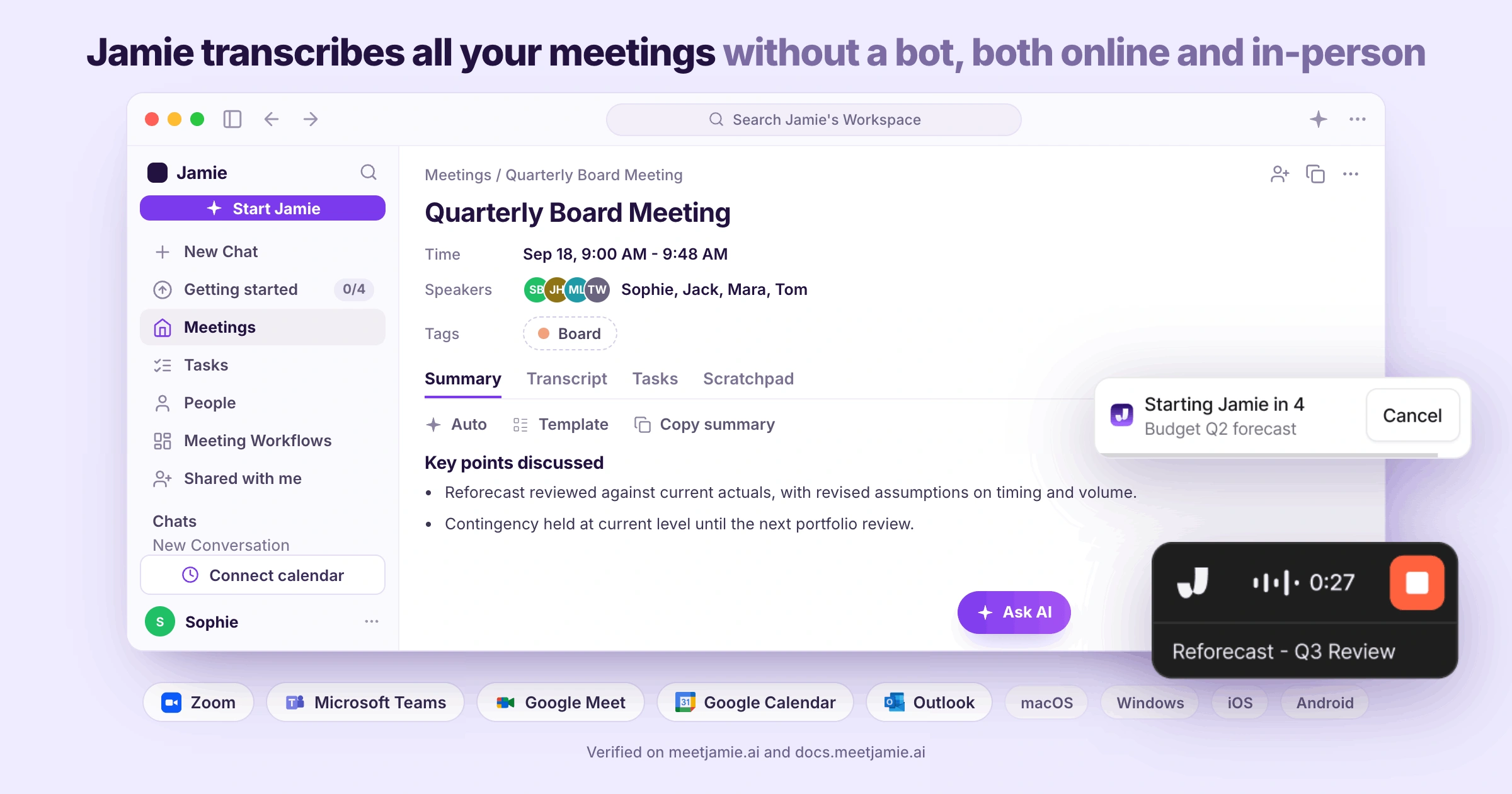
Users might look for a Grain's alternative because they don’t want a meeting bot showing up as a participant. Jamie records a meeting using a bot-free approach, recording audio from your own device by capturing audio from your own Mac or Windows computer.
Feature | Description |
|---|---|
Recorder | A floating widget shows the meeting name and elapsed time. Switch microphones mid-call without stopping the recording. |
Online meeting platforms | Teams, Zoom, Google Meet, Webex and any app that plays through your computer, on every plan. |
Auto-start and auto-stop recording | Recording starts and stops with your calendar meeting, after a countdown you can cancel. Off by default. |
Calendar connection | Connect Google Calendar or Outlook once. Recordings are named after your events, not “Untitled meeting.” |
Recording notice | An optional email tells outside invitees about the recording before they join. Needs a connected calendar. |
Meeting chat notice | From the desktop app, Jamie posts a short transcription notice in the Teams, Meet or Zoom chat. |
Jamie Is Agentic, Which Means Jamie Acts on What Was Said Inside the Tools You Connect
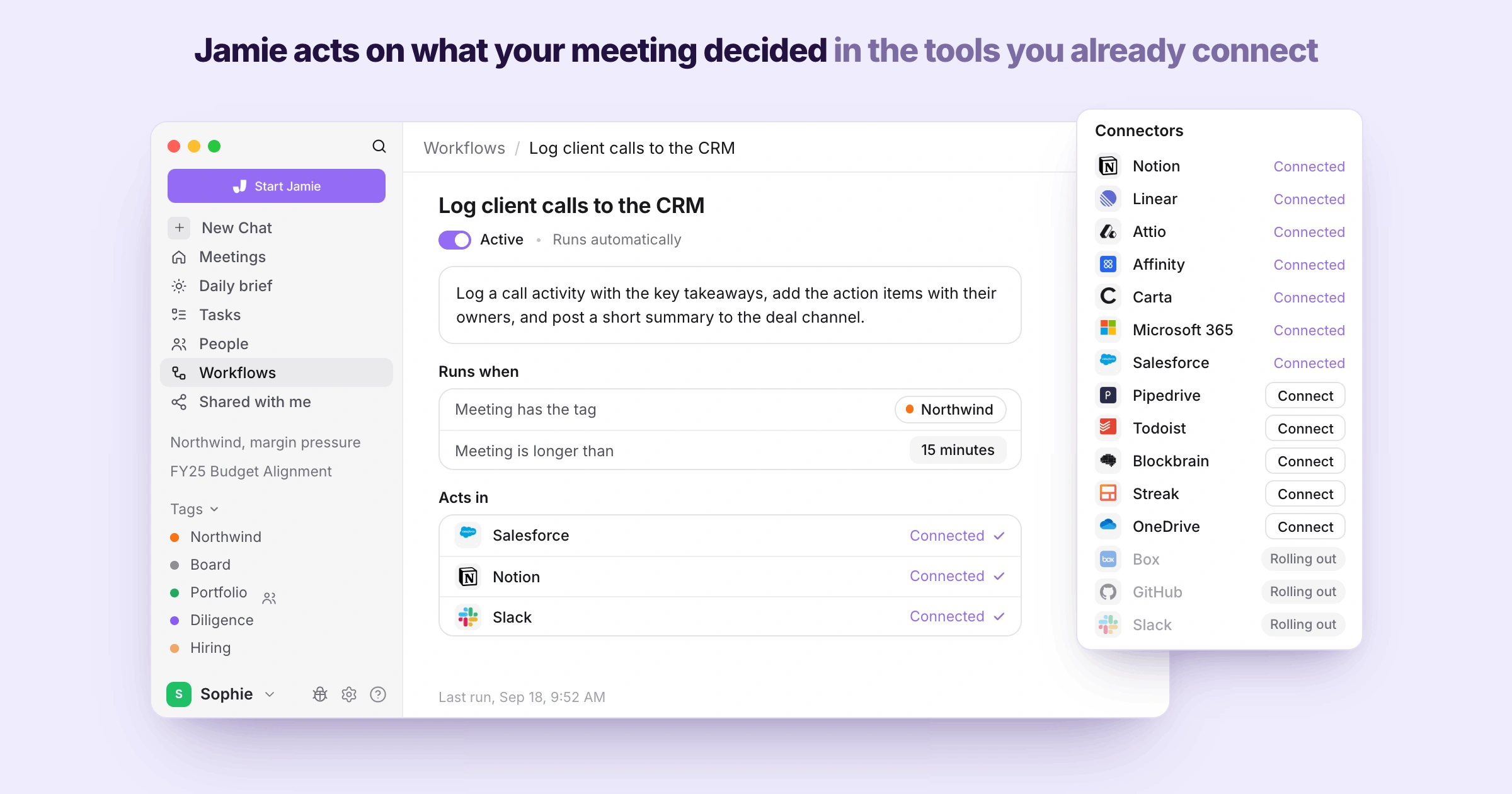
Jamie can act on what your meeting decides and help you make informed decisions. You can describe the recurring job in plain language, connect the tools Jamie needs, and let the Agent carry out the workflow. A workflow could look like this:
For example, you could instruct Jamie to log a client meeting in Salesforce, add the key takeaways and action items, and post a summary to the relevant channel.
Feature | Description |
|---|---|
Workflows | Describe your post-meeting admin once, and Workflows run it after every call without you starting them. |
Approvals | Review every write before it reaches your CRM, or let it run automatically once you trust it. |
Agent Skills | Write a standing instruction once, in plain language, and every follow-up comes out your way. |
Agent Connectors | Jamie works inside Carta, Box, Slack, Gmail, Microsoft 365, Notion, Linear, GitHub and more, on your own sign-in. |
The Agent | Runs multi-step jobs across your tools, shows every step, and draws on past meetings for context. |
Transcript editing | Ask the Agent to fix a name or a line in your transcript, and the change is made. |
Jamie Deletes the Meeting Audio Once the Transcript Exists and Trains No Model On It
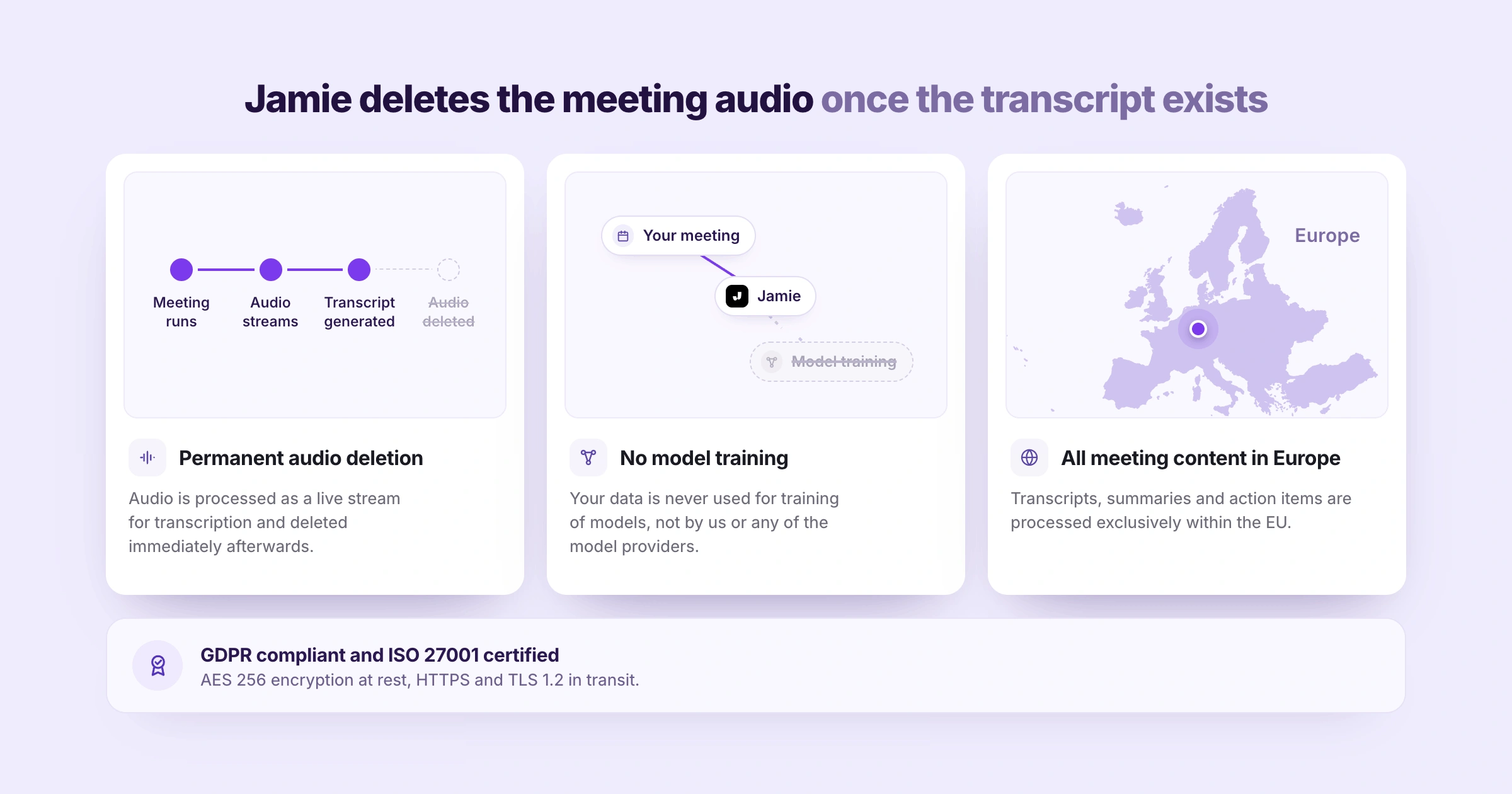
On all plans, Jamie deletes the meeting audio permanently once the transcript is ready. The trade-off is that you can’t replay the original audio or create video clips later.
Additionally, your meeting data will not be used to train a model, and transcripts, summaries and action items are processed in the EU. That distinction can matter for teams that handle confidential conversations under NDA and don't want a permanent archive of client voices.
Feature | Description |
|---|---|
Permanent audio deletion | Audio is transcribed, then deleted, on every plan. You can’t replay or clip it later. |
No model training | Your meetings never train a model, on any plan including Free. There’s no setting to hunt for. |
All meeting content in Europe | Stored and processed in Europe, encrypted in transit and with AES-256 at rest. On Enterprise, transcripts are kept from zero days up to 2 years, your choice. |
Jamie Transcribes Your Meetings in 100+ Languages and Generates the Notes in the Language People Spoke
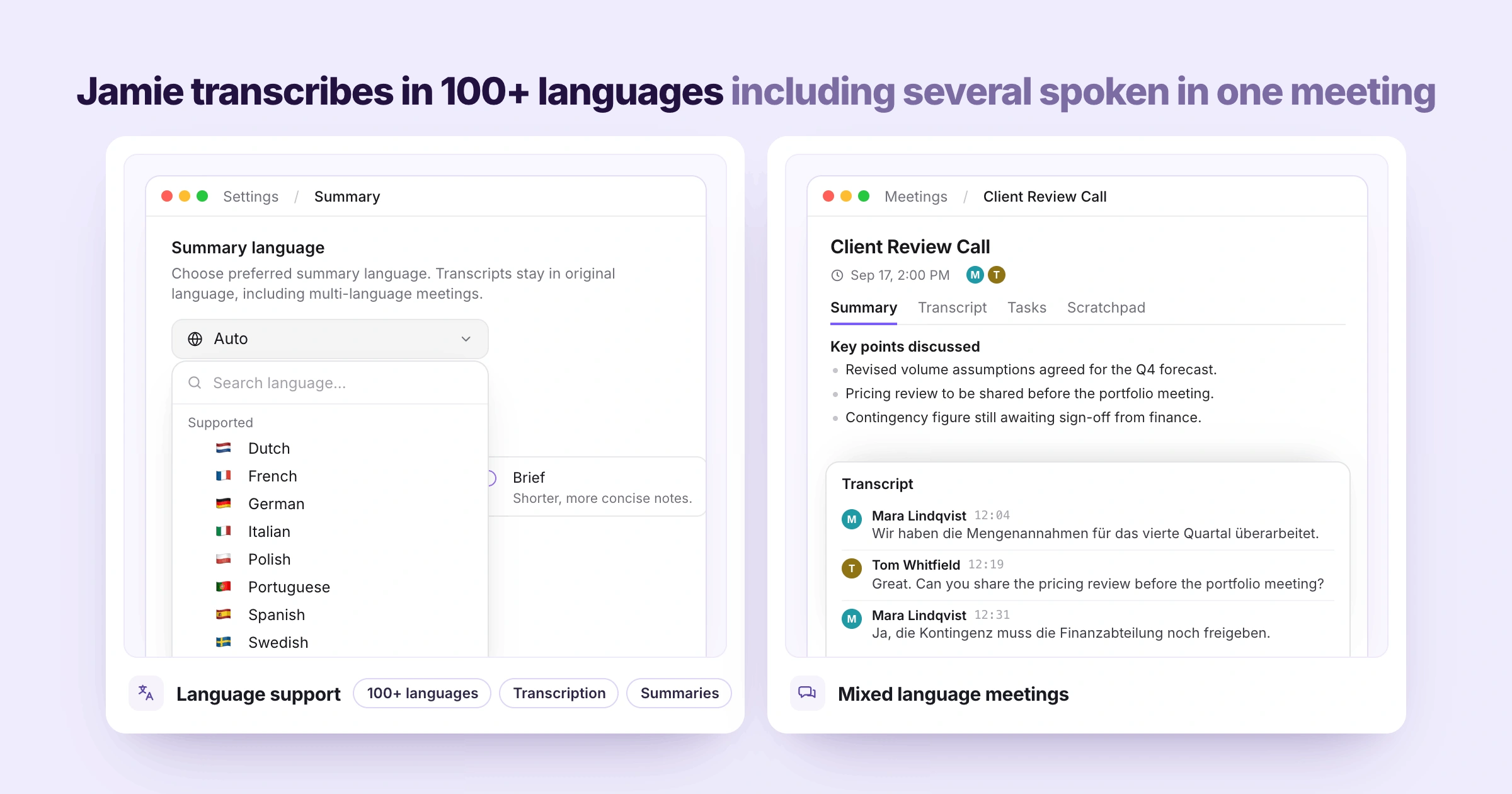
Jamie transcribes meetings in 100+ languages, such as Dutch, Polish, and Swedish, and can deal with calls in multiple languages. If your pipeline or your team is in multiple countries, test it on a real call before you make a decision.
Once you have chosen your language of choice, you are not required to choose another language; should your meeting have been held in a second language then the original transcript will be held in the same second language. Here’s what the features look like:
Feature | Description |
|---|---|
Language support | 100+ languages on every plan. Pick a summary language; the transcript stays in the language spoken. |
Mixed language meetings | No need to choose a language first. We detect each language and transcribe it as it’s spoken. |
Jamie Answers Questions Across Every Meeting You Have Ever Recorded, Through Ask Jamie
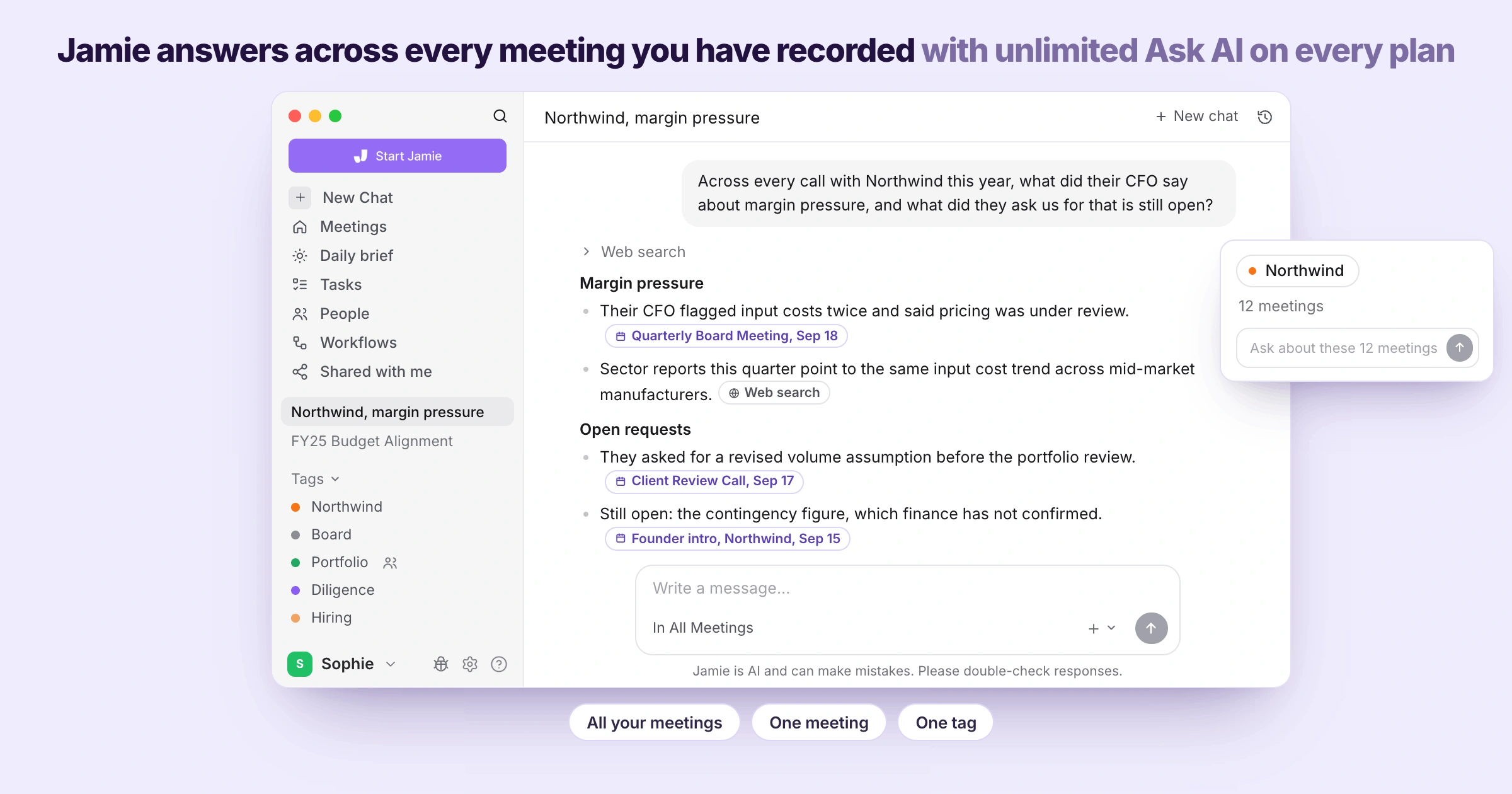
With every plan, Ask AI is unlimited, it references the meetings that led to the answer, can search the web if the answer is not in your calls — and can be directed at a single tag, making the full history of one account a thing you can ask about directly.
All plans also include unlimited storage. If the cross meeting questions are a key part of your team's process, examine the features of each tool at the level you would purchase:
Feature | Description |
|---|---|
Ask AI | Ask across every meeting, unlimited on every plan. Answers link to their sources, can pull from the web, and can draft your follow-up email. |
Tags | Tag meetings by account, deal or project, then point Ask AI at one tag. Shared tags on Team and Enterprise. |
Search across your meetings | Keyword search across every recording, with unlimited storage. Bulk CSV export when you need it outside Jamie. |
Jamie Records the Meeting Held in a Room, With No Device on the Table
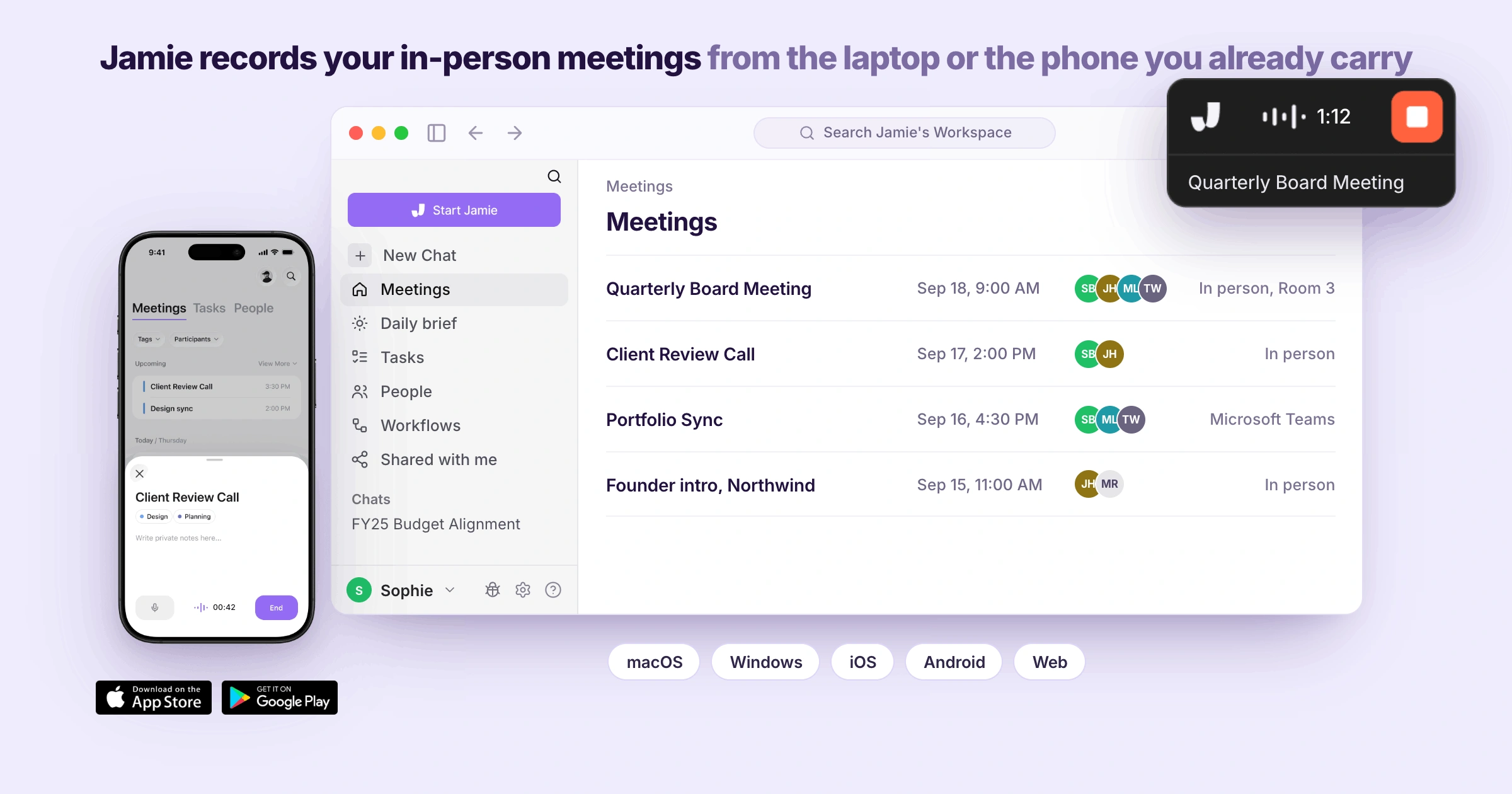
Jamie Records In-Person Meetings From Your Laptop or Phone, With No Extra Hardware. This recording process has been created by us to be used right on your own computer or phone. Board meetings, annual general meetings, works council meetings, and others like them are recorded the same way as your video calls.
Feature | Description |
|---|---|
In-Person Meetings | Your laptop or mobile microphone records the room, on every plan. Same summary, transcript, and tasks as an online call. |
Mobile app | iOS and Android apps record meetings away from your desk. Built for meetings, not phone calls. |
Sync across devices | Record on your phone, review on your desktop. One account keeps both in sync. |
Jamie Logs the Meeting Notes Into Your CRM and Sends Them to the Tools Your Team Already Opens
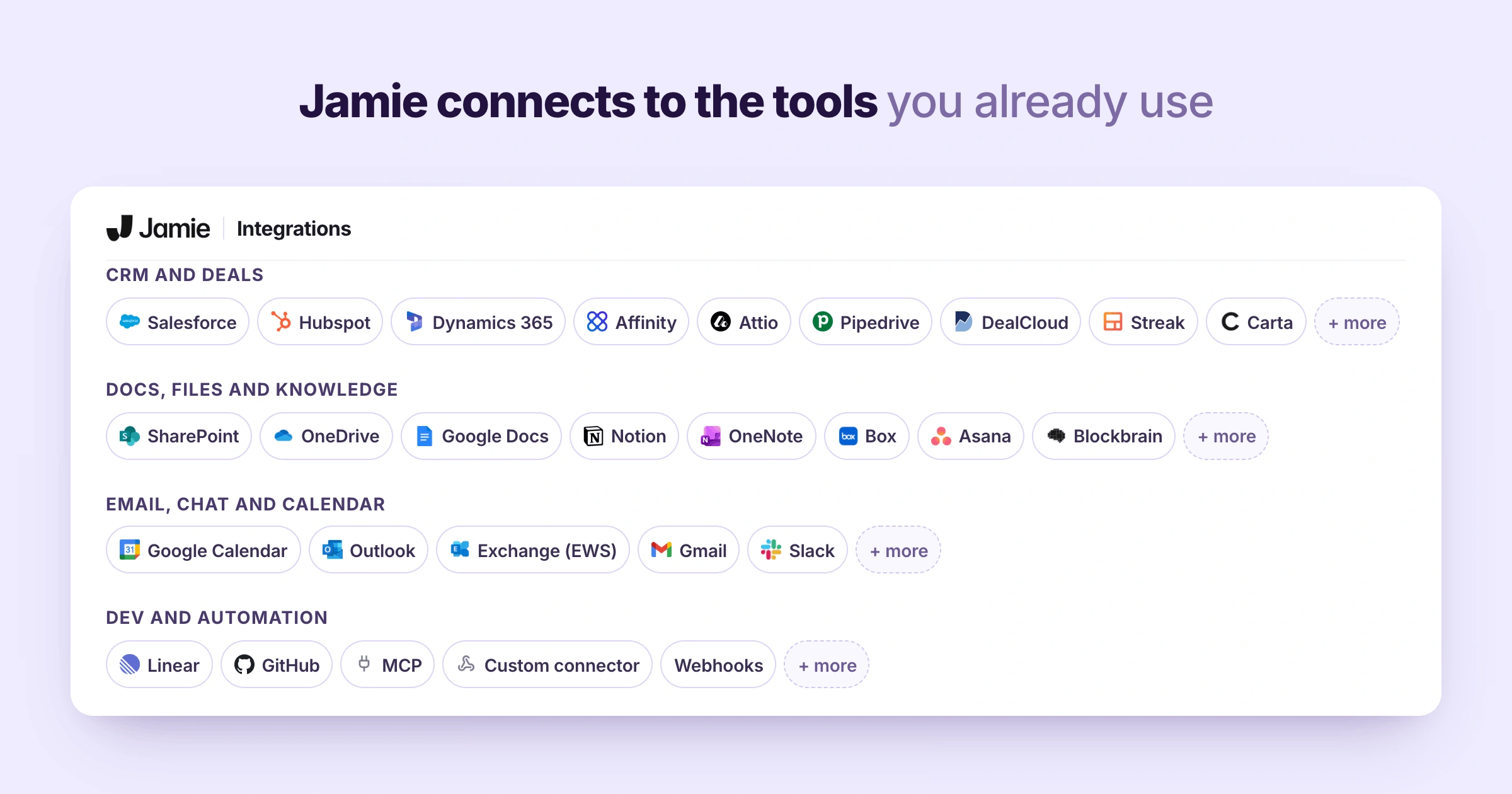
Jamie logs your meeting notes to your team tool stack. All you need to do is integrate your tools in settings and your notes will automatically be added after each meeting.
The CRM list is tilted toward deal-driven teams, including DealCloud and Affinity, HubSpot, and Salesforce. There are also routes for the AI tools you already use and, if a tool isn't listed, for creating your own connection.
Feature | Description |
|---|---|
CRM logging | HubSpot, Salesforce, Attio, Pipedrive and Dynamics 365 from Pro, DealCloud on Team, Affinity on Enterprise. Action items go to the same record. |
Docs and knowledge tools | Notion, Google Docs, and OneNote sync after every meeting, even on Free. |
MCP | Claude, ChatGPT, and Cursor read your meetings through our MCP server, from Pro. |
Webhooks and the API | From Pro, push notes the moment a meeting ends, or pull data into your warehouse or dashboard. |
Live MCP transcript | Ask Claude about a meeting that’s still running, with speaker names on each turn. |
Jamie Builds the Live Transcript While the Meeting Runs, Beside Your Own Scratchpad Notes
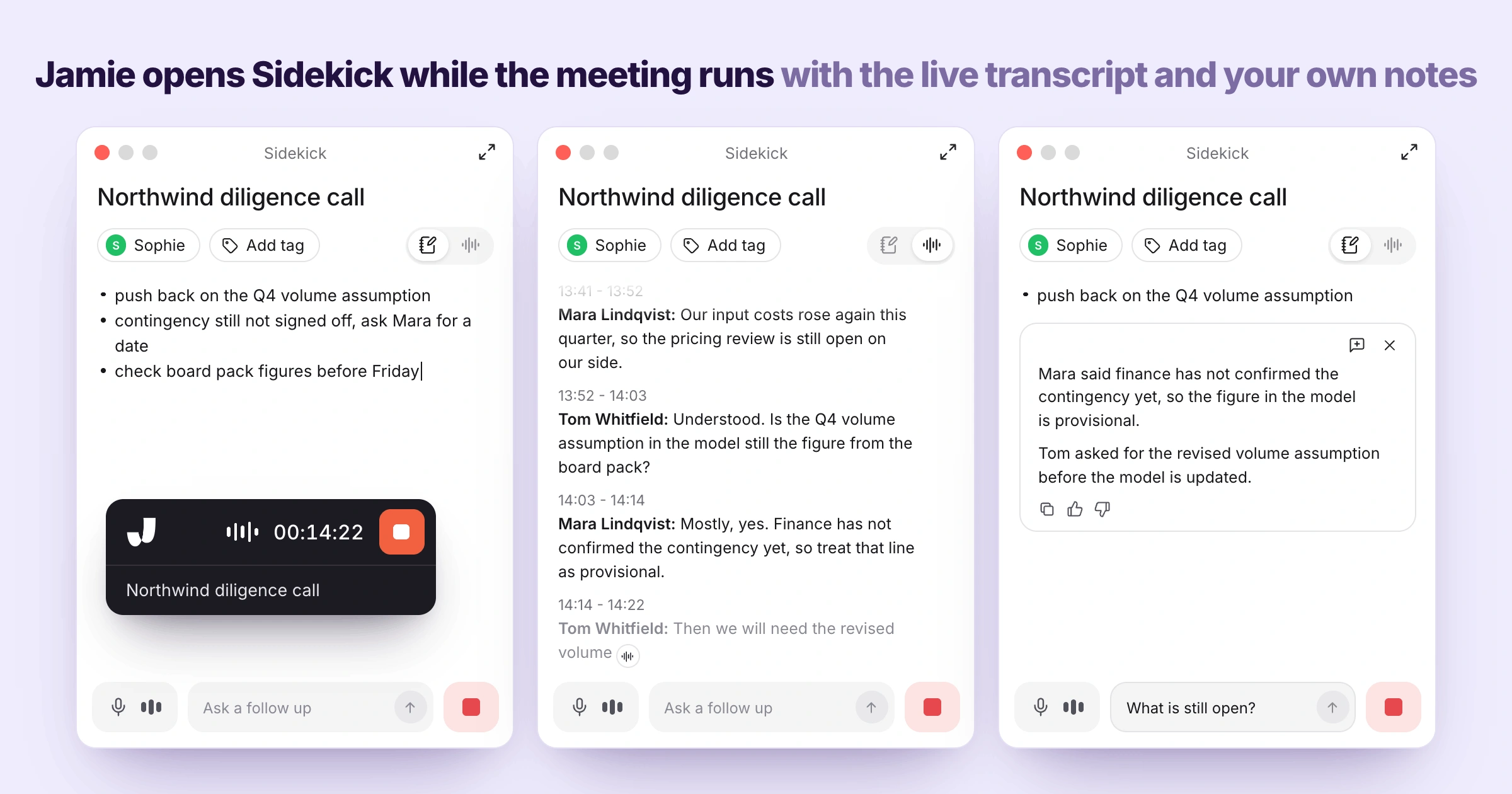
Jamie features a floating panel that sits next to your meeting and holds the recorder controls, a live transcript and your own private notes all in one place, with a box at the bottom to ask a quick question while people are talking. It's for people who have lost their place in a negotiation, or if you're a visitor to another person's meeting and can't be seen flipping back and forth between the apps.
Feature | Description |
|---|---|
Sidekick | Recorder controls, live transcript, your notes and a scratch pad in one floating panel, on every plan. |
Live Transcript | Builds as people talk, with each speaker named. You can scroll back for the number someone mentioned earlier. |
Scratchpad | Private notes that never appear in the summary or in anything you share. |
Separate window positions | Move the recorder and Sidekick together or apart, so neither covers what you’re presenting. |
Jamie Is GDPR Compliant and ISO 27001 Certified, and Jamie Is DORA-Ready for Financial Institutions
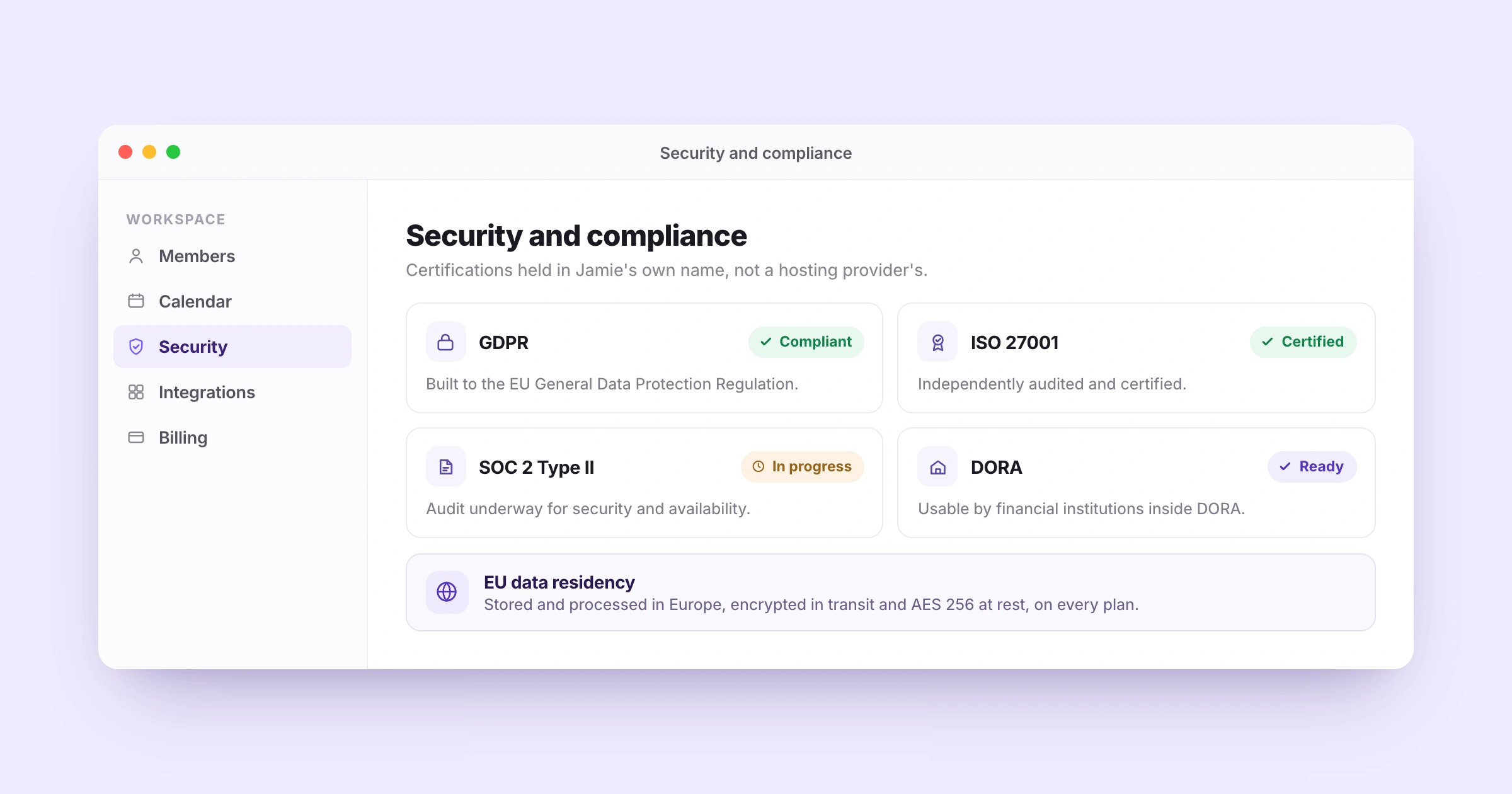
One of the places where a meeting tool may be approved or blocked is security review, and this is where Grain and Jamie's strengths lie. Grain has a SOC 2 Type II report and Jamie's SOC 2 Type II audit is ongoing. In Jamie's case, it's ISO 27001 certification in its own name (not via a hosting provider), GDPR compliance, readiness for the EU's Digital Operational Resilience Act and data stored in Europe. Those are usually the requirements that determine it if your buyers or your own compliance team are sitting in Europe or in financial services.
GDPR and ISO 27001
Jamie is GDPR compliant and independently certified to ISO 27001 (International Standard for Information Security Management). The certification is not one that is passed on from the cloud provider but is Jamie's own, and both are posted on Jamie's security page for a compliance officer to review.
SOC 2 Type II
The SOC 2 Type II audit for our organization is currently being conducted according to the Trust Services Criteria for Security and Availability. The audit process is in progress and has not been completed as of yet.
DORA
The Digital Operational Resilience Act (DORA) imposes obligations on banks, funds and insurers that are covered by the act, which means that the technology providers they rely on must be vetted. Jamie is DORA-ready and a firm under DORA's scope can adopt it as a provider under their own regulatory requirements. That's a step that can slow down a note-taker rollout for private equity and banking and insurance teams.
EU data residency
On all plans, meeting data is stored and processed in Europe, transmitted via encrypted and secure HTTPS with TLS 1.2 and encrypted at rest using AES 256. Also on the Enterprise plan, you can define your own retention rules for how long meeting data is stored and when it is deleted, so the tool can adhere to a records policy your firm already has.
Jamie pricing
Free: €0 per month
Plus: €25 per month
Pro: €47 per month
Team: €39 per seat per month
Enterprise: Custom pricing
Prices shown are monthly. Verify them against Jamie’s official pricing page before publication.
What Jamie users love
Bot-free capture, no awkward bot on the call
"I like Jamie because it's a bot-free AI note-taker that can take notes without an awkward bot on the call. " Verified user, G2 review.
Multilingual meetings, including Hebrew, in person and online
"Finally an app that... understands Hebrew. Jaime is also a lifesaver for multilingual conversations [and] offline and online meetings." Rachel C., G2
Accurate transcription and organized AI summaries
"The transcription is also usually very accurate. I also like the AI summaries it generates after the call—they're well laid out and organized, especially compared to other AI note-takers." Verified User, G2 review
What Jamie users flag
Speaker identification benefits from a good microphone
"The speaker identification feature of Jamie, though very useful, isn't entirely reliable or infallible. In our experience, to get the most effective results from Jamie, it was necessary to invest in a good-quality microphone." Tom W., G2.
Microphone setup was fiddly early on, and the update fixed it
"I had an issue before with recording the meeting notes because my microphone or something was not set up properly. But the latest update now grabs the meeting sounds with no extra configuration." Verified user,
Rough edges and missing integrations, and the reviewer still ranks Jamie first
"There are a few buggy things and missing integrations but Jaime is young and I have full confidence in what their future looks like. It's better than every other app I've tried." G2 review.
2. Fathom: Best for Unlimited Free Video and Audio Recording
Best For: Teams that want unlimited meeting recording and transcription with simple, shareable AI summaries.
Similar to: Otter.ai, tl;dv
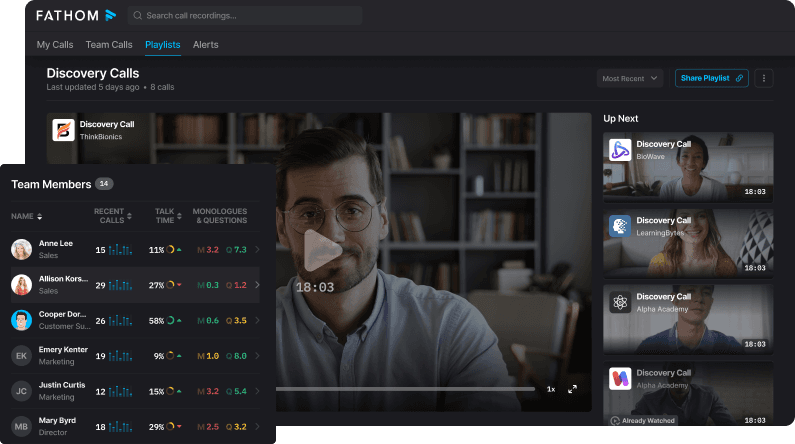
Fathom is an AI meeting notes taker designed to capture, transcribe, and summarize Zoom, Google Meet, and Microsoft Teams calls. It has a lot of its meeting workflow behind a free plan.
Users receive unlimited recordings, transcriptions, call storage, clips, playlists and advanced AI summaries on the first five calls each month.
Fathom's newer bot-free experience is currently available to eligible Mac users with English-language meetings, with Windows support coming.
Fathom's key features
Unlimited recordings: Fathom's free plan offers unlimited recordings, transcriptions and storage, making it convenient for those who have frequent meetings.
Three major meeting platforms: Fathom supports Zoom, Google Meet, and Microsoft Teams, which are the primary video-conferencing platforms most teams use.
Bot-free meeting capture: Fathom's newer bot-free experience allows Mac users to capture meetings without adding a Fathom participant to the meeting.
AI meeting summaries: Fathom converts meeting transcripts into structured summaries, allowing you to quickly skim the key takeaways without having to listen to the entire meeting.
Meeting clips: You get access to video clips from key moments in a meeting and share them with teammates.
Ask Fathom: Fathom allows you to ask questions about your meetings and get information from your recorded conversations.
CRM synchronization: Fathom can sync meeting data to CRM systems, ensuring that sales teams have up-to-date customer information following calls.
Deal View: Fathom's Deal View structures conversation information around sales opportunities, providing revenue teams with greater context around individual deals.
AI action items: Fathom automatically extracts follow-up actions from conversations, ensuring that key actions are not lost in the transcript.
Security and compliance: Fathom is SOC2 Type II, GDPR and HIPAA compliant.
Team collaboration: Shared meeting libraries, search, playlists and clips enable teams to access and re-use meeting knowledge.
Fathom pricing
Free: $0 per month
Premium: $20 per user/month or $16 per user/month (annual billing)
Team: $19 per user/month or $15 per user/month when billed annually:
Business: $34/user/month or $25/user/month (annual billing)
Enterprise: Custom pricing
What Fathom users love
Clean interface and useful AI transcription
“The transcription and AI features are also very useful because they save me from having to take detailed notes during meetings.” — Emmanuel B., Sales Operations Coordinator, G2 review.
Simple notes with a full transcript
"It's easy to use; it takes great notes, provides a breakdown of everything important from the meeting, and also gives you a transcript, which is helpful in about a million different ways.” — Matthew P., CSM, G2 review.
What Fathom users flag
No transcription for recordings from past meetings
“The only thing I don't like is that it can't create transcripts of past meetings. I can't give it a meeting recording and get the transcript.” — Matthew P., G2 review.
Accents and expressions can affect transcription accuracy
“At times, the accents, expressions, and words they use are not accurately captured, so some parts of the transcript or notes may not quite match what was actually said.” — Kristine G., G2 review.
3. Fireflies.ai: Best for Meeting Workflows and Integrations
Best for : Teams that need broad integrations, searchable meeting history, and automated workflows across their organization.
Similar to: Fathom, Otter.ai
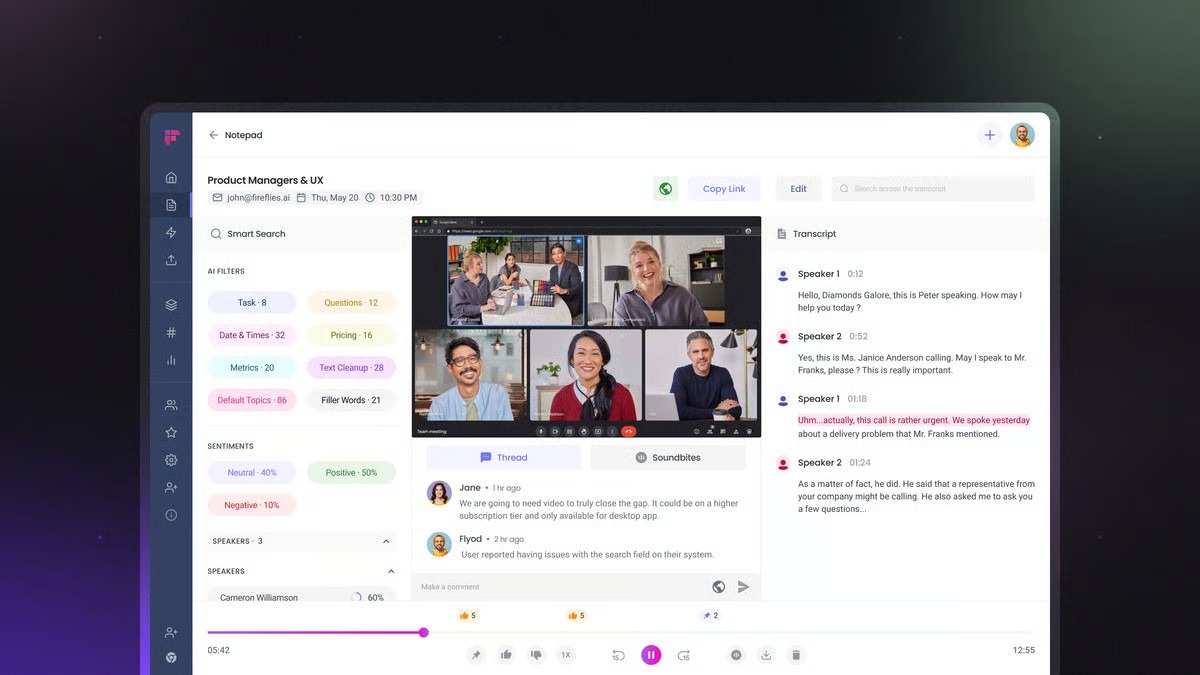
Fireflies.ai is an AI meeting assistant that captures and transcribes conversations, and provides teams with multiple options for leveraging the meeting data.
Meetings can be searched, questions can be asked via AskFred, summaries and action items can be created, audio or video files can be uploaded and meeting information can be linked to other applications.
Its integration ecosystem is also one of its greatest attributes. There are currently over 100 integrations on Fireflies, such as Salesforce, HubSpot, Slack, Microsoft Teams, Zoom, Google Meet, Dropbox, and other business tools.
That means that Fireflies can be helpful if you need to take meeting notes and then move them elsewhere once the meeting is over, instead of leaving them in a dedicated note-taking application.
Fireflies.ai's key features
Meeting summaries: Fireflies can record meetings on popular conferencing platforms and convert them into searchable transcripts and AI-generated notes.
100+ integrations: Fireflies integrates with over 100 applications, providing teams with ample choices for transferring meeting information to CRM, communication, storage, and productivity applications.
Transcription and summaries in 100+ languages: Fireflies can transcribe and summarize in over 100 languages, catering to multilingual teams and global conversations.
AskFred: AskFred allows you to ask questions about meetings and get information from your conversation history without having to manually search through the transcript.
AI Summaries: Fireflies generates structured summaries of meeting transcripts, allowing you to grasp the content of what was discussed.
Action items: The platform can capture tasks and follow-ups from conversations, allowing teams to stay on top of what needs to be done next.
Speaker labels: Fireflies labels who spoke, and numbers the voices in uploaded files.
Real-time notes: Fireflies can live transcribe and deliver meeting information in real-time, not just after the meeting.
CRM integration: Fireflies can sync meeting details with CRM platforms like Salesforce and HubSpot, minimizing manual follow-ups.
200+ AI Skill templates: Fireflies offers ready-made templates for workflows such as BANT, MEDDIC, competitor mentions, candidate scorecards, and weekly reports.
Fireflies.ai pricing
Pro: $18 per user/month, or $10 per user/month when billed annually
Business: $29 per user/month, or $19 per user/month when billed annually
Enterprise: $39 per user/month, billed annually
What Fireflies.ai users love
Fireflies keeps salespeople focused on the client instead of note-taking
“My absolute highest priority during a meeting is to focus entirely on the client—watching how they say things and reading the room. Before Fireflies, I was always distracted by trying to scribble down notes. Now, I can be 100% present in the conversation, which is honestly priceless to me.” — Pasi R., G2 review
Searchable meeting history makes project decisions easier to recover
“Fireflies Notetaker has become less of a transcription tool for us and more of a searchable memory for the project.” — Samantha V., G2 review
What Fireflies.ai users flag
CRM data could be easier to edit after meetings
“Maybe the data you sync to the CRM could be easier to modify, as after a while, you want to tweak the reports of the meetings and maybe add some action items too.” — Pasi R., G2 review
Speaker identification gets harder when several people share one camera
“If multiple people are logged into a meeting using the same camera, e.g. in a conference room, this is when Fireflies is (understandably) unable to do a great job of determining who is speaking.” — Peter B., G2 review
4. Otter.ai: Best for live collaborative transcription
Best for:Teams that want live transcription, AI chat, and searchable notes across meetings and uploaded recordings.
Similar to: Fathom, Fireflies.ai
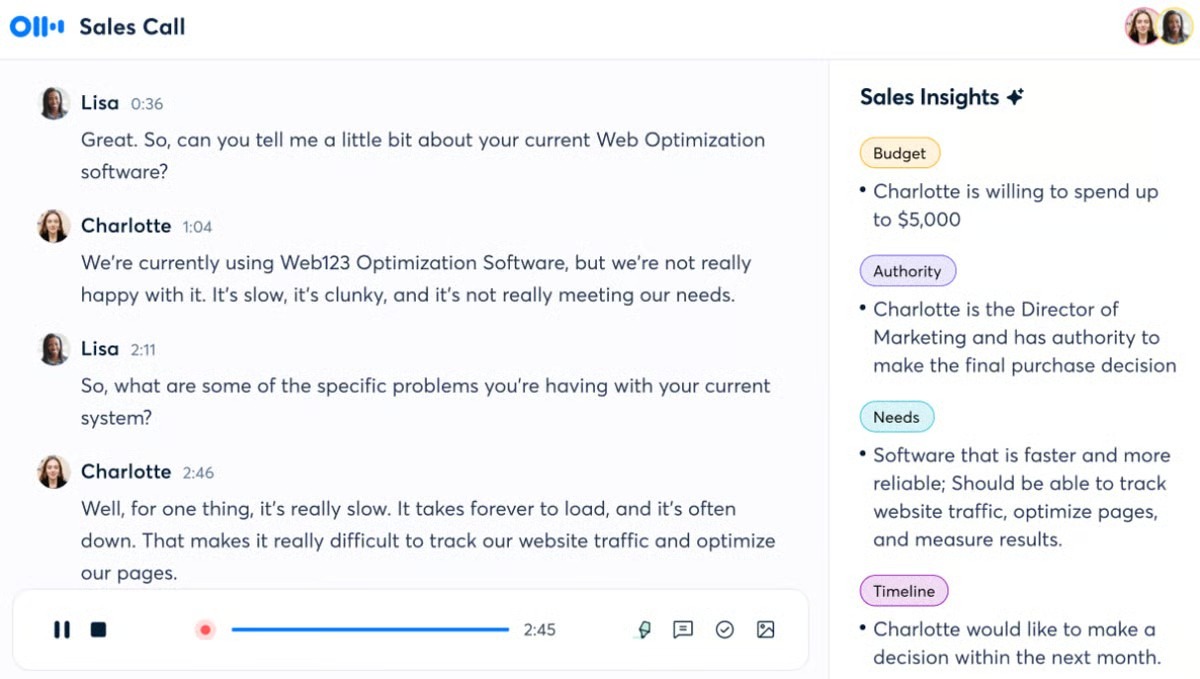
Otter.ai is an AI meeting assistant built around live transcription, collaborative notes, and AI-powered meeting search. Participants can follow the transcript as the conversation takes place, rather than waiting for a call to be ended to review the notes.
Otter integrates with Zoom, Microsoft Teams, and Google Meet, and its desktop and mobile apps allow for recording beyond video meetings.
It also includes collaboration tools like highlights, comments, action items, and shared notes. That makes it handy for teams who would like multiple users to use the same meeting record.
Otter.ai's key features
Live transcription: Otter transcribes conversations in real-time, so that participants can follow along and capture key moments.
Works with Zoom, Teams and Google Meet: Otter is compatible with the leading video-conferencing platforms, allowing teams to maintain a consistent transcription workflow across various meetings.
AI Chat: Otter's AI Chat allows users to ask questions about specific meetings or information from their meeting history.
Speaker identification: Otter distinguishes between speakers in the transcript to view who is speaking in a conversation.
AI meeting notes: Otter converts live transcripts into structured meeting notes, making it easier to review the conversation after the meeting.
Meeting templates: Templates enable teams to take the same notes and record the same information in regular meetings.
File imports: Otter can transcribe uploaded recordings, which means you can use conversations that took place outside of an Otter meeting.
CRM integrations: Otter connects with Salesforce, HubSpot, and Zapier on supported paid plans, allowing teams to move meeting information into their existing workflows.
Mobile recording: Otter's mobile apps allow you to record and transcribe conversations on the go.
MCP support: Otter's MCP features enable linking meeting information to compatible AI tools and external workflows.
Otter.ai pricing
Basic: $0 per month
Pro: $16.99 per user/month
Business: $30 per user/month
Enterprise: Custom pricing
What Otter.ai users love
Real-time transcription lets you stay focused on the conversation
“What I like best about Otter.ai is how seamlessly it handles real-time transcription and generates concise automated summaries. It allows me to stay fully engaged during client calls and meetings without having to worry about taking manual notes.” — Kayreal P., G2 review
AI Chat makes it easier to recover details from long sales cycles
“AI Chat is especially helpful when I need a precise answer rather than yet another generic summary. […] Being able to query both the current conversation and previous meetings is particularly valuable on longer sales cycles, where important details end up scattered across several calls.” — Rostyslav M., G2 review
What Otter.ai users flag
Transcription struggles with accents, jargon, and overlapping speakers
“What I dislike most about Otter.ai is that the transcription accuracy drops when dealing with heavy background noise, multiple speakers talking over each other, or strong accents. It often requires manual editing afterward to fix speaker labels and technical jargon.” — Kayreal P., G2 review
Limited language support makes multilingual meetings harder
“I find Otter.ai has limitations with language support, as it operates almost exclusively in English, which makes it struggle with non-English conversations, code-switching, or multilingual team meetings.” — Khalid S., G2 review
5. tl;dv: Best for video-first meeting intelligence
Best for: Teams looking for a single workspace to manage recorded meetings, video clips, multi-meeting insights, AI notes, and sales workflows.
Similar to: Fathom, Fireflies.ai
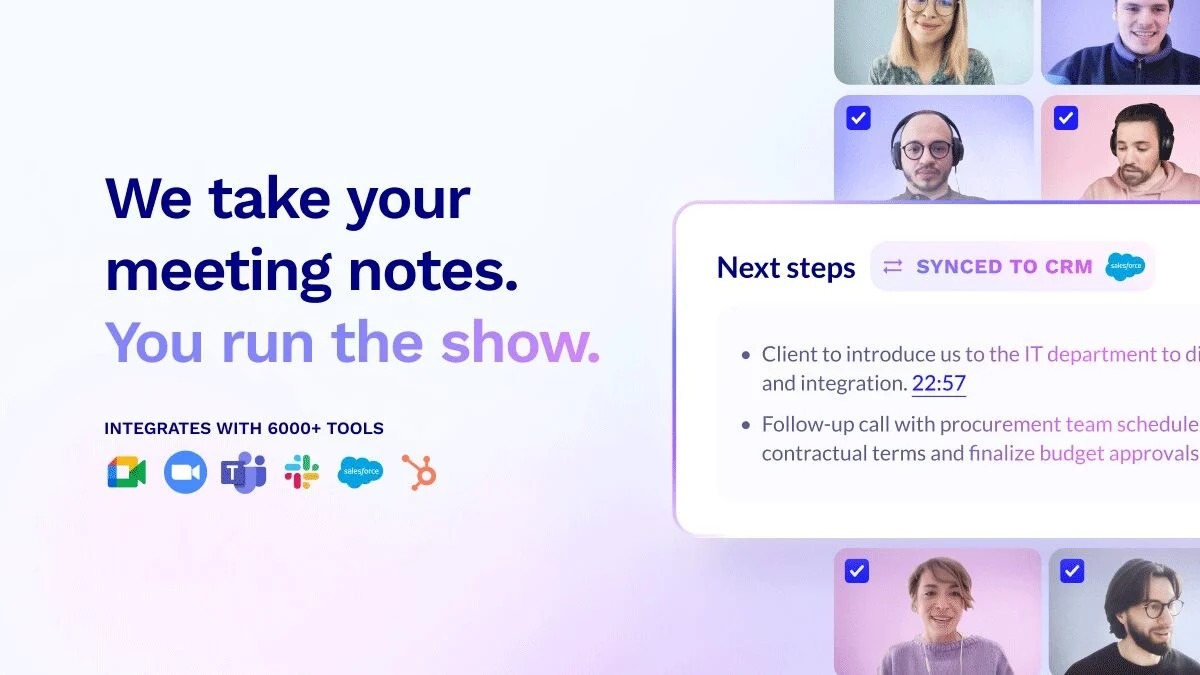
tl;dv is an AI-powered note-taker that combines recording, transcription, and smart meeting summaries with tools for sales coaching and performance insights.
It keeps things simple with two core offerings: automated notes for every meeting and sales intelligence designed for managers who want better visibility without more busywork.
tl;dv's key features
Video meeting recordings: tl;dv records video meetings so teams can revisit the original conversation, rather than just an AI-generated summary.
Bot-free capture: tl;dv provides recording options, enabling teams to capture meetings without relying solely on a meeting bot.
EU hosting: tl;dv stores your recordings in the EU, with an AI hosting setting.
No AI training: tl;dv says your recordings are never used to train AI
Multi-meeting reports: tl;dv can extract data from several meetings, which can be useful for teams to spot trends and patterns.
Security certifications: tl;dv is SOC2 compliant and GDPR-compliant for all users
CRM integrations: tl;dv integrates meeting data with CRM systems, allowing sales teams to transfer the context of the conversation to their current CRM records.
Playbooks: Playbooks enable teams to evaluate conversations based on specific criteria and ensure uniformity in sales interactions.
30+ languages: tl;dv can translate your transcript and meeting summary effortlessly with AI in 30+ languages
MCP support: tl;dv provides an MCP server that lets compatible AI tools such as ChatGPT and Claude access meeting knowledge, with MCP available from the Pro plan.
tl;dv pricing
Pro: $29/user/month
Business: $39/user/month
Enterprise: Custom
What tl;dv users love
Custom meeting summaries make sure important points don't get missed
“The meeting summary of the meeting has helped with ensuring no missed points and also being able to set what information I want to be captured in my meetings for the notes is super helpful.” — D. L., G2 review
Multilingual summaries and action items save time during interviews
“I love the fact it records our meeting in different languages, does an accurate summary, and sends us the actions that we need to do. I use it especially for my interviews as I'm an HR, and it saves me so much time as I can really focus on what the candidates say instead of taking notes.” — Manon H., G2 review
What tl;dv users flag
Free-plan recording can fail when the servers are busy
“Restriction of the free account on how busy the server is results in meetings not being recorded all the time.” — D. L., G2 review
Analytics could go deeper as teams build up more meeting data
“I don't have many negatives to call out with TL;DV. If I had to pick something, I'd say the analytics could probably be a little stronger.” — Brendan M., G2 review
6. Avoma: Best for meeting workflows and revenue teams.
Best for: Sales and revenue teams that want meeting notes connected to conversation intelligence, CRM updates, and revenue workflows.
Similar to : Gong, Fathom, Fireflies.ai are similar to this.
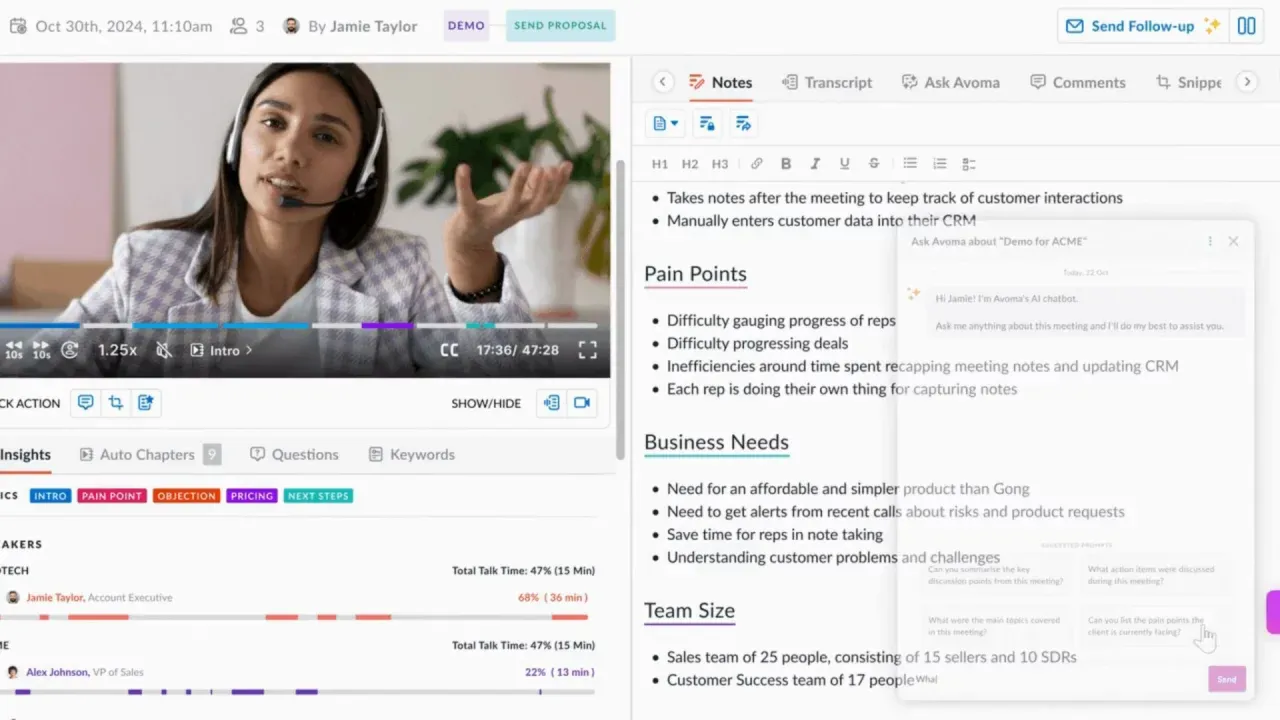
Avoma is an AI meeting platform that covers an AI meeting assistant, scheduler, conversation and revenue intelligence. It is relevant for sales teams looking to have meeting data integrated with the rest of their revenue process.
The platform also features scheduling and pre-meeting workflows, ensuring that the meeting assistant continues to work after the call.
Avoma's key features
Automatic meeting recording: Avoma can automatically record scheduled meetings, eliminating the need to manually start recording every call.
Live transcription: Avoma transcribes conversations in real-time, allowing participants to follow along and reference what was said during the meeting.
Custom note templates: Templates allow teams to dictate the format of AI-generated meeting notes, ensuring uniformity in repeated meetings.
Searchable meeting archive: Avoma indexes every note, transcript, and recording so teams can search by keyword, topic, speaker, date, or deal stage and jump through Smart Chapters.
AI follow-up emails: Avoma can convert meeting context into follow-up email drafts, eliminating manual follow-up after customer calls.
60+ languages and dialects: Avoma supports 60+ anguages and dialects supported for transcription and AI notes
CRM updates: Avoma auto-syncs AI notes, action items, and methodology fields like MEDDIC and SPICED to the right CRM records.
Conversation Intelligence: Conversation Intelligence detects call patterns, topics, and other sales-relevant information.
Revenue Intelligence: Revenue Intelligence links conversation data with other deal and revenue data for teams who require a more comprehensive view of sales activity.
Meeting scheduling: Avoma also includes meeting scheduling workflows, providing teams with the tools to schedule meetings prior to the discussion.
Avoma pricing
Startup: $29/month
Organization: $39/month
Enterprise: $39/month annual-only
Conversation Intelligence: $35 monthly
Revenue Intelligence: $35 monthly
Lead Router: $25 monthly
What Avoma users love
Automatic notes let you stay present instead of writing everything down
“Avoma is most helpful for capturing meeting notes, summaries, and action items automatically, which saves time and reduces the chance of missing important details.” — Miles H., G2 review
Ask Avoma pulls context from your entire call history
“I like the Ask Avoma AI feature because I can look up anything and there's always context from the system and all the calls I've been on; it saves me a ton of time by not having to manually go into calls and search through transcripts.” — Kortnee P., G2 review
What Avoma users flag
Automatic notes still need a quick accuracy check
“One thing I don't like is that sometimes the automatic notes are not perfectly accurate. Most of the time they are good, but occasionally a word or sentence may not be captured exactly right, so I still need to review them quickly." — Sanket P., G2 review
Ask Avoma sometimes needs more prompting to find the right data
“Sometimes Ask Avoma has a hard time pulling all the data I need, and I have to prompt it several times before it gets me what I actually need.” — Kortnee P., G2 review G2
7. Gong: Best for enterprise revenue intelligence.
Best for: Enterprise sales teams that need conversation intelligence, deal insights, and revenue analytics at scale.
Similar to: Avoma, Fireflies.ai
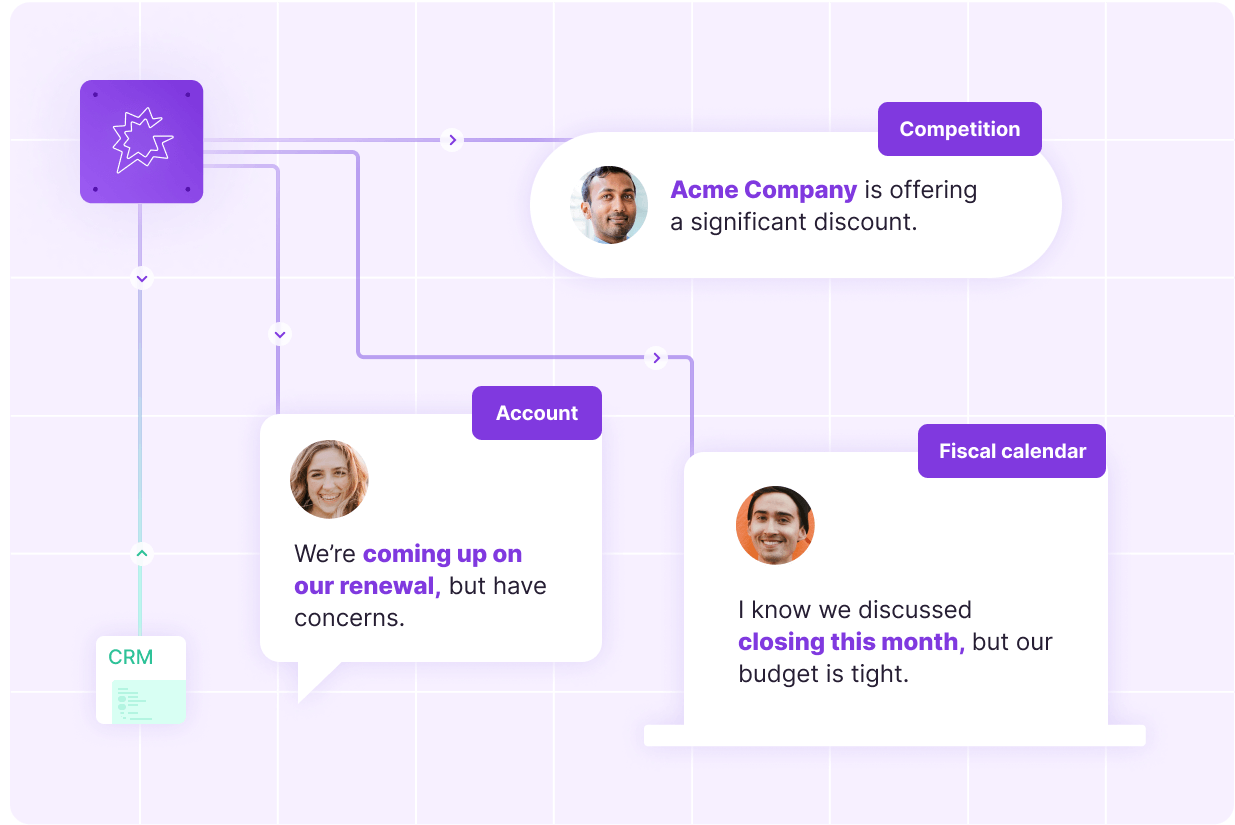
Gong is a revenue intelligence platform that analyzes customer interactions across calls, meetings, emails, and other revenue data.
It's not just to provide you with a cleaner meeting summary. Gong leverages conversation data for sales coaching, deal analysis, forecasting, pipeline management, and revenue workflows.
It is a different kind of Grain alternative because of its revenue-intelligence layer that may not be necessary for teams that are just seeking simple meeting notes, but could be essential for enterprise sales teams.
Gong's key features
Customer conversation capture: Gong captures customer conversations on multiple channels, providing revenue teams with a wider range of conversation data.
Conversation intelligence: Gong analyzes customer conversations to uncover patterns, topics, risks, and other sales signals.
Deal intelligence: Deal-level insights enable teams to know what's going on within each deal and what needs to be done.
AI sales workflows: Gong leverages AI to automate certain aspects of the revenue process and convert conversation data into actionable insights.
Meeting summaries: Gong creates summaries of customer conversations so salespeople can see the call without having to listen to it again.
CRM automation: Gong can integrate pertinent conversation data into CRM workflows, minimizing manual input for sales teams.
Sales coaching: Conversation data provides content for sales coaching.
Revenue search: Teams can search conversation and customer information to locate specific information across their revenue data.
Forecasting signals: Gong leverages customer and conversation data as part of its comprehensive revenue forecasting features.
Enterprise governance: Gong offers enterprise-level controls for organizations that require access, security, and large-scale revenue data management.
Gong pricing
Revenue AI Platform: Custom pricing is available.
Enterprise deployment: Custom pricing for team size, requirements, and deployment needs.
What Gong users love
Reliable call records make it easier to review conversations and deal context
“I love that it makes it easy to transcript and summarize those quick and sometimes boring calls. It gives a very reliable record of conversations, and the deal intelligence significantly improves deal visibility. The AI also helps me present a summary of my calls to my employees and designers so I don't need to spend their time watching recorded calls.” — Fernando A., G2 review.
AI transcription and chatbot make call analysis easier to work through
“It’s transcription capabilities are very good, and with the chatbot you can ask it anything and get a fairly accurate response with sources for you to manually verify.” — Alejandro O., G2 review.
What Gong users flag
Information from call summaries can be complex
“The amount of information available can sometimes feel overwhelming, especially when reviewing multiple "calls"—Martina G., G2 review
AI outputs still need checking when accuracy matters
“The AI outputs are only moderately accurate and consistent for me, and when it makes a mistake, it is not that easy to catch and correct.” — Fernando A., G2 review.
8. MeetGeek: Best for automated meeting workflows
Best for:Teams that want automated meeting recording, AI summaries, searchable conversations, and broad app integrations.
Similar to: Fireflies.ai, tl;dv,
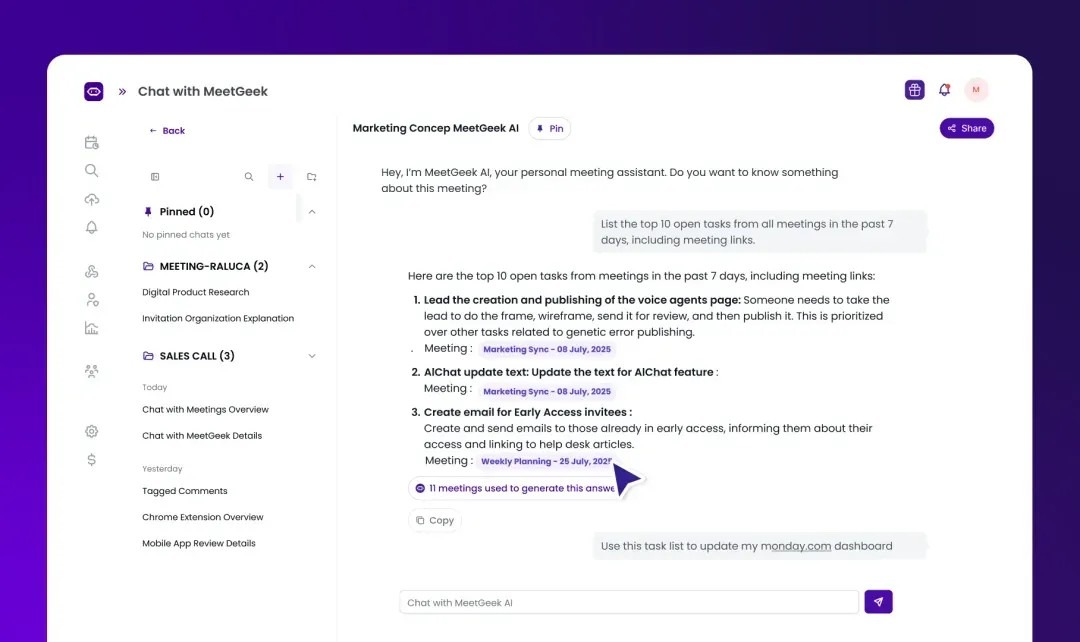
MeetGeek is a meeting recorder with a broad workflow and integration layer. It can record Zoom, Google Meet, Teams, and other meetings, and its desktop and other recording experiences cater to various meeting scenarios.
With MeetGeek, users receive automated meeting recordings, meeting transcriptions, meeting summaries, and actionable insights to make their workflow easier and reduce the time spent on manual follow-ups.
MeetGeek's key features
Bot-free recording: Desktop recording enables users to record meetings without having to add a separate meeting participant to the call.
100+ languages: MeetGeek provides transcription services for over 100 languages, catering to multilingual teams.
AI meeting minutes: MeetGeek converts conversations into structured meeting minutes, highlighting key points, decisions, and tasks.
Custom templates: Teams can define templates that determine how MeetGeek processes various types of meetings.
Automatic template detection: Paid plans can automatically detect the right meeting template, eliminating the need to choose one manually.
Team Collaboration Tools: Searchable library of past meetings and insights for team wide access and knowledge sharing
AI Agents: MeetGeek's AI agents can automate follow-up tasks after meetings and convert meeting data into actionable items.
Seamless Integrations: Integrates with 7,000+ apps, Slack, HubSpot, Google Drive, Zapier.
Conversation Intelligence: Tracks engagement, speaker distribution and trends with 100+ KPIs for coaching and training.
MeetGeek pricing
Basic: $0 per month
Pro: $15.99/month (billed monthly)
Business: $27/month (billed monthly)
Enterprise: Custom pricing
What MeetGeek users love
Post-meeting insights reveal sales opportunities you might otherwise miss
“The best feature about MeetGeek is the insights it brings out after a meeting, not only to learn and continue with best practices, but also to show any way to increase and get better results when communicating and having more sales closed.” — Adrián P., G2 review
Structured notes make team discussions easier to review
“I really appreciate that MeetGeek provides meeting notes in a structure I can work with, making it super convenient.” — Oana M., G2 review
What MeetGeek users flag
Meeting bots can make some users feel like they're being watched
“Needed the business plan to not have it named ‘[My name] ‘Meet Geek bot’ in the zoom meeting. I did not want everyone to feel watched with the bot—although we later had access to the lecture record.” — Verified User in Hospital & Health Care, G2 review
Summaries occasionally miss key details
“The only downside is that occasionally the summaries miss small details, and some features could be a bit more customizable”—Verified user, G2 review
9. Notta: Best for Multilingual AI Transcription
Best for: Teams and individuals that need multilingual transcription across online meetings, in-person conversations, and uploaded files.
Similar to: Otter.ai, Fireflies.ai, MeetGeek are similar to this.
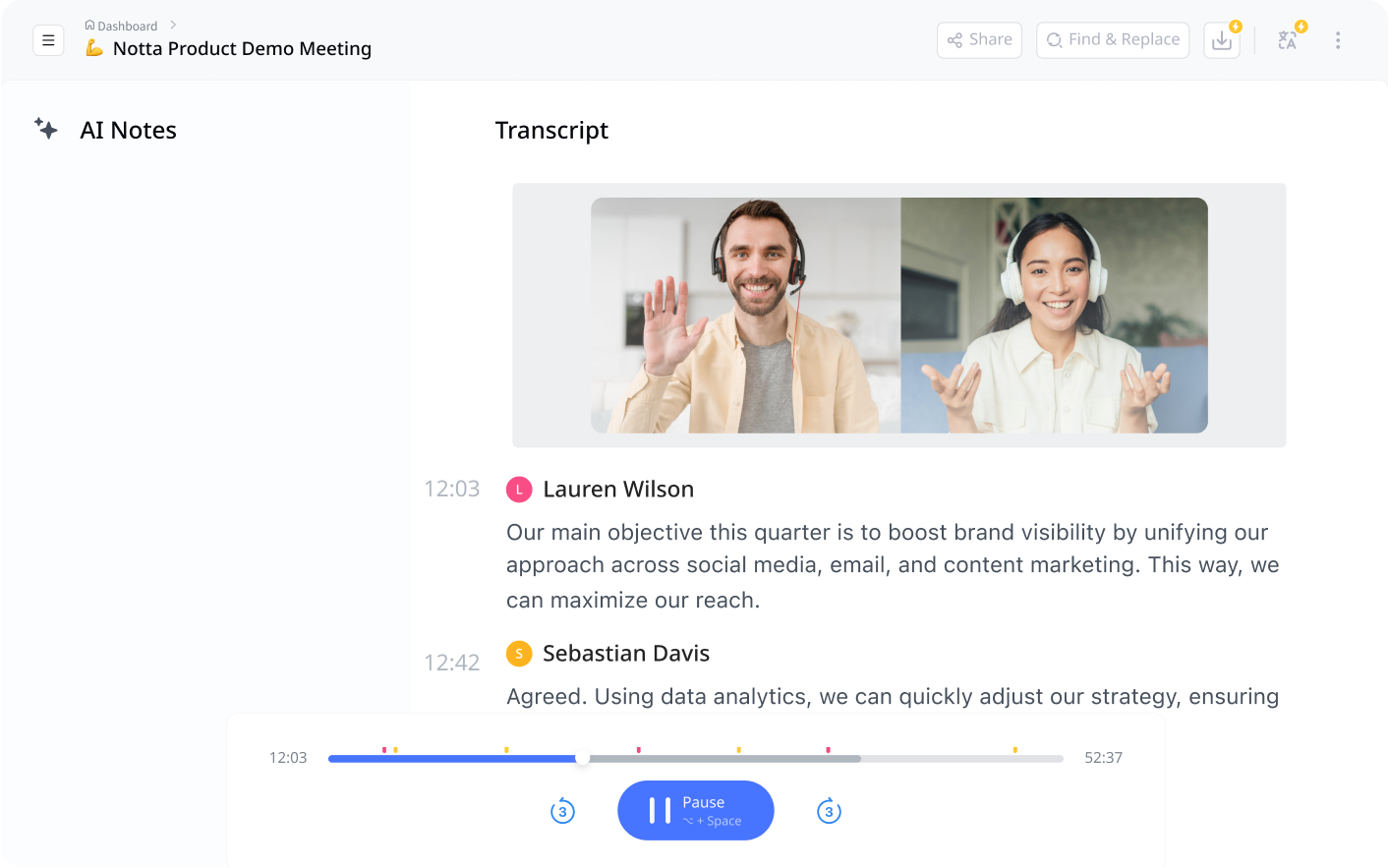
Notta is an AI note taker that transcribes, summarizes, and generates action plans from your meetings, interviews, or recordings. It was ranked amongst our top 10 best AI lecture note takers.
In addition, Notta provides AI capabilities for the generated transcriptions, such as summaries and the ability to interact with the transcript via Notta Brain.
Notta's key features
58 transcription languages: Notta can transcribe in 58 languages, which is great for teams that frequently work across languages.
Bot free Notta Desktop: Notta Desktop records your computer audio with nothing joining the meeting, and it is in beta
Face-to-face recording: Notta can record face-to-face conversations, which means that the workflow is not interrupted when a meeting takes place outside a video-conferencing application.
File transcription: Existing audio and video files can be uploaded and converted into searchable transcripts.
AI meeting summaries: Notta generates concise summaries of meeting transcripts to help users quickly grasp the content of a meeting.
Notta Brain: Notta Brain provides an AI interface for users to ask questions and get helpful outputs from their meeting information.
Notta Memo: Notta sells a pocket recorder that weighs 28 grams and records for up to 30 hours.
Custom vocabulary: Custom vocabulary will enhance the accuracy of transcription for specialized words, names, products and terminology.
40+ meeting apps: Notta Desktop records system audio from Zoom, Google Meet, Microsoft Teams and more.
Business integrations: Notta integrates with Salesforce, HubSpot, Slack, Notion, Zapier, Google Drive, Dropbox, and ClickUp.
Notta pricing
Free: $0 per month
Pro: $8.17/month on an annual basis
Business: $16.67 per user/month (billed annually)
Enterprise: Custom pricing
What Notta users love
A simple interface makes it easy to record both online and in-person meetings
“The simple interface and the accuracy of the transcription. I like that I can also record in-person sessions with the app very easily.” — Verified User in Information Technology and Services, G2 review
Accurate summaries cut down the time spent writing meeting notes
“Regardless of the transcription accuracy, the summary is quite accurate. Zoom's summaries are often off the mark, so this is a huge help to me.” — Verified User in Manufacturing, G2 review
What Notta users flag
Long iPhone recordings can fail to transcribe the full session
“Now the app is unstable on iPhone, there are two long in-person sessions that I recorded, it didn't show an error, but the transcription is only a few minutes, I don't have the whole session.” — Verified User in Information Technology and Services, G2 review
Proper names can still trip up the transcription
“I find many mistakes in transcription especially in proper nouns. I want to correct names in summary.” — Verified User in Manufacturing, G2 review G2
10. Read AI: Best for meeting analytics and coaching
Best for: Teams that want meeting summaries alongside engagement analytics, meeting coaching, and conversation insights.
Similar to: Otter.ai, Fathom, Avoma
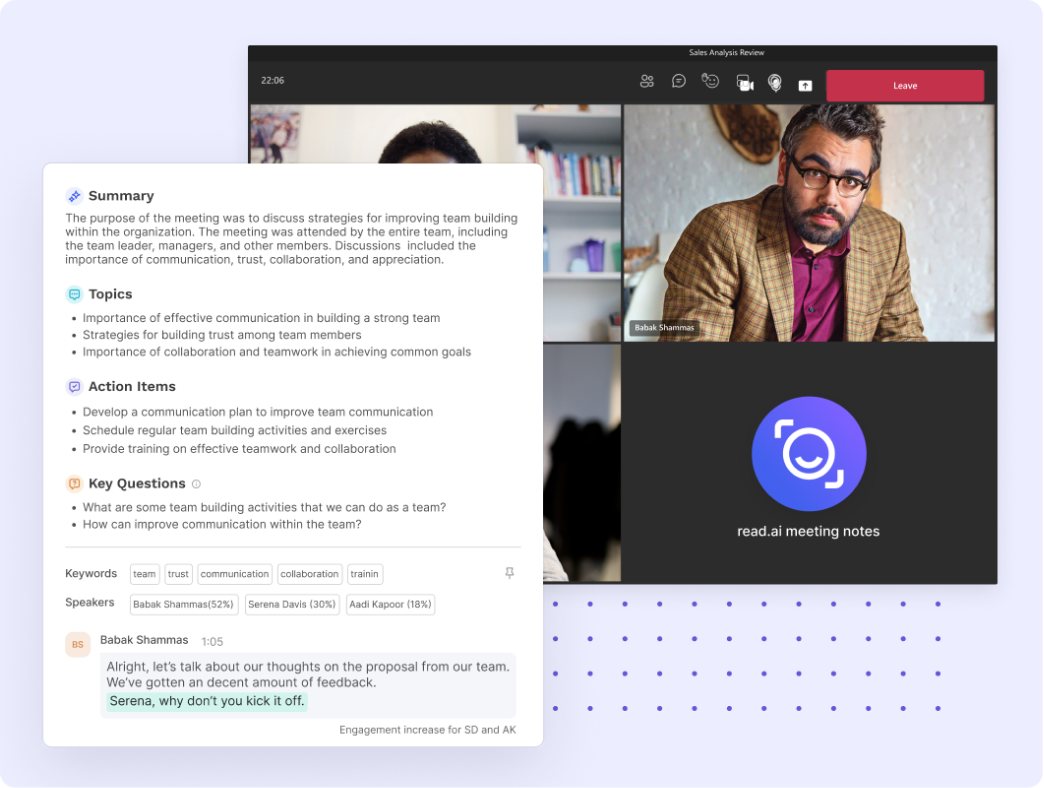
Read AI goes beyond transcription and summarization of meeting notes to provide a layer of meeting analytics. It offers live notes and metrics during a meeting with its Meeting Assistant and stores data like meeting engagement and speaker behavior.
It is compatible with Zoom, Microsoft Teams, and Google Meet, and has apps for Windows, macOS, Android, and iOS. This provides teams with multiple options for importing meeting information into Read.
The main distinction is the analytics layer. Read is not just about what happened in a meeting, it's about information about how the meeting unfolded.
Read AI key features
Live Notes and Metrics: Read displays meeting notes and engagement data in real-time, providing context to participants.
Read works across Zoom, Teams, and Google Meet: Read works across the major video-conferencing platforms, so that teams can keep their meeting analytics in one place.
AI meeting summaries: Read turns conversations into structured summaries that capture the important information from each meeting.
Personalized meeting coaching: Read AI analyzes meeting behavior and provides coaching insights based on individual speaking and meeting habits.
Talk-time analysis: Read tracks the amount of speaking by each participant, providing an additional perspective on meeting dynamics.
Engagement metrics: Engagement metrics offer more context on how participants are engaging during meetings.
Topic Readouts: Read detects common discussion topics and provides teams with insight on what people are talking about.
Ask Read: Users can search and ask questions on information from their meetings and related workplace information.
AI search integrations: Read can connect meeting information to supported AI and workplace workflows
Enterprise controls: Advanced plans include extra administration, playback, governance, and organizational controls for larger teams.
Read AI pricing
Free: $0 per month
Pro: $15 per user/month (billed annually)
Enterprise: $22.50 per user/month (billed annually)
Enterprise+: $29.75 per user/month (billed annually)
What Read AI users love
Automatic meeting capture means you don't have to remember to start recording
“Read AI is very easy to set up. I also appreciate that I can add it into every meeting at a time.” — Pamela R., G2 review
Complete transcripts and clear takeaways make client calls easier to review
“I love that Read AI creates a complete transcript of my calls with clients. It also provides a clear summary and key takeaways.” — Brooke J., G2 review
What Read AI users flag
Report organization can be more manual than expected
“I think it could be improved the way you storage and create folders for the reports. Sometimes you need to do it very manually, selecting one by one. I think that can be improved by selecting multiple files or reports. It is a little bit expensive.” — Pamela R., G2 review.
Summary quality can vary with meeting structure and different accents
“The quality of summaries can also vary depending on meeting structure and different accents.” — Samanta J., G2 review.
Final verdict on the best 10 Grain alternatives
The best Grain alternative is going to be based on what you want from your meeting note taker. Jamie is the best choice for those who are looking for bot-free recording, structured meeting notes, in-person capture, European data storage, and AI that can operate across the history of your meetings. Let me give you a brief overview of what Jamie does:
Jamie captures online meetings from your device without sending a bot into the meeting. It also supports recording meetings from iPhone and Android, which means you can have the same meeting assistant for both online and in-person meetings.
Jamie creates meeting notes, complete transcripts and action items in over 100 languages. It also identifies speakers and uses Speaker Memory to recognize them in future meetings.
Jamie stores and processes meeting data in Europe, is GDPR compliant and ISO 27001 certified, and deletes meeting audio after the transcript is created. These safeguards are also in effect for the free plan.
Jamie integrates meeting notes with the tools your team already uses. Depending on your plan, that includes Salesforce, HubSpot, Attio, Microsoft Dynamics 365, Pipedrive and other work apps.
Ask AI allows Jamie to search and ask questions in your meeting history, and then use Agent Skills and connected apps to take action based on the meeting. Pro, Team and Enterprise users can also integrate Claude, ChatGPT and Cursor with MCP.
Even when video recording, clips, sharing, and conversation intelligence are at the heart of your workflow, grain still makes sense. It can record the entire meeting as video using its Bot Capture, but it can also record without a bot using Desktop Capture, but it will not save a media file. AI notes and transcripts are created for both capture methods.
You can also choose a different tool when your workflow calls for something more specific:
Choose Fathom when you want unlimited meeting recordings and transcription on the free plan, with a strong focus on sales calls and CRM workflows.
Choose Fireflies.ai when you want meeting transcription across 100+ languages and a large library of integrations.
Choose Otter.ai when you want live transcription, AI Chat, and real-time meeting documentation.
Choose tl;dv when you want multilingual meeting notes alongside sales-focused analysis and recording workflows.
Choose Avoma when you need conversation intelligence, meeting notes, and revenue workflows in one platform.
Choose Gong when meeting intelligence needs to sit inside a broader revenue intelligence and sales workflow.
Choose MeetGeek when you want meeting capture, structured notes, post-meeting insights, and workflow automation.
Choose Notta when multilingual transcription and in-person recording are important parts of your workflow.
Choose Read AI when you want meeting summaries alongside engagement, participation, and meeting-performance analytics.
For everything else, Jamie gives you bot-free meeting capture, structured notes, transcripts, action items, Ask AI, and in-person recording without requiring a separate meeting recorder. The free plan includes 10 AI meeting notes per month, with European data storage, ISO 27001 certification, and audio deletion after transcription.